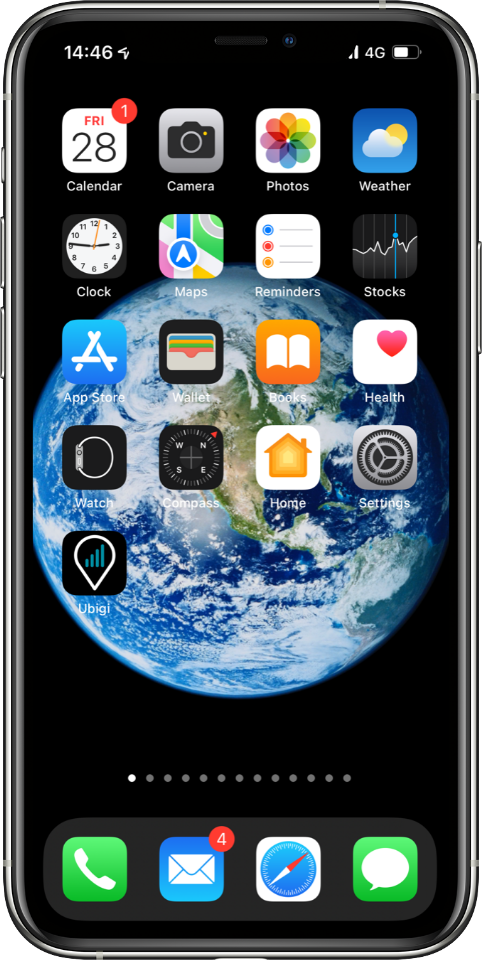
Open your Ubigi Selfcare app on your smartphone or tablet.
If you do not have the app, you can also access your Ubigi account on ubigi.me using a web browser.
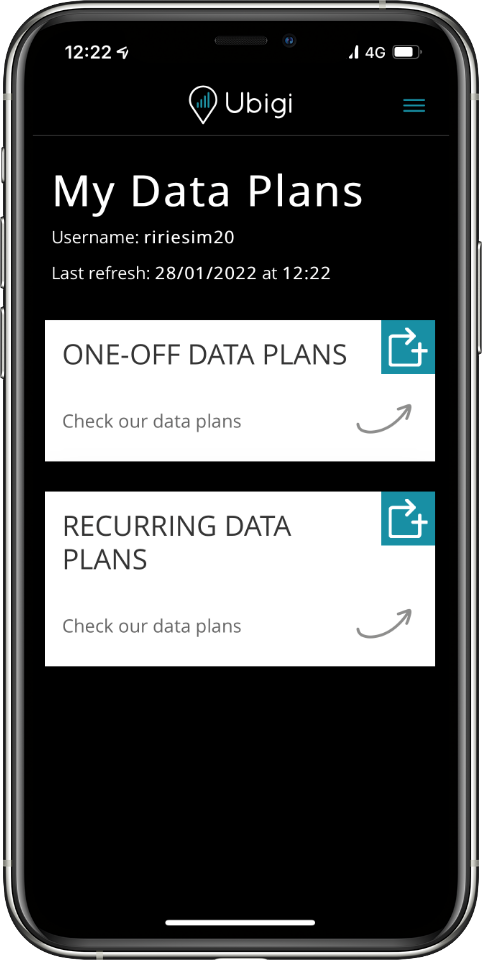
Go to Top Up
Tap on the Top Up symbol
to see the wide range of one‑off and recurring
data plans covering your destination.
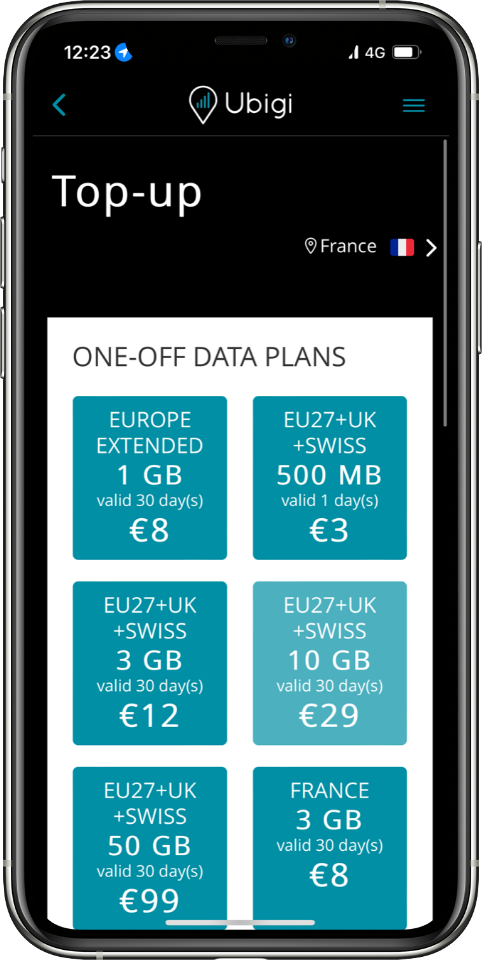
Choose your data plan
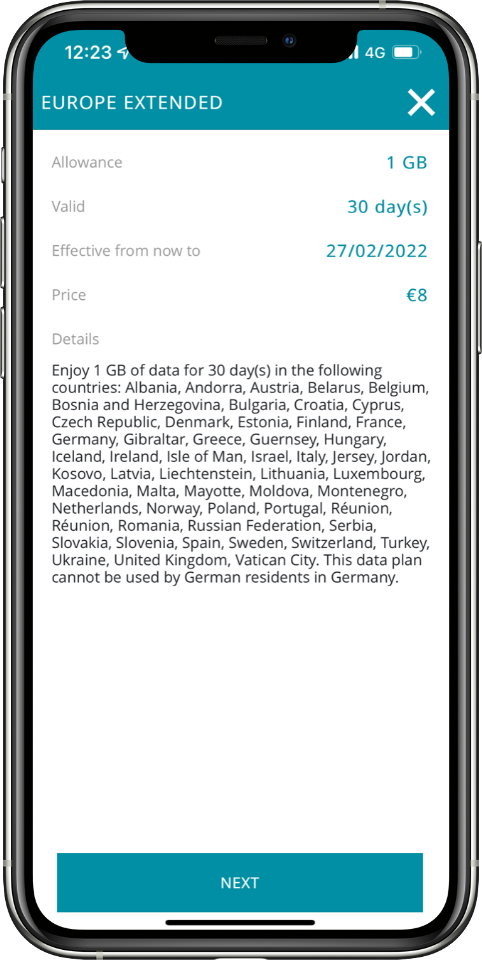
Tap on the data plan of your choice to see complete information including data allowance, days valid, expiration date, price and destinations covered.
Note: If you want to search for a data plan outside your current location, you can change location settings at the top right corner.
Make a payment
Once you have selected your data plan, check out by selecting your payment method and entering your payment details.
Your data plan will automatically activate upon arrival in a destination covered by the plan, with the validity period starting from that moment. Please note, if the plan is not activated within 6 months of purchase, it will expire automatically.
Enjoy your Ubigi connectivity!

We accept major international payment methods:

Great
Based on 43715 reviews on
Verified
Verified review
This user has been identified as a buyer
Landed in japan and had signal right…
Landed in japan and had signal right away cheaper than the ones in the airport made a speed test and it over 60mbps more than enough for maps and translation got the unlimited for 8 days
Nash, 17 Aug 2026
Verified
Verified review
This user has been identified as a buyer
Easy setup
Easy setup, fast network
customer, 17 Aug 2026
Verified
Verified review
This user has been identified as a buyer
Ubigi eSim works very well here in…
Ubigi eSim works very well here in Thailand!
Joost van Steekelenburg, 17 Aug 2026
Verified
Verified review
This user has been identified as a buyer
Very good expérience
Very good expérience. It was easy to install and worked very well
customer, 17 Aug 2026
Verified
Verified review
This user has been identified as a buyer
The network performance was excellent…
The network performance was excellent throughout my usage, providing a strong and reliable connection.
Highly recommended for a seamless and hassle-free connectivity experience.
evrencayli, 17 Aug 2026
Verified
Verified review
This user has been identified as a buyer
Easy to use with no hiccups.
customer, 17 Aug 2026
Verified
Verified review
This user has been identified as a buyer
Great service
Great service
Good connection for internet
customer, 17 Aug 2026
Verified
Verified review
This user has been identified as a buyer
easy to reconnect
easy to reconnect, no need to load a new sim each time
customer, 17 Aug 2026
Verified
Verified review
This user has been identified as a buyer
East to instal and works perfectly
Easy to instal and works perfectly
Eric Berg, 17 Aug 2026
Verified
Verified review
This user has been identified as a buyer
Easy connection and good activation
Easy to activate and connection was functioning perfectly
Federica, 17 Aug 2026
Verified
Verified review
This user has been identified as a buyer
Perfect
Top. Quick & easy.
Annelo Drouot, 17 Aug 2026
Verified
Verified review
This user has been identified as a buyer
Available and secure when needed.
customer, 17 Aug 2026
Verified
Verified review
This user has been identified as a buyer
Dashboard is easy and intuitive
Dashboard is easy and intuitive. Very clear to see how much data you are using. Process was very straightforward and I say that as someone who has never done an eSIM before. I got burned on my last trip with my US carrier and now I won’t travel any other way. Only glitch, which is why I haven’t given it 5stars is because I had a discount code, applied it, it showed the amount that would be deducted, but the. It didn’t actually deduct the amount. Because the amount was minor, I didn’t follow up.
LkZCD, 17 Aug 2026
Verified
Verified review
This user has been identified as a buyer
Great experience with Ubigi in Japan
Great experience with Ubigi in Japan. The eSIM was very easy to set up and use, with reliable connectivity throughout our family trip. No issues at all and I would definitely use it again!
Paul, 17 Aug 2026
Verified
Verified review
This user has been identified as a buyer
Everything went well and perfect
Everything went well and perfect and makes our travel quite more relaxed.
Tina Wulff, 17 Aug 2026
Thank you
Your message has been sent. We’ll get back to you shortly.
Thank you
We have taken into account your subscription to the newsletter
How to check eSIM compatibility
Smartphones / Tablets:
Dial *#06#. → If an EID number appears, your device is eSIM-compatible.
Windows 10 / 11:
Press Windows+I. Go to “Network & Internet” → If you see "Cellular", your PC is eSIM-compatible.
How to check carrier unlocking
iPhone / iPad:
Go to Settings > General > About. Scroll to Carrier Lock. → If you see “No SIM restrictions”, your device is unlocked.
Android:
Go to Settings > Network & Internet > Mobile network. Disable Automatic network selection. → If multiple networks appear, your device is unlocked.
You already have an eSIM in your cart.
Each order can only include one eSIM data plan.
If you choose to add a new one, the current plan will be removed. What would you like to do?