Skip to content

了解如何在iPad上安装 Ubigi eSIM,只需几个步骤!

首先检查您的设备是否与 eSIM 兼容

Tablet illustration

拨打*#06#,如果显示 EID 代码,说明您的设备支持 eSIM

直接从 iPad 设置中安装 Ubigi eSIM

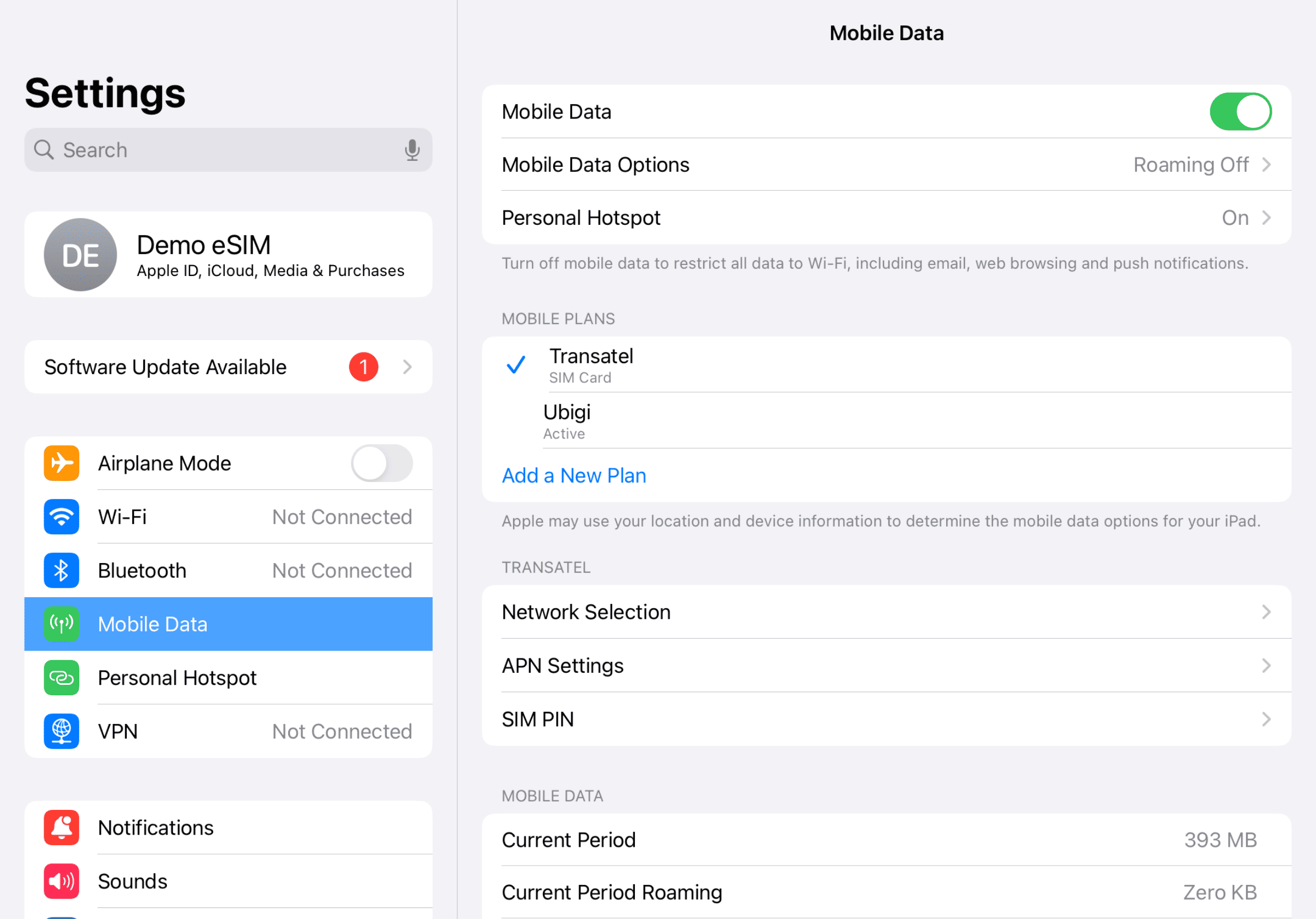
Step 1 - eSIM tutorial

开始设置

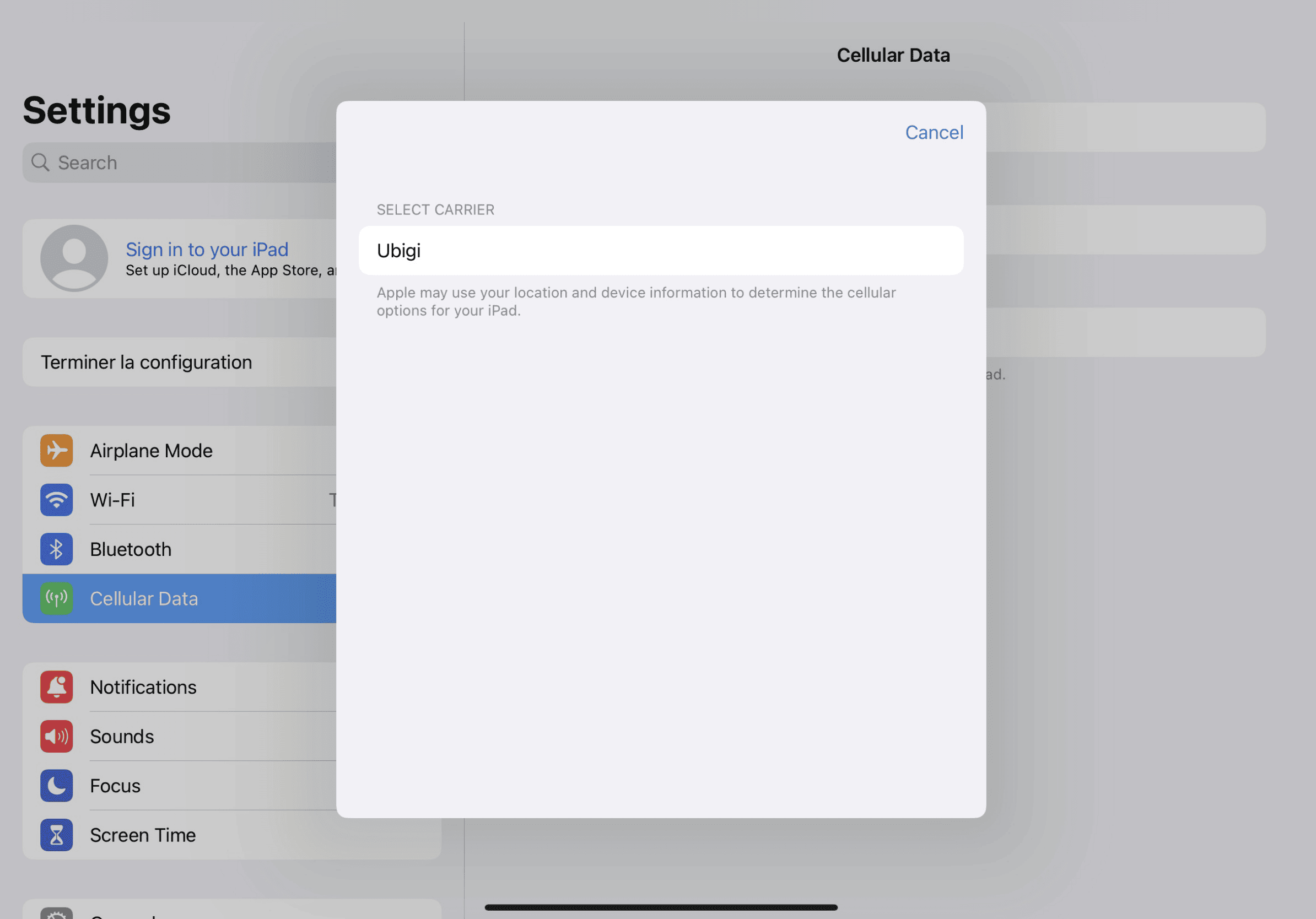
进入 iPad 设置,点击 " 蜂窝数据",然后选择 " 查找新计划 "并将 Ubigi 选为运营商

Step 2 - eSIM tutorial

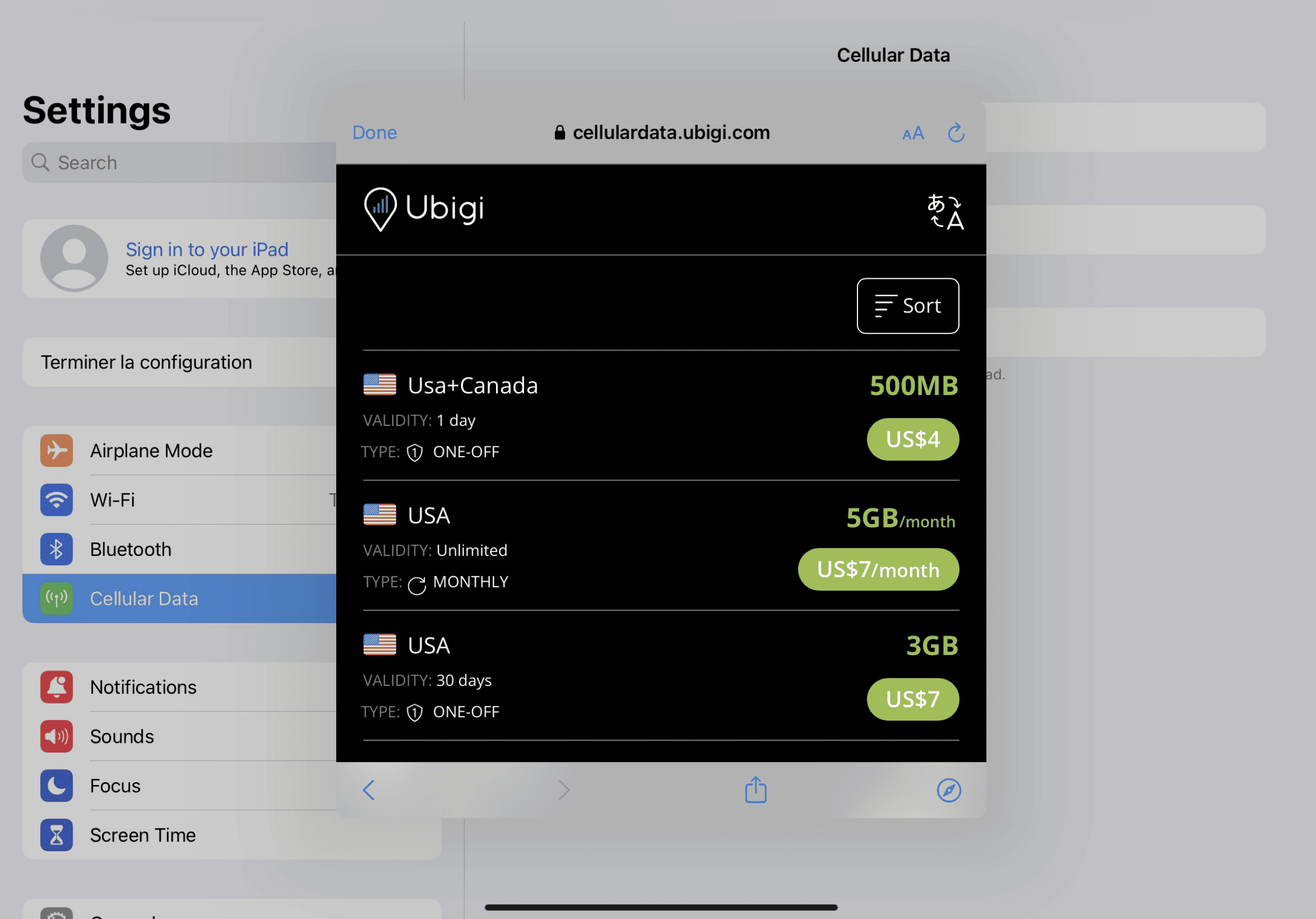
购买数据计划

从我们的目录中选择目的地并购买数据计划

Step 3 - eSIM tutorial

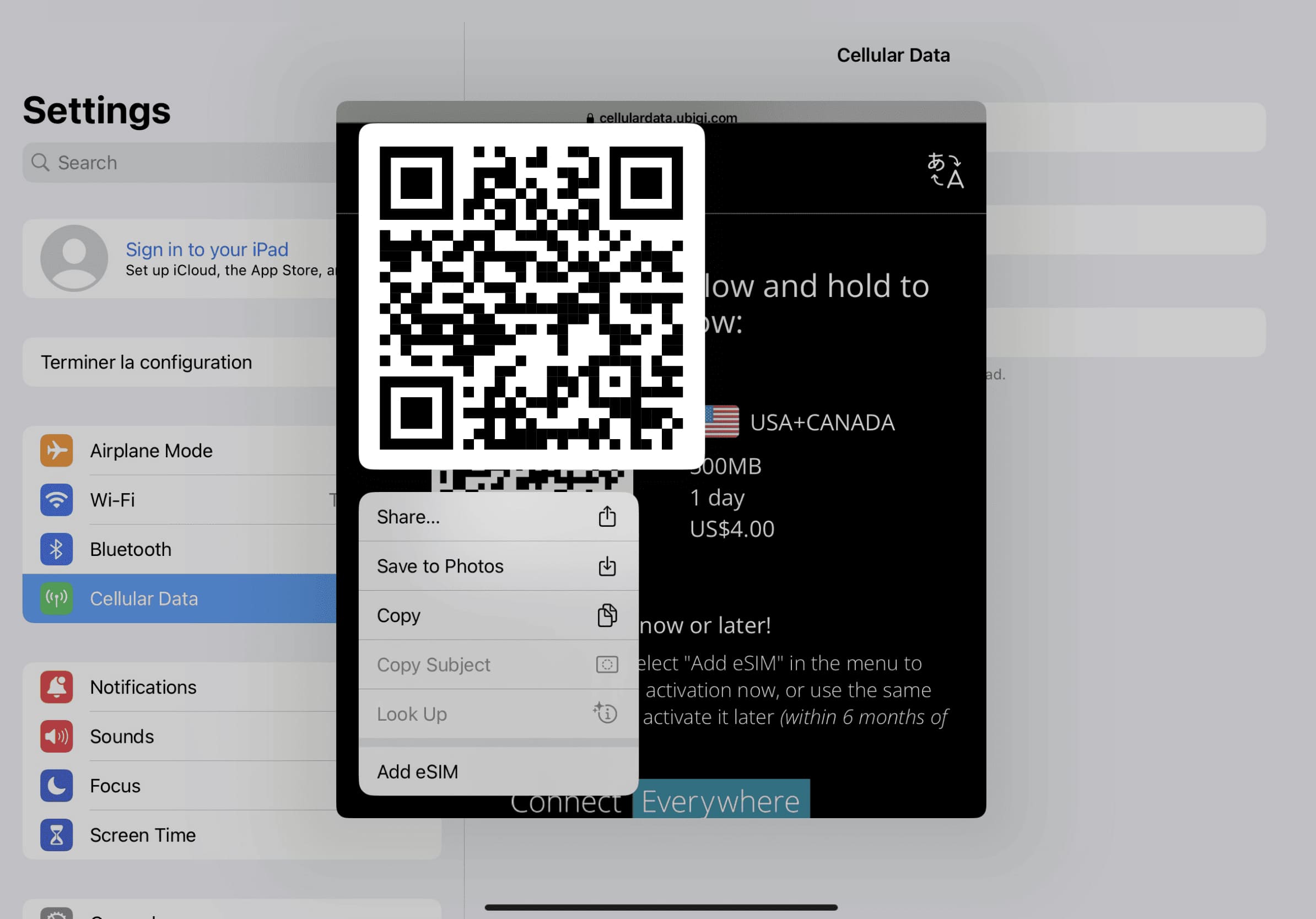
安装 eSIM

长按屏幕上的 QR 代码,然后点击 " 添加 eSIM

Step 4 - eSIM tutorial

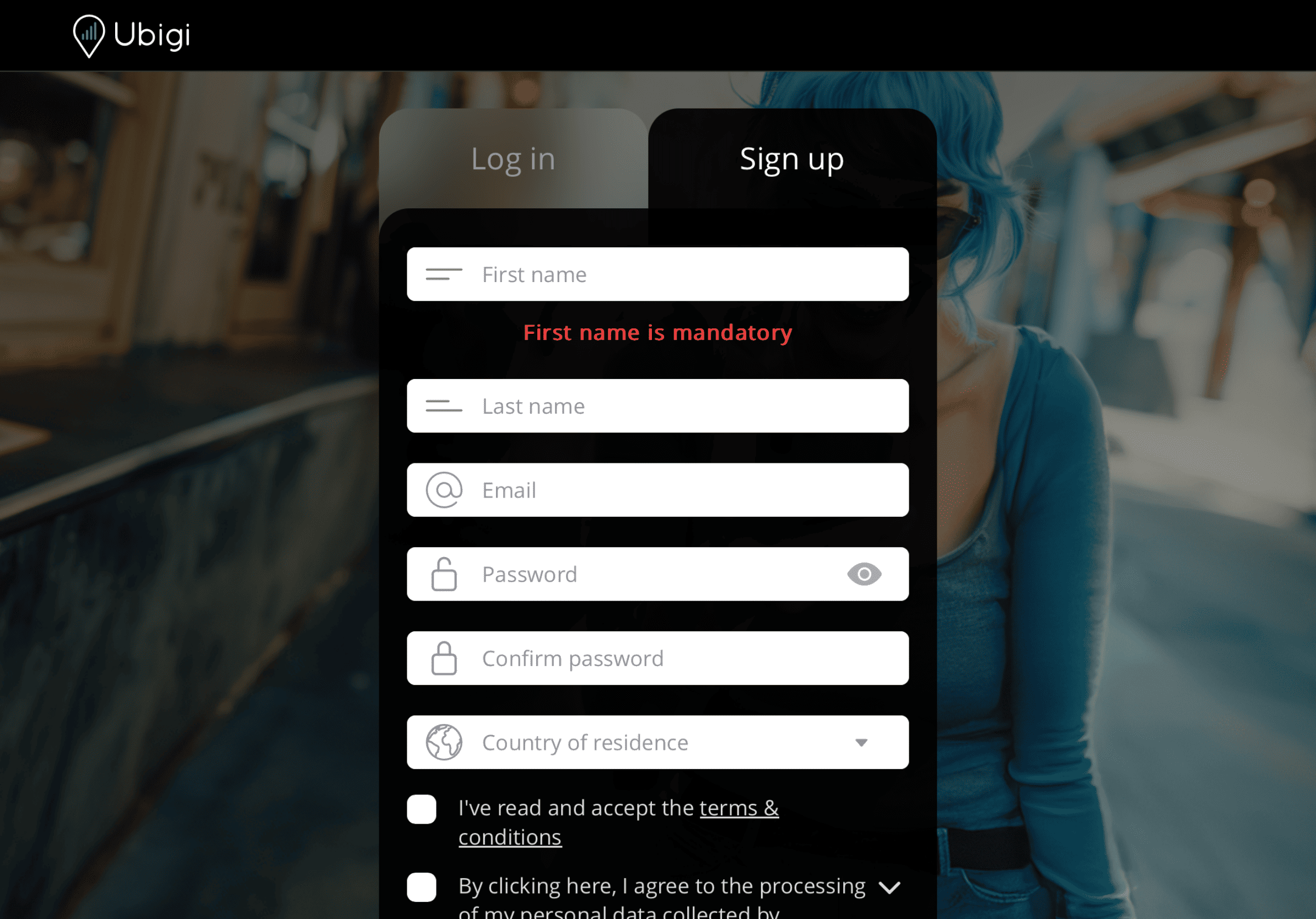
创建账户

下载应用程序或访问 Ubigi.me,注册Ubigi,实时跟踪您的数据,接收警报通知并轻松充值

以下是你需要记住的一些 iPad 设置方法

Setup Logo 1

出发前

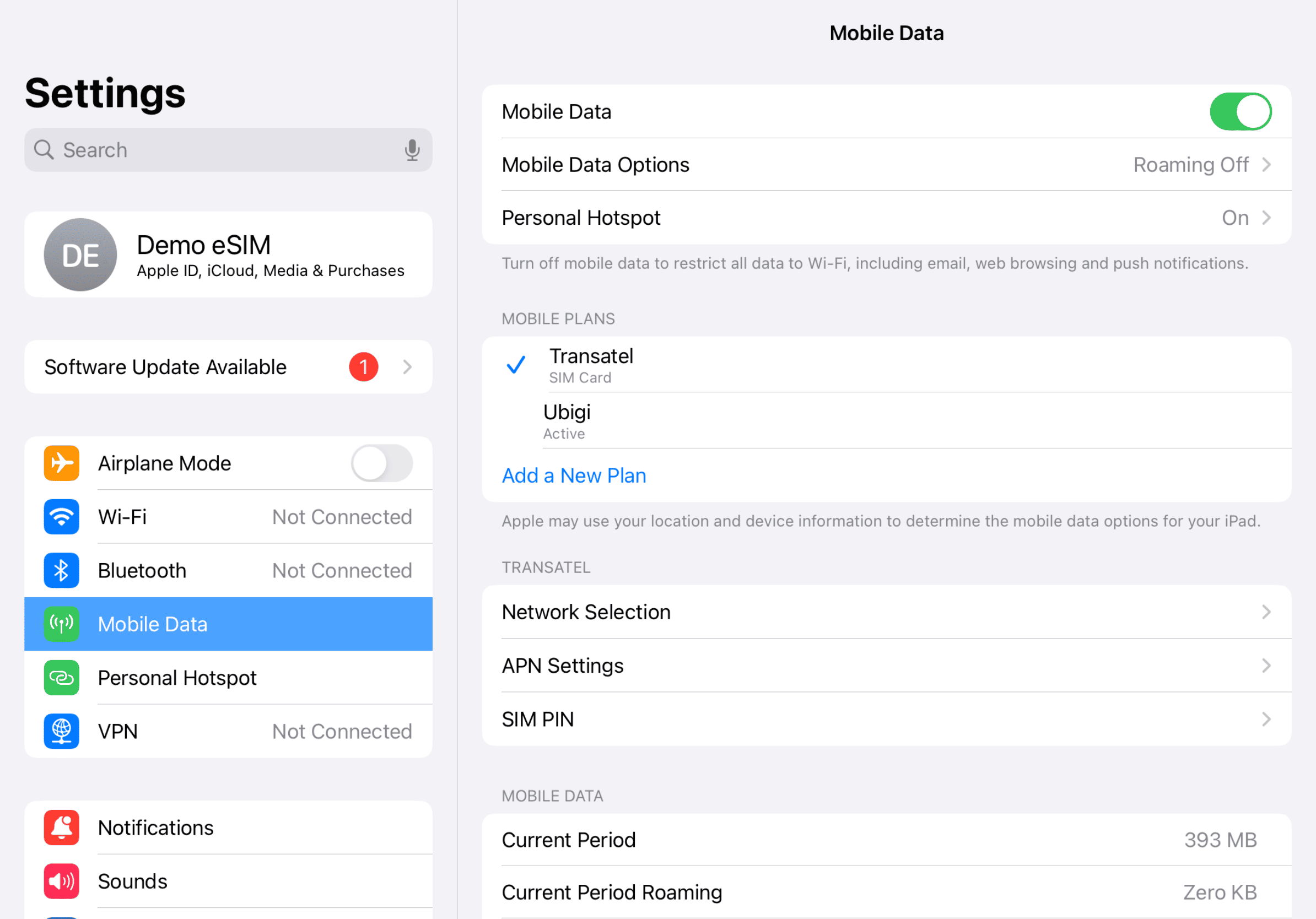
确保出发前已关闭国内线路的数据漫游功能。

Device setup reminder - before departure
Setup Logo 2

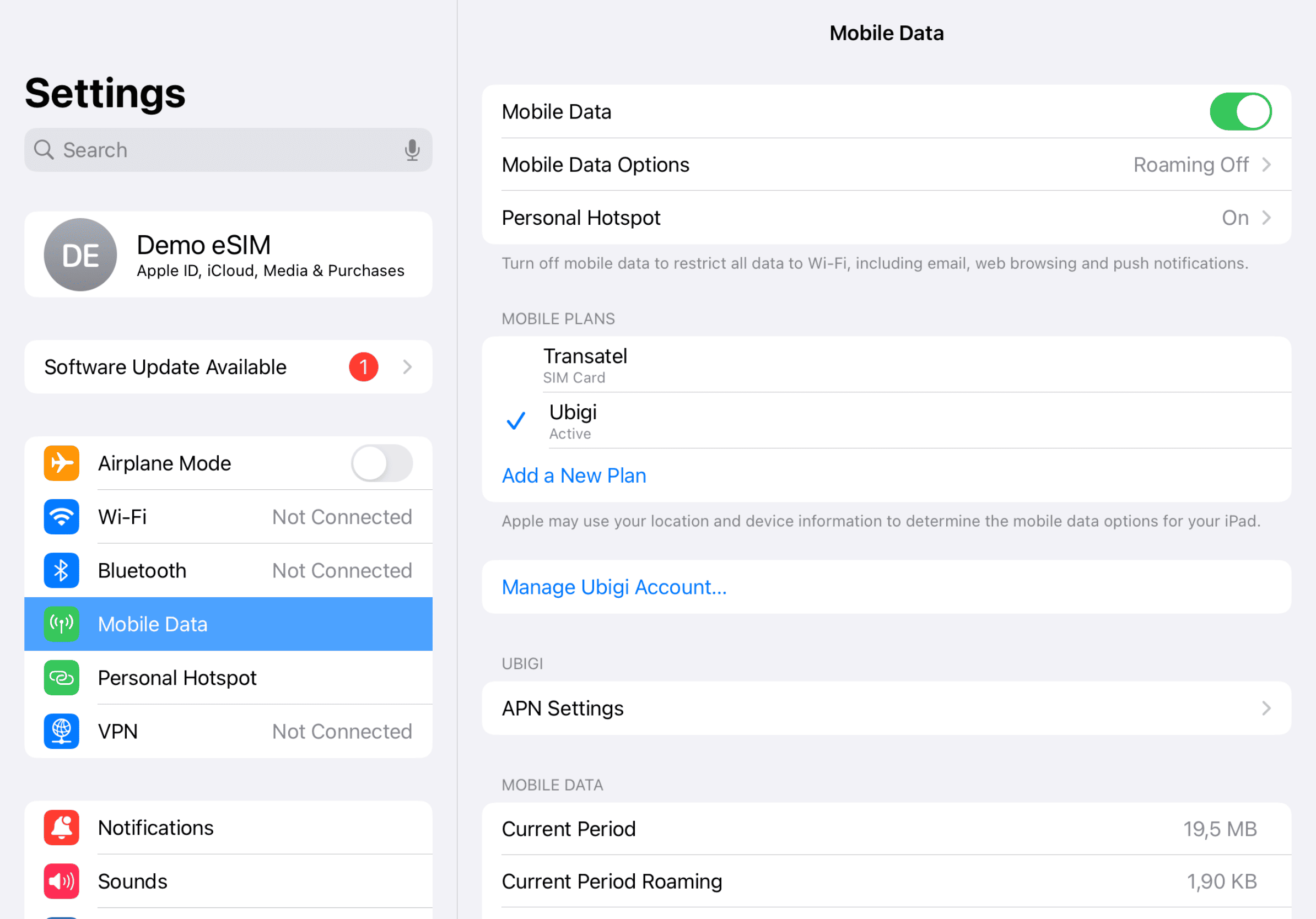
抵达后

到达目的地后,您将开始消耗数据。请确保您使用的是蜂窝数据 Ubigi 线路。
Another step reminder
Mobile device setup reminder - upon arrival
Setup Logo 3

返回首页

关闭 Ubigi 线路,返回初始设置。

Final step reminder
Mobile device setup reminder - upon arrival

如何在Ubigi应用程序上为您的eSIM充值

查看教程:

太棒了 Trustpilot stars Trustpilot
Trustpilot stars
基于 Trustpilot 39537条评论
4 stars 已验证
已验证评论
该用户已被识别为买家
There was a service disruption during…
There was a service disruption during this trip in Japan. My 2 other co-travellers received a voucher for the disruption but I didn’t.
customer, 14 Jun 2026
5 stars 已验证
已验证评论
该用户已被识别为买家
I was in Spain for 5 days so first time…
I was in Spain for 5 days so first time user it was : Affordable easy and great connection
BK USA, 14 Jun 2026
4 stars 已验证
已验证评论
该用户已被识别为买家
Good eSIM connection and at a great…
Good eSIM connection and at a great cost.
Kal Tagger, 14 Jun 2026
5 stars 已验证
已验证评论
该用户已被识别为买家
Always connected
Always connected
Barbara, 14 Jun 2026
5 stars 已验证
已验证评论
该用户已被识别为买家
The service worked and was cheap.
customer, 14 Jun 2026
5 stars 已验证
已验证评论
该用户已被识别为买家
Highly Recommend
Very easy to access and works perfectly.. Well done
Wendy, 14 Jun 2026
5 stars 已验证
已验证评论
该用户已被识别为买家
Everything works as it should.
Kunde, 14 Jun 2026
5 stars 已验证
已验证评论
该用户已被识别为买家
Smooth
Smooth - the Europe SIM card has been functioning very well in France and Austria
customer, 14 Jun 2026
5 stars 已验证
已验证评论
该用户已被识别为买家
I was nervous this would be difficult…
I was nervous this would be difficult to figure out, but it was extremely simple.
Mike Larson, 14 Jun 2026
5 stars 已验证
已验证评论
该用户已被识别为买家
It was so useful and reasonable.
ジーヌーG N, 14 Jun 2026
5 stars 已验证
已验证评论
该用户已被识别为买家
great way to stay connected
My son set it up for me before I left Ireland when I arrived in Toronto I switched it on and it worked instantly. used it for my whole 10 day tour easy to use
Karen Crowley, 14 Jun 2026
5 stars 已验证
已验证评论
该用户已被识别为买家
Easy to set up and had no issues going…
Easy to set up and had no issues going to Seoul and then to Japan.
NG, 14 Jun 2026
5 stars 已验证
已验证评论
该用户已被识别为买家
Worked well in Japan and Taipei
customer, 14 Jun 2026
5 stars 已验证
已验证评论
该用户已被识别为买家
Great to use ubigi abroad
freckled, 14 Jun 2026
5 stars 已验证
已验证评论
该用户已被识别为买家
Nice customer support
Good network. Nice customer support!
Amy Lau, 14 Jun 2026

您的信息已发送。
我们会尽快与您联系。

我们已考虑到您订阅了新闻通讯。