Skip to content

了解如何在iPad上安装 Ubigi eSIM,只需几个步骤!

首先检查您的设备是否与 eSIM 兼容

Tablet illustration

拨打*#06#,如果显示 EID 代码,说明您的设备支持 eSIM

直接从 iPad 设置中安装 Ubigi eSIM

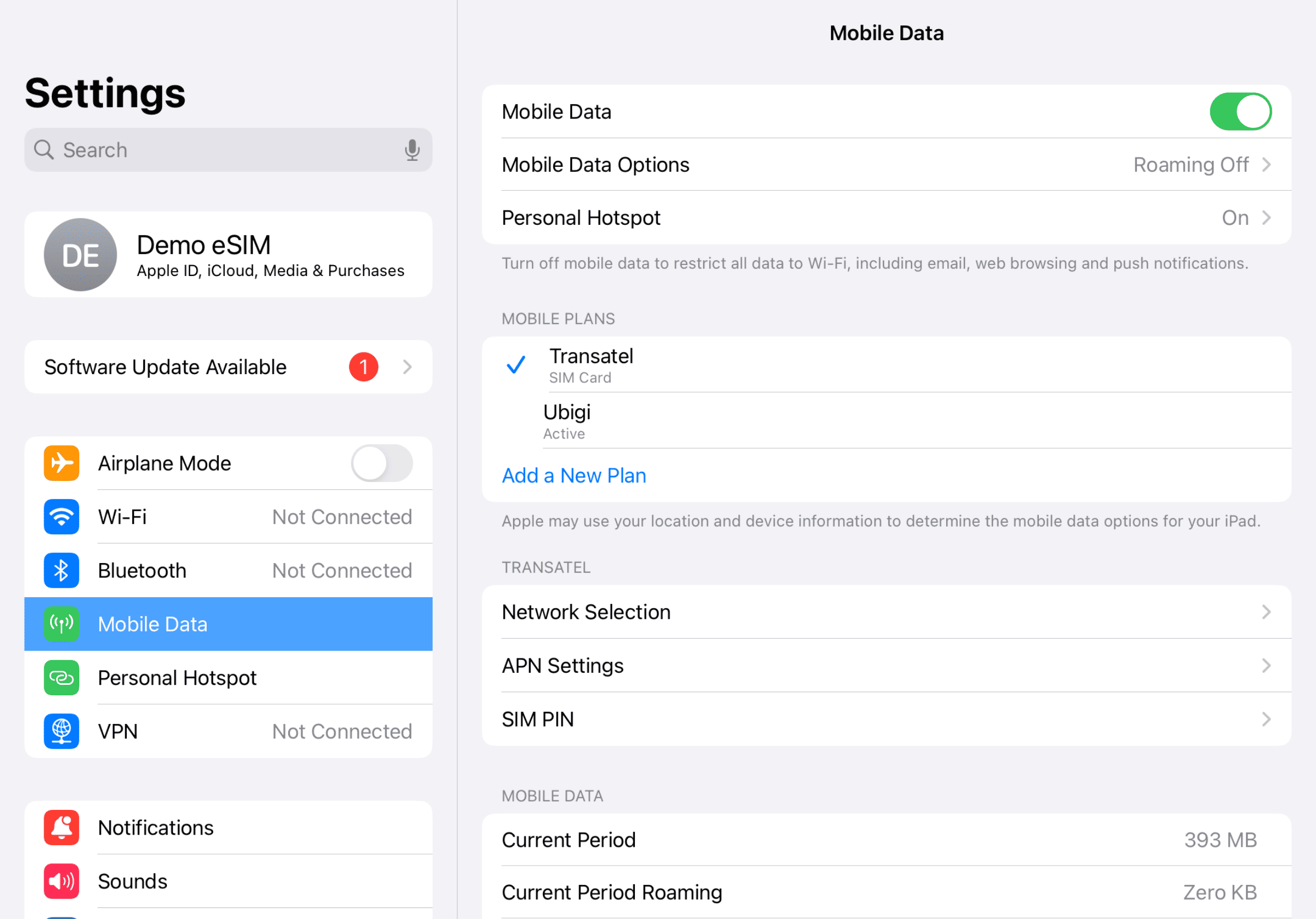
Step 1 - eSIM tutorial

开始设置

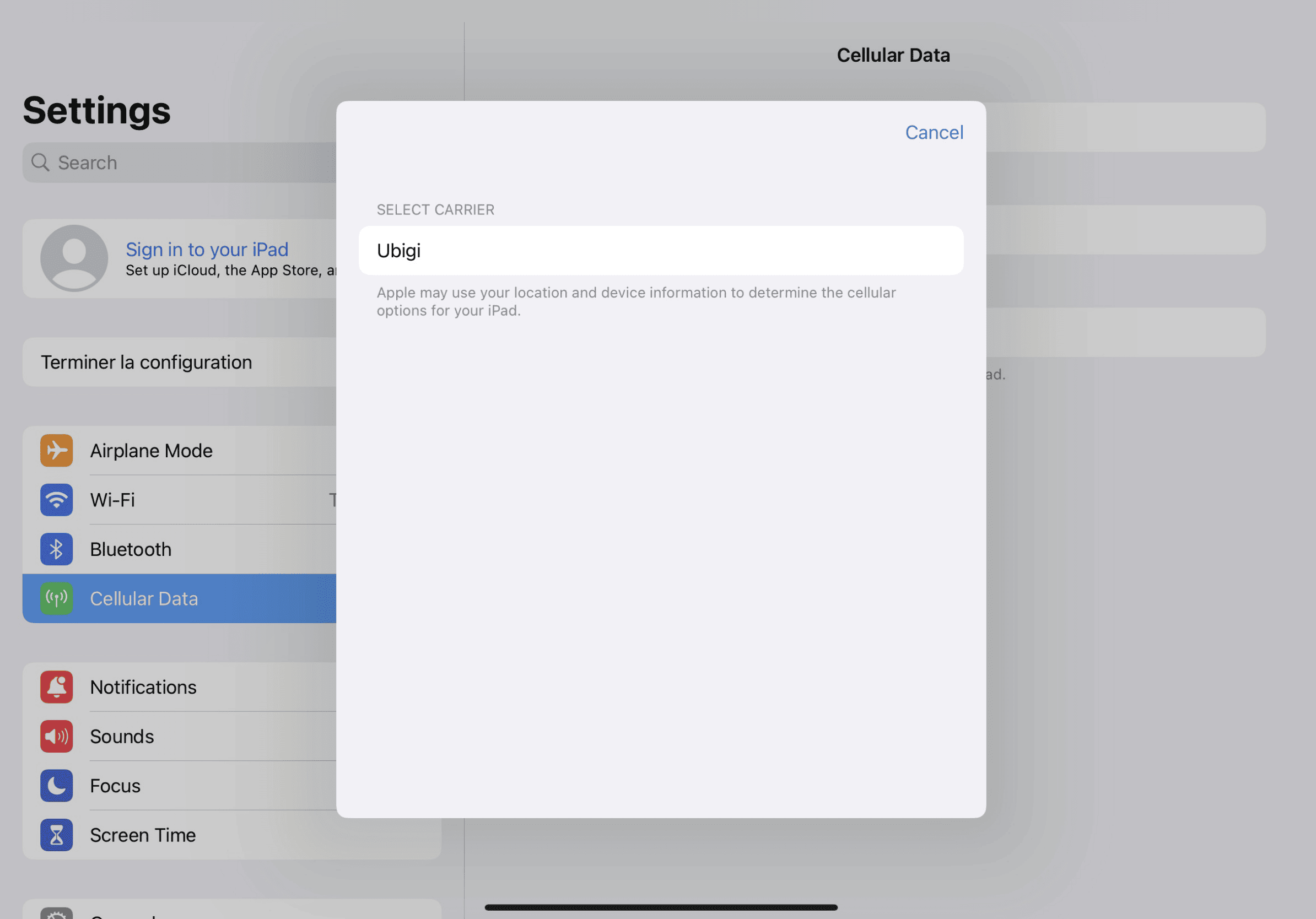
进入 iPad 设置,点击 " 蜂窝数据",然后选择 " 查找新计划 "并将 Ubigi 选为运营商

Step 2 - eSIM tutorial

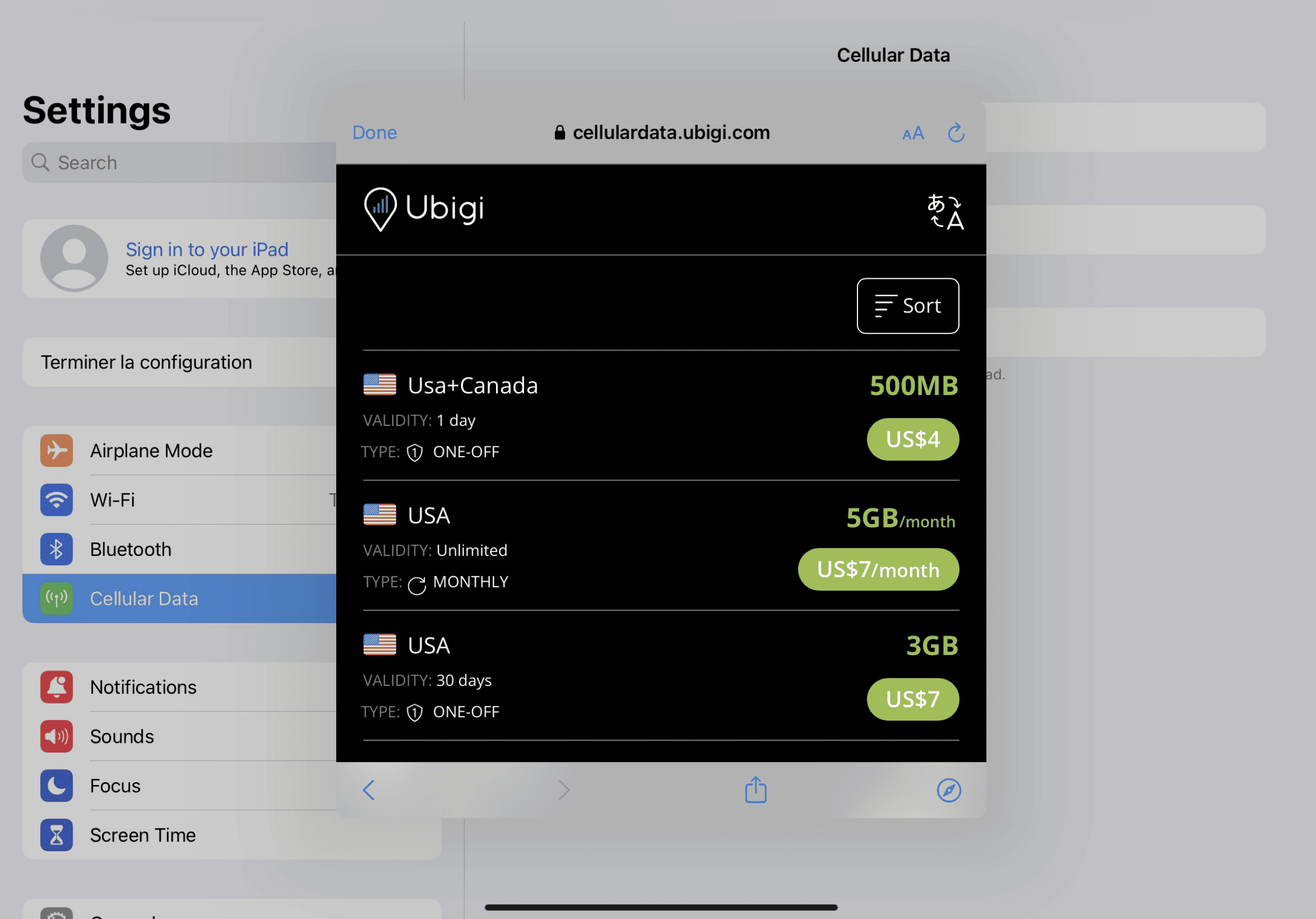
购买数据计划

从我们的目录中选择目的地并购买数据计划

Step 3 - eSIM tutorial

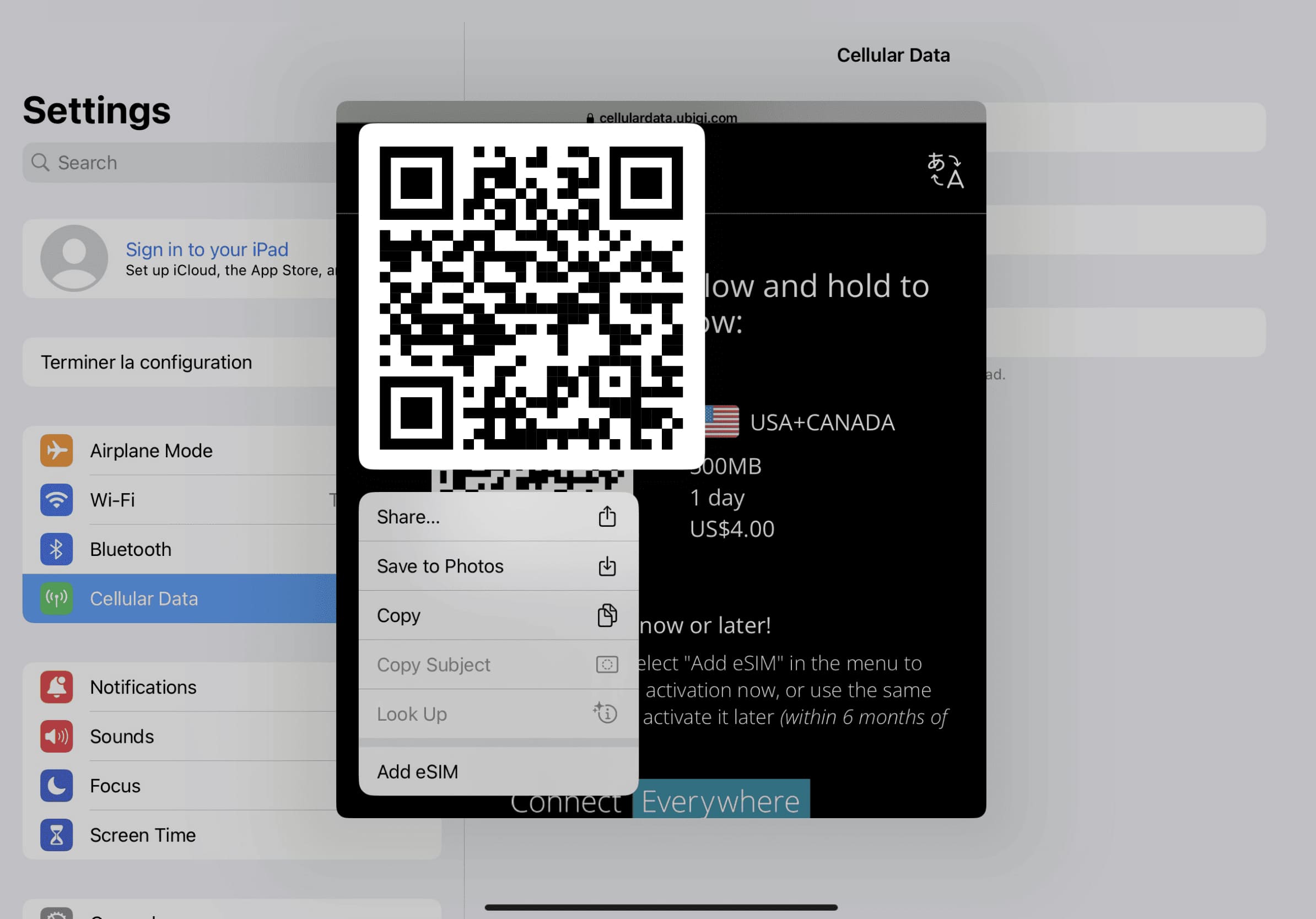
安装 eSIM

长按屏幕上的 QR 代码,然后点击 " 添加 eSIM

Step 4 - eSIM tutorial

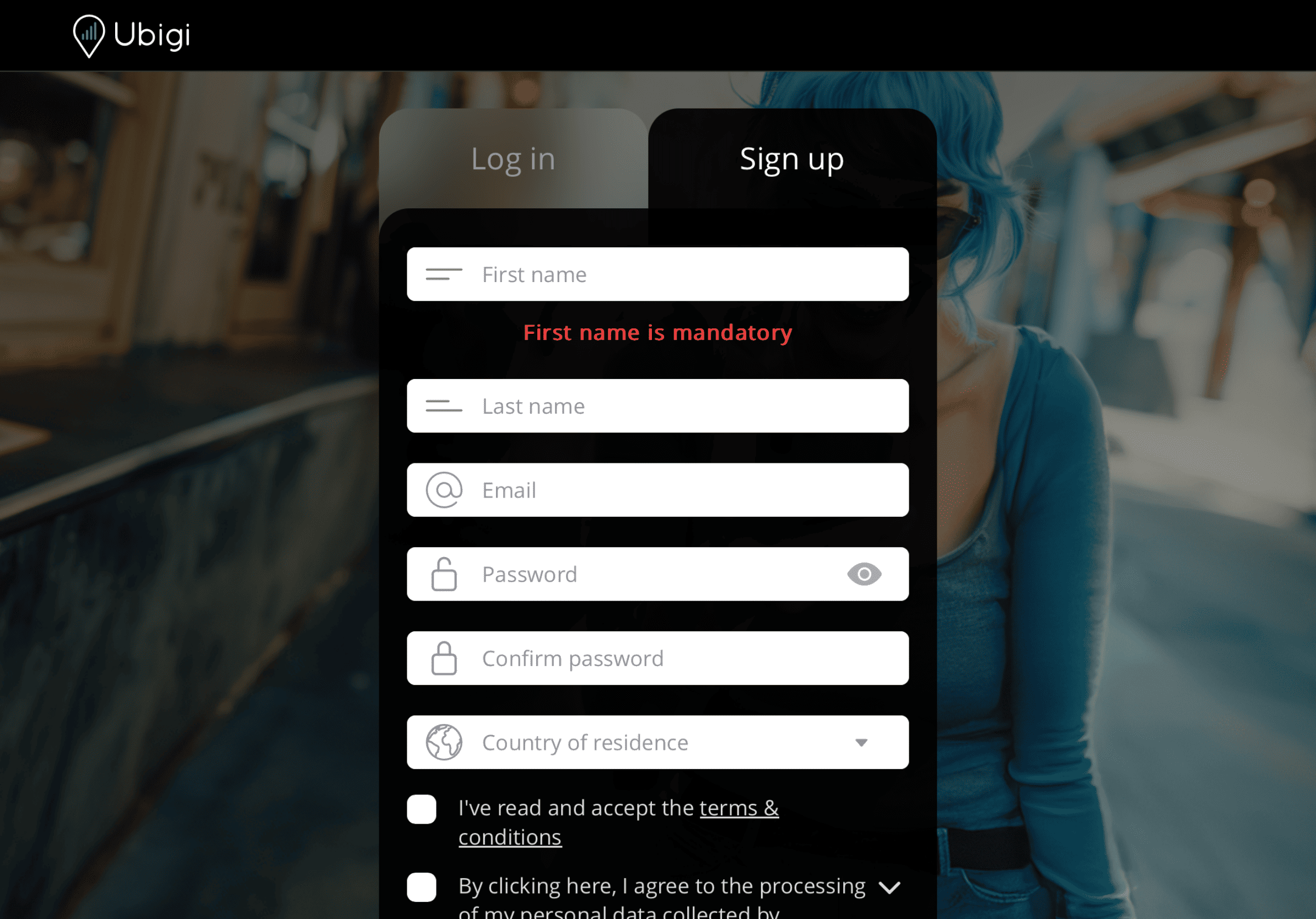
创建账户

下载应用程序或访问 Ubigi.me,注册Ubigi,实时跟踪您的数据,接收警报通知并轻松充值

以下是你需要记住的一些 iPad 设置方法

Setup Logo 1

出发前

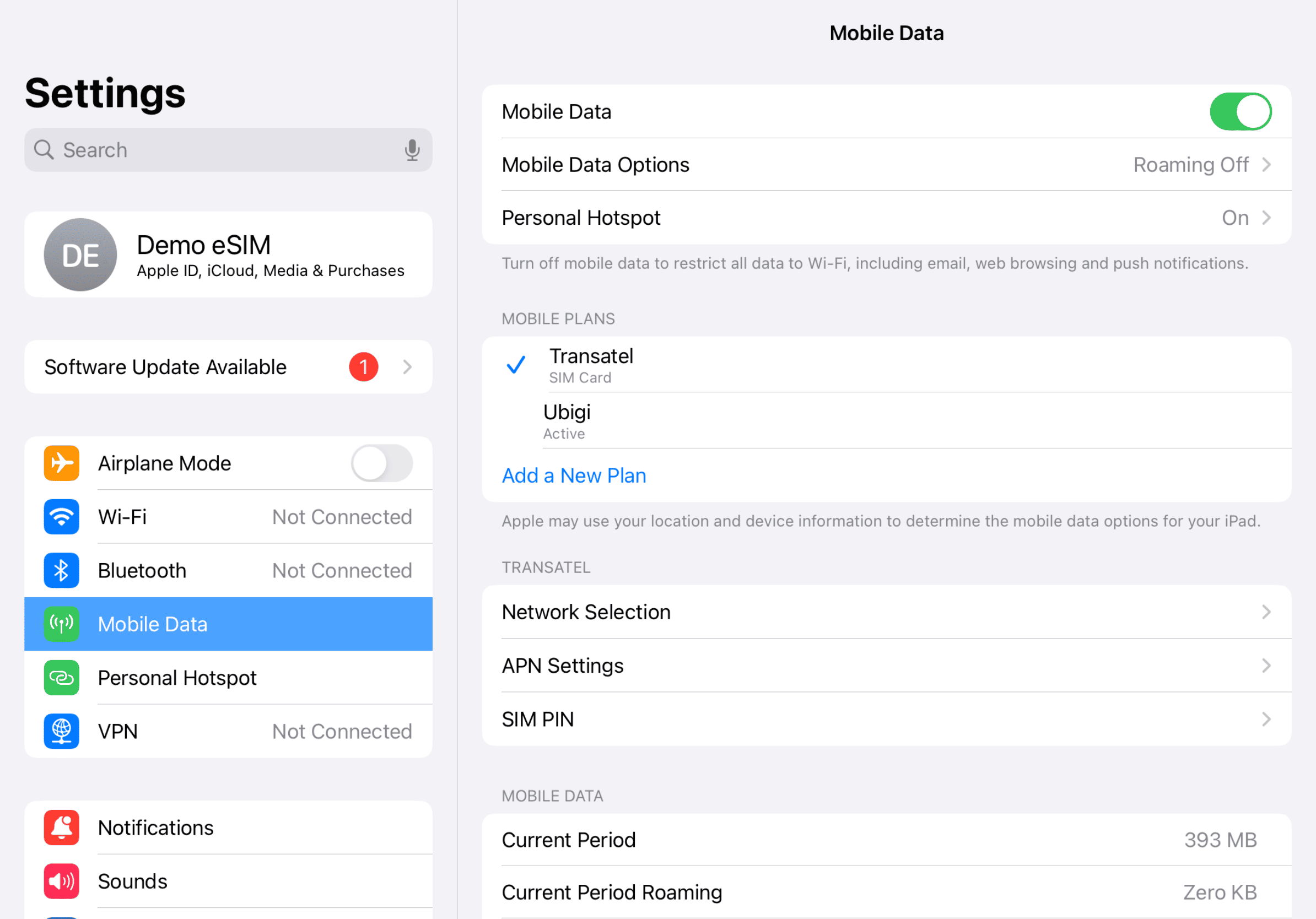
确保出发前已关闭国内线路的数据漫游功能。

Device setup reminder - before departure
Setup Logo 2

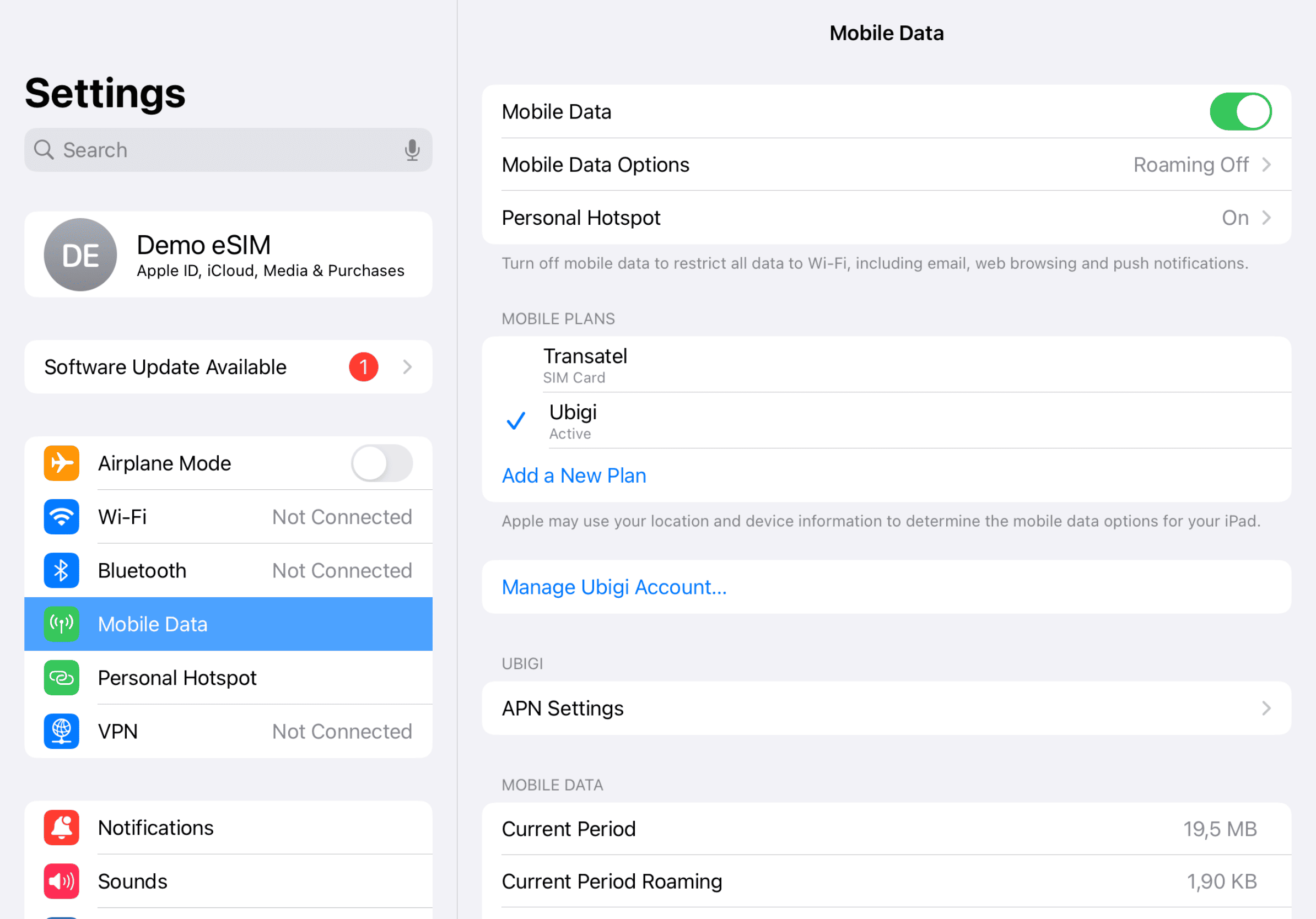
抵达后

到达目的地后,您将开始消耗数据。请确保您使用的是蜂窝数据 Ubigi 线路。
Another step reminder
Mobile device setup reminder - upon arrival
Setup Logo 3

返回首页

关闭 Ubigi 线路,返回初始设置。

Final step reminder
Mobile device setup reminder - upon arrival

如何在Ubigi应用程序上为您的eSIM充值

查看教程:

太棒了 Trustpilot stars Trustpilot
Trustpilot stars
基于 Trustpilot 30597条评论
5 stars 已验证
已验证评论
该用户已被识别为买家
Very smooth connection
John Xu, 22 Jan 2026
4 stars 已验证
已验证评论
该用户已被识别为买家
If I were able to get local phone…
If I were able to get local phone number, it was perfect. five star evaluation.
Shinobu miyazaki, 22 Jan 2026
5 stars 已验证
已验证评论
该用户已被识别为买家
It’s easy for me to use
It’s easy for me to use, who is over 65yrs young. I have never used anything else.
Anne, 21 Jan 2026
5 stars 已验证
已验证评论
该用户已被识别为买家
It was great i will be back
Doe bruce, 21 Jan 2026
5 stars 已验证
已验证评论
该用户已被识别为买家
Worked well
Worked well
customer, 21 Jan 2026
5 stars 已验证
已验证评论
该用户已被识别为买家
The esim was easy to activate and…
The esim was easy to activate and worked well with no delays or glitches.
customer, 21 Jan 2026
5 stars 已验证
已验证评论
该用户已被识别为买家
Easy to install
Easy to install And very good connection in the USA
Laurence, 21 Jan 2026
5 stars 已验证
已验证评论
该用户已被识别为买家
Good service works smoothly
Gil Miller , 21 Jan 2026
5 stars 已验证
已验证评论
该用户已被识别为买家
Perfect operation
I had the Ubigi APP from my last trip. So I purchased my plan as soon as I landed in Taiwan, at the airport. It worked perfectly immediately!
Lee, 21 Jan 2026
5 stars 已验证
已验证评论
该用户已被识别为买家
Very pleased with Ubigi in France
I have been in France for one week. Ubigi has worked very well for me. The speed is excellent.
Randy Black, 21 Jan 2026
5 stars 已验证
已验证评论
该用户已被识别为买家
Quick and simple. Worked fine.
Customer, 21 Jan 2026
5 stars 已验证
已验证评论
该用户已被识别为买家
Very simple to use
Very simple to use. Make my life easier when travelling abroad
customer, 21 Jan 2026
5 stars 已验证
已验证评论
该用户已被识别为买家
Really easy to set up and use
Really easy to set up and the app dashboard is well laid out and informative, enabling you to track all of the key stats. Notes: iPhone 17, country was Andorra.
Anon, 21 Jan 2026
5 stars 已验证
已验证评论
该用户已被识别为买家
Amazing experience
Amazing experience, everything worked flawlessly. Very satisfied!
Mw. Karina Kaminska, 21 Jan 2026

您的信息已发送。
我们会尽快与您联系。

我们已考虑到您订阅了新闻通讯。