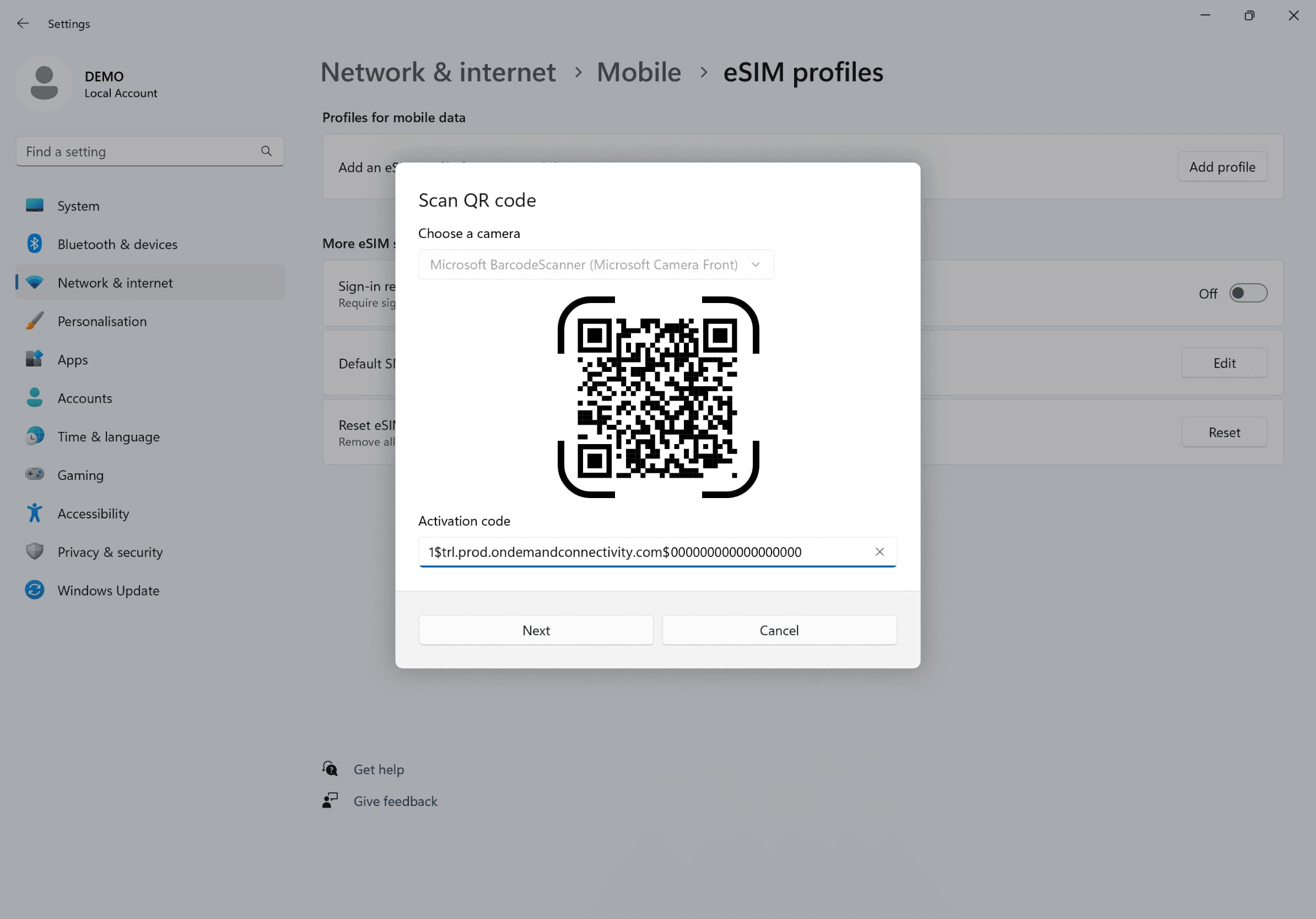
'네트워크 설정으로 가서 '셀룰러'를 클릭한 후 '프로필 추가'를 클릭하고 이메일로 받은 활성화 코드를 입력하세요
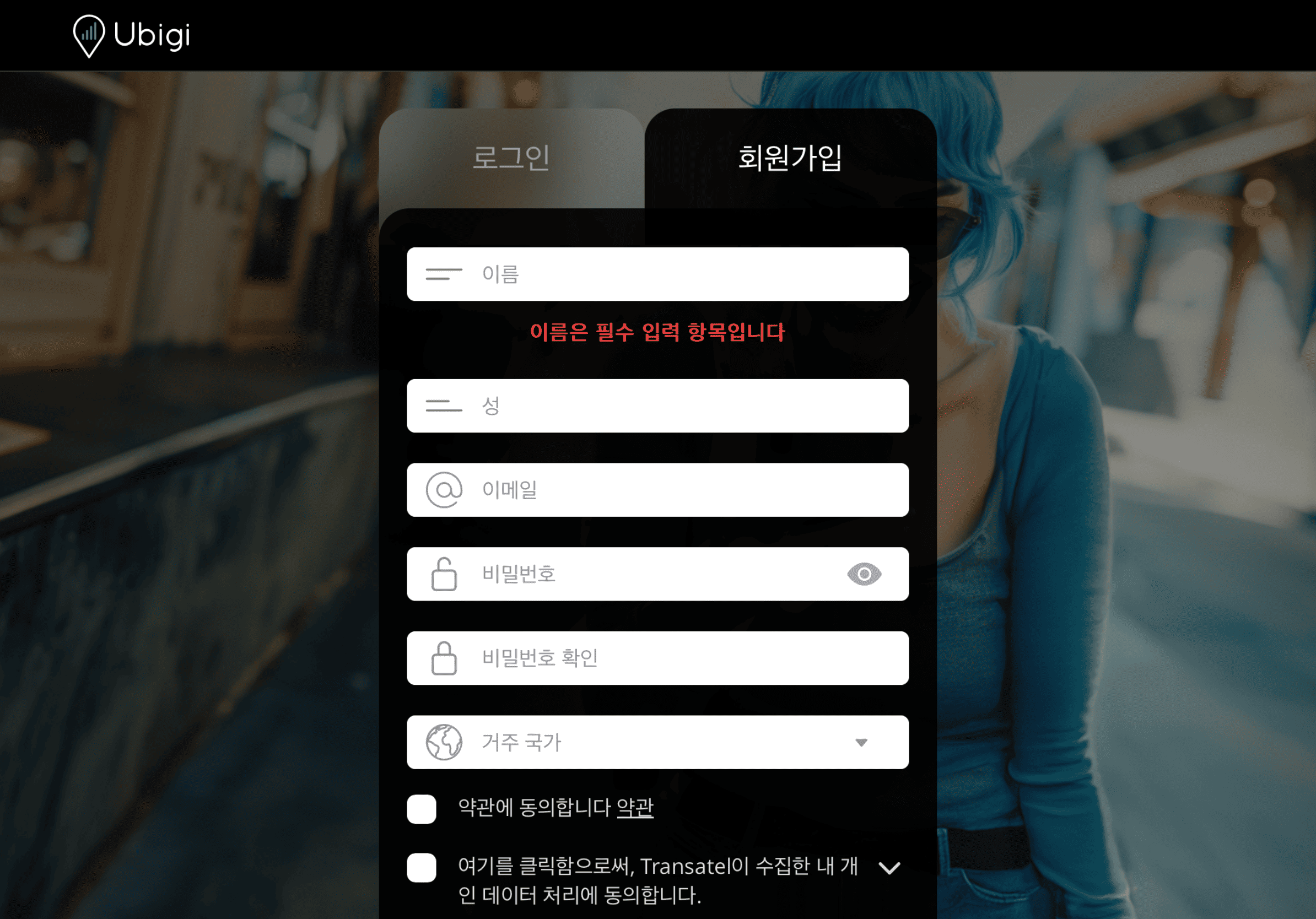
계정을 만드세요
Ubigi.me 를 방문하여 Ubigi에 가입하고 데이터를 실시간으로 추적하며 알림을 받고 쉽게 충전하세요
노트북에서 기억해야 할 몇 가지 설정이 있습니다
출발 전에
eSIM을 설치하고 셀룰러 데이터를 끊도록 하세요.
도착 시
셀룰러 데이터를 켜서 eSIM이 목적지에서 연결되도록 하세요.
집에 돌아왔을 때
셀룰러 데이터를 끄고 일반 설정을 복원하세요.
Ubigi 앱에서 eSIM을 어떻게 충전하나요?
튜토리얼을 확인해보세요:
훌륭해
의 29708개 리뷰를 기준으로
검증됨
검증된 리뷰
이 사용자는 구매자로 확인되었습니다
Clear and easy
Clear and easy. No hassle! No hiccups. So glad I went with Ubigi for eSIM - would definitely do that again and again!
Heidi Piovoso, 13 Dec 2025
검증됨
검증된 리뷰
이 사용자는 구매자로 확인되었습니다
Easy to Use for a Good Price
Was easy to use and activate, very effortless. Once it was set up, I could use it with ease. I turned it on in Japan and it worked immediately, I liked the price as it was good for the data I bought. If you use a moderate amount of data, 15 was just enough for 3 weeks. I spent most of the time using it to research places, would use hotel wi-fi when I could, and didn't watch videos or used data heavy websites.
Aspen Machado, 13 Dec 2025
검증됨
검증된 리뷰
이 사용자는 구매자로 확인되었습니다
Great coverage with no issues
First time eSim user. Easy to use and no issues in countries with the coverage purchase.
Dave Chin, 13 Dec 2025
검증됨
검증된 리뷰
이 사용자는 구매자로 확인되었습니다
Great experience
Great experience
Carla S, 13 Dec 2025
검증됨
검증된 리뷰
이 사용자는 구매자로 확인되었습니다
It worked excellent
It worked excellent
customer, 13 Dec 2025
검증됨
검증된 리뷰
이 사용자는 구매자로 확인되었습니다
South Island NZ Exploring
Didn't have any issues for the majority of the trip to NZ. Of course there were times when there would be rural areas with no service, but that's expected when you're in the mountain areas. Otherwise, worked like a charm!
customer, 13 Dec 2025
검증됨
검증된 리뷰
이 사용자는 구매자로 확인되었습니다
Great signal strength in Tokyo
Great signal strength in Tokyo. No issues with the service at all.
customerMark D, 12 Dec 2025
검증됨
검증된 리뷰
이 사용자는 구매자로 확인되었습니다
Excellent
Excellent, easy to use
Thel, 12 Dec 2025
검증됨
검증된 리뷰
이 사용자는 구매자로 확인되었습니다
It work perfectly ‼️
customer, 12 Dec 2025
검증됨
검증된 리뷰
이 사용자는 구매자로 확인되었습니다
The whole process was seamless and easy…
The whole process was seamless and easy to setup. Coverage was great both in Miami in early December and in Barbados that past few days.
Paul, 12 Dec 2025
검증됨
검증된 리뷰
이 사용자는 구매자로 확인되었습니다
Easy to install and use
Easy to install and use. Worked pretty well traveling in northern Honshu and Hokkaido.
customer, 12 Dec 2025
검증됨
검증된 리뷰
이 사용자는 구매자로 확인되었습니다
Worked great
Worked very good everywhere I went will be using this for now on when I travel for sure. Very happy!
customer, 12 Dec 2025
검증됨
검증된 리뷰
이 사용자는 구매자로 확인되었습니다
I didn’t have to think about my data…
I didn’t have to think about my data during my 2 week trip in Japan. Never dropped; it was seamless.
Daniela Gallo, 12 Dec 2025
검증됨
검증된 리뷰
이 사용자는 구매자로 확인되었습니다
Using my eSIM is seamless.
customer, 12 Dec 2025
검증됨
검증된 리뷰
이 사용자는 구매자로 확인되었습니다
Good service!
Good service!! Sometimes patchy and slow but mostly very reliable and consistent service. Will definitely try them again when I am in Japan!
Joe, 12 Dec 2025
감사합니다
귀하의 메시지가 전송되었습니다. 곧 답변드리겠습니다.
감사합니다
귀하의 뉴스레터 구독을 고려했습니다.
eSIM 호환성 확인 방법
스마트폰 / 태블릿:
*#06# 입력. → EID 번호가 나오면 eSIM 지원 기기입니다.
Windows 10 / 11:
Windows+I 를 누르세요. “네트워크 및 인터넷”으로 이동하세요 → 셀룰러 네트워크가 보이면 PC가 eSIM을 지원합니다..
통신사 잠금 해제 여부 확인 방법
iPhone / iPad:
설정 > 일반 > 정보로 이동 통신사 잠금 항목까지 스크롤. → “SIM 제한 없음”이 표시되면 기기는 잠금 해제 상태입니다.
Android:
설정 > 네트워크 및 인터넷 > 모바일 네트워크 자동 네트워크 선택을 끄세요. → 여러 네트워크가 보이면 잠금 해제된 기기입니다.