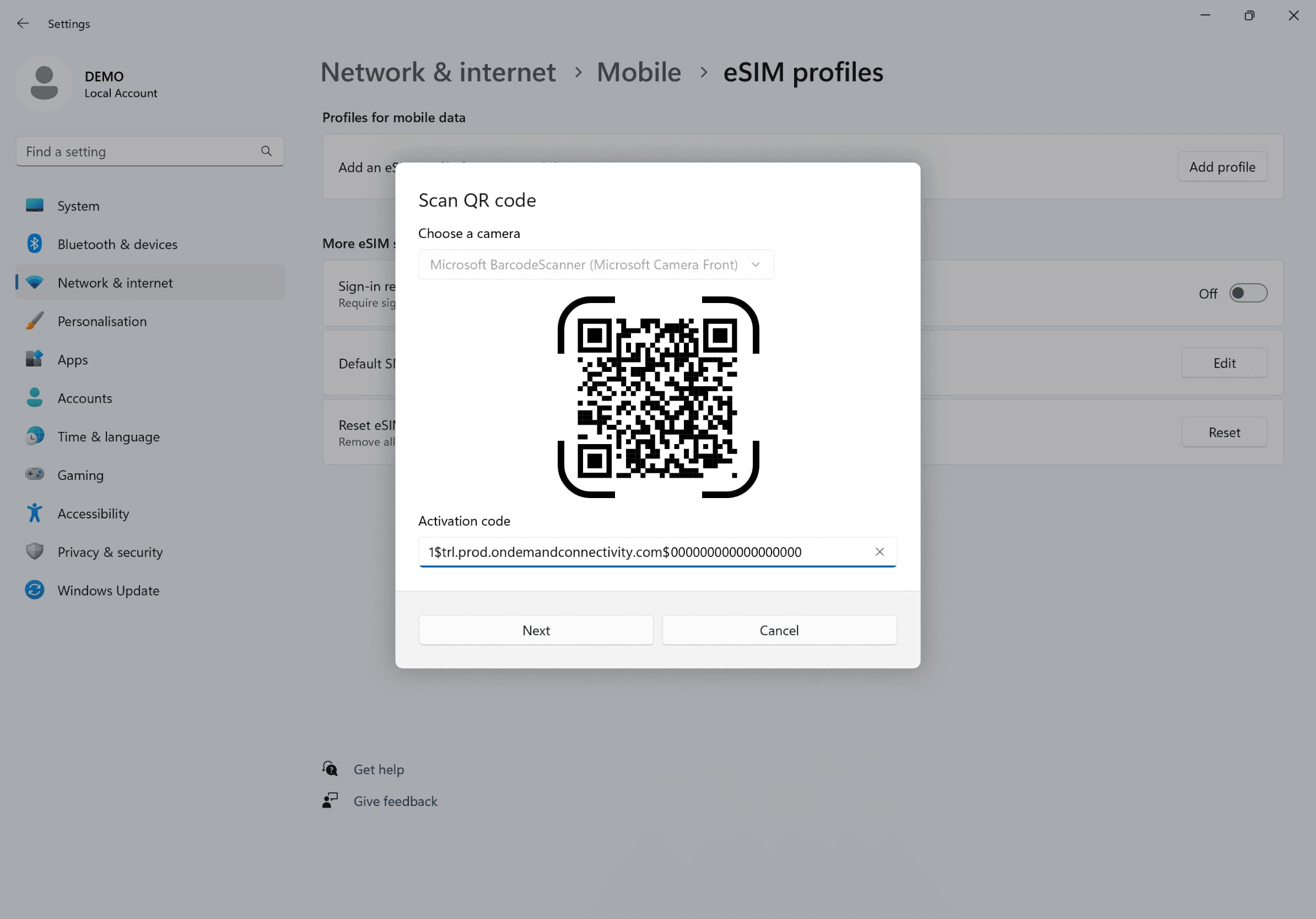
'네트워크 설정으로 가서 '셀룰러'를 클릭한 후 '프로필 추가'를 클릭하고 이메일로 받은 활성화 코드를 입력하세요
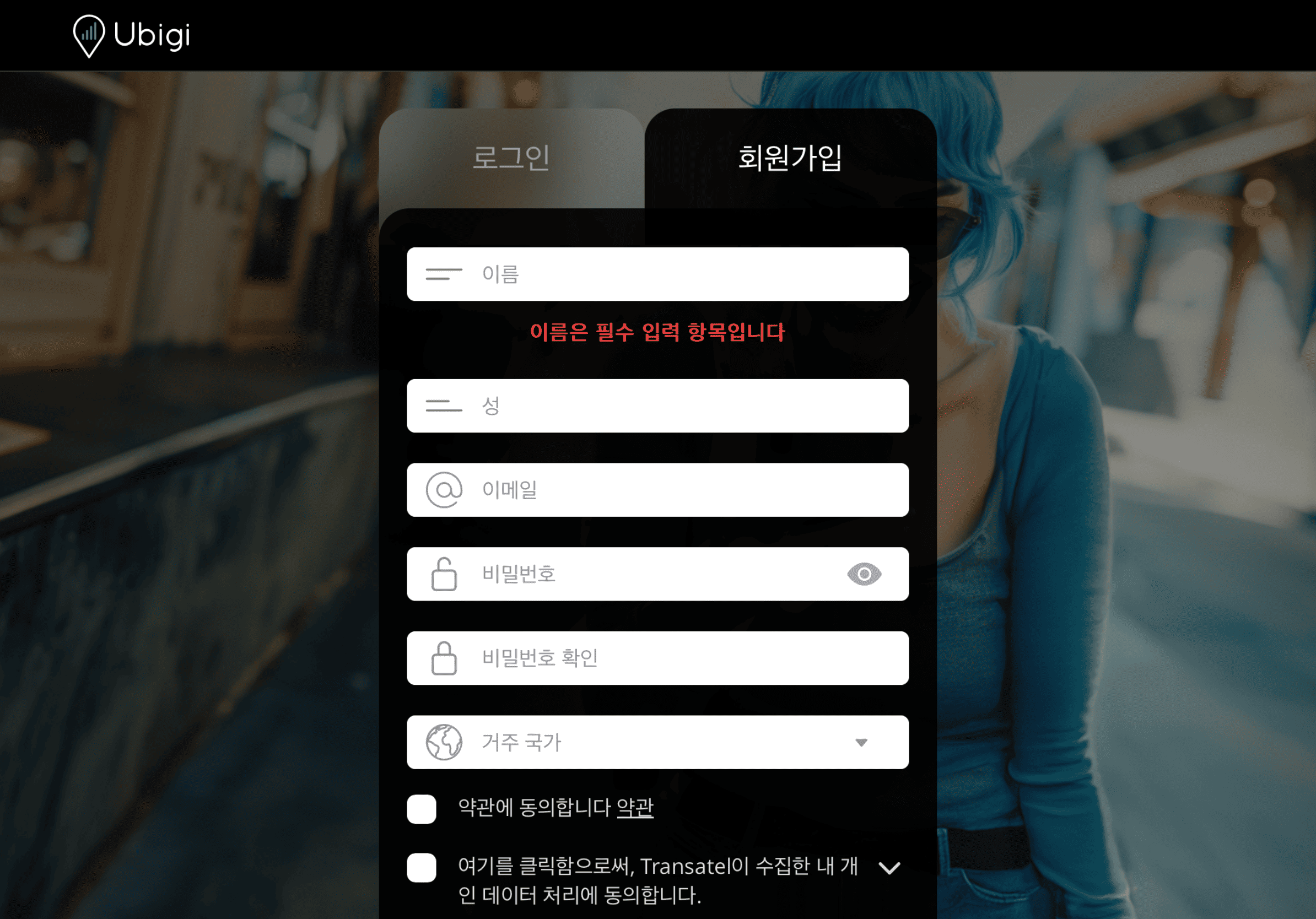
계정을 만드세요
Ubigi.me 를 방문하여 Ubigi에 가입하고 데이터를 실시간으로 추적하며 알림을 받고 쉽게 충전하세요
노트북에서 기억해야 할 몇 가지 설정이 있습니다
출발 전에
eSIM을 설치하고 셀룰러 데이터를 끊도록 하세요.
도착 시
셀룰러 데이터를 켜서 eSIM이 목적지에서 연결되도록 하세요.
집에 돌아왔을 때
셀룰러 데이터를 끄고 일반 설정을 복원하세요.
Ubigi 앱에서 eSIM을 어떻게 충전하나요?
튜토리얼을 확인해보세요:
훌륭해
의 32256개 리뷰를 기준으로
검증됨
검증된 리뷰
이 사용자는 구매자로 확인되었습니다
it does the job
it does the job. I used it in a trip to India and it worked well enough.
Alex B, 03 Mar 2026
검증됨
검증된 리뷰
이 사용자는 구매자로 확인되었습니다
lack of widget showing data comsumption…
lack of widget showing data comsumption and network carrier info (phone showing only "Ubigi")
Didier, 03 Mar 2026
검증됨
검증된 리뷰
이 사용자는 구매자로 확인되었습니다
I purchased a one-week eSIM for my trip…
I purchased a one-week eSIM for my trip to Slovakia and Vienna, but for some reason it didn't work on the first day. After changing my login password, it started working.
While part of it was due to my unfamiliarity with using eSIMs,
it was disappointing that I had no choice but to rely on free Wi-Fi on the first day.
I was glad it worked without issues for the remaining six days.
H itomi, 03 Mar 2026
검증됨
검증된 리뷰
이 사용자는 구매자로 확인되었습니다
eSIM worked well in the north island of…
eSIM worked well in the north island of Japan in country areas without a glitch.
customer, 03 Mar 2026
검증됨
검증된 리뷰
이 사용자는 구매자로 확인되었습니다
Easy and seamless
Easy and seamless setup, good service across a lot of Japan (Tokyo, Nagasaki, Osaka)
Joseph, 03 Mar 2026
검증됨
검증된 리뷰
이 사용자는 구매자로 확인되었습니다
Easy set up
Easy set up, clear instructions
Astrid, 03 Mar 2026
검증됨
검증된 리뷰
이 사용자는 구매자로 확인되었습니다
Brilliant service
Brilliant service
customer, 03 Mar 2026
검증됨
검증된 리뷰
이 사용자는 구매자로 확인되었습니다
Service
Thr service was great and the data was affordable
customer, 03 Mar 2026
검증됨
검증된 리뷰
이 사용자는 구매자로 확인되었습니다
Very cheap
Very cheap! Reallt impressed compared with what I had to pay if I used my regularitet Norwegian SIM card
Inge Magnus, 03 Mar 2026
검증됨
검증된 리뷰
이 사용자는 구매자로 확인되었습니다
Seamless transition from normal SIM to…
Seamless transition from normal SIM to eSIM. No problems at all using in Japan - activated ok before we even got off the plane.
Mark, 03 Mar 2026
검증됨
검증된 리뷰
이 사용자는 구매자로 확인되었습니다
Full automated activation as soon as arrived to US.
Full automated activation as soon as arrived to U.S.
I have obtained an extra giga for less money than the cheapeast roaming plan in Argentina. And I've ended up using it almost in full. Great choice!
RICARDO B. ARGENTINA, 03 Mar 2026
검증됨
검증된 리뷰
이 사용자는 구매자로 확인되었습니다
price was above than average
customer, 03 Mar 2026
검증됨
검증된 리뷰
이 사용자는 구매자로 확인되었습니다
Too easy to apply and no problem to…
Too easy to apply and no problem to connecting internet.
customer, 03 Mar 2026
검증됨
검증된 리뷰
이 사용자는 구매자로 확인되었습니다
Fair pricing n app has stabilized
Fair pricing n app has stabilized, great that it integrates Apple Pay, critical actually
customer, 03 Mar 2026
검증됨
검증된 리뷰
이 사용자는 구매자로 확인되었습니다
easy and cheap
easy and cheap, works well ; good discounts after referral
AJ, 03 Mar 2026
감사합니다
귀하의 메시지가 전송되었습니다. 곧 답변드리겠습니다.
감사합니다
귀하의 뉴스레터 구독을 고려했습니다.
eSIM 호환성 확인 방법
스마트폰 / 태블릿:
*#06# 입력. → EID 번호가 나오면 eSIM 지원 기기입니다.
Windows 10 / 11:
Windows+I 를 누르세요. “네트워크 및 인터넷”으로 이동하세요 → 셀룰러 네트워크가 보이면 PC가 eSIM을 지원합니다..
통신사 잠금 해제 여부 확인 방법
iPhone / iPad:
설정 > 일반 > 정보로 이동 통신사 잠금 항목까지 스크롤. → “SIM 제한 없음”이 표시되면 기기는 잠금 해제 상태입니다.
Android:
설정 > 네트워크 및 인터넷 > 모바일 네트워크 자동 네트워크 선택을 끄세요. → 여러 네트워크가 보이면 잠금 해제된 기기입니다.