Skip to content

몇 단계만으로 iPad에 Ubigi eSIM을 설치하는 방법을 알아보세요!

먼저, 기기가 eSIM과 호환되는지 확인하세요

Tablet illustration

*#06#을 입력하고 EID 코드가 표시되면, 기기가 eSIM을 지원합니다
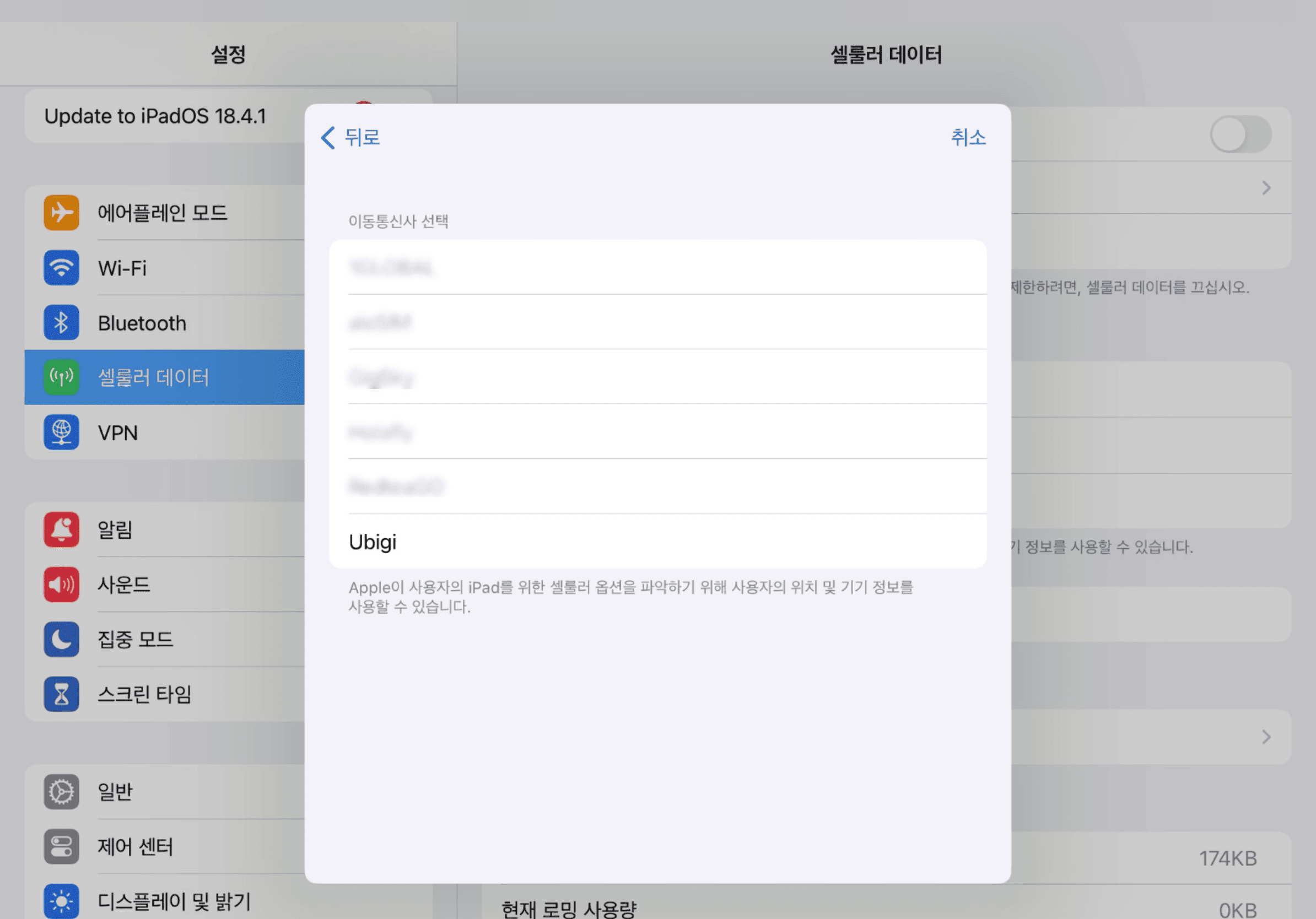
iPad 설정에서 직접 Ubigi eSIM을 설치하세요

Step 1 - eSIM tutorial

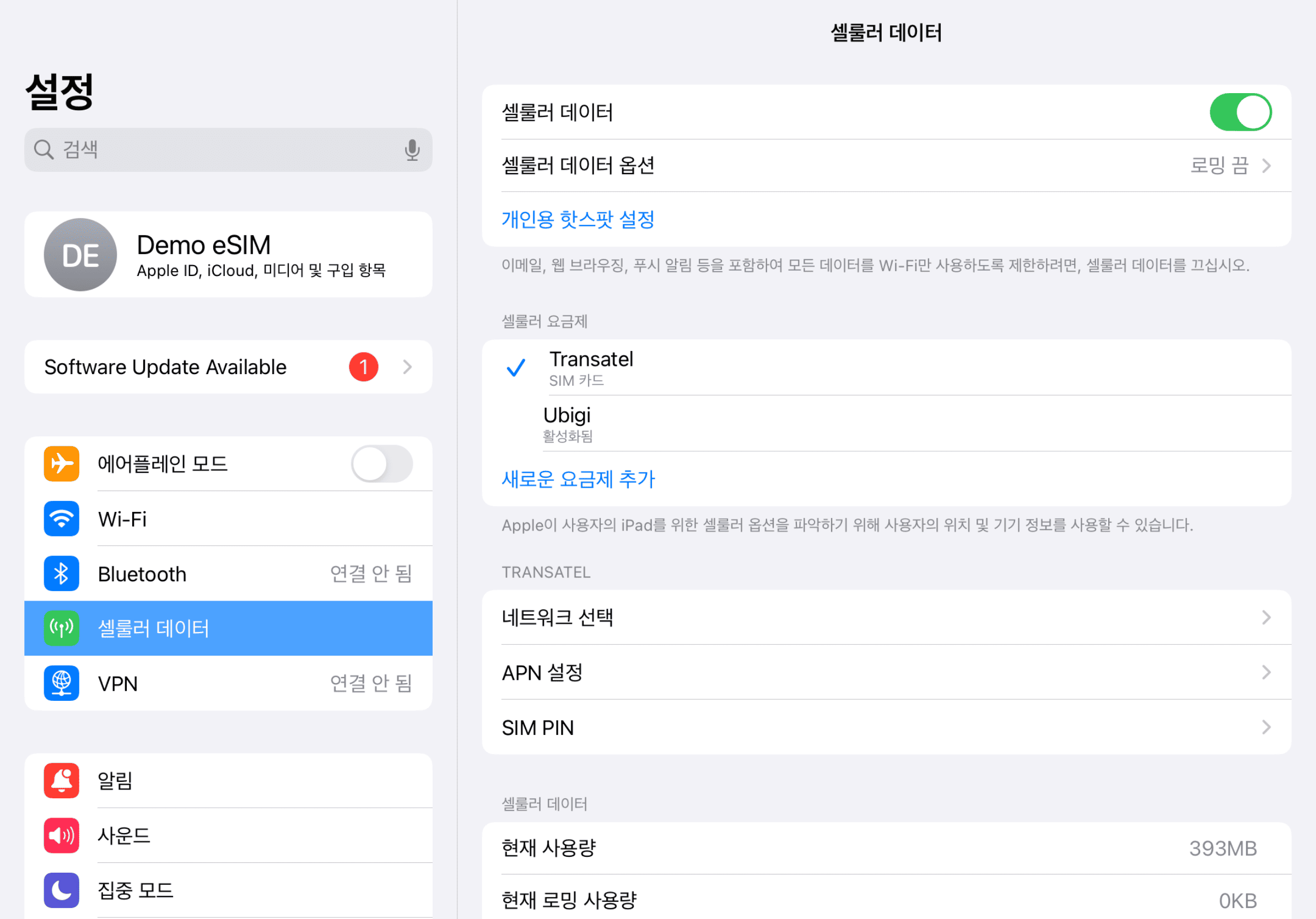
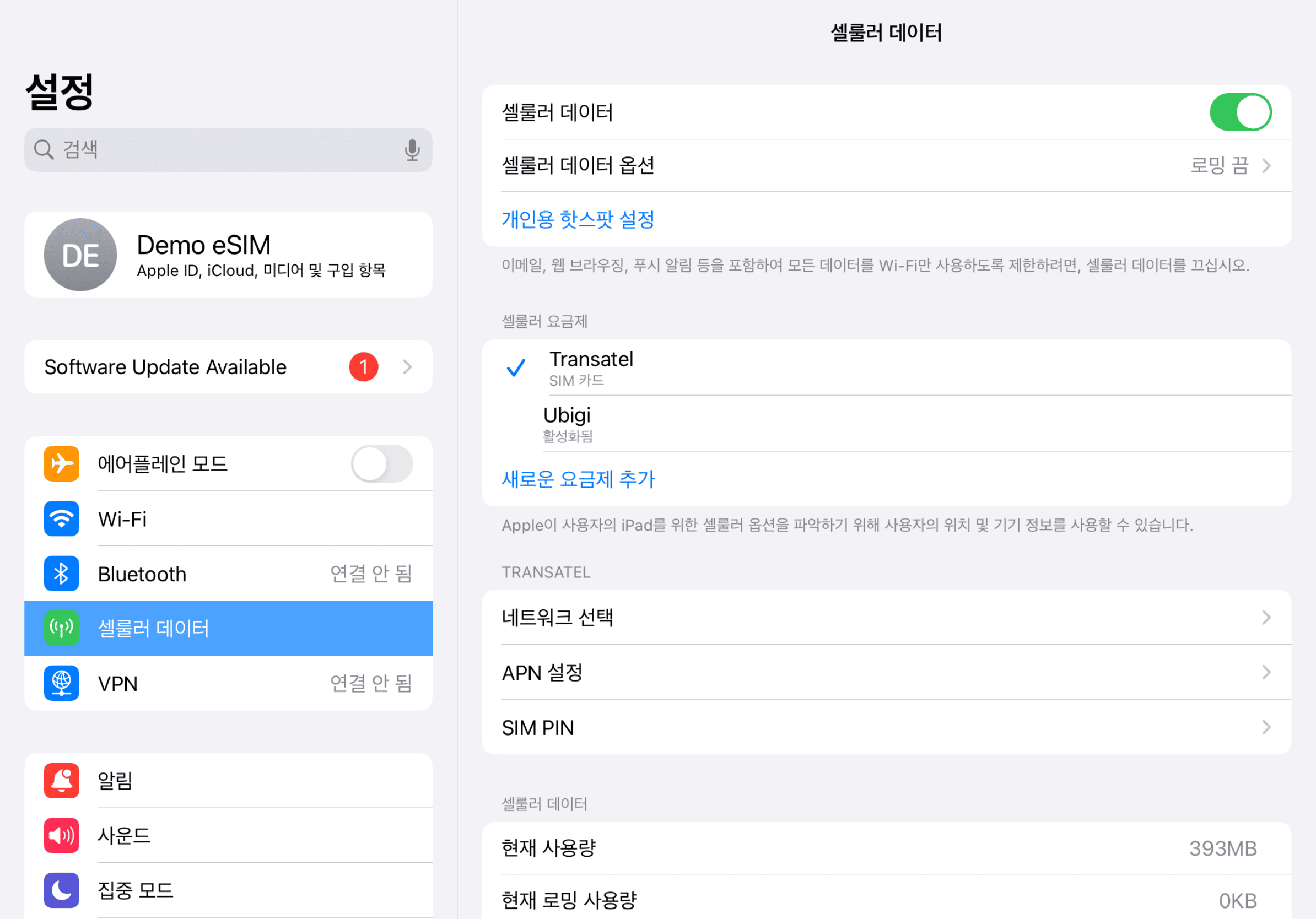
설정을 시작하세요

iPad 설정으로 가서 ‘셀룰러 데이터’를 탭한 후 ‘새 요금제 찾기’ 를 선택하고 Ubigi를 통신사로 선택하세요
Step 2 - eSIM tutorial

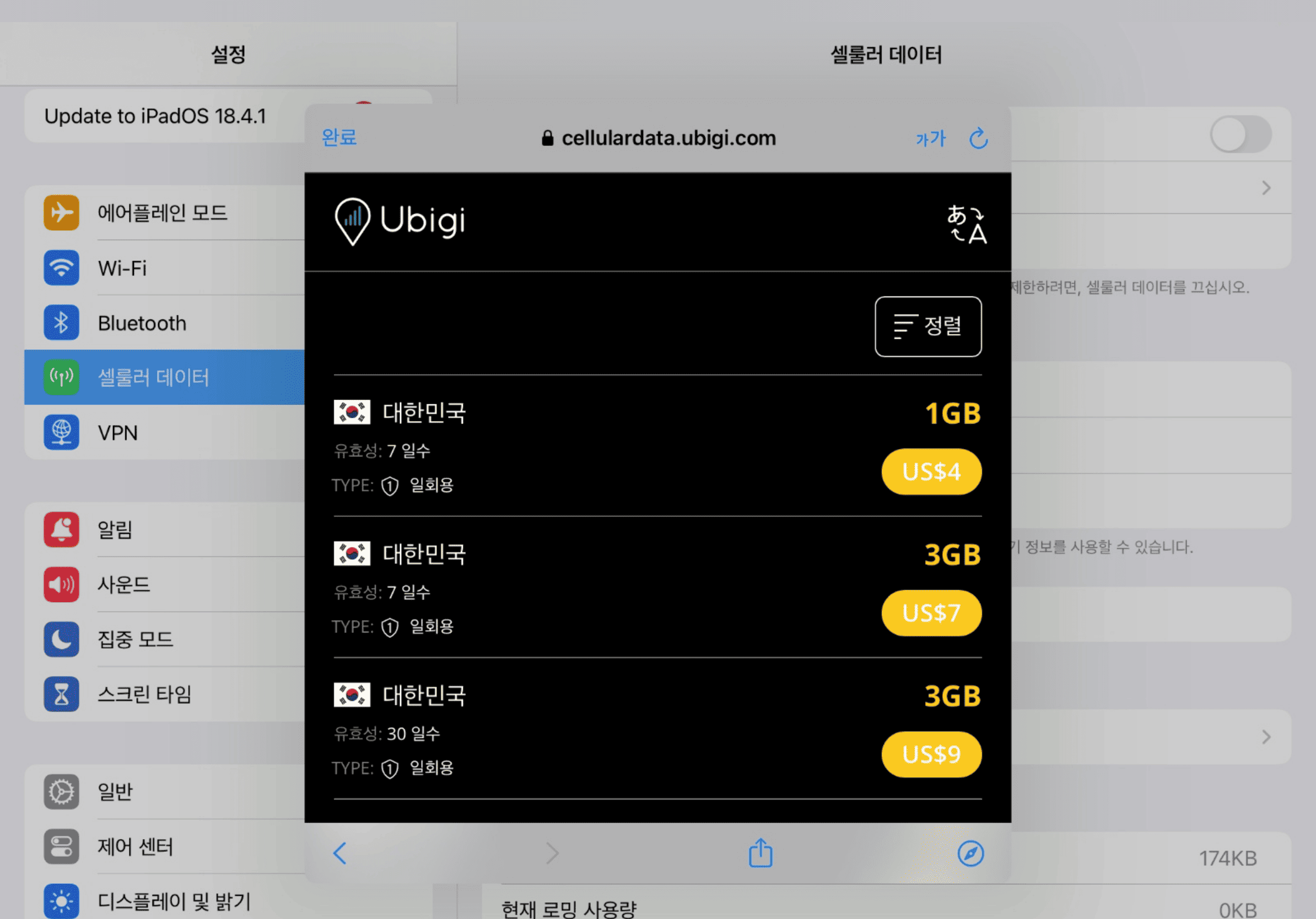
데이터 요금제를 구매하세요

목적지를 선택하고 우리의 카탈로그에서 데이터 요금제를 구매하세요

Step 3 - eSIM tutorial

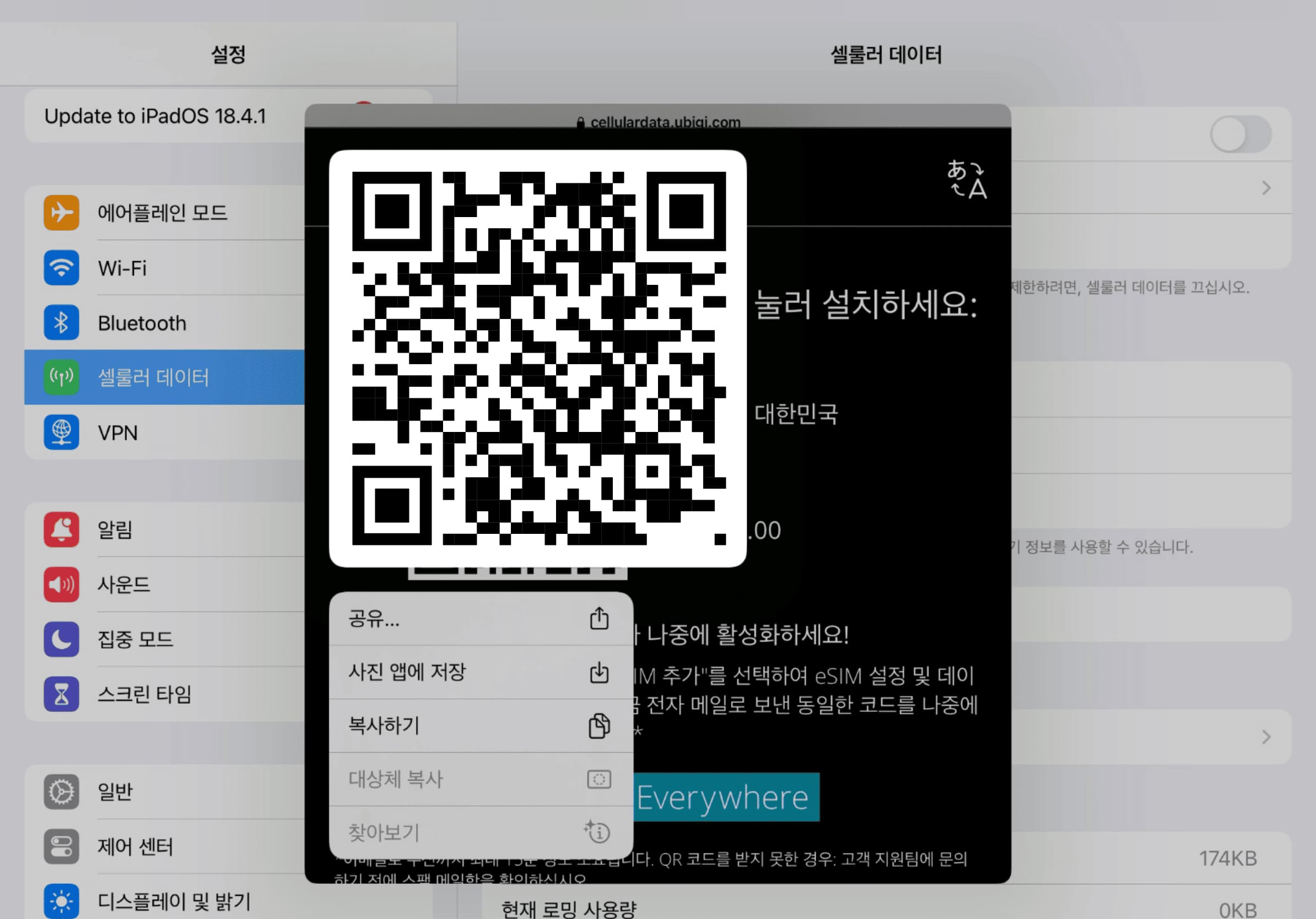
eSIM을 설치하세요

화면의 QR 코드를 길게 눌러 'eSIM 추가'”를 탭하세요

Step 4 - eSIM tutorial

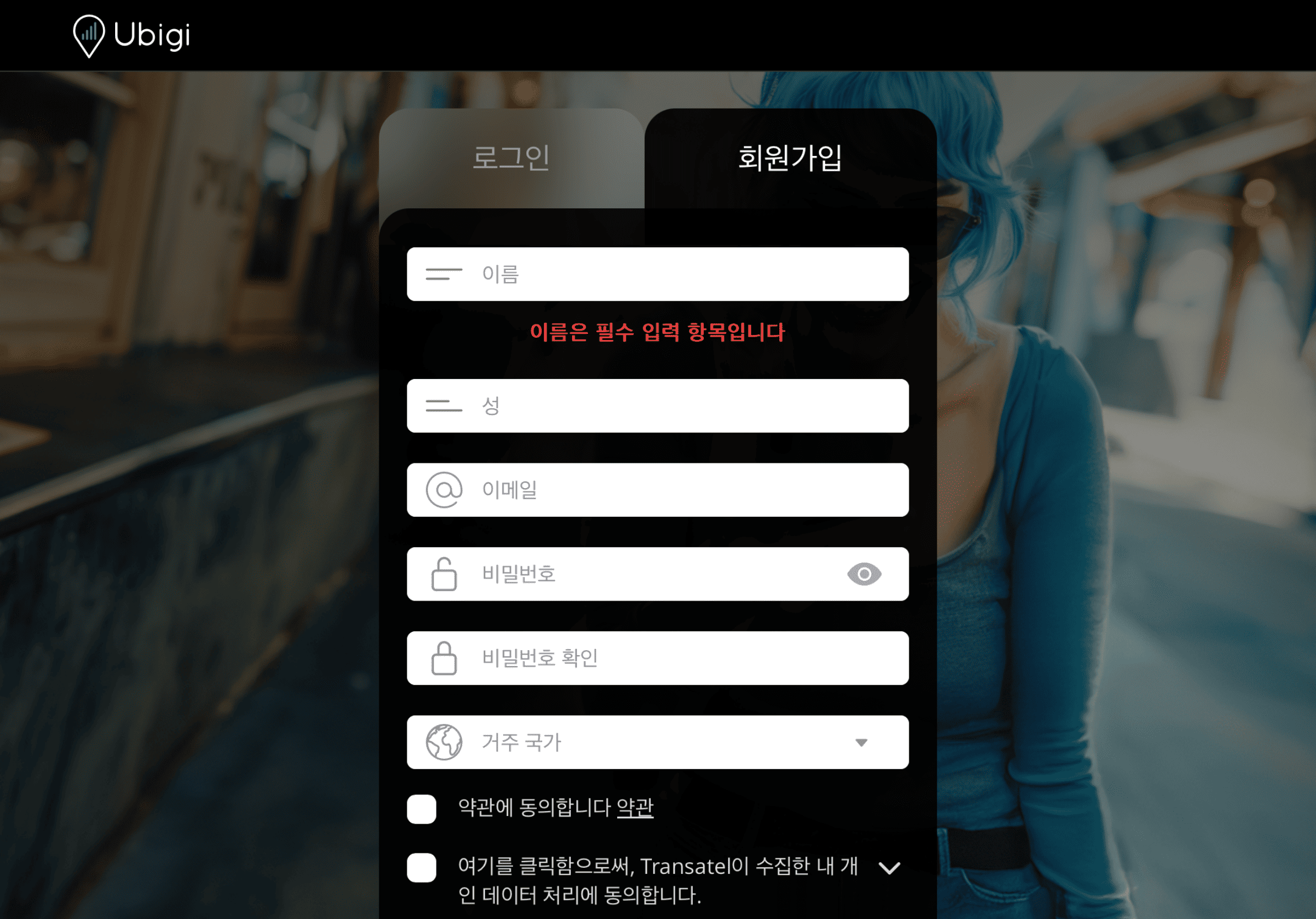
계정을 만드세요

앱을 다운로드하거나 Ubigi.me를 방문하여 실시간으로 데이터를 추적하고 알림을 받고 쉽게 충전하려면 Ubigi에 가입하세요

iPad에서 꼭 설정해야 할 몇 가지 항목이 있습니다

Setup Logo 1

출발 전에

출발 전에 홈 라인의 데이터 로밍이 꺼져 있는지 확인하세요.

Device setup reminder - before departure
Setup Logo 2

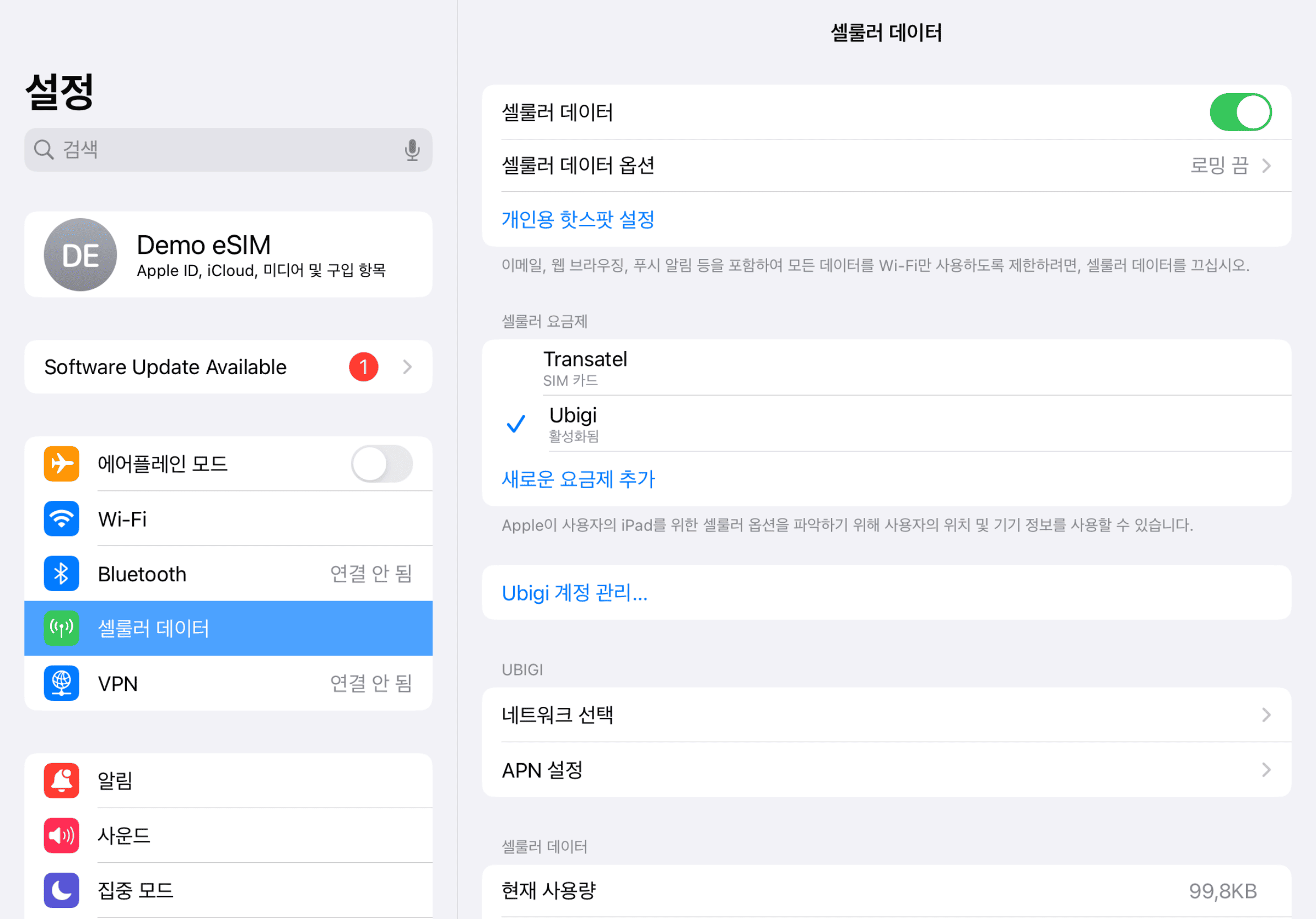
도착 시

목적지에 도착하면 데이터 사용이 시작됩니다. 셀룰러 데이터에 Ubigi 회선을 사용 중인지 확인하세요.
Another step reminder
Mobile device setup reminder - upon arrival
Setup Logo 3

집에 돌아왔을 때

Ubigi 회선을 끄고 초기 설정으로 돌아가세요.

Final step reminder
Mobile device setup reminder - upon arrival

Ubigi 앱에서 eSIM을 어떻게 충전하나요?

튜토리얼을 확인해보세요:

훌륭해 Trustpilot stars Trustpilot
Trustpilot stars
Trustpilot 41204개 리뷰를 기준으로
5 stars 검증됨
검증된 리뷰
이 사용자는 구매자로 확인되었습니다
Excellent speed
Excellent speed! Great subscription package moreso with discounts if you recommend Ubigi to others!
Manum, 12 Jul 2026
5 stars 검증됨
검증된 리뷰
이 사용자는 구매자로 확인되었습니다
Data available everywhere in Tokyo
Data available everywhere in Tokyo, Osaka and Kyoto. Shared Data connection ok We recommand Ubigi
S&C, 12 Jul 2026
5 stars 검증됨
검증된 리뷰
이 사용자는 구매자로 확인되었습니다
This data connection works really well…
This data connection works really well especially if you are travelling all over the country.
customer, 12 Jul 2026
5 stars 검증됨
검증된 리뷰
이 사용자는 구매자로 확인되었습니다
Never had a problem
Never had a problem. Works perfect. Especially in France and Sweden. But in Budapest 8-9/10.
Narmin, 12 Jul 2026
5 stars 검증됨
검증된 리뷰
이 사용자는 구매자로 확인되었습니다
It works great in Tokyo and Kyoto so…
It works great in Tokyo and Kyoto so far. Able to watch tik tok
customer, 12 Jul 2026
5 stars 검증됨
검증된 리뷰
이 사용자는 구매자로 확인되었습니다
Will definitely recommend to anyone travelling through Europe
I have used other esims before which all had reliability and speed issues. In fact Ubigi was therefor surprisingly easy to install and the connection speed was perfect for our needs.
Teacher from Australia, 12 Jul 2026
5 stars 검증됨
검증된 리뷰
이 사용자는 구매자로 확인되었습니다
Very easy to use
Very easy to use
customer, 12 Jul 2026
5 stars 검증됨
검증된 리뷰
이 사용자는 구매자로 확인되었습니다
Easy and reliable
Easy set up and activation, great pricing, great wifi connection, never a lag.
Yinnie, 12 Jul 2026
5 stars 검증됨
검증된 리뷰
이 사용자는 구매자로 확인되었습니다
easy and fast connectivity
customer, 12 Jul 2026
5 stars 검증됨
검증된 리뷰
이 사용자는 구매자로 확인되었습니다
Good value
Easy, good value and good internet/Wifi coverage from Hiroshima to Hakone
Katrina, 12 Jul 2026
5 stars 검증됨
검증된 리뷰
이 사용자는 구매자로 확인되었습니다
Worked as soon as I switched flight…
Worked as soon as I switched flight mode off as promised! Highly recommend!
customer, 12 Jul 2026
5 stars 검증됨
검증된 리뷰
이 사용자는 구매자로 확인되었습니다
Excellent and very good
Marco, 12 Jul 2026
5 stars 검증됨
검증된 리뷰
이 사용자는 구매자로 확인되었습니다
Ubigi
Works well.
ralston barnard, 12 Jul 2026
5 stars 검증됨
검증된 리뷰
이 사용자는 구매자로 확인되었습니다
Easy to use and setup(iPhone 15)
Michael G, 12 Jul 2026

귀하의 메시지가 전송되었습니다.
곧 답변드리겠습니다.

귀하의 뉴스레터 구독을 고려했습니다.