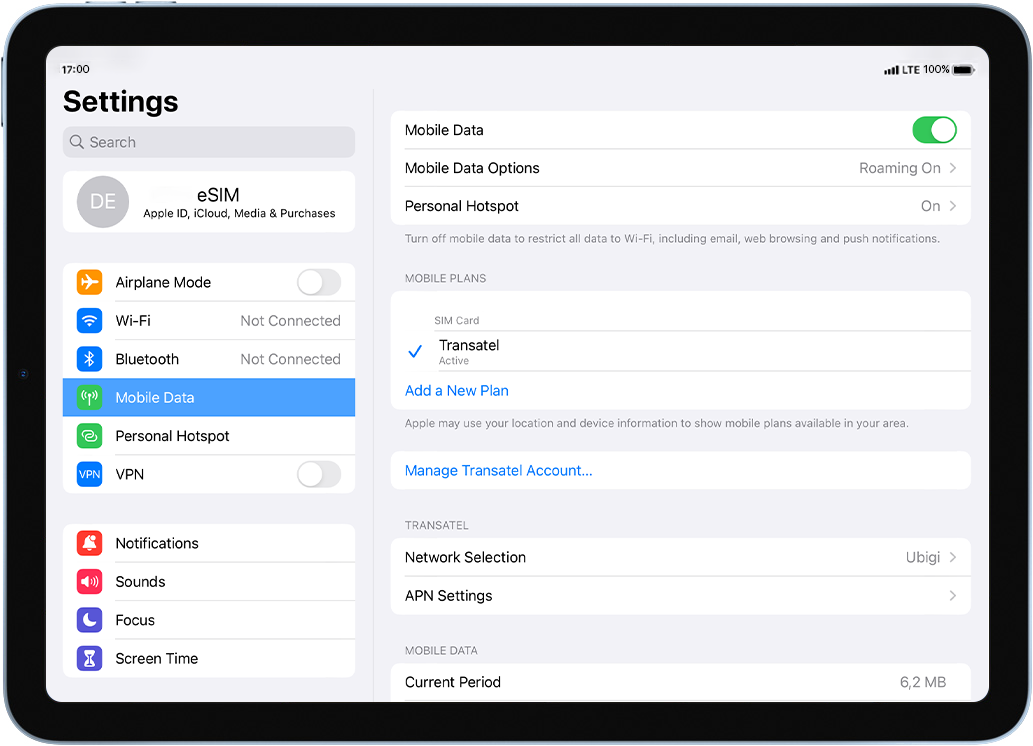
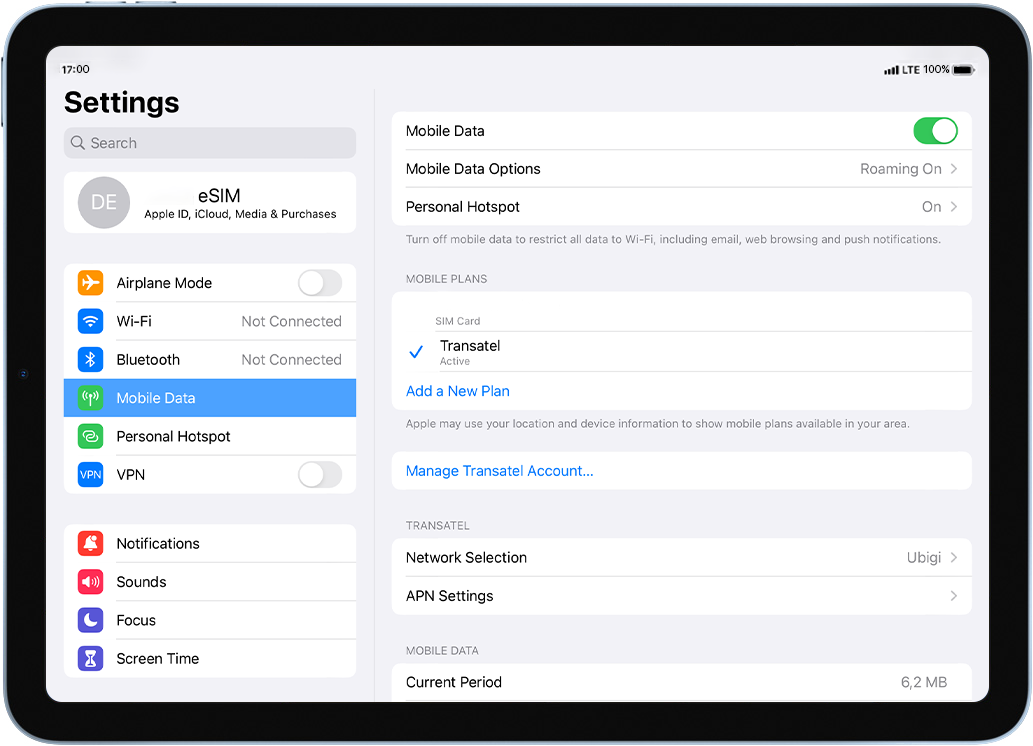
이동합니다: 설정 > 모바일 데이터 > 데이터 요금제에서 Ubigi eSIM 프로필이 으로 선택되어 있는지 확인하세요.
프로필이 활성화되면 화면 상단에 네트워크 신호가 나타납니다.
훌륭해
의 35168개 리뷰를 기준으로
검증됨
검증된 리뷰
이 사용자는 구매자로 확인되었습니다
Worked great in Japan
I used this for three weeks in Japan and it worked fine, good signal everywhere we went. Very simple to install and activate.
Doug, 18 Apr 2026
검증됨
검증된 리뷰
이 사용자는 구매자로 확인되었습니다
It works!
It works!
It works seamlessly for me and is straightforward to use.
Ruth Freeman, 18 Apr 2026
검증됨
검증된 리뷰
이 사용자는 구매자로 확인되었습니다
Very easily connected as soon as I…
Very easily connected as soon as I reached my destination
Julie, 18 Apr 2026
검증됨
검증된 리뷰
이 사용자는 구매자로 확인되었습니다
All good
All good , no issues 😎
Nigel Bone, 18 Apr 2026
검증됨
검증된 리뷰
이 사용자는 구매자로 확인되었습니다
Coverage and speed are excellent in…
Coverage and speed are excellent in Greece, Athens, and the islands
Alex, 18 Apr 2026
검증됨
검증된 리뷰
이 사용자는 구매자로 확인되었습니다
Uninterrupted communication through out…
Ubigi provided uninterrupted communication during my stay in Japan from 15th to 18th April.
Champaka Biyanwilage, 18 Apr 2026
검증됨
검증된 리뷰
이 사용자는 구매자로 확인되었습니다
I am Happy that Ubigi works well and…
I am Happy that Ubigi works well and allowing me stay connected in Portugal, France and Spain!
Only reason for four (4) star, that it drains battery 🪫 so quickly while looking for new towers and switches connection that You must charge phone (in my case 17Pro iPhone) constantly and carry power bank!
Usually it can drain 80%-85% by 7PM and it creates uncomfortable feeling if You will be ok or You need to charge it again in the hotel if forgot power bank in the room!
But overall it’s a very good option to use and I still would recommend this service!
Also need to check how it’s will work when I reach 60GB during the month since it’s said it will reduce speed of internet significantly even I have an Unlimited plan!
Fingers crossed 🤞
Thank You 🙏🏻
Pavel S
customer, 18 Apr 2026
검증됨
검증된 리뷰
이 사용자는 구매자로 확인되었습니다
After a few connection problems
After a few connection problems. Everything was smooth sailing afterwards.
Markus, 18 Apr 2026
검증됨
검증된 리뷰
이 사용자는 구매자로 확인되었습니다
everything worked as expected
Matic Kovacic, 18 Apr 2026
검증됨
검증된 리뷰
이 사용자는 구매자로 확인되었습니다
It works great and i didn’t have any…
It works great and i didn’t have any issues
Leonora, 18 Apr 2026
검증됨
검증된 리뷰
이 사용자는 구매자로 확인되었습니다
It's easy to connect with ubigi
customer, 18 Apr 2026
검증됨
검증된 리뷰
이 사용자는 구매자로 확인되었습니다
easy and effective
Easy to purchase and activate. Reliable service and have used it in three continents
MrD, 18 Apr 2026
검증됨
검증된 리뷰
이 사용자는 구매자로 확인되었습니다
Easy to use and great functionality
customer, 18 Apr 2026
검증됨
검증된 리뷰
이 사용자는 구매자로 확인되었습니다
It's worth to buy
By now it is what I need. I have no problem at all her in Europe. The prices are very good.
Silvia Patricia Perez, 18 Apr 2026
감사합니다
귀하의 메시지가 전송되었습니다. 곧 답변드리겠습니다.
감사합니다
귀하의 뉴스레터 구독을 고려했습니다.
eSIM 호환성 확인 방법
스마트폰 / 태블릿:
*#06# 입력. → EID 번호가 나오면 eSIM 지원 기기입니다.
Windows 10 / 11:
Windows+I 를 누르세요. “네트워크 및 인터넷”으로 이동하세요 → 셀룰러 네트워크가 보이면 PC가 eSIM을 지원합니다..
통신사 잠금 해제 여부 확인 방법
iPhone / iPad:
설정 > 일반 > 정보로 이동 통신사 잠금 항목까지 스크롤. → “SIM 제한 없음”이 표시되면 기기는 잠금 해제 상태입니다.
Android:
설정 > 네트워크 및 인터넷 > 모바일 네트워크 자동 네트워크 선택을 끄세요. → 여러 네트워크가 보이면 잠금 해제된 기기입니다.