Check if your eSIM profile is installed on your device.
Check eSIM profile activation
Check if your eSIM profile is activated on your device.
Apply data to eSIM profile
Ensure data is applied to your Ubigi eSIM profile.
Check APN configuration
Ensure that the APN is correctly set for your Ubigi connectivty.
Check network display
Check the network status for your Ubigi connectivity.
Final checks!
Check account creation and Internet access.
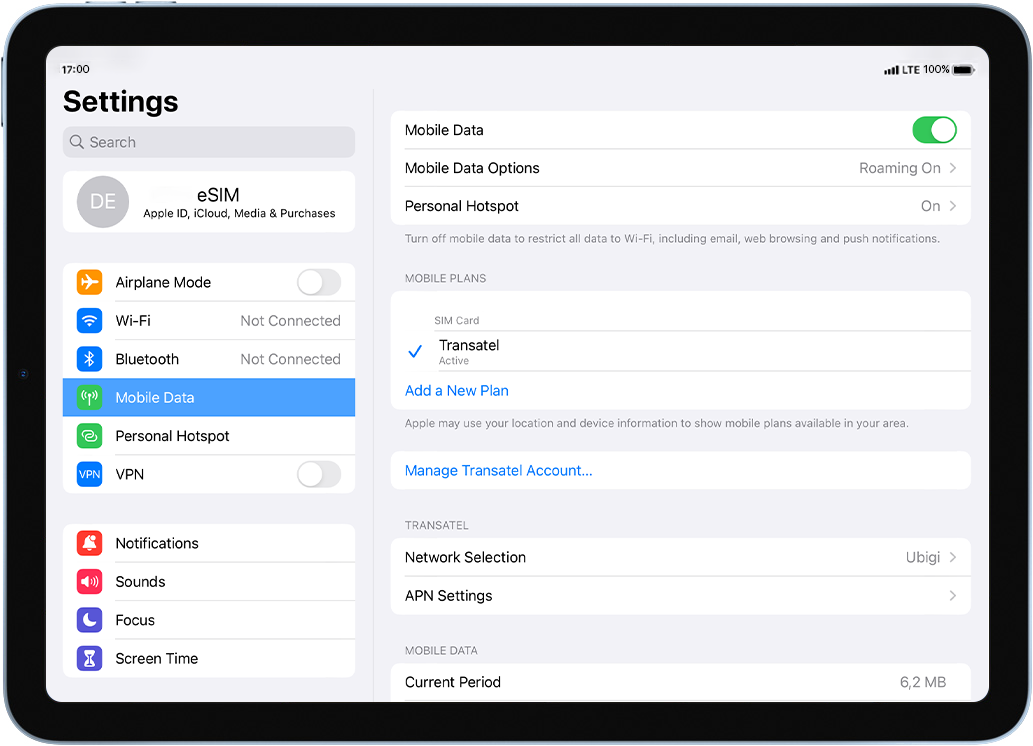
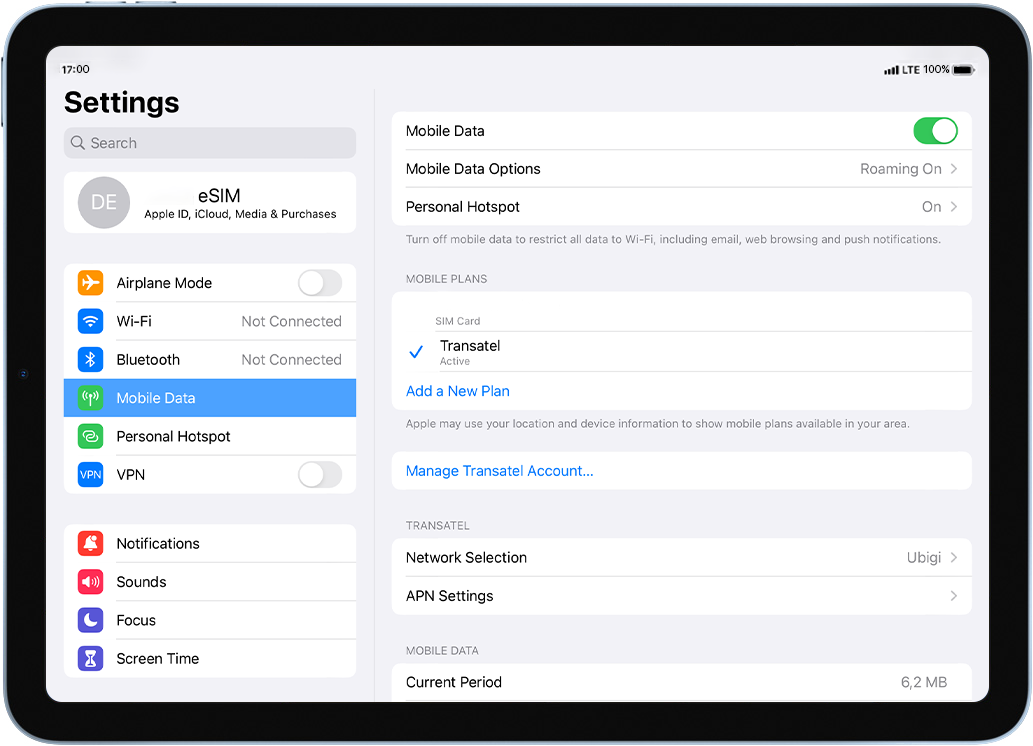
Check if your eSIM profile is activated on your iPad.
Go to: Settings > Mobile data > under Data plans, make sure that your Ubigi eSIM profile is selected with a .
As soon as your profile is activated, the network signal will appear at the top of your screen.
Great
Based on 35061 reviews on
Verified
Verified review
This user has been identified as a buyer
À but expensive
À but expensive
yura prastika, 17 Apr 2026
Verified
Verified review
This user has been identified as a buyer
We'd like to use this internet again
We'd like to use this internet again. Great service. Price is a little high.
Da Vu Lam, 17 Apr 2026
Verified
Verified review
This user has been identified as a buyer
Great!
Throughout my entire stay in Japan I had excellent internet coverage and speed.
Ivette Cortes, 17 Apr 2026
Verified
Verified review
This user has been identified as a buyer
I had a very good experience with Ubigi…
I had a very good experience with Ubigi during my trip. The connection was reliable and easy to set up, making it convenient to stay online everywhere. But my time is not over yet.
Petra, 17 Apr 2026
Verified
Verified review
This user has been identified as a buyer
Good value for money during travel with effective coverage
Used in multiple countries during travel. Easy to use, good coverage and value for money.
Vinod Chithur, 17 Apr 2026
Verified
Verified review
This user has been identified as a buyer
Good coverage
Good coverage
Sekar, 17 Apr 2026
Verified
Verified review
This user has been identified as a buyer
The change over was smooth
customer, 17 Apr 2026
Verified
Verified review
This user has been identified as a buyer
Everything worked easily and we didn't…
Everything worked easily and we didn't have an issues!
customer, 17 Apr 2026
Verified
Verified review
This user has been identified as a buyer
Full bars a lot of the time and good…
Full bars a lot of the time and good service. Sometimes it would just disappear and I would have to reset my phone for it to come back, but otherwise it was good.
Bently, 17 Apr 2026
Verified
Verified review
This user has been identified as a buyer
Good
Good. But still hard to communicate between apple and android.
customer, 17 Apr 2026
Verified
Verified review
This user has been identified as a buyer
Convenience and ease of connection
Esna, 17 Apr 2026
Verified
Verified review
This user has been identified as a buyer
The best value for money
The best value for money - the cheapest option with the fastest data
Zeljko Cvetic, 16 Apr 2026
Verified
Verified review
This user has been identified as a buyer
Brilliant service
Brilliant service, didnt have a single issue once in Europe and had 5G near enough everywhere.
Sam, 16 Apr 2026
Verified
Verified review
This user has been identified as a buyer
Very straightforward connection when…
Very straightforward connection when visiting Iceland. I will keep this eSIM on my phone and use it for other holidays
customer, 16 Apr 2026
Verified
Verified review
This user has been identified as a buyer
I’m working like a technician od…
I’m working like a technician od vessel. I’m a Offshore worker and i need internet every vere and every time. Ubigi is very good soluction for me.
customer, 16 Apr 2026
Thank you
Your message has been sent. We’ll get back to you shortly.
Thank you
We have taken into account your subscription to the newsletter
How to check eSIM compatibility
Smartphones / Tablets:
Dial *#06#. → If an EID number appears, your device is eSIM-compatible.
Windows 10 / 11:
Press Windows+I. Go to “Network & Internet” → If you see "Cellular", your PC is eSIM-compatible.
How to check carrier unlocking
iPhone / iPad:
Go to Settings > General > About. Scroll to Carrier Lock. → If you see “No SIM restrictions”, your device is unlocked.
Android:
Go to Settings > Network & Internet > Mobile network. Disable Automatic network selection. → If multiple networks appear, your device is unlocked.
You already have an eSIM in your cart.
Each order can only include one eSIM data plan.
If you choose to add a new one, the current plan will be removed. What would you like to do?