Skip to content

Discover how to install your Ubigi eSIM on your iPhone in few steps!

Start by checking if your iPhone is eSIM compatible

Phone illustration

Dial *#06#, if an EID code shows, your device supports eSIM

Install a Ubigi eSIM on your iPhone directly from our app

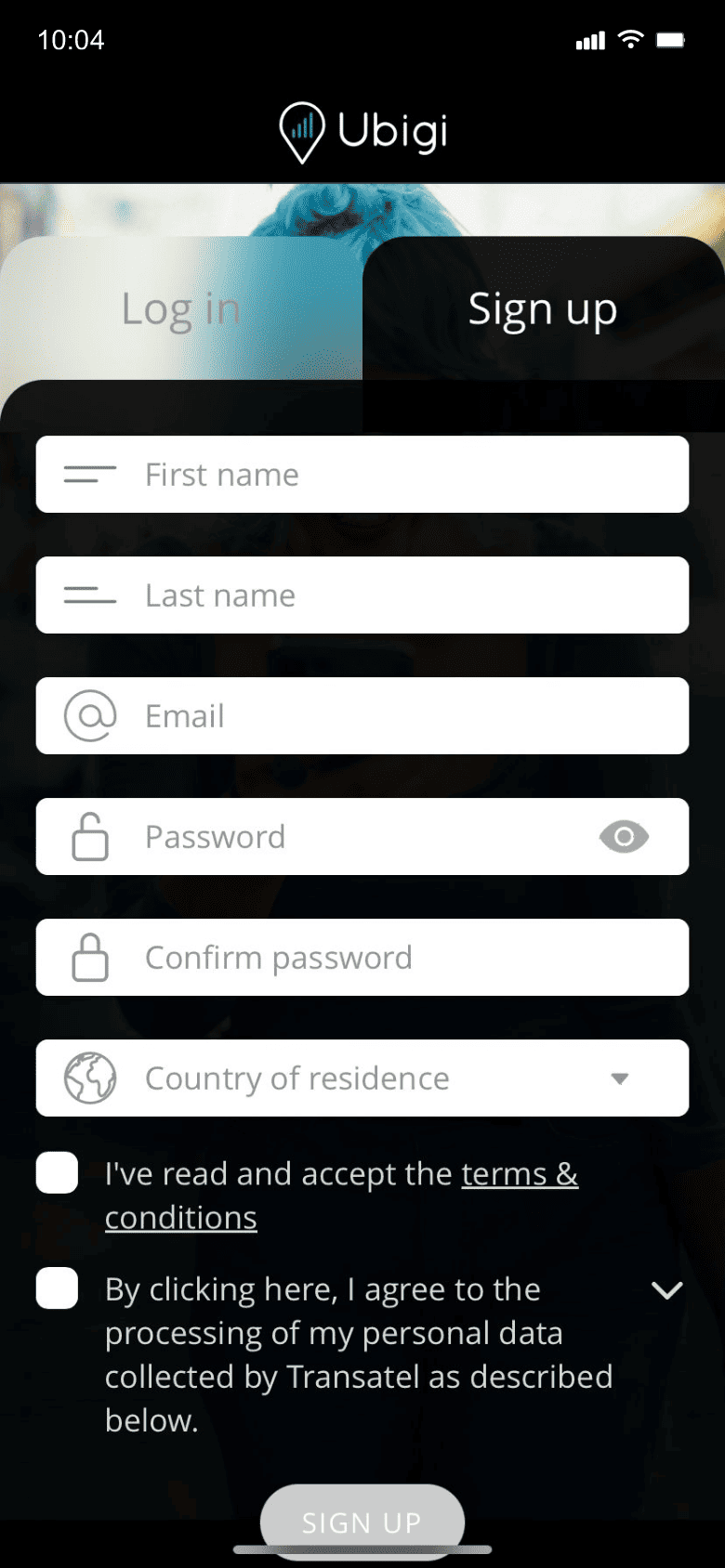
Step 1 - eSIM tutorial

Create your account

Sign up to Ubigi by downloading the app or visiting Ubigi.me to track your data in real time, receive alert notifications and top up easily

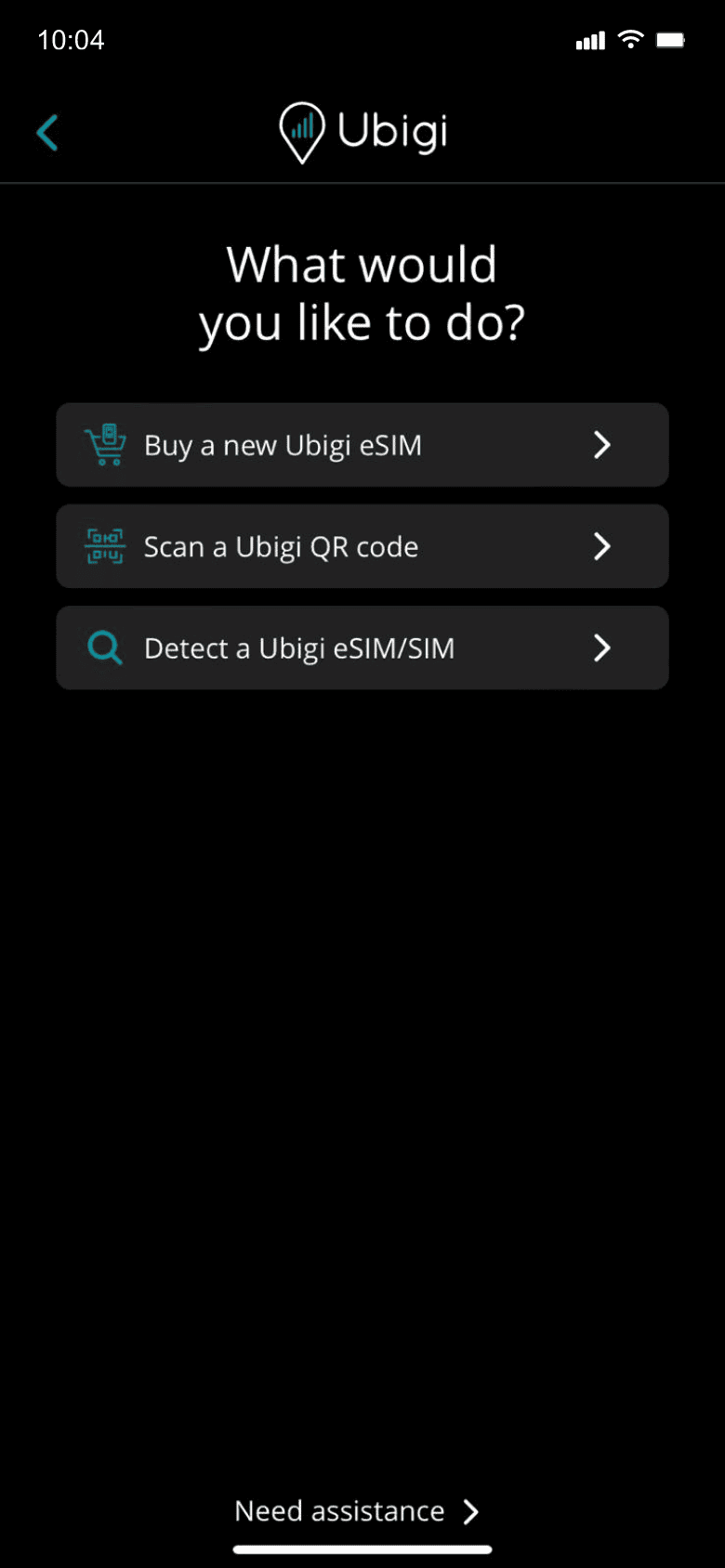
Step 2 - eSIM tutorial

Purchase a data plan

Select “Buy a new Ubigi eSIM” to get your data plan
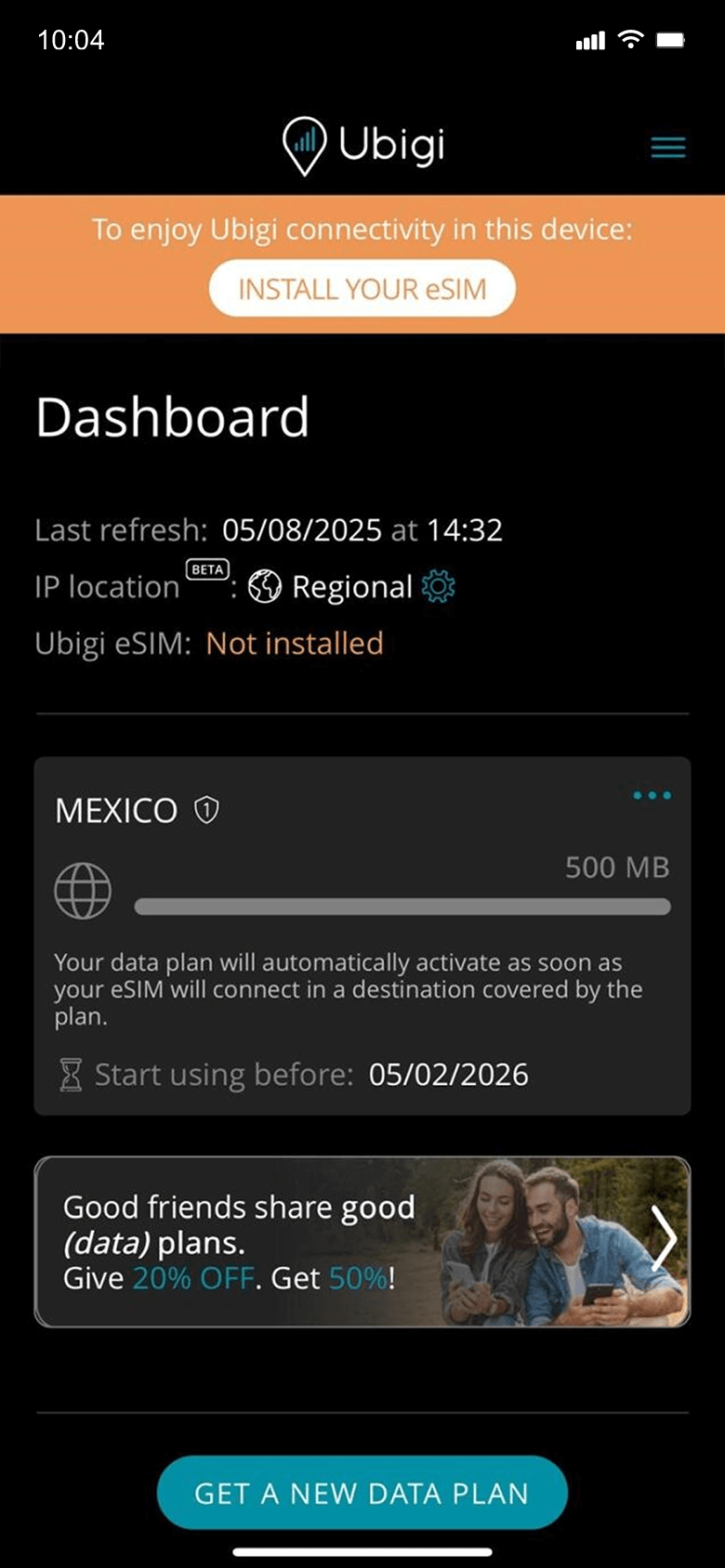
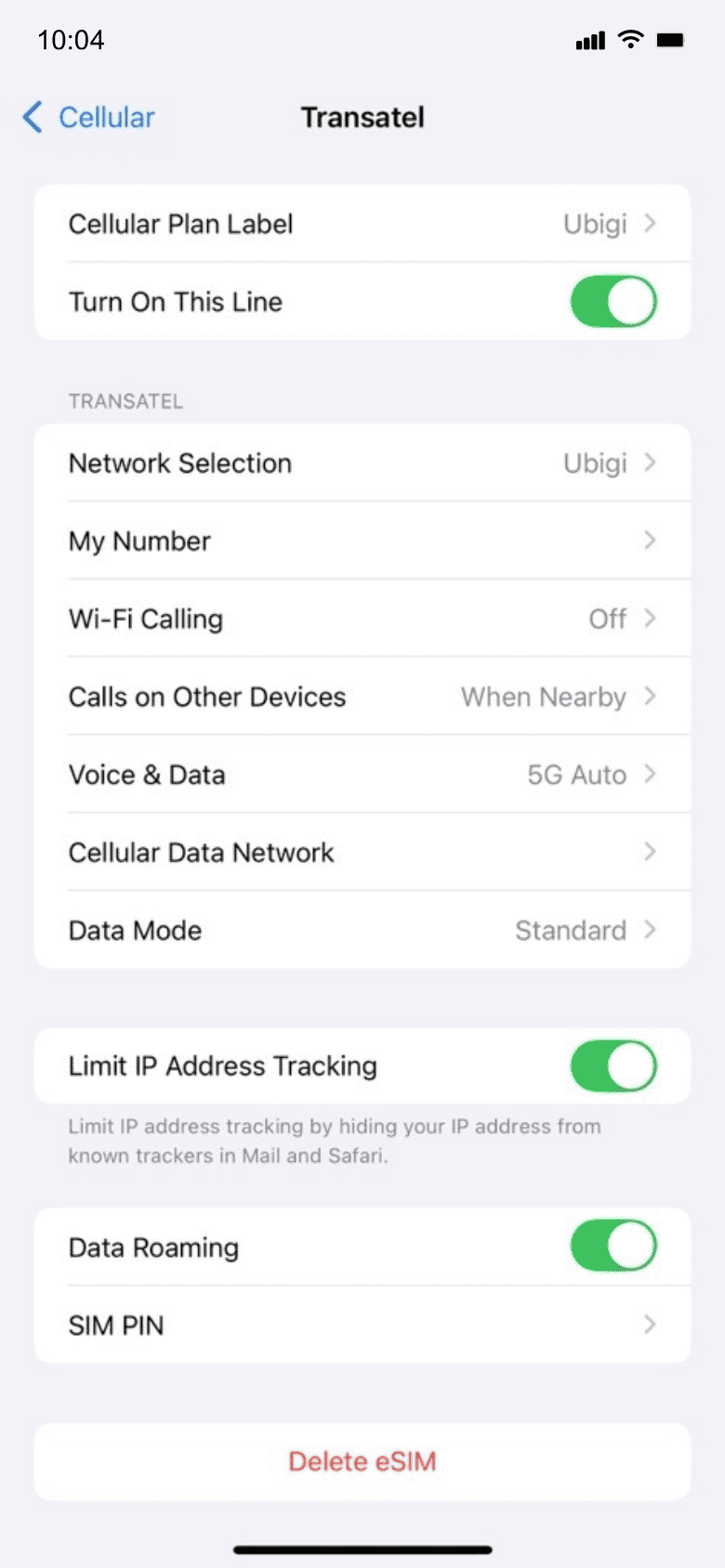
Step 3 - eSIM tutorial

Install your eSIM

Your data plan will activate upon arrival at destination

Step 4 - eSIM tutorial

Here are some iPhone setups you need to remember to do​

Setup Logo 1

Prior to departure

Make sure you have switched off Data Roaming of your primary line before departure.
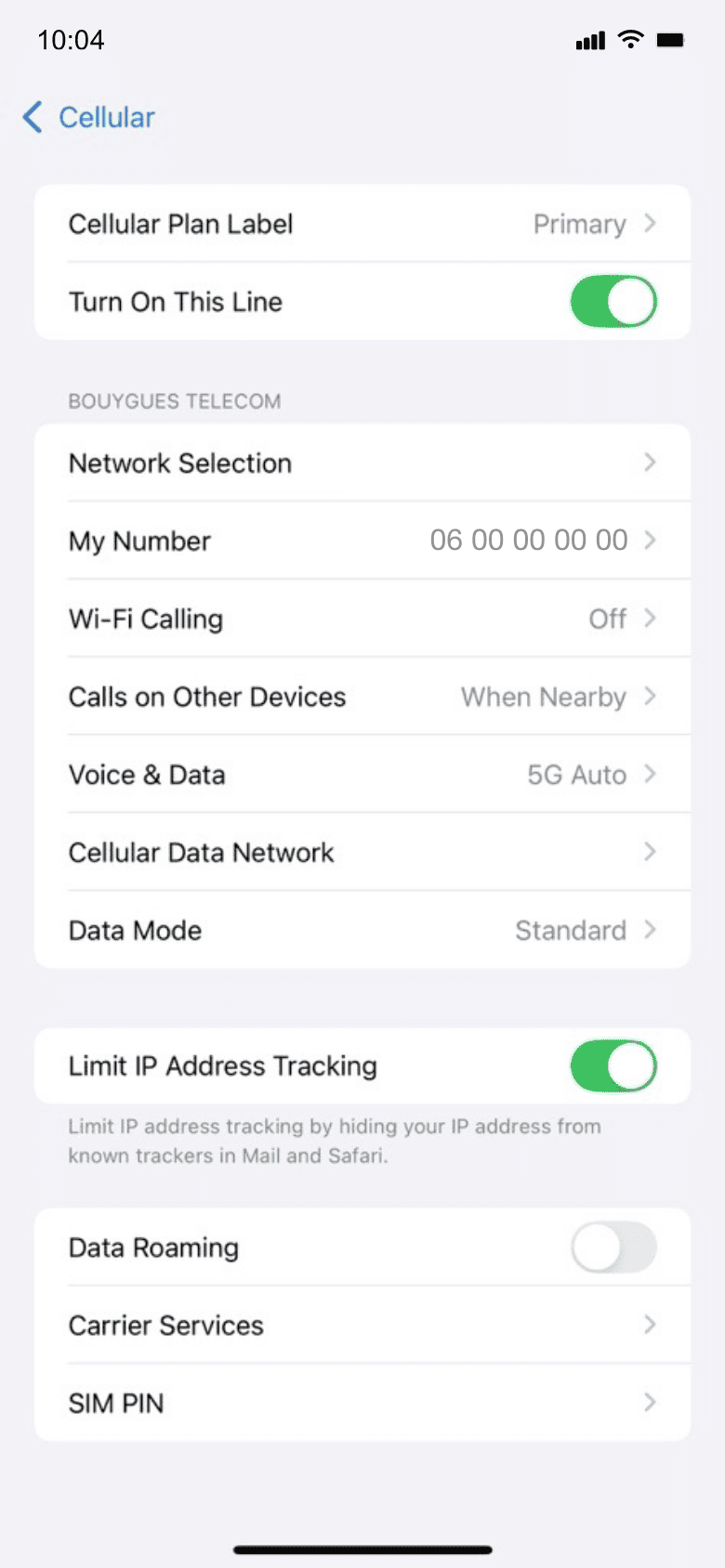
Device setup reminder - before departure
Setup Logo 2

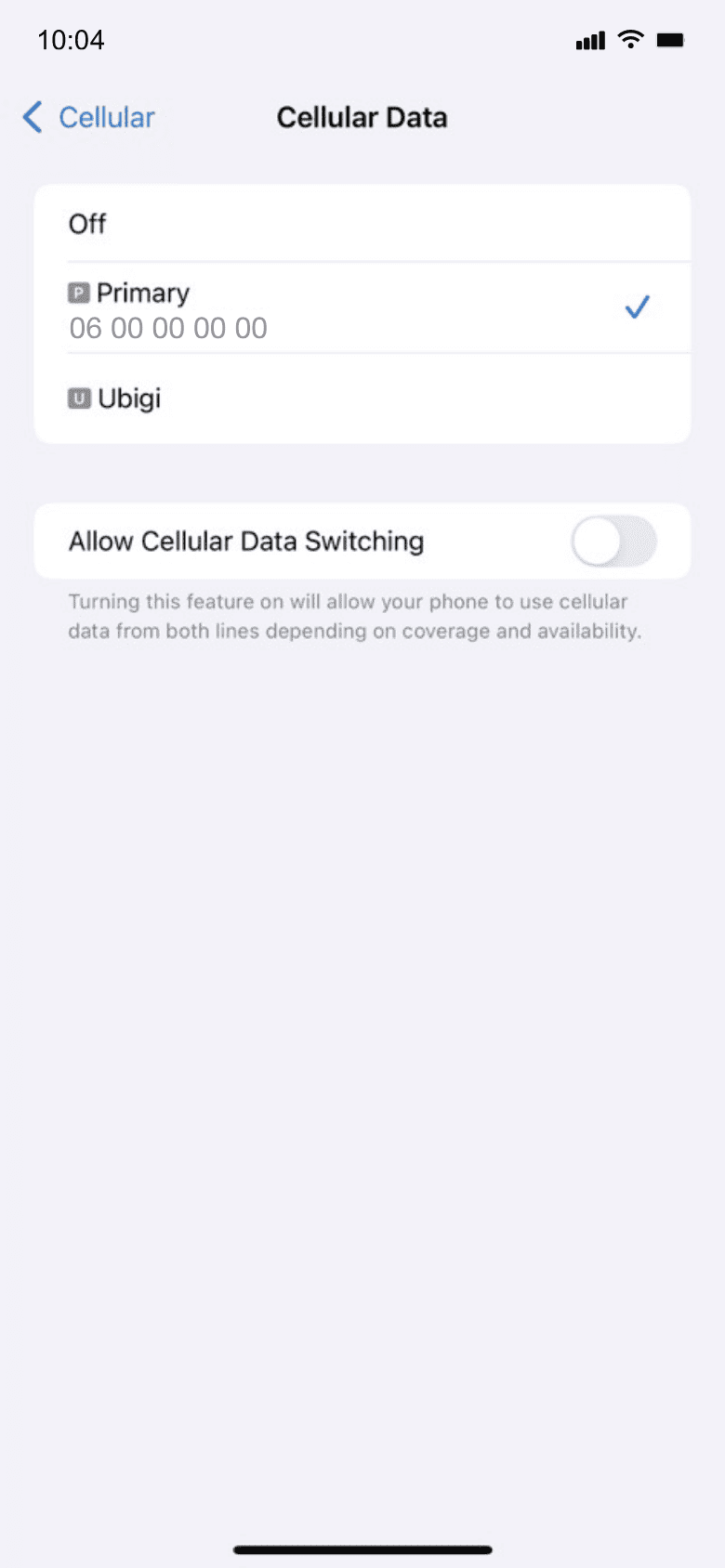
Upon arrival

Your data consumption will start upon arrival at destination. Make sure you're using the Ubigi line for Cellular Data.
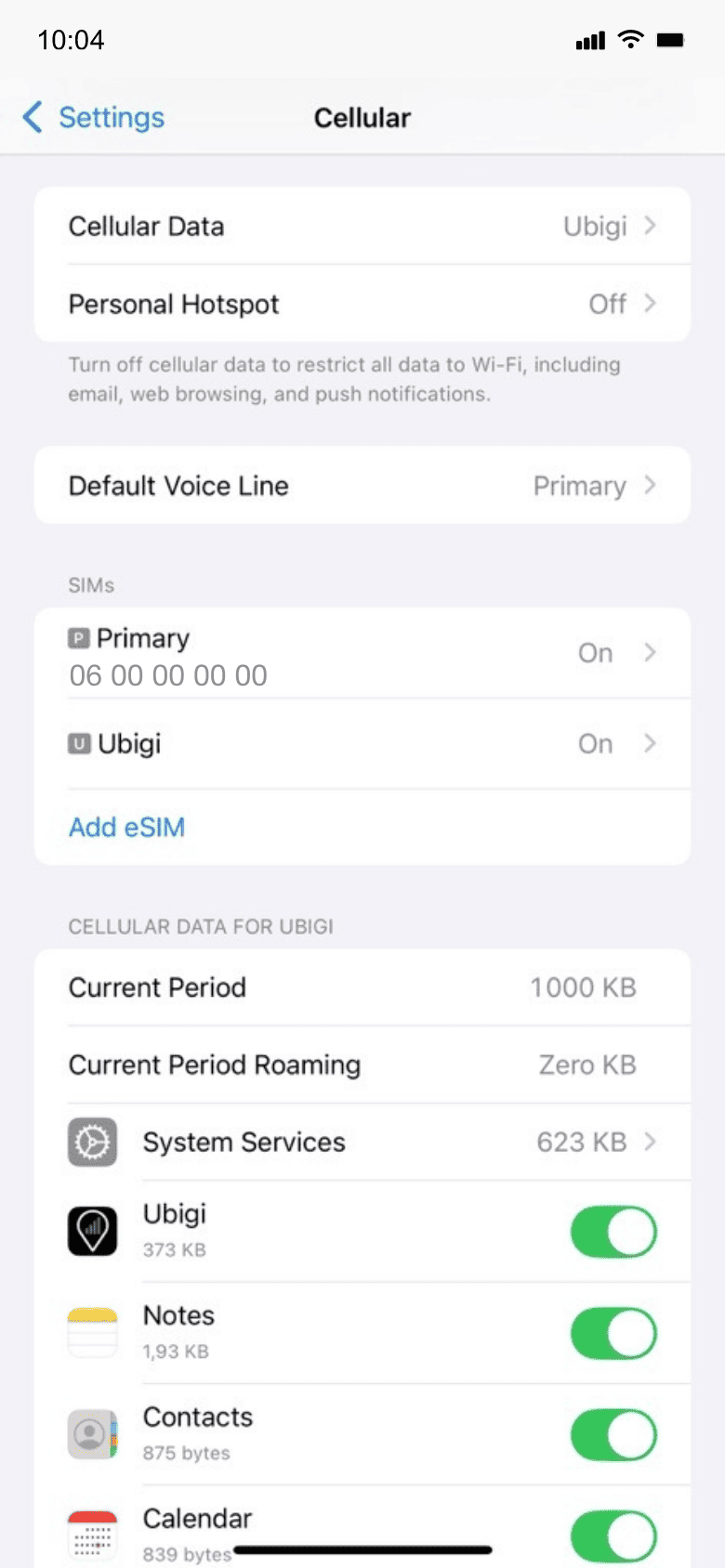
Another step reminder
Mobile device setup reminder - upon arrival
Setup Logo 3

Back home

Turn off your Ubigi line and return to your initial settings.
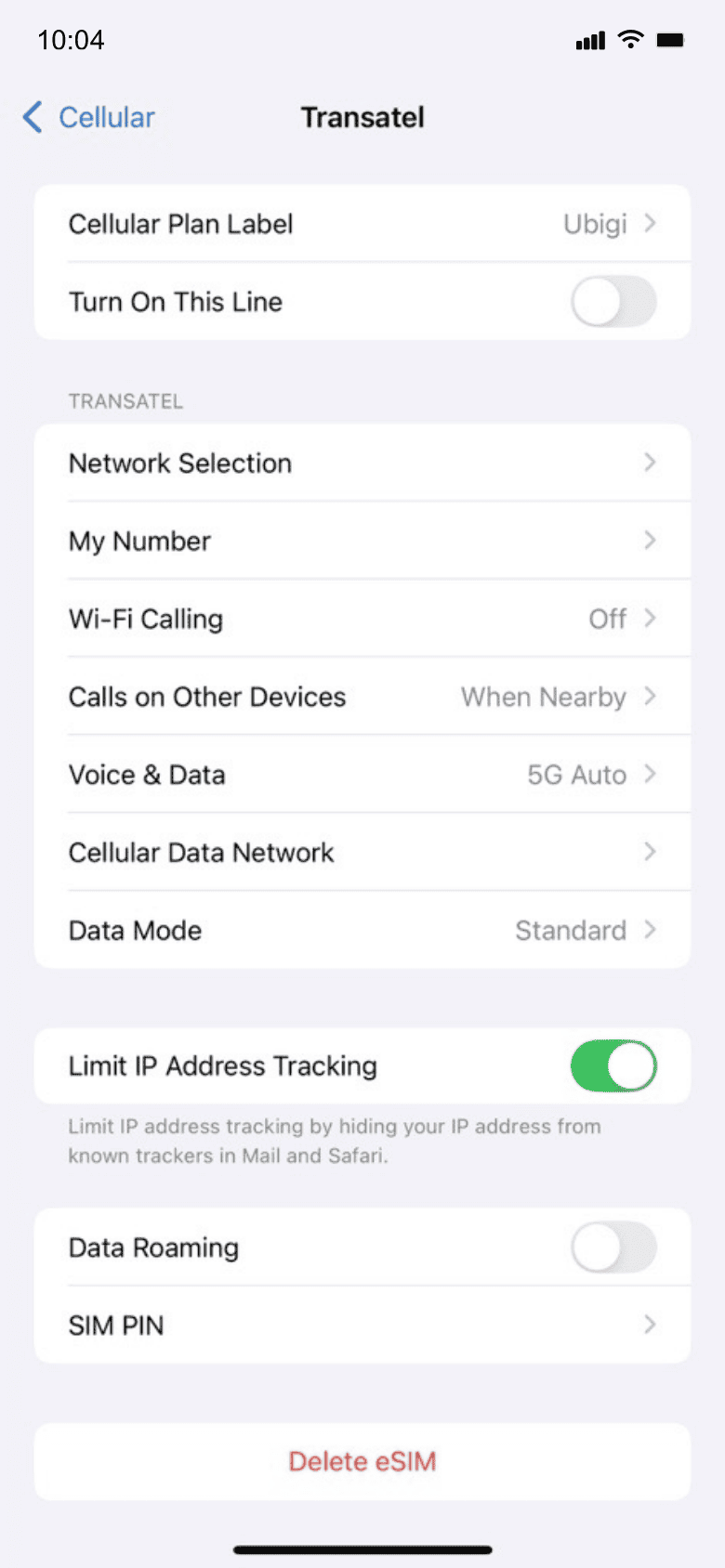
Final step reminder
Mobile device setup reminder - upon arrival

How to top up your eSIM on the Ubigi app?

Check out the tutorial:

Great Trustpilot stars Trustpilot
Trustpilot stars
Based on 33674 reviews on Trustpilot
5 stars Verified
Verified review
This user has been identified as a buyer
Simple it worked
Simple it worked
Charlie Bohart, 03 Apr 2026
5 stars Verified
Verified review
This user has been identified as a buyer
Very good!!
Very good!!
customer, 03 Apr 2026
5 stars Verified
Verified review
This user has been identified as a buyer
Easy to set up
Easy to set up, good price and great coverage
Mandy, 03 Apr 2026
5 stars Verified
Verified review
This user has been identified as a buyer
Easy to start at the destination!
Easy to start at the destination! I strongly recommend Ubigi to my friends!
Rocky Iwahara, 03 Apr 2026
5 stars Verified
Verified review
This user has been identified as a buyer
Perfect and easy
I used it at Switzerland, German and Hungry and it is perfect. Very easy to use it.
vasso zar, 03 Apr 2026
5 stars Verified
Verified review
This user has been identified as a buyer
Ubigi for my Japan Trip
Ubigi has honestly helped me a lot for my trip to Japan, especially during my stay at Hokkaido. Mainly because I was mostly travelling to the rural southern part of Hokkaido, the KDDI/NTT Docomo connection networks provided by Ubigi actually helps to maintain a secure connection compared to other eSIM apps like Holafly, Saily etc.
Alvin Liau Zhi Wei, 03 Apr 2026
5 stars Verified
Verified review
This user has been identified as a buyer
A Great experience
A Great experience
customer, 03 Apr 2026
5 stars Verified
Verified review
This user has been identified as a buyer
It works immediately
It works immediately. The internet speed is fast. I also like the fact that I can use the same eSIM card next time. This will save me a lot of time trying to get an eSIM to work. Recently I have had two experiences in which I cannot get a downloaded eSIM to work from other vendors. It is really frustrating. Ubigi works right away and I will stay with Ubigi now.
Liien Jong, 03 Apr 2026
5 stars Verified
Verified review
This user has been identified as a buyer
Work as expected
Just setup as instructed and it connected automatically. Internet speed is good mostly.
Steve, 03 Apr 2026
5 stars Verified
Verified review
This user has been identified as a buyer
Worked Great and Easy To Set Up!
Worked great and easy to set up. Plus, the prices were better than other competitors. I will gladly use Ubigi in the future!
Ed in Ath, 03 Apr 2026
5 stars Verified
Verified review
This user has been identified as a buyer
Very straightforward from choosing your…
Very straightforward from choosing your plan to topping up.
LORNA WILSON, 03 Apr 2026
5 stars Verified
Verified review
This user has been identified as a buyer
It’s working fine
It’s working fine
customer, 03 Apr 2026
5 stars Verified
Verified review
This user has been identified as a buyer
Was easy to install and activate
Was easy to install and activate. Worked great in several different areas in Australia.
JL, 03 Apr 2026
5 stars Verified
Verified review
This user has been identified as a buyer
Works as it should
Works as it should
BJÖRN, 03 Apr 2026
5 stars Verified
Verified review
This user has been identified as a buyer
Stable internet connection even at…
Stable internet connection even at Suburb area
FC, 03 Apr 2026

Your message has been sent.
We’ll get back to you shortly.

We have taken into account your subscription to the newsletter