Skip to content

Discover how to install your Ubigi eSIM on your iPad in few steps!

Start by checking if your iPad is eSIM compatible

Tablet illustration

Dial *#06#, if an EID code shows, your device supports eSIM
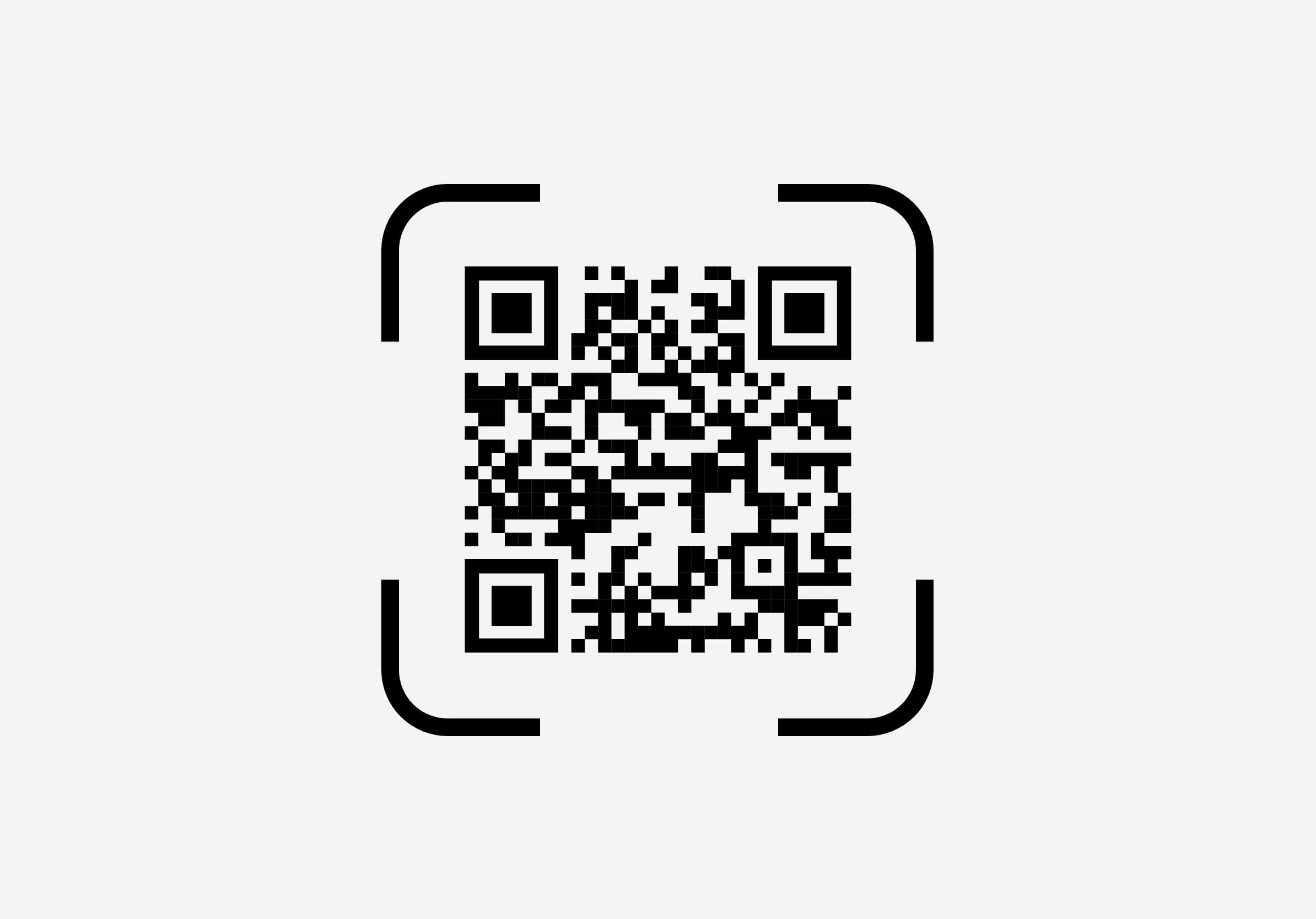
Install a Ubigi eSIM on your iPad with a QR code

Step 1 - eSIM tutorial

Purchase a data plan

Choose your destination and buy a data plan from our catalog

Step 2 - eSIM tutorial

Install your eSIM

Press & hold the QR code received by email or scan it to install your Ubigi eSIM
Step 3 - eSIM tutorial

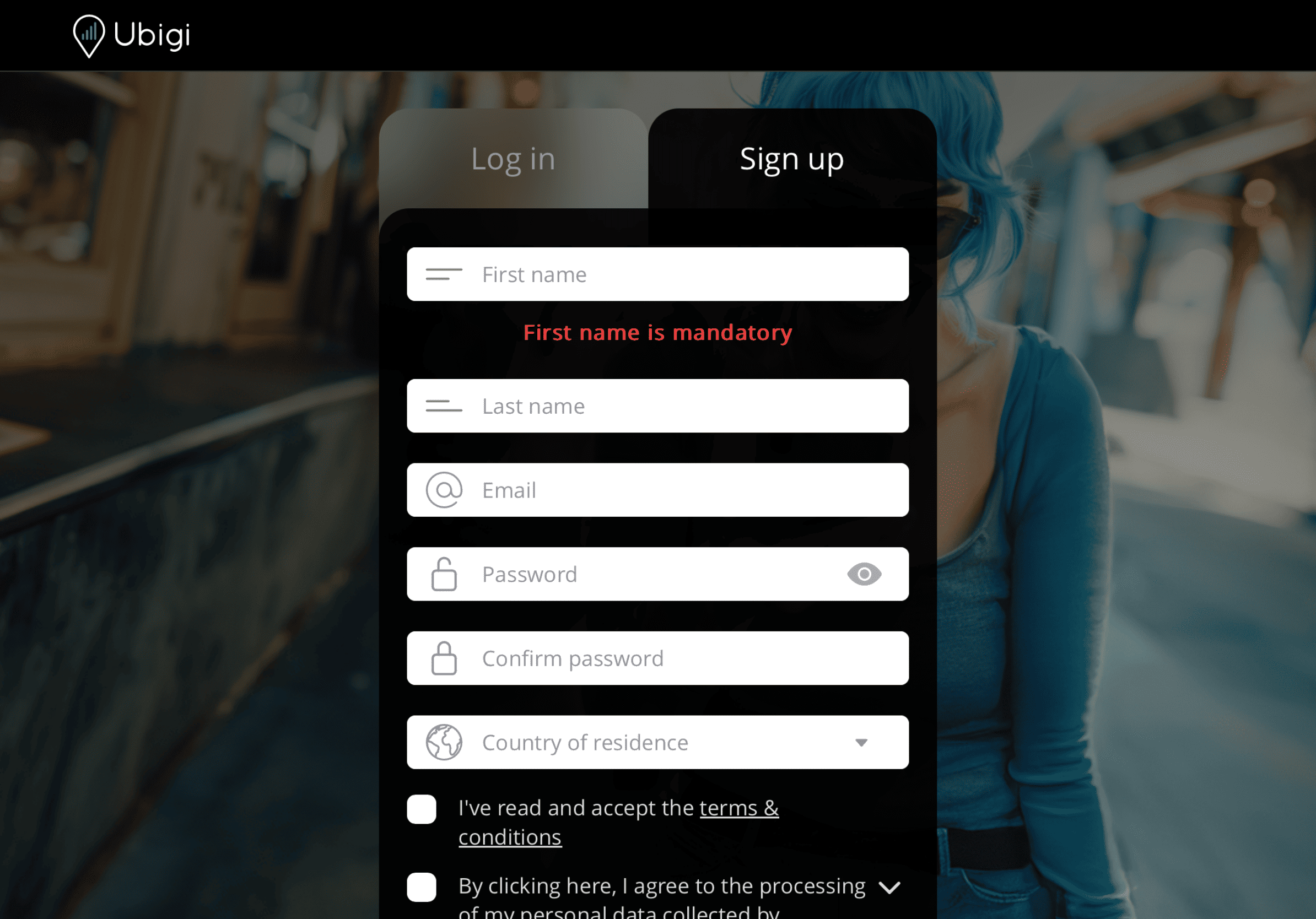
Create your account

Sign up to Ubigi by downloading the app or visiting Ubigi.me to track your data in real time, receive alert notifications and top up easily

Step 4 - eSIM tutorial

Here are some iPad setups you need to remember to do

Setup Logo 1

Prior to departure

Make sure you have switched off Data Roaming of your home line before departure.
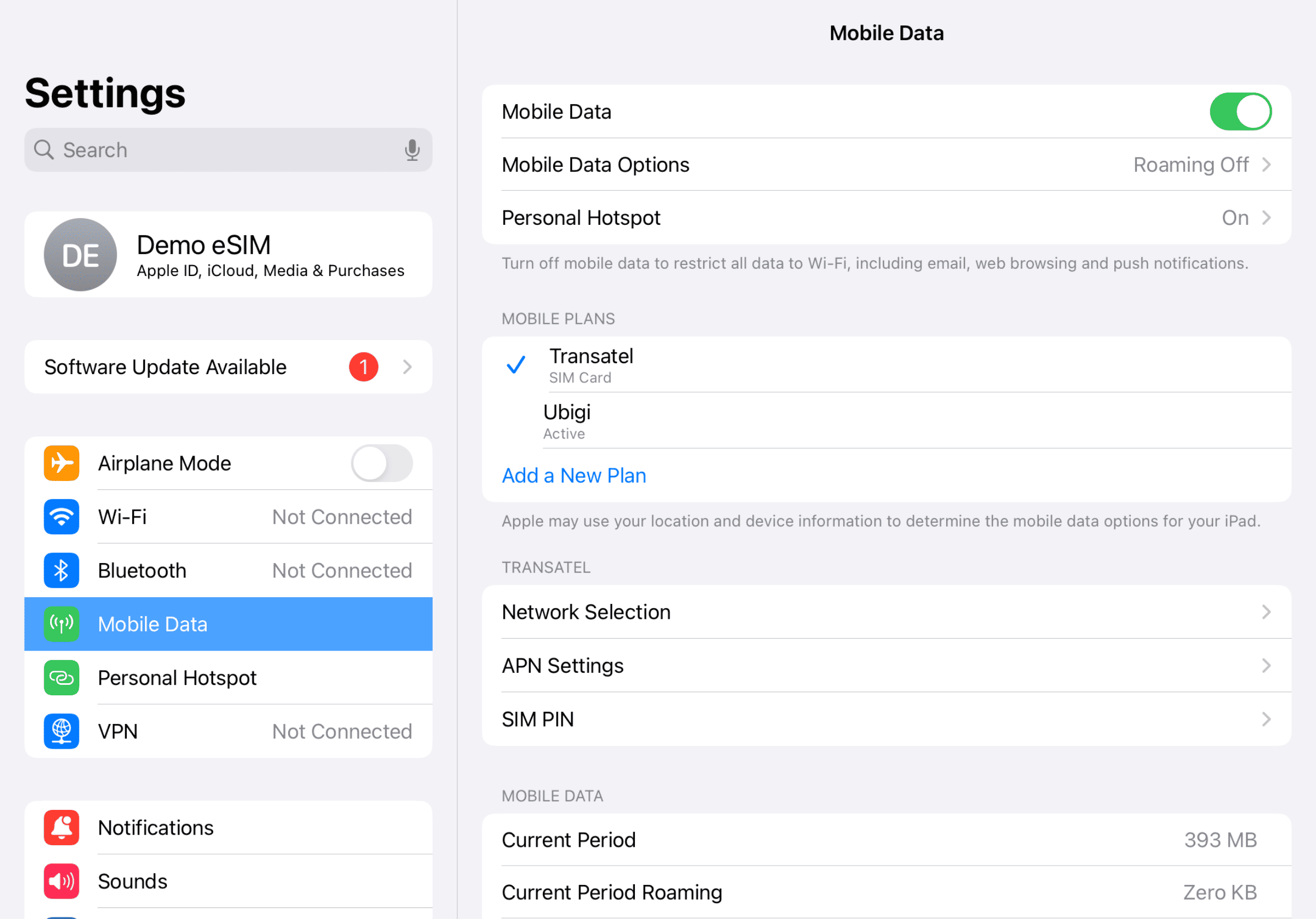
Device setup reminder - before departure
Setup Logo 2

Upon arrival

Your data consumption will start upon arrival at destination. Make sure you're using the Ubigi line for Cellular Data.
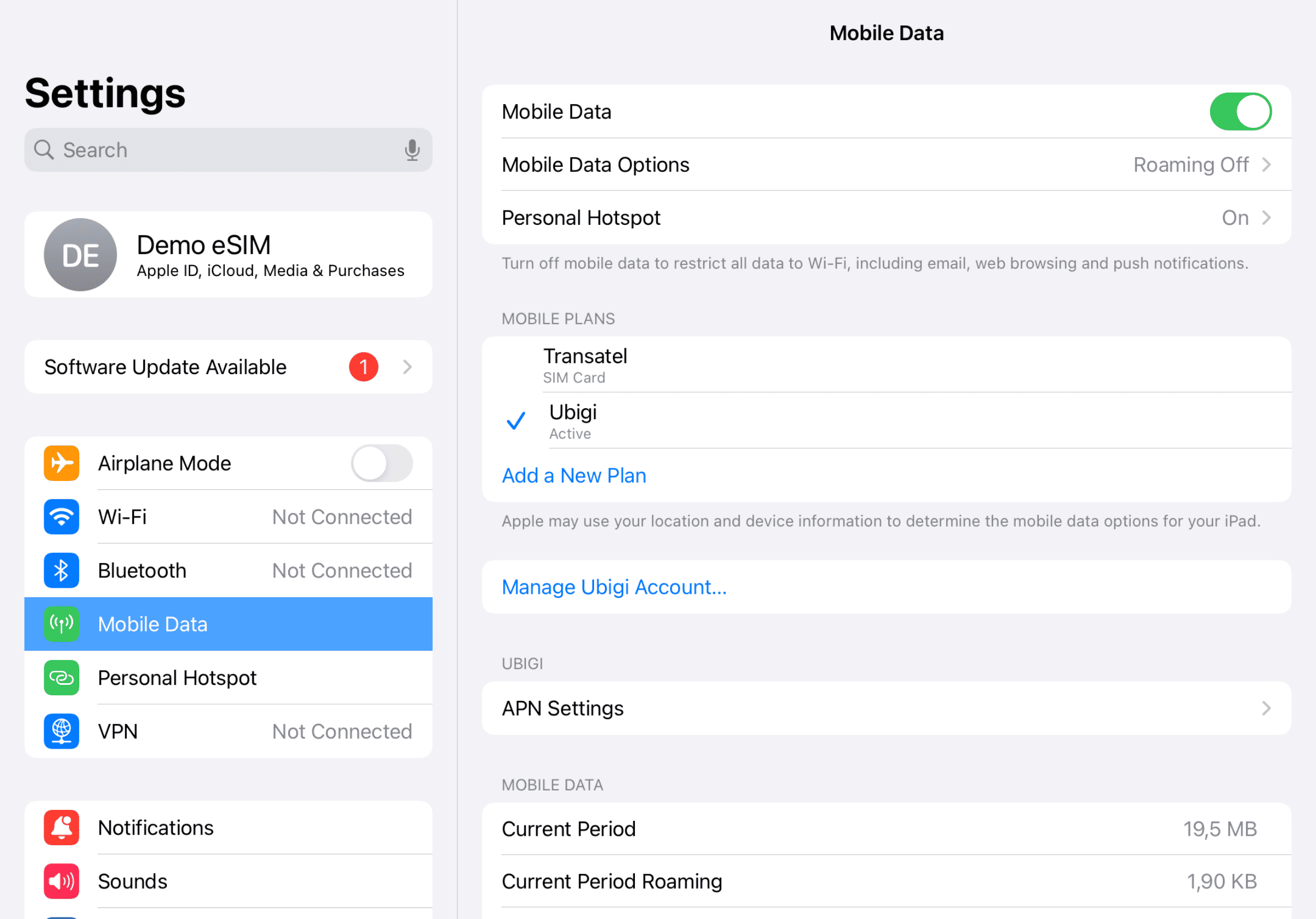
Another step reminder
Mobile device setup reminder - upon arrival
Setup Logo 3

Back home

Turn off your Ubigi line and return to your initial settings.
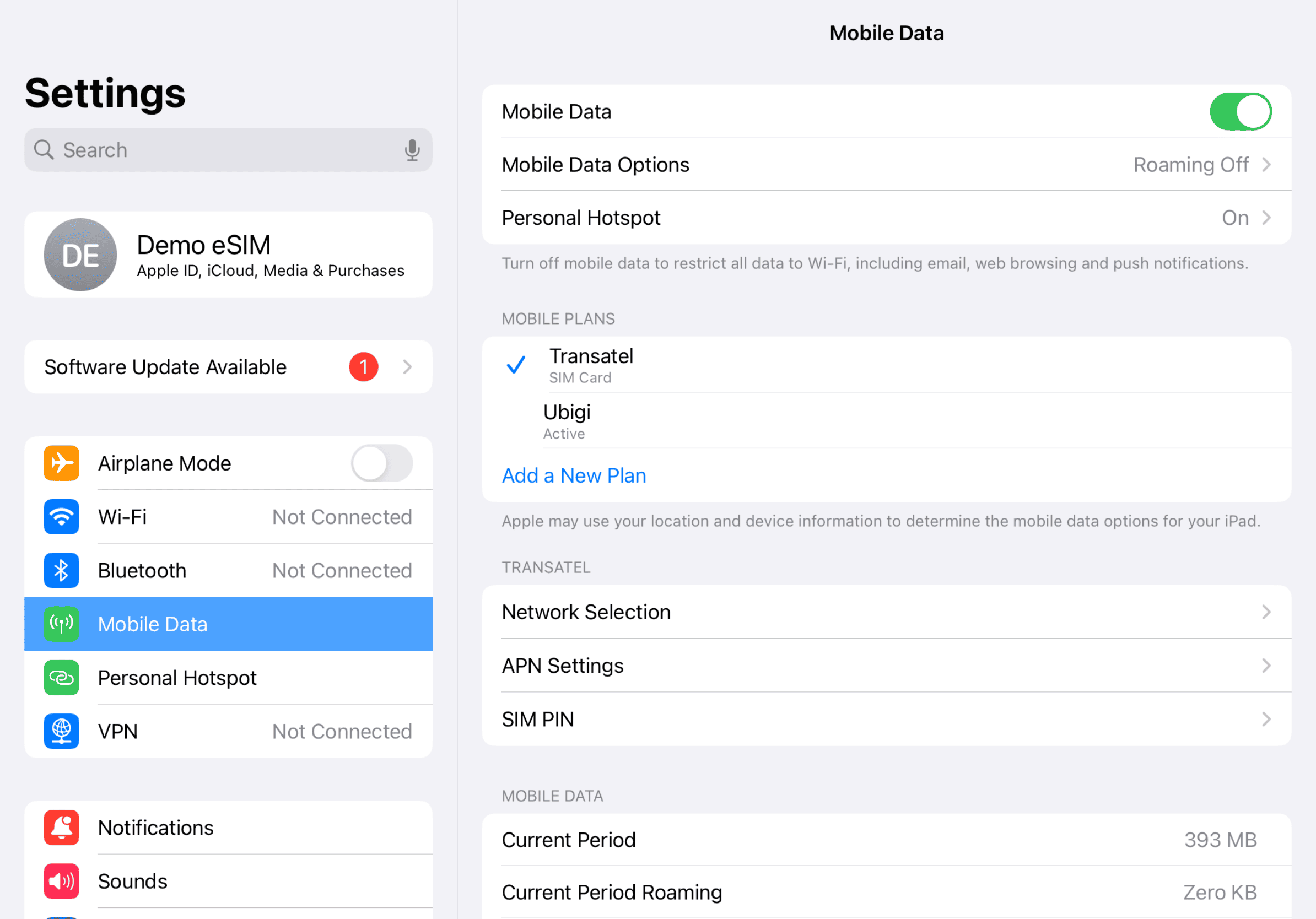
Final step reminder
Mobile device setup reminder - upon arrival

How to top up your eSIM on the Ubigi app?

Check out the tutorial:

Great Trustpilot stars Trustpilot
Trustpilot stars
Based on 38678 reviews on Trustpilot
5 stars Verified
Verified review
This user has been identified as a buyer
Very simple and effective process to…
Very simple and effective process to loca and activate the eSim. After struggling time and time again with the competitor's process to download, load and activeate I was ready to give up on eSims for travel. But the Ubigi eSIM converted me back.
Gary, 04 Jun 2026
5 stars Verified
Verified review
This user has been identified as a buyer
Constant connectivity was great
Constant connectivity was great. Not super easy to set up initially but I’m an older user (72) and not particularly techy. So maybe easier instructions? Otherwise it was fabulous being connected everywhere!!!
Cathy Reece, 04 Jun 2026
5 stars Verified
Verified review
This user has been identified as a buyer
Best when traveling to Japan
customer, 04 Jun 2026
5 stars Verified
Verified review
This user has been identified as a buyer
It worked
It worked, rarely any drop off outside of tunnels and certain buildings
Eoghan Sinnott, 04 Jun 2026
4 stars Verified
Verified review
This user has been identified as a buyer
Monitoring, ein Following the Volume which is used. Now my Connection isto but I don’t know why and if I have reached the alliwed Volume.
My Connection ist top Without Any, Warning Before
customer, 04 Jun 2026
5 stars Verified
Verified review
This user has been identified as a buyer
Ease of use
Easy! Easy! Easy! No problems or lack of service thus far.
Liz, 04 Jun 2026
5 stars Verified
Verified review
This user has been identified as a buyer
Worked the way they said it would
Worked the way they said it would, even in almost every subway.
customer, 04 Jun 2026
5 stars Verified
Verified review
This user has been identified as a buyer
World CupSo easy to use and speed is great
So easy to use and speed is great
customer, 04 Jun 2026
5 stars Verified
Verified review
This user has been identified as a buyer
It just kicked in automatically once I…
It just kicked in automatically once I entered the country.
Brenda, 04 Jun 2026
5 stars Verified
Verified review
This user has been identified as a buyer
great service!
very friendly and straightforward to use. good prices!
Nina, 04 Jun 2026
5 stars Verified
Verified review
This user has been identified as a buyer
The Internet was really good and fast
The Internet was really good and fast . I would recomand other people too . ☺️
Ornela K, 04 Jun 2026
5 stars Verified
Verified review
This user has been identified as a buyer
It worked really well when arrived in…
It worked really well when arrived in Japan. I had a bad experience with a different data e-sim. Ubigi was great and easy to use.
Rita, 04 Jun 2026
5 stars Verified
Verified review
This user has been identified as a buyer
It did what it said it would
John Loran, 04 Jun 2026
5 stars Verified
Verified review
This user has been identified as a buyer
I’m visiting Iwakuni Japan from the…
I’m visiting Iwakuni Japan from the United States. The service has been excellent and I have had internet on cellphone the entire time. I will 100% be using Ubigi for any travel outside the US from now on!
Robert Johnson, 04 Jun 2026
5 stars Verified
Verified review
This user has been identified as a buyer
My Japan Trip
My experience is still going on in Japan the Ubigi esim has been great have service everywhere I've gone so far with no problems at all....I would definitely use again on my trip to Japan...
Jeremy Miranda, 04 Jun 2026

Your message has been sent.
We’ll get back to you shortly.

We have taken into account your subscription to the newsletter


