


Key Takeaways
- Among Royal Caribbean Internet Packages, go with Voom Surf for simple browsing and messaging at sea and Voom Surf plus Stream for video calls and streaming. Select the plan that fits your anticipated use.
- Single vs. multi-device: Compare the choices to get the best value for your group and don’t forget that only the permitted number of devices can be online at once.
- Purchase a package via the Cruise Planner prior to sailing to lock in lower rates and have service up and running at the start of your cruise.
- Use Lite plans sparingly by staying in airplane mode and plugging in only when needed to use your allotment.
- Schedule large uploads or streaming during off-peak hours and consult up-to-date ship reviews to get a sense of actual WiFi strength.
- Consider using a Caribbean regional eSIM such as Ubigi for reliable mobile data during shore excursions, where onboard Wi-Fi is no longer available.

Introduction
Staying connected at sea is easier than ever with a Royal Caribbean cruise internet package. Whether you want to message family, share vacation photos, join a video call, or stream your favorite shows, choosing the right Wi-Fi plan can make all the difference.
Royal Caribbean offers several internet packages to suit different needs and budgets, from basic browsing to high-speed streaming. While performance varies depending on your ship’s location and satellite coverage, understanding the available options will help you avoid overpaying for connectivity you don’t need.
In this guide, we’ll compare Royal Caribbean’s internet plans, explain pricing, and share practical tips to help you choose the best package for your cruise.
Understanding Royal Caribbean Internet Packages
Royal Caribbean has Royal Caribbean offers high-speed internet packages powered by Starlink, allowing guests to browse, stream, video chat, and stay connected at sea. Packages operate around the clock and are available for purchase by day, by trip, and by the number of devices. Speeds can be as much as six times faster than other cruise lines, but performance depends on ship location and user congestion.
Purchasing prior to boarding typically offers the best rates and starts immediately after activation.

1. VOOM Surf + Stream
Royal Caribbean’s VOOM Surf + Stream package is designed for travellers who want reliable internet access throughout their cruise. It supports everyday activities such as browsing the web, checking emails, messaging, using social media, making video calls, and streaming entertainment.
The package is suitable for passengers who want to stay connected while sailing, whether they need to share vacation updates, keep in touch with family, or work remotely during their trip. However, keep in mind that onboard Wi-Fi performance can vary depending on the ship, location, weather conditions, and the number of passengers using the network.
Even with VOOM Surf + Stream, your connection is limited to the ship. Once you arrive at a port, a Caribbean regional eSIM from Ubigi can provide a convenient way to access local mobile networks for maps, rideshares, messaging, and other online activities during shore excursions.
2. Choosing the Right Number of Devices
Royal Caribbean’s internet packages allow guests to connect multiple devices depending on the option they choose. You can select coverage for up to four devices, making it easier for couples, families, or groups travelling together to stay online.
A single-device plan may be enough if you only need your smartphone, while multi-device options are useful if you want to connect a phone, tablet, laptop, or other devices at the same time. Remember that only the number of devices included in your package can be connected simultaneously.
For travellers who need internet both onboard and ashore, combining ship Wi-Fi with a mobile data solution like Ubigi Hotspot Sharing can help keep multiple devices connected when you are away from the vessel.
3. Buying Before Your Cruise
Purchasing your Royal Caribbean internet package before departure through the Cruise Planner can help you secure better rates and have access ready as soon as you board.
Royal Caribbean frequently offers promotions before sailing, so checking available deals in advance can help reduce costs. Waiting until you are onboard may mean paying a higher price or having fewer package options available.
For shore days, preparing a Ubigi Caribbean eSIM before your trip means you can connect as soon as you arrive at your destination without searching for a local SIM card or paying unexpected roaming fees.
When Is Royal Caribbean Wi-Fi Worth It?
Ship WiFi transforms your cruise from a disconnected escape to a connected, safer, and more adaptable journey. Below are clear reasons staying online enhances safety, convenience, and enjoyment:
- 24-hour contact with family and friends for peace of mind.
- Quick access to itinerary updates, excursion changes, and emergency alerts.
- Book or change shore excursions and make reservations on the fly.
- Group convenience: Multi-device plans for families or friends who want simultaneous access.
- Entertainment streaming for downtime poolside or in staterooms.
- Cost control: Pre-purchase discounts often reduce the price by up to 35%.

Stay Connected
With ship WiFi, you can message, call, and post through apps you already use. Shoot some quick updates and photos to keep people at home part of the trip. Organize meetups with family or new friends on board via group chats so plans aren’t left to serendipity.
It is accessible for emergency news, that instant home connection is important if something comes up. Many travelers consider WiFi a required spend because being in continuous contact lessens angst and keeps everyone in the loop.
Enhance Your Trip
Explore ports, local tips, and weather forecasts on the way. Stream music and movies poolside or in your room to enrich leisure time. Check out reviews before you eat or shop to steer clear of duds.
Use the Royal Caribbean app with a live connection to view activity schedules, restaurant menus, and spa availability. Booking via the app is quicker and keeps your day organized.
While Royal Caribbean’s Wi-Fi keeps you connected onboard, it stops being the most practical option once you reach port. A Caribbean eSIM such as Ubigi lets you stay connected on local mobile networks during shore excursions without paying roaming fees.
Performance Varies by Ship and Sea
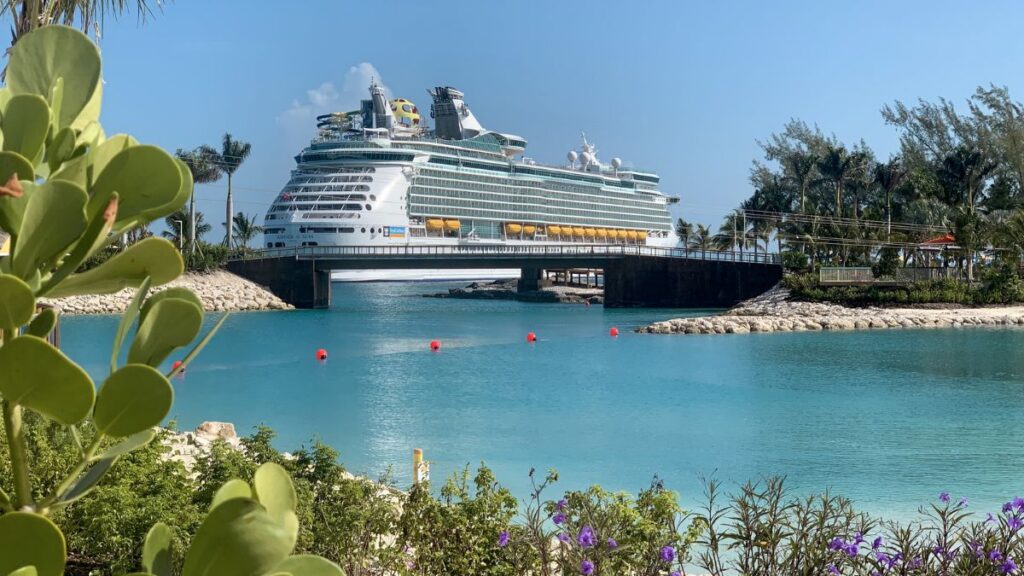
Performance varies widely depending on the ship, itinerary, weather conditions, satellite coverage, and the number of passengers using the network. Ship type, active users, and your purchase package all shape real-world speeds. Understand that reviews from other sailings can assist in establishing expectations, but they won’t ensure the same results on your cruise.
| Factor | Typical effect on connection quality |
|---|---|
| Ship model and onboard hardware | Newer ships often have better antennas and routers; older ships may be slower |
| Sailing location | Open-ocean vs near-coast affects latency and bandwidth |
| Distance to satellite | Greater distance increases lag and reduces throughput |
| Weather (rain, wind, storms) | Heavy rain or strong winds can degrade signal |
| Network congestion (time of day, events) | Evenings and peak times slow speeds when many guests stream |
| Number of devices and package type | Multiple devices or basic packages lower per-device speed |
| Areas of ship | Interior cabins or lower decks may get weaker WiFi |
Performance is different for each ship and in each sea, so check recent reviews and forums for the latest on your ship’s WiFi performance. Read trip reports that correspond to your itinerary and cabin location.
Schedule high-bandwidth activities for when fewer guests are online – late night or port days. Buy a more expensive plan if you require dependable video conferencing for work. Keep background syncing on your devices to a minimum to preserve bandwidth.
Staying Connected on Shore

Once you’re off ship, dependable mobile data is essential for safety, navigation, payment apps, and sharing moments. Your home carrier could impose roaming fees with your plan, so prepare accordingly to avoid surprises.
Ubigi eSIM is a solid choice for Caribbean shore excursions. It provides you a regional data plan you load up pre-trip, so your phone connects with local towers without a physical SIM swap. Plans scale by data allowance and you can select a multi-day regional bundle that spans multiple islands.
When comparing Ubigi eSIM to international day passes and local SIM cards, day passes from your carrier are convenient but tend to be pricey per 24 hours and do not necessarily cover high speeds. Local SIMs are sometimes inexpensive with great local rates, but they require a shop visit and sometimes paperwork.
Why Ubigi is the Right Choice
Ubigi sits between these: it is more flexible and faster to set up than local SIMs, and is usually cheaper and simpler than daily roaming for multi-stop trips. Staying connected onshore is also crucial because seamless connectivity counts in ports where ship Wi-Fi isn’t available or reliable.
In destinations like The Bahamas, local cellular coverage is generally reliable, making it easy to use maps, rideshare apps, and stream entertainment ashore. With Ubigi’s Smart Start, once your eSIM is installed in the app, it activates automatically when you arrive. You’re connected as soon as you disembark. If you’re traveling with family or friends, Hotspot Sharing lets you connect multiple devices without relying on expensive cruise Wi-Fi when you’re back on land.
To Work During Your Cruise
If you plan to work during your cruise, a Ubigi Caribbean regional eSIM keeps you connected while you’re ashore, making it easy to check emails, join quick video calls, and access cloud-based tools without relying on ship Wi-Fi. If your laptop supports eSIM, you can connect directly to local mobile networks without tethering to your phone, making it even easier to stay productive as you travel between ports. Install your data plan before you sail so you’re connected as soon as you arrive at each destination.
Conclusion
Is a Royal Caribbean internet package right for you? You’re already aware of the fundamentals of Royal Caribbean internet plans and what to anticipate. Choose the plan that matches your usage. Light users save with the surf plan. Work or stream more with premium. Anticipate throttling at busy periods and on isolated itineraries. Use a Caribbean eSIM such as Ubigi for reliable connectivity in port instead of relying on expensive roaming or searching for local SIM cards. Pack a charger, portable battery, and download files prior to sailing.
Try out speed in various ship locations and shift if the signal falters. Easy prep clips shocks and keeps your trip slick. Ready to make your plan selection? See Royal Caribbean’s newest deals and fit one to your travel style.

Frequently Asked Questions
What internet packages does Royal Caribbean offer?
Royal Caribbean offers several internet packages, ranging from basic browsing to plans that support streaming and video calls. Packages are typically priced per device and per day. If you mainly need internet while exploring ports, a Ubigi Caribbean regional eSIM can complement onboard Wi-Fi by keeping you connected ashore without relying on roaming.
How much does WiFi typically cost?
Prices differ by ship, itinerary, and promotion. Plan on approximately €10 to €30 daily for entry plans and more for speedier levels. Booking ahead costs less.
Will ship WiFi support video calls and streaming?
Yes, the more expensive plans have video call and streaming support. Basic plans prioritize bandwidth. Select Surf or Premium for consistent video and HD streaming.
How fast is Royal Caribbean WiFi at sea?
Speeds vary based on satellite technology, ship, and location. Near shore, you’ll get better speeds. Mid-ocean speeds can be lower. Premium plans provide the optimal experience.
Can I use my phone plan ashore to save on ship WiFi?
Yes. When your ship is docked, your phone can connect to local mobile networks, but using your home carrier may trigger expensive roaming charges. Instead of buying a local SIM card, consider a Ubigi Caribbean regional eSIM, which lets you connect to local networks across multiple islands without swapping your physical SIM.
Do WiFi packages cover all devices and guests?
Royal Caribbean offers both single-device and multi-device internet packages. Only the number of purchased devices can be connected simultaneously. Once you’re ashore, Ubigi’s Hotspot Sharing feature also lets you share your mobile connection with other compatible devices.
What if my internet stops working during the cruise?
Get in touch with the ship’s guest services or WiFi helpdesk right away. Royal Caribbean usually provides fixes, credits or plan switches should outages arise.







 How to check eSIM compatibility
 How to check carrier unlocking