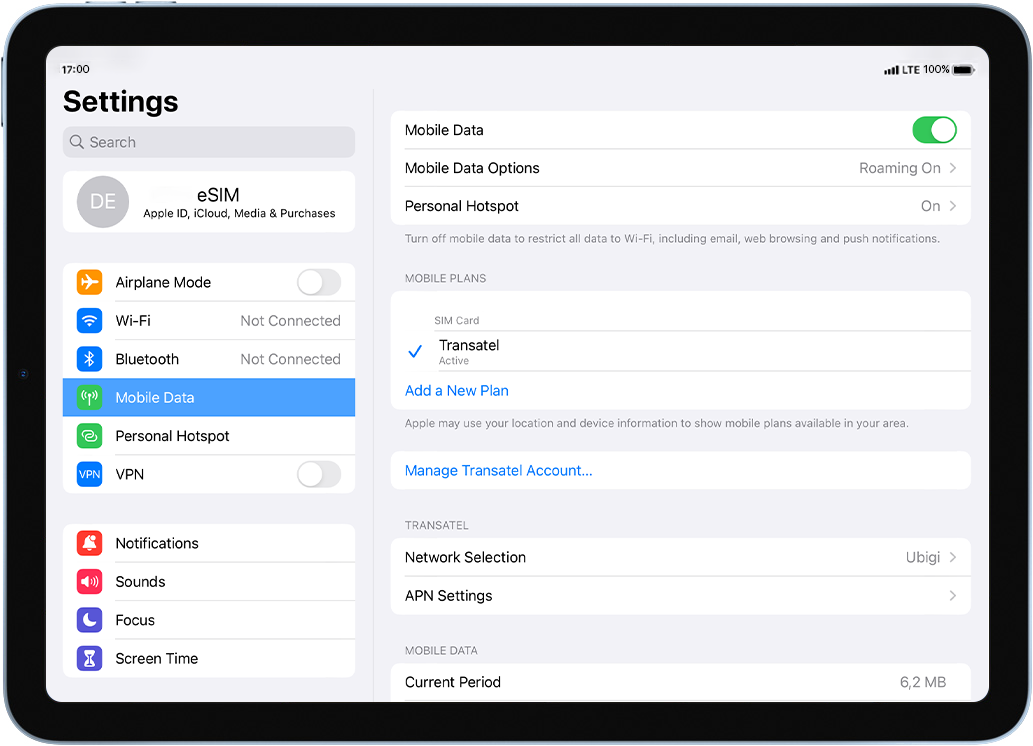
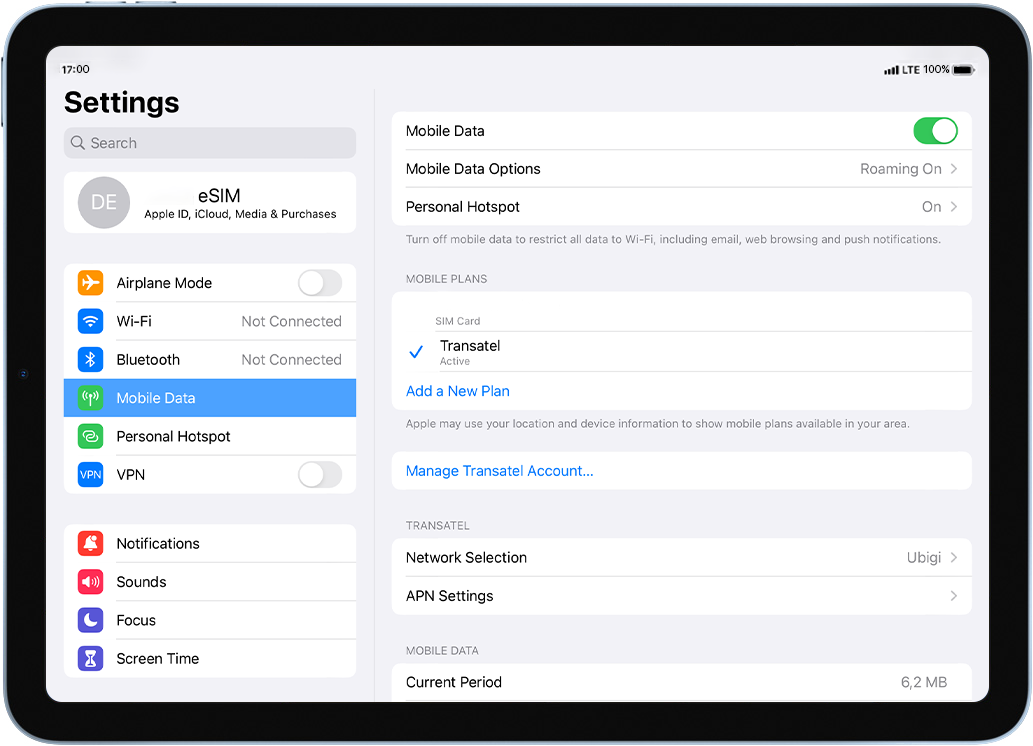
Ubigi bağlantınız için APN ‘nin doğru ayarlandığından emin olun.
Ağı kontrol edin display
Ubigi bağlantınız için ağ durumunu kontrol edin.
Son kontroller!
Hesap oluşturma ve İnternet erişimini kontrol edin.
iPad’inizde eSIM profilinizin etkinleştirilip etkinleştirilmediğini kontrol edin.
Şuraya gidin: Ayarlar > Mobil veri > Veri planları altında, Ubigi eSIM profilinizin ile seçili olduğundan emin olun.
Profiliniz etkinleştirilir etkinleştirilmez, ekranınızın üst kısmında ağ sinyali görünecektir.
Harika
'ta 48671 yorum temel alınarak
Doğrulanmış
Doğrulanmış yorum
Bu kullanıcı alıcı olarak tanımlanmıştır.
installing and using the Esim was so…
installing and using the Esim was so easy - and I had full connectivity all over Japan.
customer, 15 Oct 2026
Doğrulanmış
Doğrulanmış yorum
Bu kullanıcı alıcı olarak tanımlanmıştır.
Easy to use
Easy to use
Once set up. Had no issues at all.
customer, 15 Oct 2026
Doğrulanmış
Doğrulanmış yorum
Bu kullanıcı alıcı olarak tanımlanmıştır.
Good
Good service, no problem yo actívate abroad.
customer, 15 Oct 2026
Doğrulanmış
Doğrulanmış yorum
Bu kullanıcı alıcı olarak tanımlanmıştır.
It worked perfectly.
The purchase, startup and function was simple and seamless.
Leonardo Lopez, 15 Oct 2026
Doğrulanmış
Doğrulanmış yorum
Bu kullanıcı alıcı olarak tanımlanmıştır.
Flawless execution
Flawless execution
customer, 15 Oct 2026
Doğrulanmış
Doğrulanmış yorum
Bu kullanıcı alıcı olarak tanımlanmıştır.
Super easy and good value
Super easy and good value. Highly recommended.
Chris, 15 Oct 2026
Doğrulanmış
Doğrulanmış yorum
Bu kullanıcı alıcı olarak tanımlanmıştır.
It help me a lot
It help me a lot. Tks
customer, 15 Oct 2026
Doğrulanmış
Doğrulanmış yorum
Bu kullanıcı alıcı olarak tanımlanmıştır.
No comment.
No comment.
customer, 15 Oct 2026
Doğrulanmış
Doğrulanmış yorum
Bu kullanıcı alıcı olarak tanımlanmıştır.
except disconnected once a while
except disconnected once a while, it is ok.
customer, 15 Oct 2026
Doğrulanmış
Doğrulanmış yorum
Bu kullanıcı alıcı olarak tanımlanmıştır.
Just been to Japan for three weeks and…
Just been to Japan for three weeks and the data plan worked all over, in really remote places as well as the big cities.
Andrew Welsh, 15 Oct 2026
Doğrulanmış
Doğrulanmış yorum
Bu kullanıcı alıcı olarak tanımlanmıştır.
Working flawlessly during a trip to…
Working flawlessly during a trip to multiple states in USA
Paul, 15 Oct 2026
Doğrulanmış
Doğrulanmış yorum
Bu kullanıcı alıcı olarak tanımlanmıştır.
App very simple to use and good signal…
App very simple to use and good signal in Paris
customer, 15 Oct 2026
Doğrulanmış
Doğrulanmış yorum
Bu kullanıcı alıcı olarak tanımlanmıştır.
Seamless service
Seamless service
Maggie B, 15 Oct 2026
Doğrulanmış
Doğrulanmış yorum
Bu kullanıcı alıcı olarak tanımlanmıştır.
We traveled from the US to the…
We traveled from the US to the Netherlands and Spain. The eSIM started working as soon as we landed in the Netherlands. The only issue was that the internet was slow or didn’t work at all in popular tourist areas. Other than that, it was easy to install and affordable.
Mikhail B, 15 Oct 2026
Doğrulanmış
Doğrulanmış yorum
Bu kullanıcı alıcı olarak tanımlanmıştır.
Great for navigating London, but a few things to keep in mind
As someone traveling out of the country for the very first time, Ubigi made it really easy to navigate my way around London. The signal was pretty good and reliable throughout my trip, and the overall user experience was solid.
There were just a couple of things I wish I had known beforehand as a first time user. First, my primary phone number wouldn't work on my iPhone unless I was connected to WiFi. Second, the service slowed down after reaching a certain threshold. I would have preferred to purchase a set amount of data instead.
Overall, it was a great service that kept me connected when I needed it most!
RUBEN, 15 Oct 2026
Teşekkür ederim
Mesajınız gönderildi. En kısa sürede size geri döneceğiz.
Teşekkür ederim
Bülten aboneliğinizi dikkate aldık
eSIM uyumluluğu nasıl kontrol edilir
Akıllı telefonlar / Tabletler:
*#06# tuşlayın. → Bir EID numarası görünürse cihazınız eSIM ile uyumludur.
Windows 10 / 11:
Windows+I tuşlarına basın. “Ağ ve İnternet” bölümüne gidin → Hücresel ağ görünüyorsa PC’niz eSIM uyumludur.
Operatör kilidi nasıl kontrol edilir
iPhone / iPad:
Ayarlar > Genel > Hakkında bölümüne gidin. Operatör Kilidi alanına inin. → “SIM kısıtlaması yok” yazıyorsa cihazınız kilitsizdir.
Android:
Ayarlar > Ağ ve İnternet > Mobil ağ. Otomatik ağ seçimini kapatın. → Birden fazla ağ görünüyorsa cihazınız kilitsizdir.
Sepetinizde zaten bir eSIM var.
Her sipariş yalnızca bir eSIM veri planı içerebilir.
Yeni bir plan eklemeyi seçerseniz, mevcut plan kaldırılacaktır. Ne yapmak istersiniz?