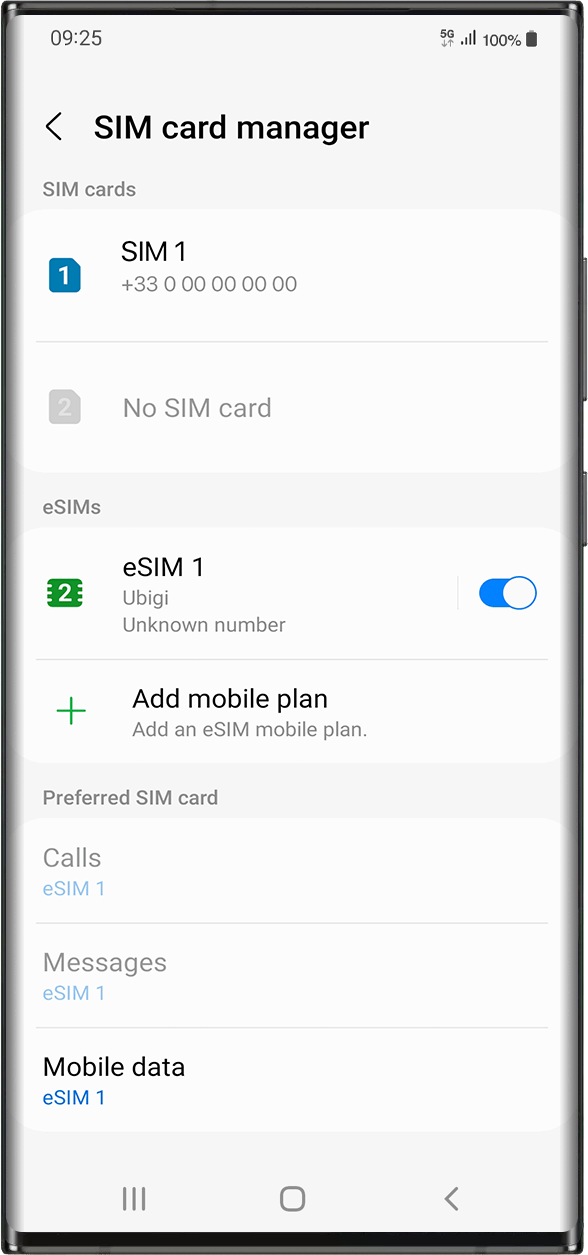
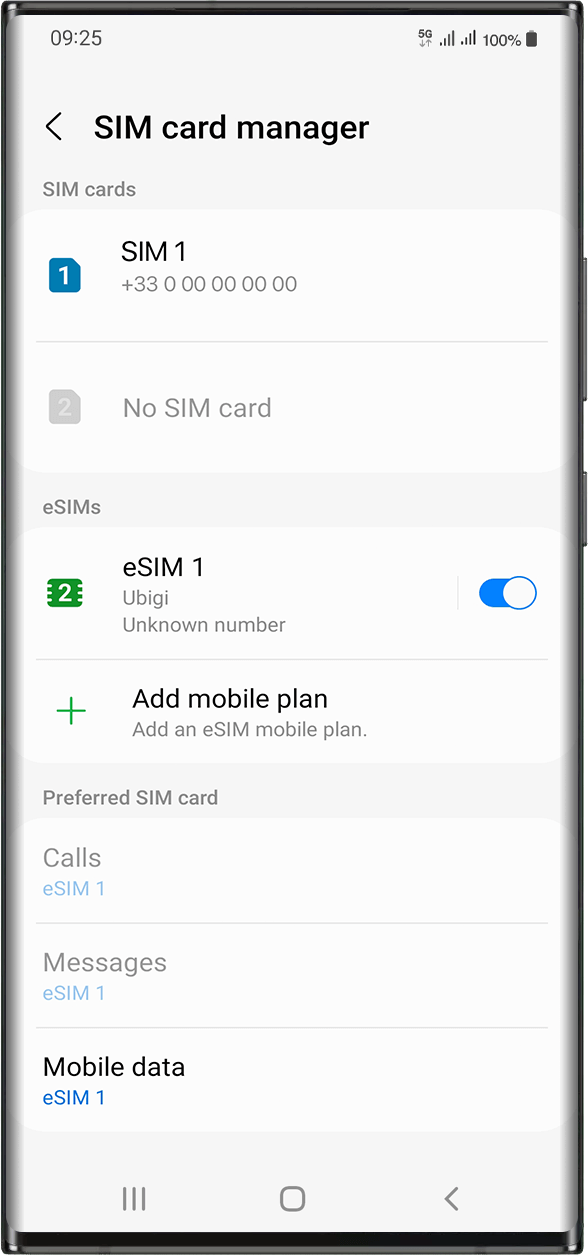
다음으로 이동합니다: 설정 > 연결 > eSIM 아래에서 설치된 eSIM 프로필을 선택합니다 (“eSIM1, eSIM2,…” 또는 이름을 변경한 이름으로 표시됨).
오른쪽의 버튼을 눌러 프로필을 활성화하여 켜세요(파란색으로 바뀝니다).
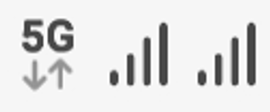
프로필이 활성화되면 화면 상단에 이중 네트워크 신호가 나타납니다.
참고: 이중 네트워크는 디바이스에 실제 SIM 카드가 설치되어 있는 경우에만 표시됩니다.
훌륭해
의 30133개 리뷰를 기준으로
검증됨
검증된 리뷰
이 사용자는 구매자로 확인되었습니다
Great prices, simple service
Everything went very smoothly.
Tomasz Murawski, 08 Jan 2026
검증됨
검증된 리뷰
이 사용자는 구매자로 확인되었습니다
easy setup
easy setup, access and great internet even in lost places in Thailand :)
Larissa Benz, 08 Jan 2026
검증됨
검증된 리뷰
이 사용자는 구매자로 확인되었습니다
The best for high speed connection and reliability in Japan
I was traveling with a friend who decided to use their home plan for internet while I used Ubigi. Almost every time I had A 5G connection my companions only had an LTE Connection. Great coverage and great connection speeds everywhere I went in Japan and I never lost any connection.
Jalaal Elasmar, 08 Jan 2026
검증됨
검증된 리뷰
이 사용자는 구매자로 확인되었습니다
USA NEW YORK Esim
I used Ubigi in USA NEW YORK and worked so smoothly! The speed the application everything was perfect! Felt like using and (maybe better) my primary sim! I was looking for a eSIM a could trust and I can tell you that I recommend it 100%.
Andreas, 08 Jan 2026
검증됨
검증된 리뷰
이 사용자는 구매자로 확인되었습니다
Easy and assured process
Easy and assured process to connect in different countries
Very handy and trustworthy
customer, 08 Jan 2026
검증됨
검증된 리뷰
이 사용자는 구매자로 확인되었습니다
Works very well and very easy to use
Clifford Nozarick, 08 Jan 2026
검증됨
검증된 리뷰
이 사용자는 구매자로 확인되었습니다
Good quality and coverage
Good quality and coverage, always use it in my trips
customer, 08 Jan 2026
검증됨
검증된 리뷰
이 사용자는 구매자로 확인되었습니다
Great service.
Genuinely really good service. I have a stable connection across most of the places I have been in Japan, and the onboarding process was very simple.
I am very pleased with my purchase.
Roy Armstrong, 08 Jan 2026
검증됨
검증된 리뷰
이 사용자는 구매자로 확인되었습니다
Easy and fair price
Easy and fair price
customer, 08 Jan 2026
검증됨
검증된 리뷰
이 사용자는 구매자로 확인되었습니다
Simply didn't notice that it was any…
Simply didn't notice that it was any different from our regular service in USA.
By
James, 08 Jan 2026
검증됨
검증된 리뷰
이 사용자는 구매자로 확인되었습니다
Ubigi saved our trip to Japan
Went to Japan and was worried when I found out my phone would not be able to be used until and ANA rep suggested Ubigi. This suggestion saved our trip from being a stressful situation. The esim from Ubigi saved the day and worked perfectly. Could not ask for anything better. High recommend to anyone looking for this service.
CharlesS, 08 Jan 2026
검증됨
검증된 리뷰
이 사용자는 구매자로 확인되었습니다
Had excellent connection both in Turkey…
Had excellent connection both in Turkey and Japan!
Bob, 08 Jan 2026
검증됨
검증된 리뷰
이 사용자는 구매자로 확인되었습니다
Very fast and convenient
Very fast and convenient!
It made for a pleasant trip.
Nicole Cai, 08 Jan 2026
검증됨
검증된 리뷰
이 사용자는 구매자로 확인되었습니다
the coverage was country wide
the coverage was country wide. However, i had the feeling that the gross 10GB was only about 6.5 GB net.
CS, 08 Jan 2026
검증됨
검증된 리뷰
이 사용자는 구매자로 확인되었습니다
A bit hard to get at the beginning
Yolande, 07 Jan 2026
감사합니다
귀하의 메시지가 전송되었습니다. 곧 답변드리겠습니다.
감사합니다
귀하의 뉴스레터 구독을 고려했습니다.
eSIM 호환성 확인 방법
스마트폰 / 태블릿:
*#06# 입력. → EID 번호가 나오면 eSIM 지원 기기입니다.
Windows 10 / 11:
Windows+I 를 누르세요. “네트워크 및 인터넷”으로 이동하세요 → 셀룰러 네트워크가 보이면 PC가 eSIM을 지원합니다..
통신사 잠금 해제 여부 확인 방법
iPhone / iPad:
설정 > 일반 > 정보로 이동 통신사 잠금 항목까지 스크롤. → “SIM 제한 없음”이 표시되면 기기는 잠금 해제 상태입니다.
Android:
설정 > 네트워크 및 인터넷 > 모바일 네트워크 자동 네트워크 선택을 끄세요. → 여러 네트워크가 보이면 잠금 해제된 기기입니다.