중요: 이전 단계를 주의 깊게 따랐다면 모바일 데이터는 Ubigi eSIM 프로필에 적용되어야 합니다(실제 SIM 카드가 있는 경우 실제 SIM 카드가 아닌). 즉, Ubigi 셀룰러 연결을 사용하는 동안에는 Ubigi 요금만 적용되므로 추가 로밍 비용이 발생하지 않습니다. 어떤 경우든 해외에서 추가 로밍 비용을 피하려면 항상 모바일 데이터가 Ubigi eSIM 프로필에 적용되어 있는지 확인하세요.
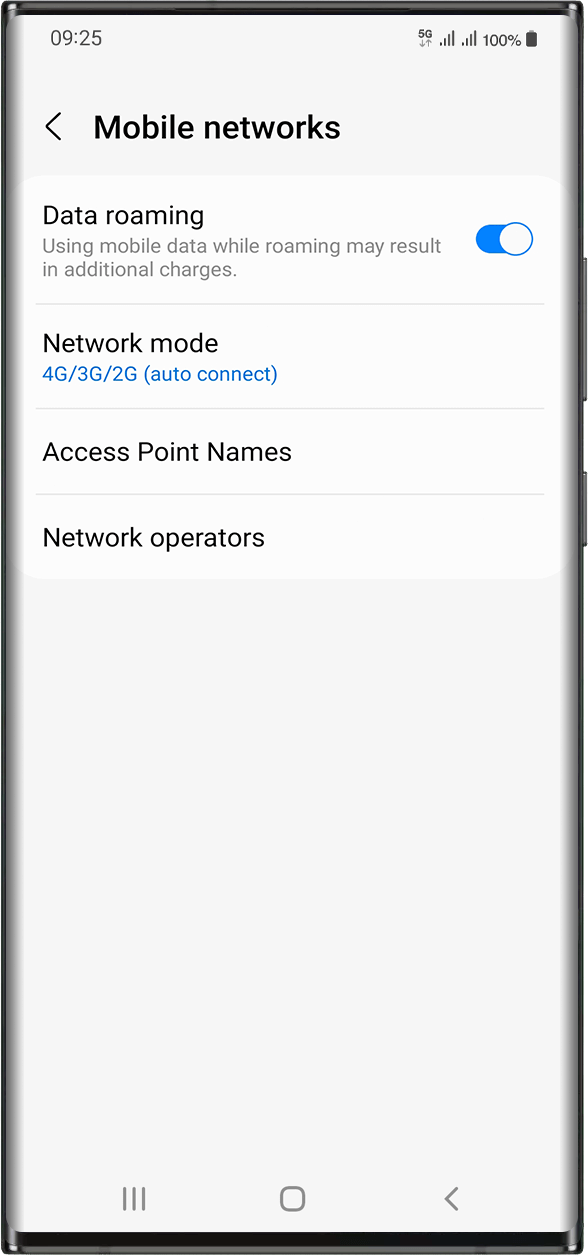
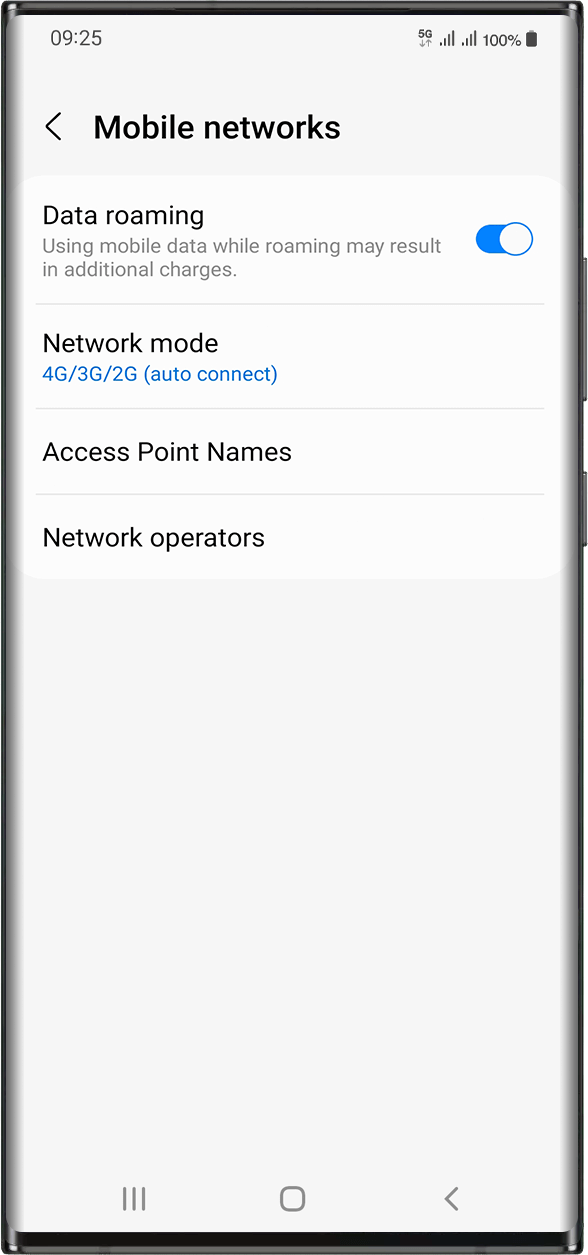
Ubigi eSIM 프로필에 모바일 데이터를 적용했는지 확인했다면 다음 단계로 이동하세요: 설정 > 연결 > 모바일 네트워크 > 데이터 로밍 활성화로 이동합니다.
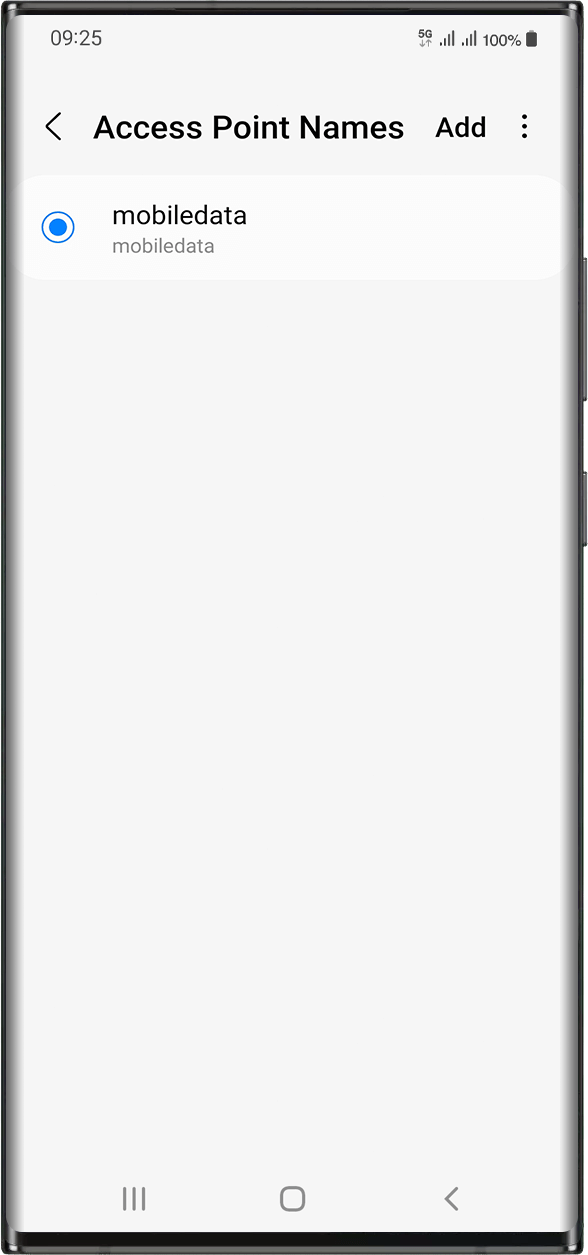
같은 화면에서 액세스 포인트 이름을 선택하여 APN (액세스 포인트 이름) 이 설정되어 있는지 확인하세요:
일반적으로 APN은 자동으로 설정됩니다: 목록에 mobiledata 또는 mbb가 표시됩니다. 이 경우 다음 단계로 넘어갈 수 있습니다.
모바일데이터 또는 mbb APN이 표시되지 않는 경우 다음 지침에 따라 APN을 올바르게 설정하세요. APN을 생성하고 선택했으면 다음 단계로 이동할 수 있습니다.
훌륭해
의 47821개 리뷰를 기준으로
검증됨
검증된 리뷰
이 사용자는 구매자로 확인되었습니다
I had issues setting it up on Nothing…
I had issues setting it up on Nothing (3) phone. There was no Chinese Telecom network available on manual network selection, and automatic network selection did not work. I got no useful support from ubigi. I noticed that once connected, the signal bars disappear after a few seconds, followed by no network. I managed to connect by turning ESiM off then on, and quicky switching off the automatic network selection before the signal bars disappeared. Once that was done, everything worked great!
AS, 07 Oct 2026
검증됨
검증된 리뷰
이 사용자는 구매자로 확인되었습니다
Bloody marvellous
Bloody marvellous
Ryan McEnoy, 07 Oct 2026
검증됨
검증된 리뷰
이 사용자는 구매자로 확인되었습니다
Great coverage and easy set up!
Great coverage and easy set up!
Helen OZ, 07 Oct 2026
검증됨
검증된 리뷰
이 사용자는 구매자로 확인되었습니다
Using Ubigi esim for two weeks overseas
Joining Ubigi esim was quite easy. I appreciated the communication between me and the company. My communications and calls using Whatsapp went well.
I was happy with my experience with this esim company.
Marie-Louise, 07 Oct 2026
검증됨
검증된 리뷰
이 사용자는 구매자로 확인되었습니다
Great
Great. Everything like said.
Me, 07 Oct 2026
검증됨
검증된 리뷰
이 사용자는 구매자로 확인되었습니다
Service was ok
Service was ok. No drops
Elvis, 07 Oct 2026
검증됨
검증된 리뷰
이 사용자는 구매자로 확인되었습니다
Very simple to use and I had no…
Very simple to use and I had no problems in Japan. Love it.
Mark Brewer, 07 Oct 2026
검증됨
검증된 리뷰
이 사용자는 구매자로 확인되었습니다
Very easy to install and use
Very easy to install and use. The esim automaticly started when I arrive to my destiny
customer, 07 Oct 2026
검증됨
검증된 리뷰
이 사용자는 구매자로 확인되었습니다
This is my second go with ubigi in…
This is my second go with ubigi in Japan in the last year. First time the esim didn't work because of an unspecified Android update issue. We resolved it, but they're was no CS guidance to fix. This time this issue was there was no explanation when I purchased this esim that the first one was no longer active. I had been under the impression that it just been recharged when the purchase was made. Again very little CS guidance on how to fix, thank God for hotel wifi. Service is good once established, bit getting to that point had been a repeated challenge.
Matthew, 07 Oct 2026
검증됨
검증된 리뷰
이 사용자는 구매자로 확인되었습니다
Worked good.
Five of us traveled to Portugal, but mine was the only phone that worked—thanks to Ubigi.
Helena, 07 Oct 2026
검증됨
검증된 리뷰
이 사용자는 구매자로 확인되었습니다
Good service
Good service, but in some áreas the speed is not great.
Edgar, 07 Oct 2026
검증됨
검증된 리뷰
이 사용자는 구매자로 확인되었습니다
Easy to use and reasonable price
Easy to use and reasonable price
customer, 07 Oct 2026
검증됨
검증된 리뷰
이 사용자는 구매자로 확인되었습니다
Excellent connectivity.
Excellent connectivity.
Roland, 07 Oct 2026
검증됨
검증된 리뷰
이 사용자는 구매자로 확인되었습니다
Easy to start up and also easy to use
Easy to start up and also easy to use. The data pack works very well. Also easy to recharge.
customer, 07 Oct 2026
검증됨
검증된 리뷰
이 사용자는 구매자로 확인되었습니다
Very satisfied
Very satisfied. It was easy and fast to get connections. The price is reasonable. I’ll surely use again.
customer, 07 Oct 2026
감사합니다
귀하의 메시지가 전송되었습니다. 곧 답변드리겠습니다.
감사합니다
귀하의 뉴스레터 구독을 고려했습니다.
eSIM 호환성 확인 방법
스마트폰 / 태블릿:
*#06# 입력. → EID 번호가 나오면 eSIM 지원 기기입니다.
Windows 10 / 11:
Windows+I 를 누르세요. “네트워크 및 인터넷”으로 이동하세요 → 셀룰러 네트워크가 보이면 PC가 eSIM을 지원합니다..
통신사 잠금 해제 여부 확인 방법
iPhone / iPad:
설정 > 일반 > 정보로 이동 통신사 잠금 항목까지 스크롤. → “SIM 제한 없음”이 표시되면 기기는 잠금 해제 상태입니다.
Android:
설정 > 네트워크 및 인터넷 > 모바일 네트워크 자동 네트워크 선택을 끄세요. → 여러 네트워크가 보이면 잠금 해제된 기기입니다.









 eSIM 호환성 확인 방법
 통신사 잠금 해제 여부 확인 방법