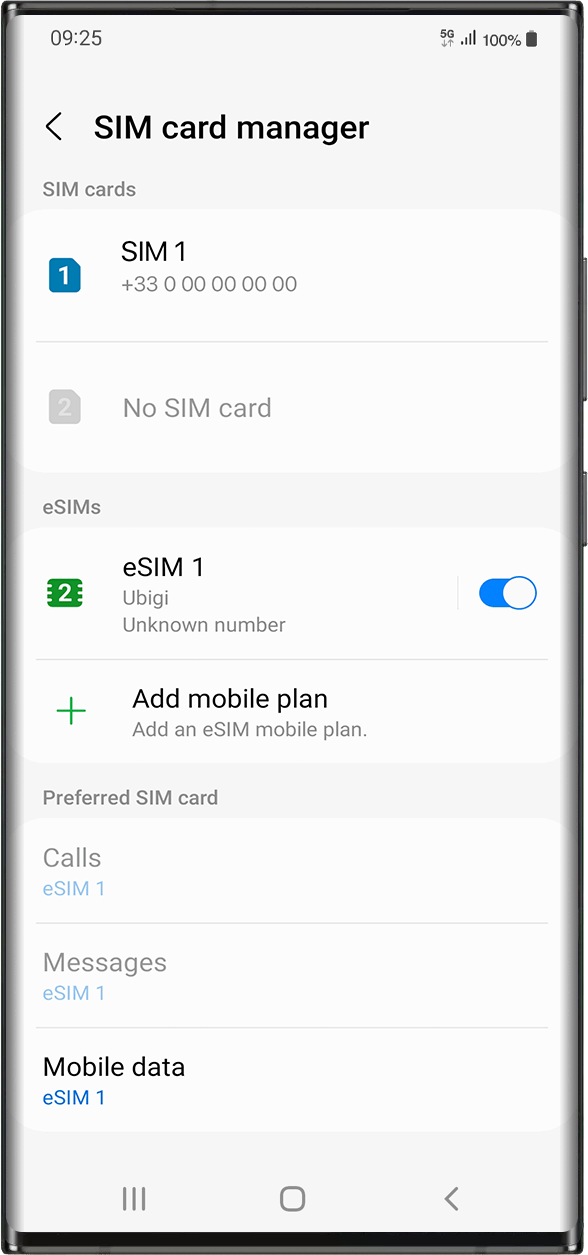
다음으로 이동합니다: 설정 > 연결 > eSIM 아래에서 설치된 eSIM 프로필을 선택합니다 (“eSIM1, eSIM2,…” 또는 이름을 변경한 이름으로 표시됨).
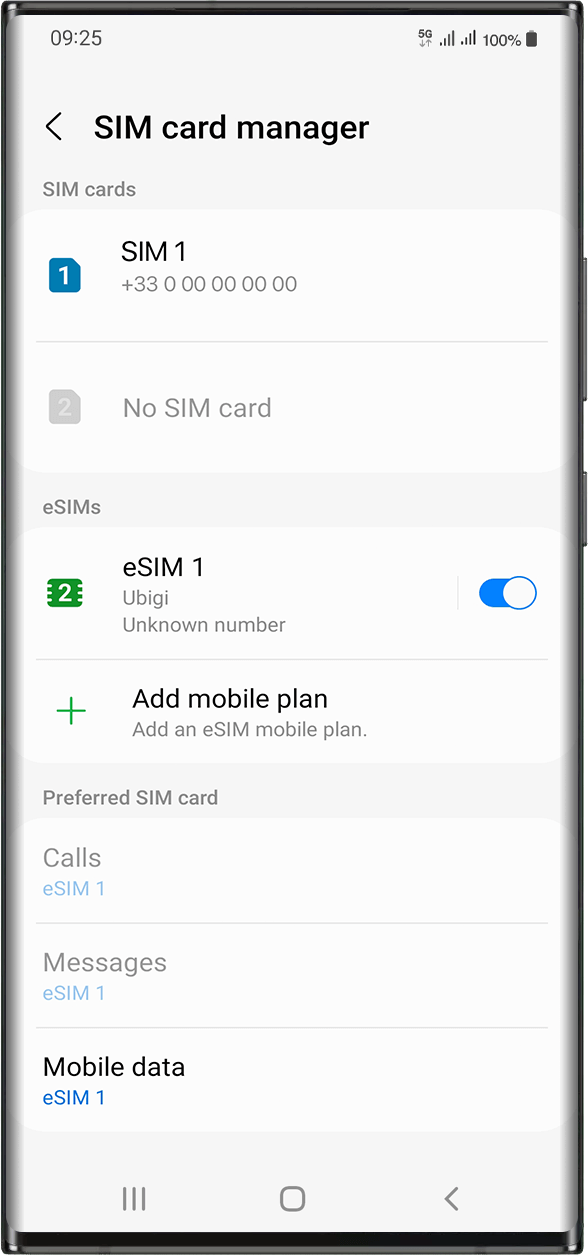
오른쪽의 버튼을 눌러 프로필을 활성화하여 켜세요(파란색으로 바뀝니다).
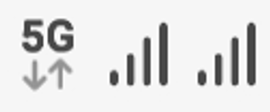
프로필이 활성화되면 화면 상단에 이중 네트워크 신호가 나타납니다.
참고: 이중 네트워크는 디바이스에 실제 SIM 카드가 설치되어 있는 경우에만 표시됩니다.
훌륭해
의 43918개 리뷰를 기준으로
검증됨
검증된 리뷰
이 사용자는 구매자로 확인되었습니다
All was without any Problems....
All wenn without any Problems....
D.A., 20 Aug 2026
검증됨
검증된 리뷰
이 사용자는 구매자로 확인되었습니다
Simple to use
Simple to use. When I encountered an issue it was quickly and easily fixed with help section
customer, 20 Aug 2026
검증됨
검증된 리뷰
이 사용자는 구매자로 확인되었습니다
Easy to install and worked as soon as…
Easy to install and worked as soon as arrived at destination.
customer, 20 Aug 2026
검증됨
검증된 리뷰
이 사용자는 구매자로 확인되었습니다
Very easy to setup and turn on/off
Very easy to setup and turn on/off. I love using!!!
Sabo, 20 Aug 2026
검증됨
검증된 리뷰
이 사용자는 구매자로 확인되었습니다
Reliable and convenient eSIM
I have used Ubigi for the first time and I am very satisfied. The eSIM is easy to install and use, and the internet connection has worked well for me most of the time. It is very convenient when travelling and avoids the need to buy a local SIM card. Overall, a reliable and practical service that I would recommend.
Mohamed, 19 Aug 2026
검증됨
검증된 리뷰
이 사용자는 구매자로 확인되었습니다
Second time getting the esim and i will…
Second time getting the esim and i will buy again
Alexcustomer, 19 Aug 2026
검증됨
검증된 리뷰
이 사용자는 구매자로 확인되었습니다
Perfectly recommendable
I really liked it. Although the connection was lost in some locations, it worked well overall. I’ll try Ubigi again very soon in my next travel.
Andrea Andries, 19 Aug 2026
검증됨
검증된 리뷰
이 사용자는 구매자로 확인되었습니다
Really nice coverage in Japan
Really nice coverage in Japan. Everything simple to set up. Nothing much to add, really. I'll definitely use it on my next trip! :)
K, 19 Aug 2026
검증됨
검증된 리뷰
이 사용자는 구매자로 확인되었습니다
Very good app
Very good app
Samim Al Hasnawi, 19 Aug 2026
검증됨
검증된 리뷰
이 사용자는 구매자로 확인되었습니다
Easy and reliable to use.
customer, 19 Aug 2026
검증됨
검증된 리뷰
이 사용자는 구매자로 확인되었습니다
Seamless!!!
Seamless!!!
customer, 19 Aug 2026
검증됨
검증된 리뷰
이 사용자는 구매자로 확인되었습니다
10/10, will use again
Easy to set up, automatically activated as soon as I entered Hungary. Great coverage and strong signal, I was able to work and do Meet calls via hotspot as well
Milo, 19 Aug 2026
검증됨
검증된 리뷰
이 사용자는 구매자로 확인되었습니다
Everything was good
Everything was good
LAURENT , 19 Aug 2026
검증됨
검증된 리뷰
이 사용자는 구매자로 확인되었습니다
App quick and easy
App quick and easy
Chantal Harris, 19 Aug 2026
검증됨
검증된 리뷰
이 사용자는 구매자로 확인되었습니다
quick customer service and fast data
quick customer service and fast data! ubigi is my go-to esim when i travel
Kim, 19 Aug 2026
감사합니다
귀하의 메시지가 전송되었습니다. 곧 답변드리겠습니다.
감사합니다
귀하의 뉴스레터 구독을 고려했습니다.
eSIM 호환성 확인 방법
스마트폰 / 태블릿:
*#06# 입력. → EID 번호가 나오면 eSIM 지원 기기입니다.
Windows 10 / 11:
Windows+I 를 누르세요. “네트워크 및 인터넷”으로 이동하세요 → 셀룰러 네트워크가 보이면 PC가 eSIM을 지원합니다..
통신사 잠금 해제 여부 확인 방법
iPhone / iPad:
설정 > 일반 > 정보로 이동 통신사 잠금 항목까지 스크롤. → “SIM 제한 없음”이 표시되면 기기는 잠금 해제 상태입니다.
Android:
설정 > 네트워크 및 인터넷 > 모바일 네트워크 자동 네트워크 선택을 끄세요. → 여러 네트워크가 보이면 잠금 해제된 기기입니다.