Ubigi really works! The connexion is excellent. Installing and using the e-sim was easy. I haven’t have any issues so far. Great value for what it is.
customer, 27 Oct 2026
검증됨
검증된 리뷰
이 사용자는 구매자로 확인되었습니다
Easy
Easy, and just worked
customer, 27 Oct 2026
검증됨
검증된 리뷰
이 사용자는 구매자로 확인되었습니다
Excellent product
Excellent product! Just what I needed for my travels. Customer service was also very helpful.
customer, 27 Oct 2026
검증됨
검증된 리뷰
이 사용자는 구매자로 확인되었습니다
Very easy to use
Very easy to use
Louise, 27 Oct 2026
검증됨
검증된 리뷰
이 사용자는 구매자로 확인되었습니다
Excellent Roaming Service
Excellent Roaming Service, But rates are high
Muzaffar Ali Khan, 27 Oct 2026
검증됨
검증된 리뷰
이 사용자는 구매자로 확인되었습니다
Reliable
My husband and I recently visited Curaçao, a small Caribbean island I had never even heard of before planning our trip. I was pleasantly surprised by how well the eSIM worked throughout our stay! I experienced virtually no buffering, websites and apps loaded quickly, and our navigation never once cut out.
This was actually my third international experience with Ubigi, having previously used their eSIMs in Japan and South Korea. Both trips were incredibly smooth, so I was excited to discover they also offered coverage in Curaçao. I’m happy to say the experience was just as reliable! It’s reassuring to know I can count on the same quality of service, even when traveling somewhere a little less familiar.
H Safi, 27 Oct 2026
검증됨
검증된 리뷰
이 사용자는 구매자로 확인되었습니다
The internet in italy worked very well…
The internet in italy worked very well and the app was very easy to use
customer, 27 Oct 2026
검증됨
검증된 리뷰
이 사용자는 구매자로 확인되었습니다
Superb for off road motorcycle Morocco
I was off on an off road motorcycle tour to the High Atlas in Morocco and needed good coverage and unlimited data - just in case.
The eSim download, sim switch and usage was faultless and superb coverage 5* in most areas. Actually better than my Virgin sim in Cheshire.
For the money is was complete peace of mind and a vital comms link.
Mike McCulloch, 27 Oct 2026
검증됨
검증된 리뷰
이 사용자는 구매자로 확인되었습니다
Easy to set up and use
Easy to set up and use. Get good coverage in Rwanda🙏🏻
Katharina, 27 Oct 2026
검증됨
검증된 리뷰
이 사용자는 구매자로 확인되었습니다
Flawless
Flawless. Set it up before I arrived in Ireland. Switched over to the esim when I landed and it worked straight away.
I didn't realize it can't be used for local calls but that's not an issue for me as I just use an app instead.
Dee, 27 Oct 2026
검증됨
검증된 리뷰
이 사용자는 구매자로 확인되었습니다
Easy and works great!!
Seemed easy enough since I set it up before coming to Japan and is working great no glitch! Was able to load a few more days as well I’m happy with this app was easy to get as well with set up
Shelley Gress, 27 Oct 2026
검증됨
검증된 리뷰
이 사용자는 구매자로 확인되었습니다
Used the service for our our trip to…
Used the service for our our trip to Japan. The network connected as soon as we landed. I had no issues whatsoever and fingers crossed it will continue till the end of our trip.
Martha Marston, 27 Oct 2026
검증됨
검증된 리뷰
이 사용자는 구매자로 확인되었습니다
Difficult to connect in Istanbul
Difficult to connect in Istanbul. Once connected it worked
ludo, 27 Oct 2026
감사합니다
귀하의 메시지가 전송되었습니다. 곧 답변드리겠습니다.
감사합니다
귀하의 뉴스레터 구독을 고려했습니다.
eSIM 호환성 확인 방법
스마트폰 / 태블릿:
*#06# 입력. → EID 번호가 나오면 eSIM 지원 기기입니다.
Windows 10 / 11:
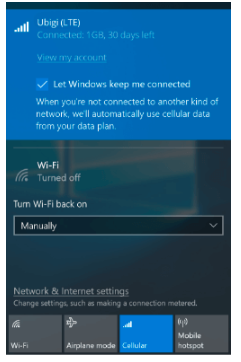
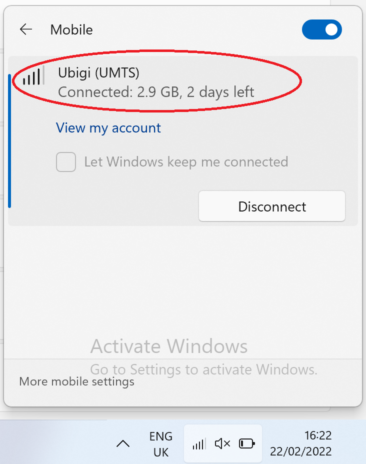
Windows+I 를 누르세요. “네트워크 및 인터넷”으로 이동하세요 → 셀룰러 네트워크가 보이면 PC가 eSIM을 지원합니다..
통신사 잠금 해제 여부 확인 방법
iPhone / iPad:
설정 > 일반 > 정보로 이동 통신사 잠금 항목까지 스크롤. → “SIM 제한 없음”이 표시되면 기기는 잠금 해제 상태입니다.
Android:
설정 > 네트워크 및 인터넷 > 모바일 네트워크 자동 네트워크 선택을 끄세요. → 여러 네트워크가 보이면 잠금 해제된 기기입니다.







 eSIM 호환성 확인 방법
 통신사 잠금 해제 여부 확인 방법