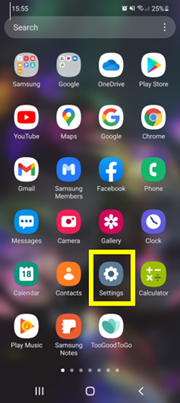
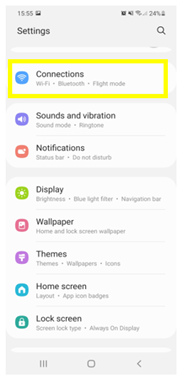
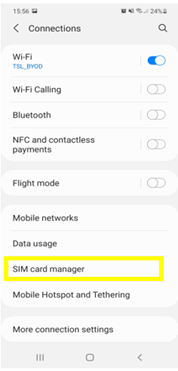
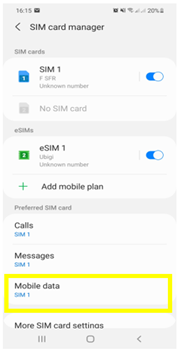
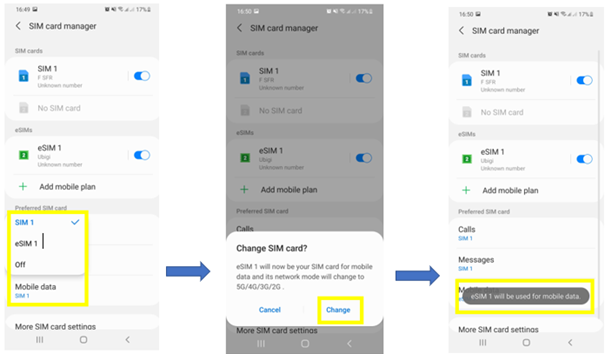
The app was easy to setup, provided seamless eSIM coverage, and allowed for reloading without difficulty.
Jim Fischer, 13 Jun 2026
검증됨
검증된 리뷰
이 사용자는 구매자로 확인되었습니다
Easy to order and connect
Easy to order and connect. Good value.
Rudi, 13 Jun 2026
검증됨
검증된 리뷰
이 사용자는 구매자로 확인되었습니다
Once you found out how to use and…
Once you found out how to use and connect it then all was good it says it automatically connects which is not true you have to sort it out for yourself I went for unlimited for 7 days it took 2 days to sort it out the over 5 days used 3.5 gb
So if I used it again I would go for the cheapest rate
customer, 13 Jun 2026
검증됨
검증된 리뷰
이 사용자는 구매자로 확인되었습니다
Decent
It’s decent. Some places connection dropped briefly but most of the time it worked seamlessly
Kay Bee, 13 Jun 2026
검증됨
검증된 리뷰
이 사용자는 구매자로 확인되었습니다
Works most of the time
When it works, it works great! But there's been a few times the data just stops working, especially texting. I try to troubleshoot and nothing.... Then it'll randomly start working again. So strange! But for the most part it's good!
Lysa Molcan, 13 Jun 2026
검증됨
검증된 리뷰
이 사용자는 구매자로 확인되었습니다
Very good service and quick get internet
Wei, 13 Jun 2026
검증됨
검증된 리뷰
이 사용자는 구매자로 확인되었습니다
Sometimes not working
Jessica, 13 Jun 2026
검증됨
검증된 리뷰
이 사용자는 구매자로 확인되었습니다
Multiple esims
Especially when using multiple esims, it was a bit challenging to set up these Sims. It was also not quite clear initially, that you need wifi to download.
customer, 13 Jun 2026
검증됨
검증된 리뷰
이 사용자는 구매자로 확인되었습니다
Easy and it works as intended
The service was easy to set up and worked as intended
customer, 13 Jun 2026
검증됨
검증된 리뷰
이 사용자는 구매자로 확인되었습니다
Strong connection
Strong connection, no lag
customer, 13 Jun 2026
검증됨
검증된 리뷰
이 사용자는 구매자로 확인되었습니다
Easy to use
Easy to use, great quick help response, great price. Thank you!
Mali, 13 Jun 2026
검증됨
검증된 리뷰
이 사용자는 구매자로 확인되었습니다
Simple
Simple, working excelente
customer, 13 Jun 2026
검증됨
검증된 리뷰
이 사용자는 구매자로 확인되었습니다
Perfectly working 👌🏻👌🏻👌🏻
David, 13 Jun 2026
감사합니다
귀하의 메시지가 전송되었습니다. 곧 답변드리겠습니다.
감사합니다
귀하의 뉴스레터 구독을 고려했습니다.
eSIM 호환성 확인 방법
스마트폰 / 태블릿:
*#06# 입력. → EID 번호가 나오면 eSIM 지원 기기입니다.
Windows 10 / 11:
Windows+I 를 누르세요. “네트워크 및 인터넷”으로 이동하세요 → 셀룰러 네트워크가 보이면 PC가 eSIM을 지원합니다..
통신사 잠금 해제 여부 확인 방법
iPhone / iPad:
설정 > 일반 > 정보로 이동 통신사 잠금 항목까지 스크롤. → “SIM 제한 없음”이 표시되면 기기는 잠금 해제 상태입니다.
Android:
설정 > 네트워크 및 인터넷 > 모바일 네트워크 자동 네트워크 선택을 끄세요. → 여러 네트워크가 보이면 잠금 해제된 기기입니다.