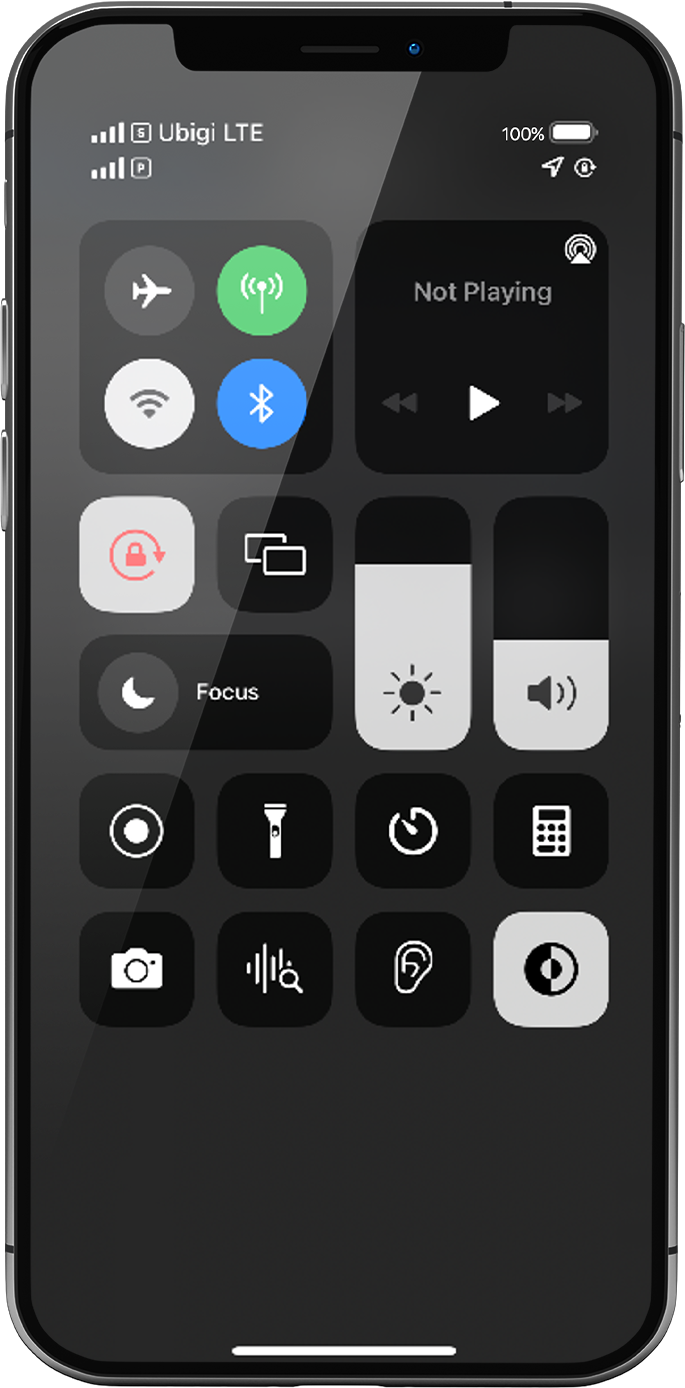
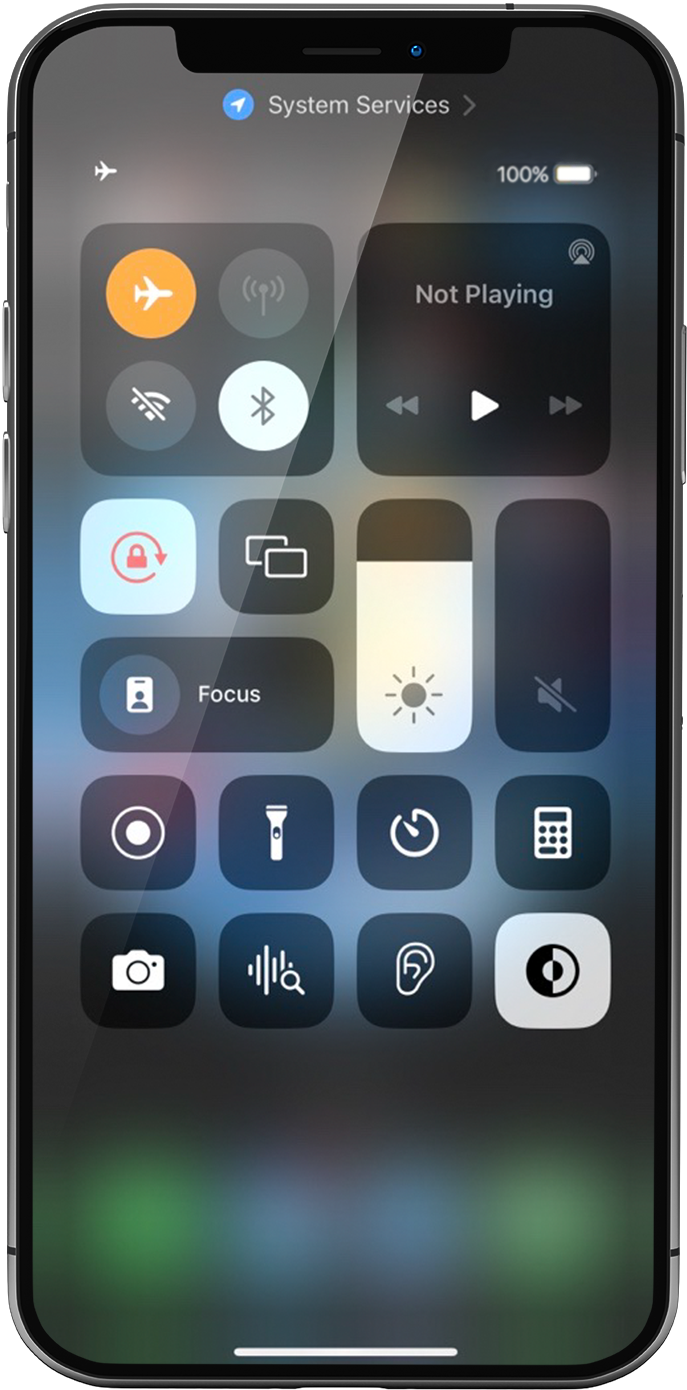
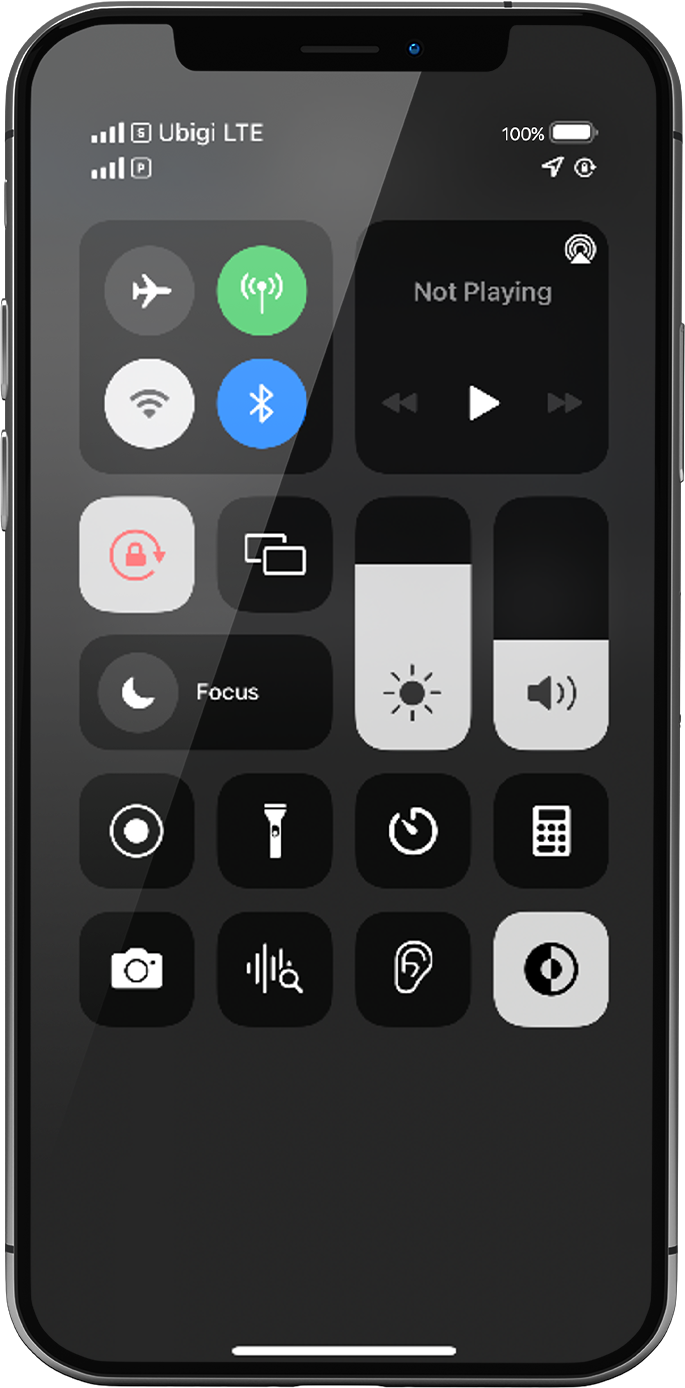
‘비행 모드’를 5초간 켰다가 끕니다. 이렇게 하면 디바이스에서 네트워크 연결이 새로 고쳐집니다.
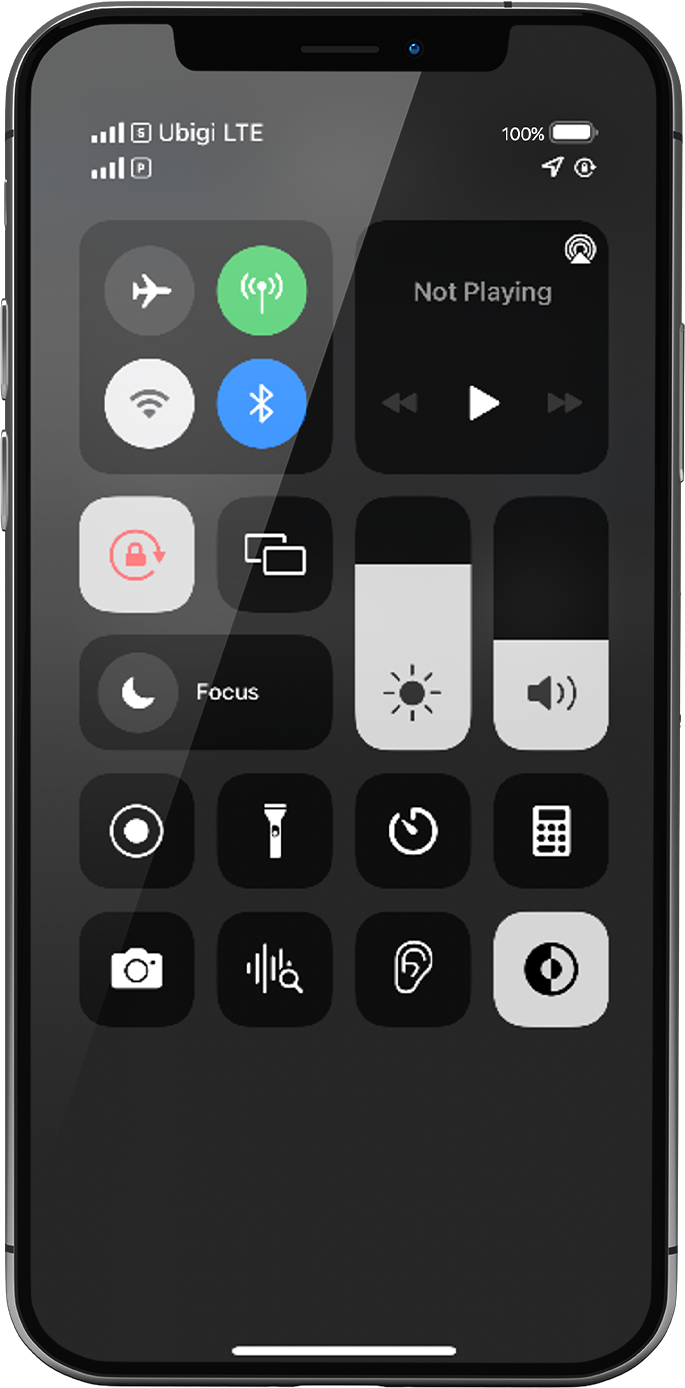
비행 모드가 꺼지면 1~2개의 네트워크가 표시됩니다:
상단의 네트워크는 항상 데이터를 적용한 eSIM/SIM 카드입니다: 이전 단계에 따라 이 네트워크가 Ubigi eSIM 네트워크여야 합니다.
참고: 바로 아래에 있는 다른 네트워크는 휴대폰에서 가능한 다른 회선을 나타냅니다 (예: 기기에 물리적 SIM 카드를 삽입한 경우 물리적 SIM 카드가 있는 기본 회선).
상단의 네트워크 신호에 집중해 보세요: 신호 막대가 1개에서 가득 차 있는 경우 다음 단계로 이동합니다.
모든 막대가 회색으로 표시되면 다음 단계에 따라 네트워크를 수동으로 선택하세요. 신호 막대가 표시되면 다음 단계로 이동합니다.
참고: 네트워크 막대가 아직 표시되지 않으면 고객 지원팀에 문의하여 추가 도움을 요청하고 eSIM 프로필의 ICCID를 알려주세요(설정 > 일반 > 정보 > ICCID, 8988…로 시작).
훌륭해
의 46211개 리뷰를 기준으로
검증됨
검증된 리뷰
이 사용자는 구매자로 확인되었습니다
I have only been using Ubigi for 3 days…
I have only been using Ubigi for 3 days and so far it is excellent. No problems at all. Keeping my fingers crossed it will stay that way for the rest of the stay approximately 10 days.
customerFawzi Pishori, 21 Sep 2026
검증됨
검증된 리뷰
이 사용자는 구매자로 확인되었습니다
The set up seemed clear until I had…
The set up seemed clear until I had trouble. But the help for trouble shooting was good. I am a senior with limited knowledge about eSIMs so I finally figured it out.
customer, 21 Sep 2026
검증됨
검증된 리뷰
이 사용자는 구매자로 확인되었습니다
We had great phone service
We had great phone service, during our trip all over Italy!
Julie Carlton, 21 Sep 2026
검증됨
검증된 리뷰
이 사용자는 구매자로 확인되었습니다
data roaming
To explain how to cancel the data roaming of the sim of your local network provider!
Avi jonathan Evron, 21 Sep 2026
검증됨
검증된 리뷰
이 사용자는 구매자로 확인되었습니다
It works as described
It works as described
Andy Ricketts, 21 Sep 2026
검증됨
검증된 리뷰
이 사용자는 구매자로 확인되었습니다
User friendly and fast
Easy, userfriendly, fast
VladÌmir, 21 Sep 2026
검증됨
검증된 리뷰
이 사용자는 구매자로 확인되었습니다
First-time customer
First-time customer. Been using the Ubigi e-sim in Switzerland and Italy for several days now.
So far it has worked perfectly and we’ve been in some remote locations.
Purchase and installation were extremely easy. Speed is 5G wherever available. Pricing was excellent.
Daniel Wisniak, 21 Sep 2026
검증됨
검증된 리뷰
이 사용자는 구매자로 확인되었습니다
I experienced that the internet was…
I experienced that the internet was alright
customer, 21 Sep 2026
검증됨
검증된 리뷰
이 사용자는 구매자로 확인되었습니다
Simple to use
Simple to use, connection quality was great. My trip went very smooth thanks to ubigi
customer, 21 Sep 2026
검증됨
검증된 리뷰
이 사용자는 구매자로 확인되었습니다
Just perfect !
Just perfect !
Katrien, 21 Sep 2026
검증됨
검증된 리뷰
이 사용자는 구매자로 확인되었습니다
Good service
Good service
Roehl Aguilar, 21 Sep 2026
검증됨
검증된 리뷰
이 사용자는 구매자로 확인되었습니다
fantastic experience using Ubigi eSIM
fantastic experience using Ubigi eSIM, quick and easy access with full coverage of network.
customer, 21 Sep 2026
검증됨
검증된 리뷰
이 사용자는 구매자로 확인되었습니다
Simple
Simple, easy and no issues!
Love it!
customer, 21 Sep 2026
검증됨
검증된 리뷰
이 사용자는 구매자로 확인되었습니다
Reliable and accurate connectivity
Reliable and accurate connectivity
Leila, 21 Sep 2026
검증됨
검증된 리뷰
이 사용자는 구매자로 확인되었습니다
Excellent coverage all the way to…
Excellent coverage all the way to Souya Misaki and Wakkanai.
ST Lim, 21 Sep 2026
감사합니다
귀하의 메시지가 전송되었습니다. 곧 답변드리겠습니다.
감사합니다
귀하의 뉴스레터 구독을 고려했습니다.
eSIM 호환성 확인 방법
스마트폰 / 태블릿:
*#06# 입력. → EID 번호가 나오면 eSIM 지원 기기입니다.
Windows 10 / 11:
Windows+I 를 누르세요. “네트워크 및 인터넷”으로 이동하세요 → 셀룰러 네트워크가 보이면 PC가 eSIM을 지원합니다..
통신사 잠금 해제 여부 확인 방법
iPhone / iPad:
설정 > 일반 > 정보로 이동 통신사 잠금 항목까지 스크롤. → “SIM 제한 없음”이 표시되면 기기는 잠금 해제 상태입니다.
Android:
설정 > 네트워크 및 인터넷 > 모바일 네트워크 자동 네트워크 선택을 끄세요. → 여러 네트워크가 보이면 잠금 해제된 기기입니다.










 eSIM 호환성 확인 방법
 통신사 잠금 해제 여부 확인 방법