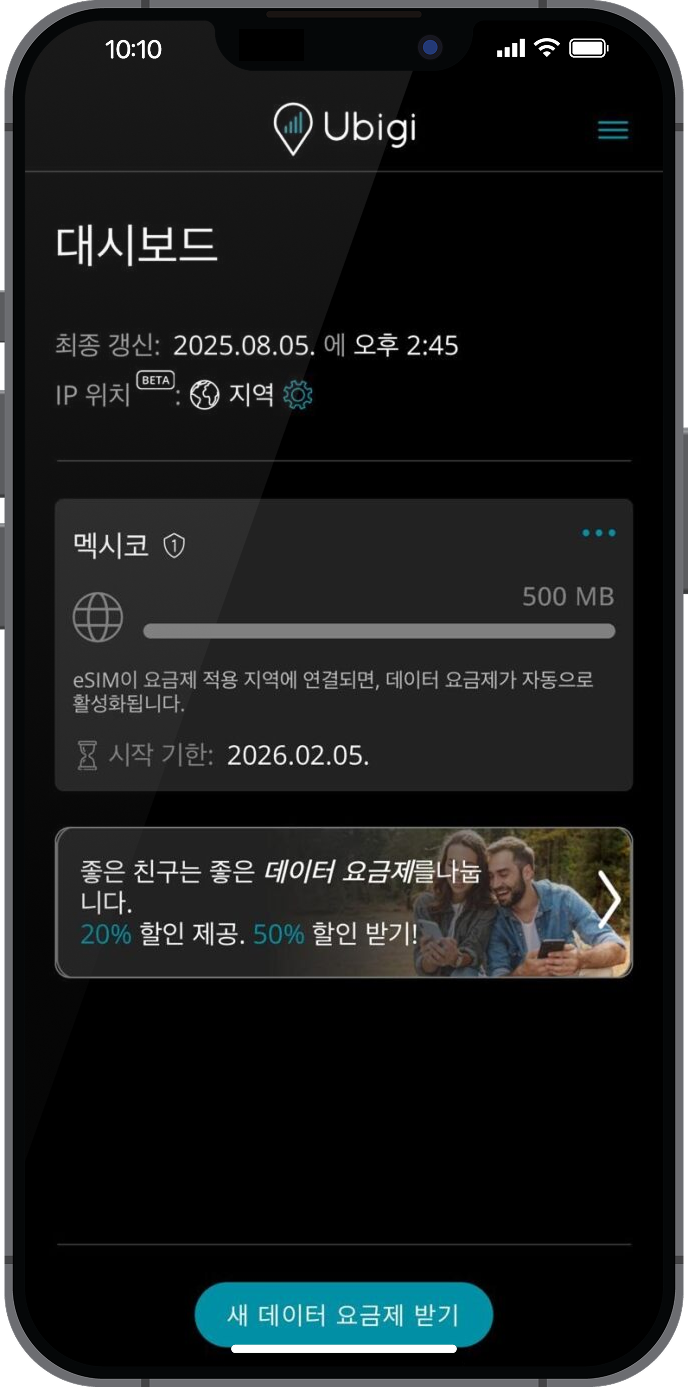
이 단계에서 Ubigi 앱을 열어 Ubigi 셀룰러 연결이 작동하는지 확인하여 Ubigi 연결을 테스트합니다.
이미 Ubigi 계정이 있는 경우: 자동으로 연결됩니다.
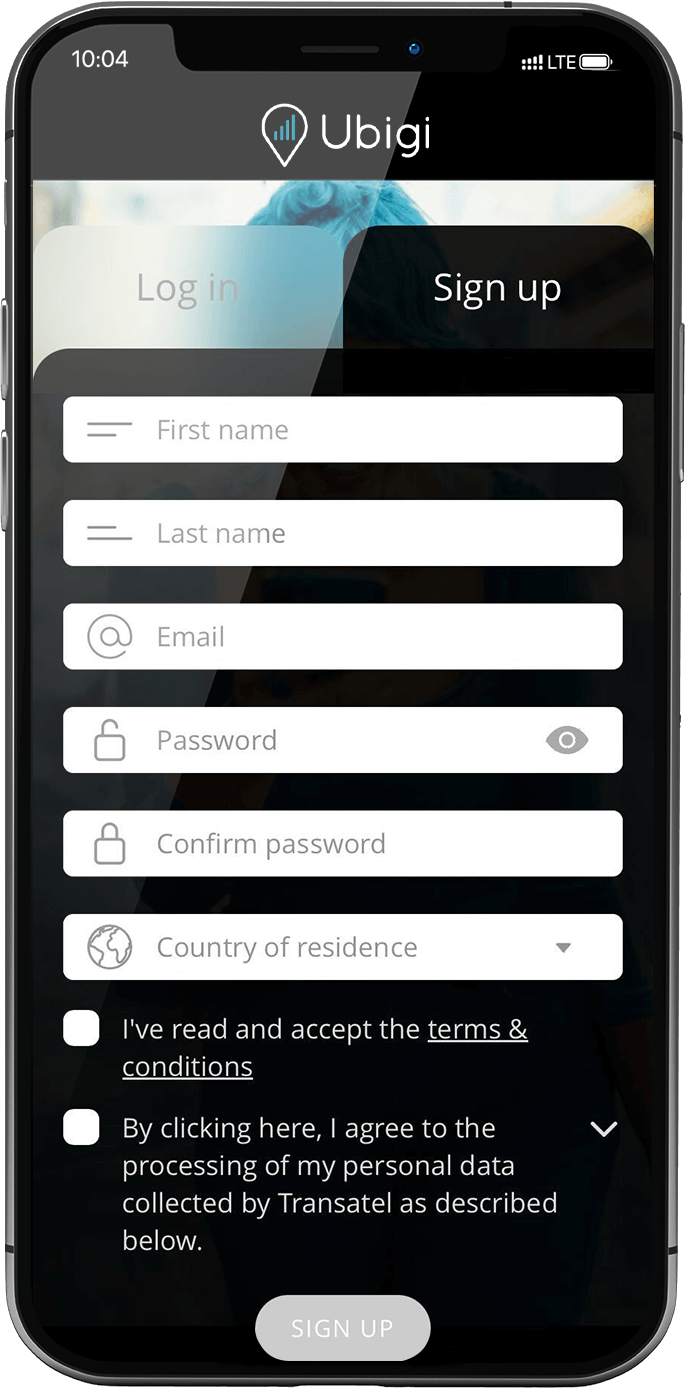
아직 Ubigi 계정이 없는 경우 계정 생성 페이지가 표시됩니다: 입력란을 채우고 “계정 만들기”를 클릭합니다.
계정이 생성되면 계정에 연결됩니다.
이제 Ubigi 연결을 즐길 수 있습니다!
참고: 모든 지침을 따랐지만 여전히 계정에 액세스할 수 없는 경우 고객 지원팀에 문의하여 추가 도움을 받으세요.
훌륭해
의 48650개 리뷰를 기준으로
검증됨
검증된 리뷰
이 사용자는 구매자로 확인되었습니다
Super easy and good value
Super easy and good value. Highly recommended.
Chris, 15 Oct 2026
검증됨
검증된 리뷰
이 사용자는 구매자로 확인되었습니다
It help me a lot
It help me a lot. Tks
customer, 15 Oct 2026
검증됨
검증된 리뷰
이 사용자는 구매자로 확인되었습니다
No comment.
No comment.
customer, 15 Oct 2026
검증됨
검증된 리뷰
이 사용자는 구매자로 확인되었습니다
except disconnected once a while
except disconnected once a while, it is ok.
customer, 15 Oct 2026
검증됨
검증된 리뷰
이 사용자는 구매자로 확인되었습니다
Just been to Japan for three weeks and…
Just been to Japan for three weeks and the data plan worked all over, in really remote places as well as the big cities.
Andrew Welsh, 15 Oct 2026
검증됨
검증된 리뷰
이 사용자는 구매자로 확인되었습니다
Working flawlessly during a trip to…
Working flawlessly during a trip to multiple states in USA
Paul, 15 Oct 2026
검증됨
검증된 리뷰
이 사용자는 구매자로 확인되었습니다
App very simple to use and good signal…
App very simple to use and good signal in Paris
customer, 15 Oct 2026
검증됨
검증된 리뷰
이 사용자는 구매자로 확인되었습니다
Seamless service
Seamless service
Maggie B, 15 Oct 2026
검증됨
검증된 리뷰
이 사용자는 구매자로 확인되었습니다
We traveled from the US to the…
We traveled from the US to the Netherlands and Spain. The eSIM started working as soon as we landed in the Netherlands. The only issue was that the internet was slow or didn’t work at all in popular tourist areas. Other than that, it was easy to install and affordable.
Mikhail B, 15 Oct 2026
검증됨
검증된 리뷰
이 사용자는 구매자로 확인되었습니다
Great for navigating London, but a few things to keep in mind
As someone traveling out of the country for the very first time, Ubigi made it really easy to navigate my way around London. The signal was pretty good and reliable throughout my trip, and the overall user experience was solid.
There were just a couple of things I wish I had known beforehand as a first time user. First, my primary phone number wouldn't work on my iPhone unless I was connected to WiFi. Second, the service slowed down after reaching a certain threshold. I would have preferred to purchase a set amount of data instead.
Overall, it was a great service that kept me connected when I needed it most!
RUBEN, 15 Oct 2026
검증됨
검증된 리뷰
이 사용자는 구매자로 확인되었습니다
Easy to install
Easy to install , used in turkey , great reception everywhere
sally benriassa, 15 Oct 2026
검증됨
검증된 리뷰
이 사용자는 구매자로 확인되었습니다
Coverage was excellent wherever we…
Coverage was excellent wherever we traveled in Japan.
Kyle, 15 Oct 2026
검증됨
검증된 리뷰
이 사용자는 구매자로 확인되었습니다
So simple
So simple, flexible and economical, what more could you ask for.
Rob Ford, 15 Oct 2026
검증됨
검증된 리뷰
이 사용자는 구매자로 확인되었습니다
Easy to use and strong signal
Easy to use and strong signal
Tj, 15 Oct 2026
검증됨
검증된 리뷰
이 사용자는 구매자로 확인되었습니다
So much better than buying a local sim on arrival
Easy enough to set up before leaving home, seamless to start using in destination country, rather than trying to buy a local sim on arrival. Reasonable cost. Didn’t need calls or messages as WhatsApp is used in destination country as well as calling home.
Suzi, 15 Oct 2026
감사합니다
귀하의 메시지가 전송되었습니다. 곧 답변드리겠습니다.
감사합니다
귀하의 뉴스레터 구독을 고려했습니다.
eSIM 호환성 확인 방법
스마트폰 / 태블릿:
*#06# 입력. → EID 번호가 나오면 eSIM 지원 기기입니다.
Windows 10 / 11:
Windows+I 를 누르세요. “네트워크 및 인터넷”으로 이동하세요 → 셀룰러 네트워크가 보이면 PC가 eSIM을 지원합니다..
통신사 잠금 해제 여부 확인 방법
iPhone / iPad:
설정 > 일반 > 정보로 이동 통신사 잠금 항목까지 스크롤. → “SIM 제한 없음”이 표시되면 기기는 잠금 해제 상태입니다.
Android:
설정 > 네트워크 및 인터넷 > 모바일 네트워크 자동 네트워크 선택을 끄세요. → 여러 네트워크가 보이면 잠금 해제된 기기입니다.







 eSIM 호환성 확인 방법
 통신사 잠금 해제 여부 확인 방법