Check if your eSIM profile is installed on your device.
Check eSIM profile activation
Check if your eSIM profile is activated on your device.
Apply data to eSIM profile
Ensure data is applied to your Ubigi eSIM profile.
Check APN configuration
Ensure that the APN is correctly set for your Ubigi connectivty.
Check network display
Check the network status for your Ubigi connectivity.
Final checks!
Check account creation and Internet access.
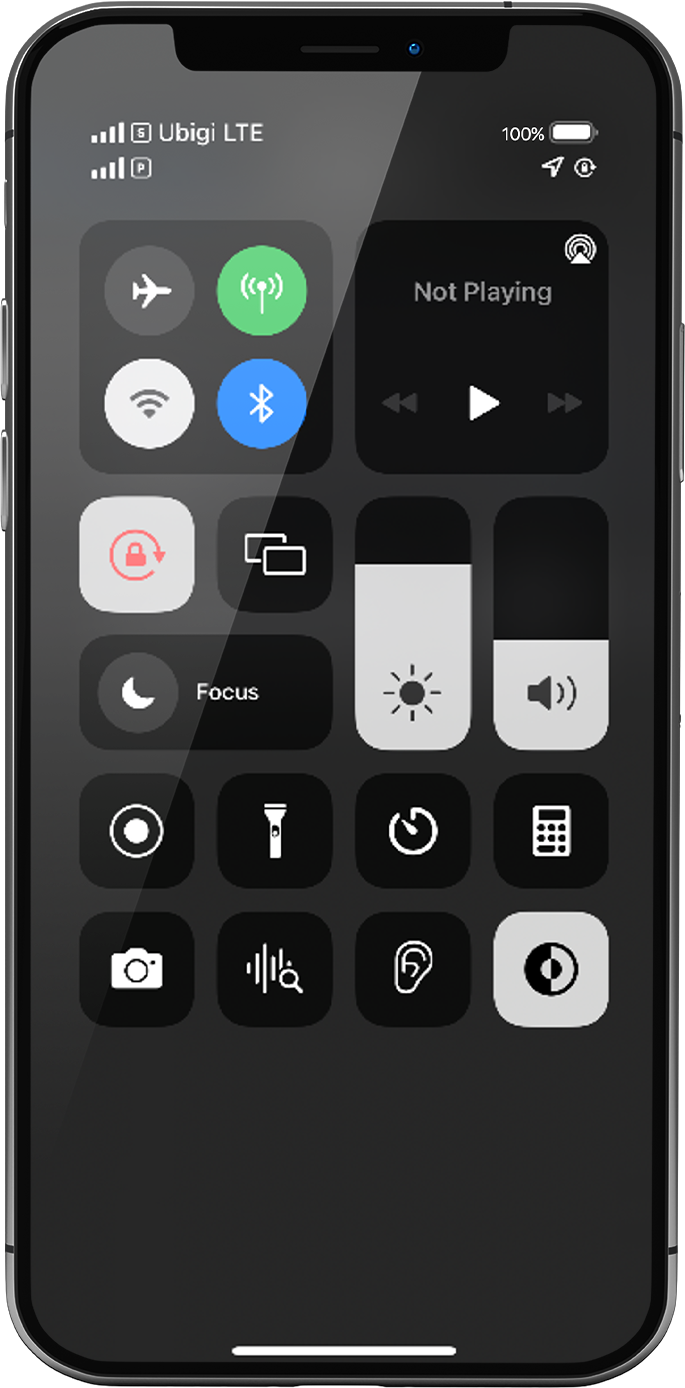
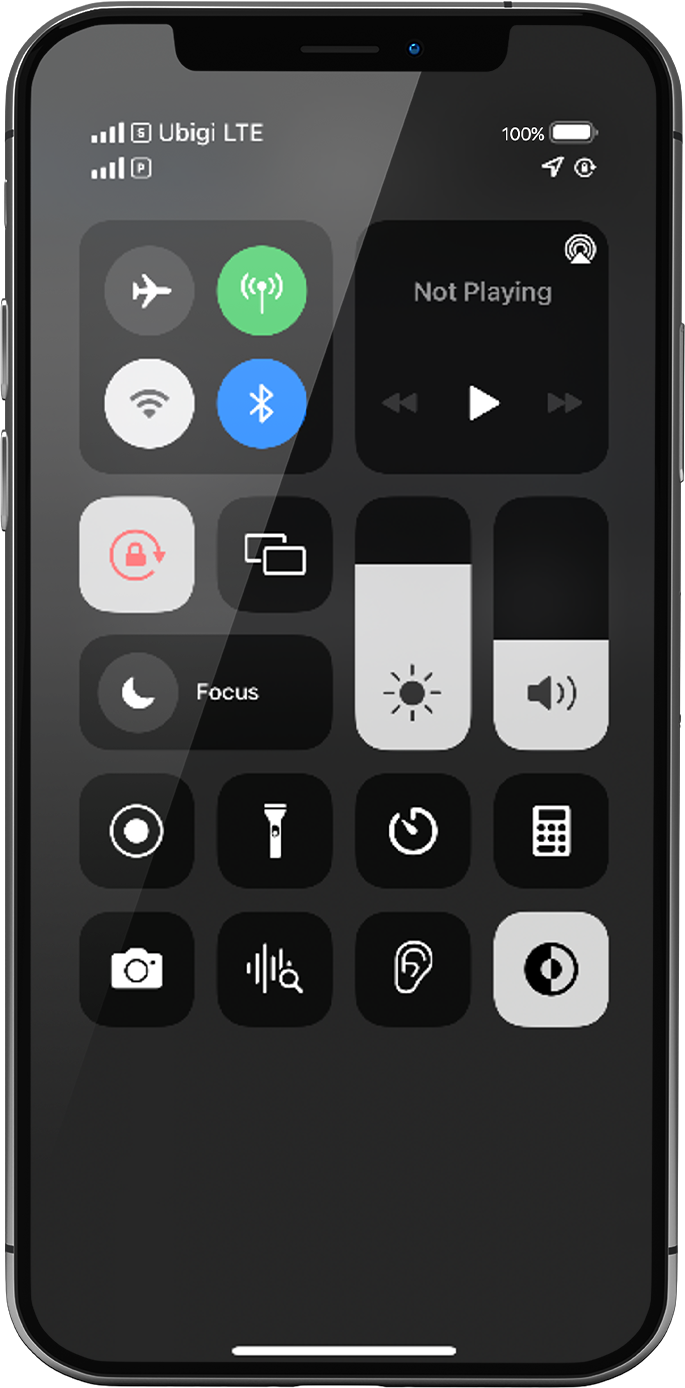
Display the networks/shortcuts page by sliding from the top right hand corner of your screen to the center.
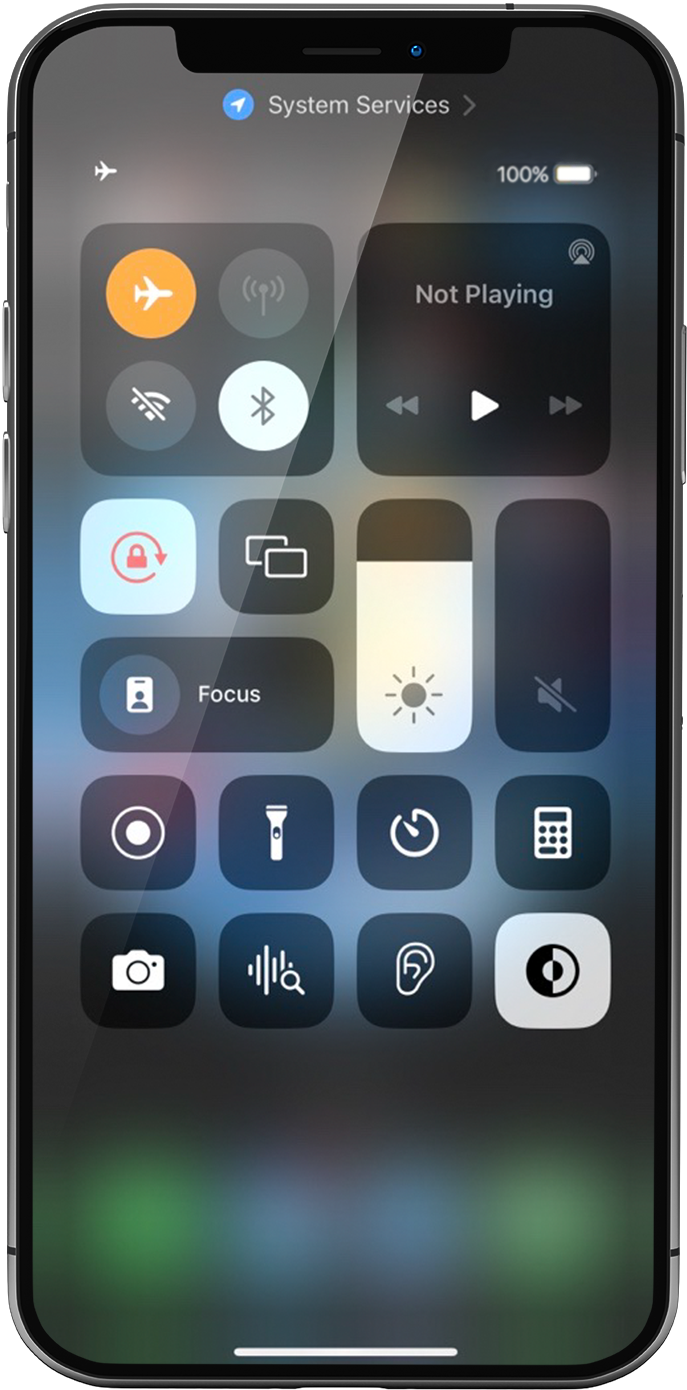
Turn ON “flight mode” for 5 seconds and turn it OFF. This action will refresh the network connection from your device.
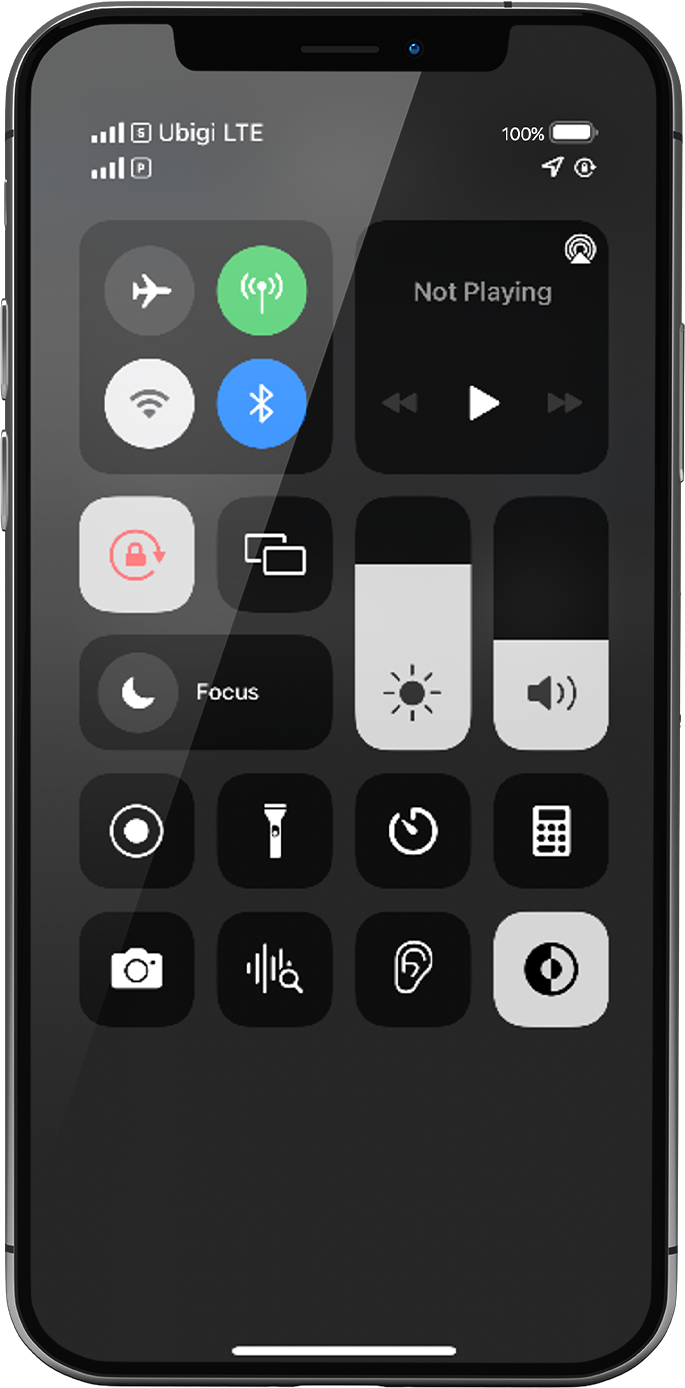
Once Flight mode off, you will see 1 or 2 networks appear:
The network at the top is always the eSIM/SIM card you applied data to: following previous steps, this must be your Ubigi eSIM network
NB: The other network right under it represents the other possible line in your phone (for instance: your primary line with the physical SIM card if you have inserted one in your device)
Let’s focus on the network signal at the top: If you have 1 to full signal bars displayed, go to the next step.
If all bars are greyed out, please follow these steps to select a network manually. Once signal bars are displayed, go to the next step.
NB: If no network bar is displayed yet, please contact Customer Support for further help and provide the ICCID of your eSIM profile (Settings > General > Information > ICCID, it begins with 8988…).
Great
Based on 41526 reviews on
Verified
Verified review
This user has been identified as a buyer
Nice options for data
Nice options for data, and good prices. However, it was confusing to activate the eSIM. The email support gave more information, but ultimately it was the QR code that was needed to activate. I had to figure this out on my own.
Adrian, 16 Jul 2026
Verified
Verified review
This user has been identified as a buyer
I had a seamless experience using this…
I had a seamless experience using this service and highly recommend it!
CARIE SHOREY, 16 Jul 2026
Verified
Verified review
This user has been identified as a buyer
Very good just the job
Very good just the job
Howie, 16 Jul 2026
Verified
Verified review
This user has been identified as a buyer
Service
Service
User experience
Location
customer, 16 Jul 2026
Verified
Verified review
This user has been identified as a buyer
Service at the top of Mt. Fuji!
From the moment we landed to the end of our trip we had great service! We mostly stayed in Tokyo, and we did a small stint in Kawaguchi because we were planning to climb Mt. Fuji. My fiancé has an android and I have an iPhone, and we both used Ubigi! The only time service was spotty was on the bus leading up to Mt. Fuji's 5th station. Once we got to the 5th station we had good service all the way to the top of Mt. Fuji! I was honestly so blown away by that!
Last trip, we used pocket Wifi and lost service at the top of Mt. Misen which is a much much shorter climb. Plus, it was nice not to have to carry anything extra this time around.
Would highly recommend!!
Rchl Jess, 16 Jul 2026
Verified
Verified review
This user has been identified as a buyer
Evertthing worked well.Easy to get…
Everything worked well.Easy to get connected to bosnian network.
jan verhaegen, 16 Jul 2026
Verified
Verified review
This user has been identified as a buyer
Works well yet still cheap
Cheap, straightforward, pretty fast, and works well! I especially appreciate the regional ip service, making the internet faster than other similar esim providers.
A M, 16 Jul 2026
Verified
Verified review
This user has been identified as a buyer
Was super easy
Was super easy, great price and worked! Had no worries while I was traveling. Was awesome
customer, 16 Jul 2026
Verified
Verified review
This user has been identified as a buyer
Good price !
Good price !
customer, 16 Jul 2026
Verified
Verified review
This user has been identified as a buyer
Easy to install and use
Easy to install and use. Installed the app and started the service when I was in Japan without issues.
Have shorter terms and lower data plans will keep Ubigi even more competitive.
customer, 16 Jul 2026
Verified
Verified review
This user has been identified as a buyer
Great prices, many locations,
Super easy to initially set up, great prices, and easy to roll over into a new plan if needed. Automagickally!
Joseph Ryan Stansel, 16 Jul 2026
Verified
Verified review
This user has been identified as a buyer
Esim for Japan
it was great to have esim while I was in Japan, the quality of signal are great from Tokyo to Osaka.
Lisa McConville, 16 Jul 2026
Verified
Verified review
This user has been identified as a buyer
Super easy
Super easy. As soon as I got off the plane I was prompted that my wifi was active. I never had to do anything else and never worried about it. I was able to easily navigate trains and activities with no worries.
customer, 16 Jul 2026
Verified
Verified review
This user has been identified as a buyer
Excellent signal everywhere around…
Excellent signal everywhere around Geneva.
customer, 16 Jul 2026
Verified
Verified review
This user has been identified as a buyer
It was incredibly reliable
It was incredibly reliable, even in remote locations
customer, 16 Jul 2026
Thank you
Your message has been sent. We’ll get back to you shortly.
Thank you
We have taken into account your subscription to the newsletter
How to check eSIM compatibility
Smartphones / Tablets:
Dial *#06#. → If an EID number appears, your device is eSIM-compatible.
Windows 10 / 11:
Press Windows+I. Go to “Network & Internet” → If you see "Cellular", your PC is eSIM-compatible.
How to check carrier unlocking
iPhone / iPad:
Go to Settings > General > About. Scroll to Carrier Lock. → If you see “No SIM restrictions”, your device is unlocked.
Android:
Go to Settings > Network & Internet > Mobile network. Disable Automatic network selection. → If multiple networks appear, your device is unlocked.
You already have an eSIM in your cart.
Each order can only include one eSIM data plan.
If you choose to add a new one, the current plan will be removed. What would you like to do?










 How to check eSIM compatibility
 How to check carrier unlocking