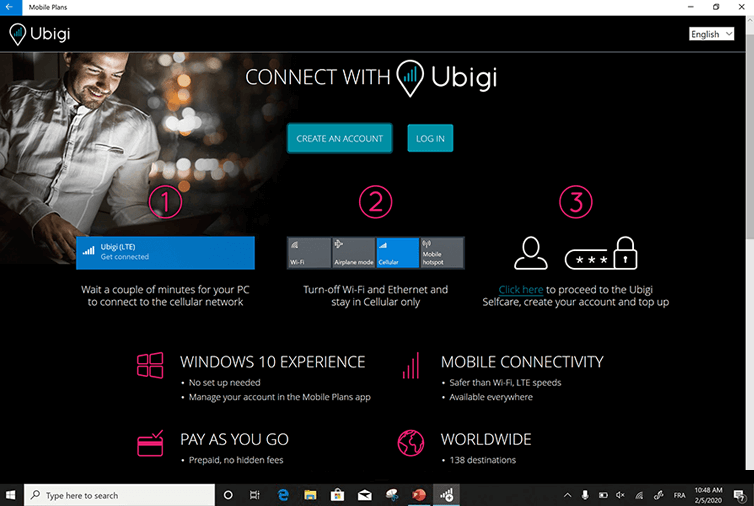
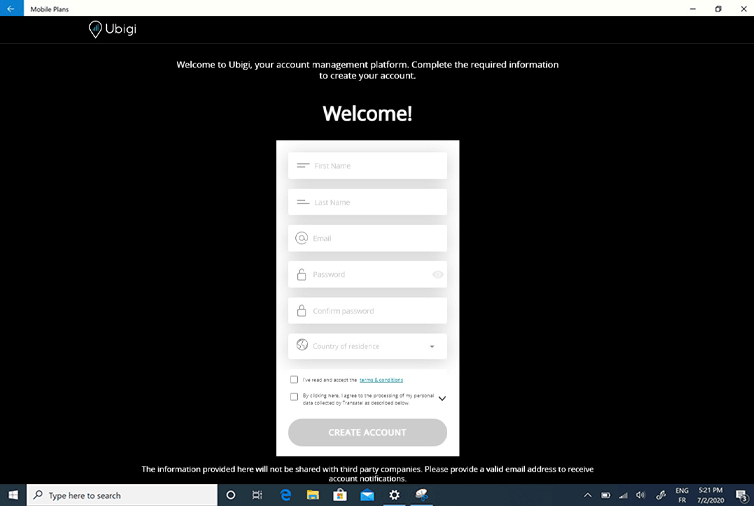
Then connect to the Ubigi eSIM to create your account and choose a data plan.
What is Ubigi?
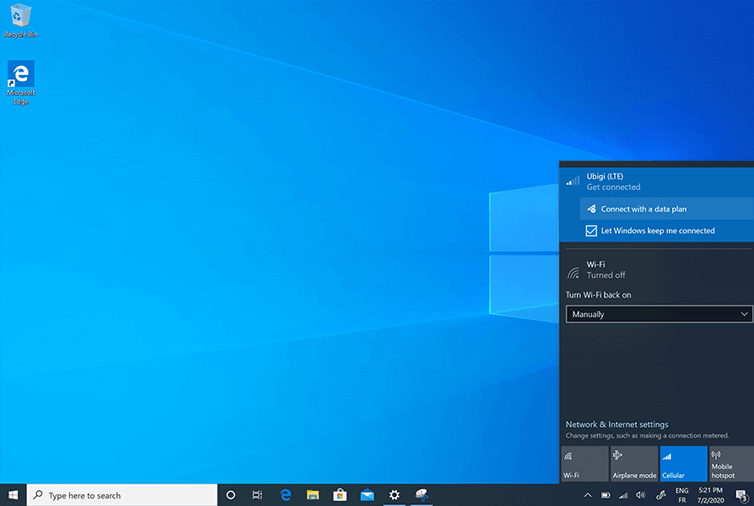
Click on the network icon in the bottom right-hand corner of the screen to open the network tab
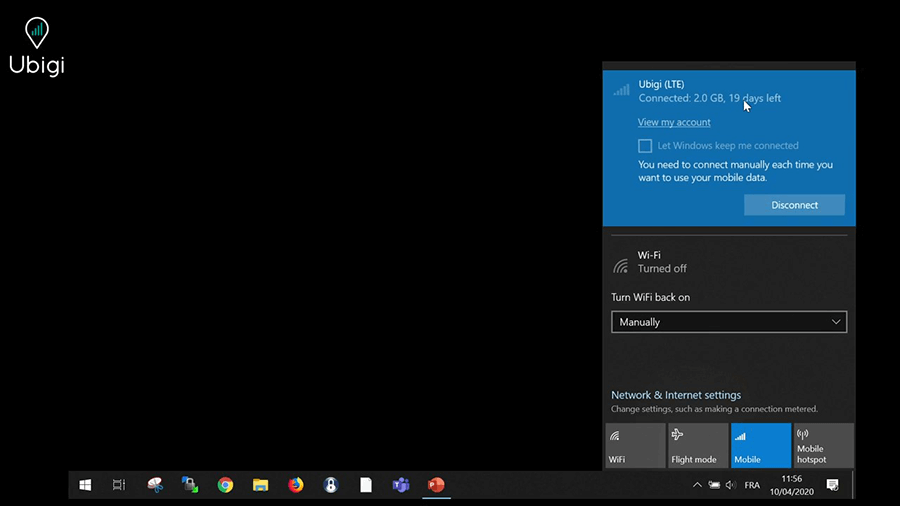
Turn-off Wi-Fi and Ethernet modes and stay in Cellular only Wait a couple of minutes for your PC to connect to the local cellular network, Ubigi network will appear at the top of the tab. Let Windows manage this connection and click on “Connect with a data plan” (or “View my account”)
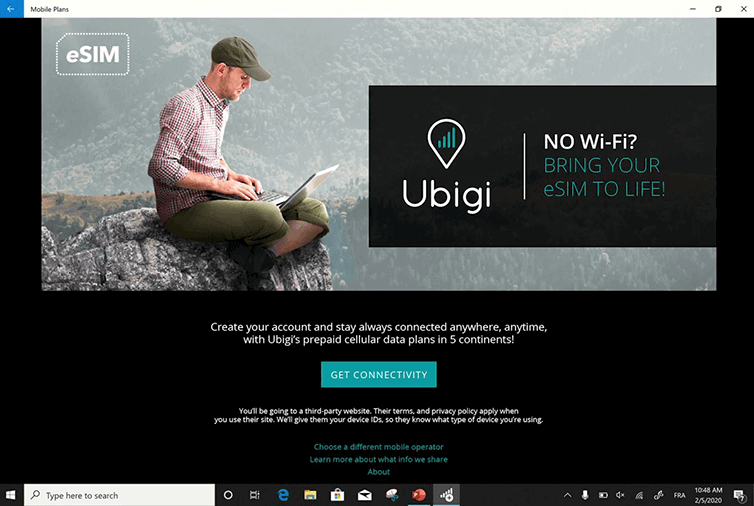
Click on “Get Connectivity”
Click now on “Create an account”
Fill the required fields and click “Create account”
You’ll be able to check your balance anytime in the network bar and access your Ubigi account to top up by cliking on “View my account”
Great
Based on 35280 reviews on
Verified
Verified review
This user has been identified as a buyer
Very reliable and stable.
Very reliable. Data connection is stable everywhere. Thank you so much.
customer, 20 Apr 2026
Verified
Verified review
This user has been identified as a buyer
Easy to use and very cot efficient
Eamonn O'Hara, 20 Apr 2026
Verified
Verified review
This user has been identified as a buyer
Easy setup
Easy setup, worked from minute 1, 4G/55 in most of Japan area!
customer, 20 Apr 2026
Verified
Verified review
This user has been identified as a buyer
Super easy no issues
Super easy no issues. Best thing I brought for my trip
customer, 20 Apr 2026
Verified
Verified review
This user has been identified as a buyer
Ubigi E Sim worked effectively as soon…
Ubigi E Sim worked effectively as soon as I landed in Japan. Even in remote areas such as near Mount Fuji and the Japanese Alps.
Carol C, 20 Apr 2026
Verified
Verified review
This user has been identified as a buyer
Easy to install and great reception
Rob Dee Zee, 20 Apr 2026
Verified
Verified review
This user has been identified as a buyer
Easy
Easy, quick and so simple to use.
Mike R., 20 Apr 2026
Verified
Verified review
This user has been identified as a buyer
Easy to purchase and use, low cost
The e SIM was easy to purchase and I didn't need to do anything else - it just worked!
We visited rural destinations where phone reception wasn't always available but this SIM performed better than the alternative one purchased by my partner.
Lizzie, 20 Apr 2026
Verified
Verified review
This user has been identified as a buyer
Simple to add e-sim
Simple to add e-sim, inexpensive.
customer, 20 Apr 2026
Verified
Verified review
This user has been identified as a buyer
I love it always
I love it always. I use this when I travel.
customer, 20 Apr 2026
Verified
Verified review
This user has been identified as a buyer
Super easy to set up
Super easy to set up, good prices and good phone service
Sharma, 20 Apr 2026
Verified
Verified review
This user has been identified as a buyer
Everything worked great and very easy…
Everything worked great and very easy transition!
HR, 20 Apr 2026
Verified
Verified review
This user has been identified as a buyer
Very easy to load
Very easy to load and good rate for esim for data for my Ipad Mini
hervé COLAS, 20 Apr 2026
Verified
Verified review
This user has been identified as a buyer
Just like at home
Quite easy to install on your phone and then as efficient as your usual provider in your own country. You are connected just as you were at home.
Vincent, 20 Apr 2026
Verified
Verified review
This user has been identified as a buyer
The right service at the righ price for the right duration.
I found the right service at the right price and for the right duration.
The application is very convenient and easy to use.
All OK for me.
Henri MAGNIN, 20 Apr 2026
Thank you
Your message has been sent. We’ll get back to you shortly.
Thank you
We have taken into account your subscription to the newsletter
How to check eSIM compatibility
Smartphones / Tablets:
Dial *#06#. → If an EID number appears, your device is eSIM-compatible.
Windows 10 / 11:
Press Windows+I. Go to “Network & Internet” → If you see "Cellular", your PC is eSIM-compatible.
How to check carrier unlocking
iPhone / iPad:
Go to Settings > General > About. Scroll to Carrier Lock. → If you see “No SIM restrictions”, your device is unlocked.
Android:
Go to Settings > Network & Internet > Mobile network. Disable Automatic network selection. → If multiple networks appear, your device is unlocked.
You already have an eSIM in your cart.
Each order can only include one eSIM data plan.
If you choose to add a new one, the current plan will be removed. What would you like to do?