Skip to content

Discover how to install your Ubigi eSIM on your iPad in few steps!

Start by checking if your device is eSIM compatible

Tablet illustration

Dial *#06#, if an EID code shows, your device supports eSIM
Install a Ubigi eSIM directly from your iPad settings

Step 1 - eSIM tutorial

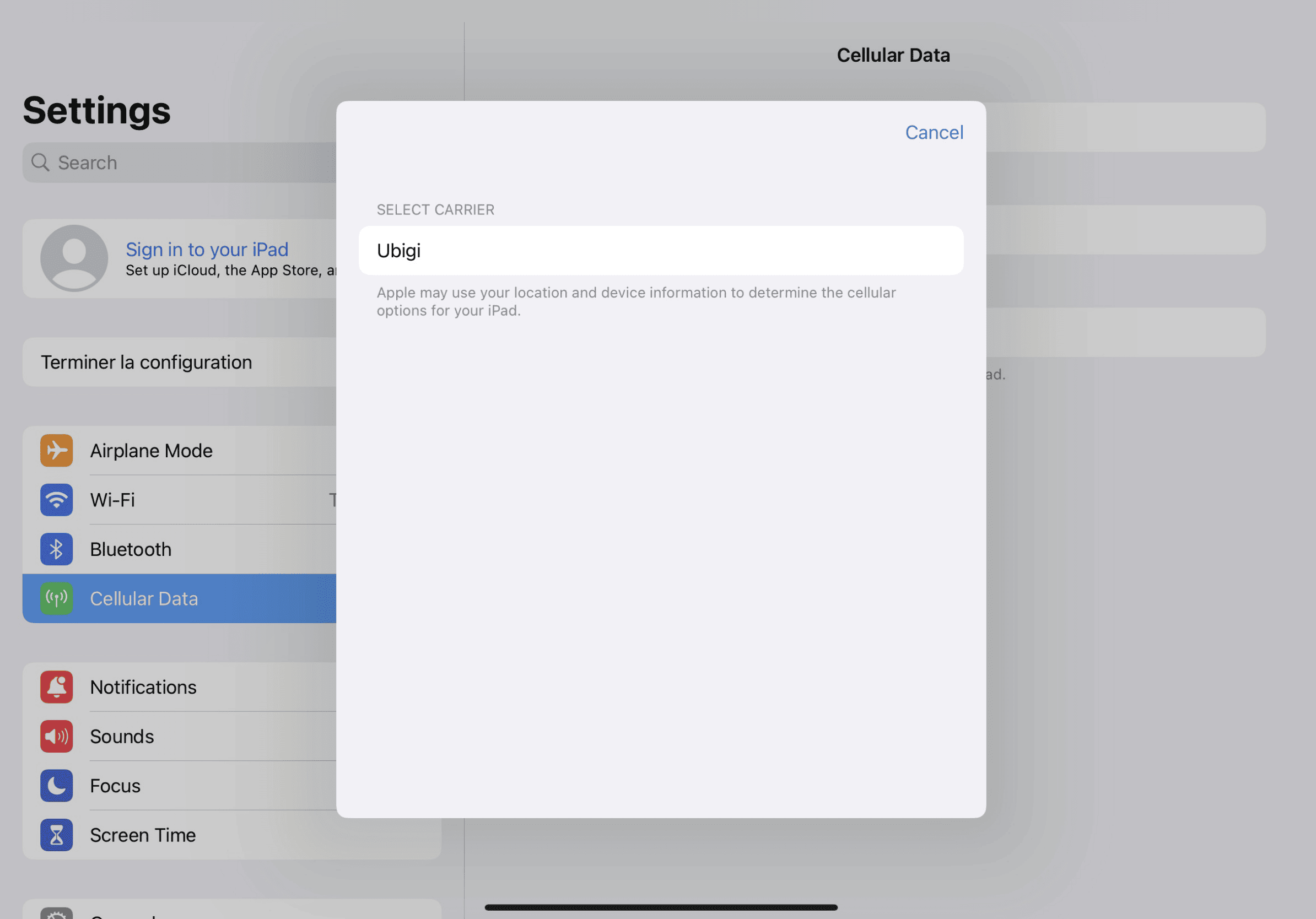
Start your setup

Go to your iPad Settings, tap on “Cellular Data”, then select “Find a New Plan” and choose Ubigi as your carrier
Step 2 - eSIM tutorial

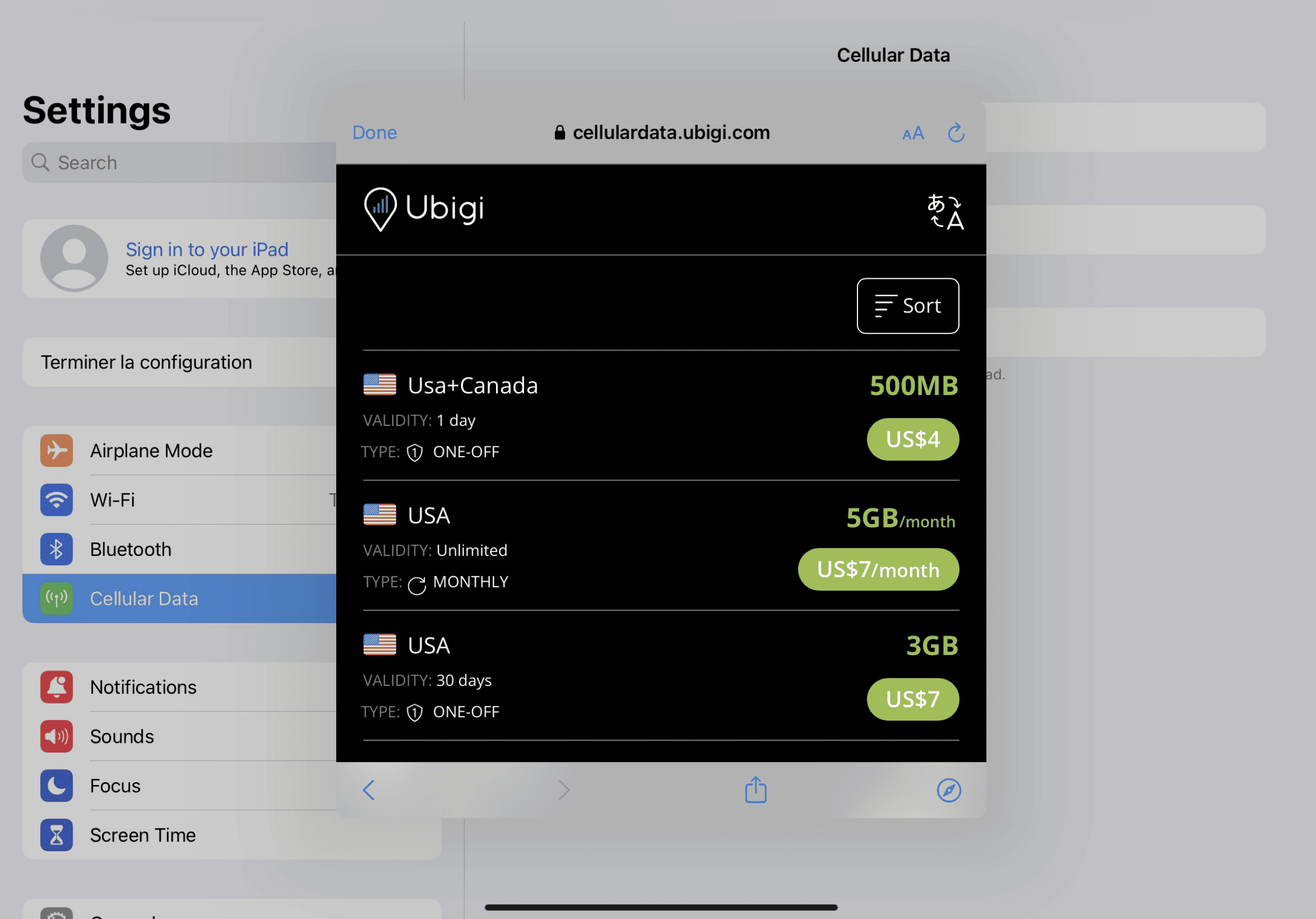
Purchase a data plan

Choose your destination and buy a data plan from our catalog

Step 3 - eSIM tutorial

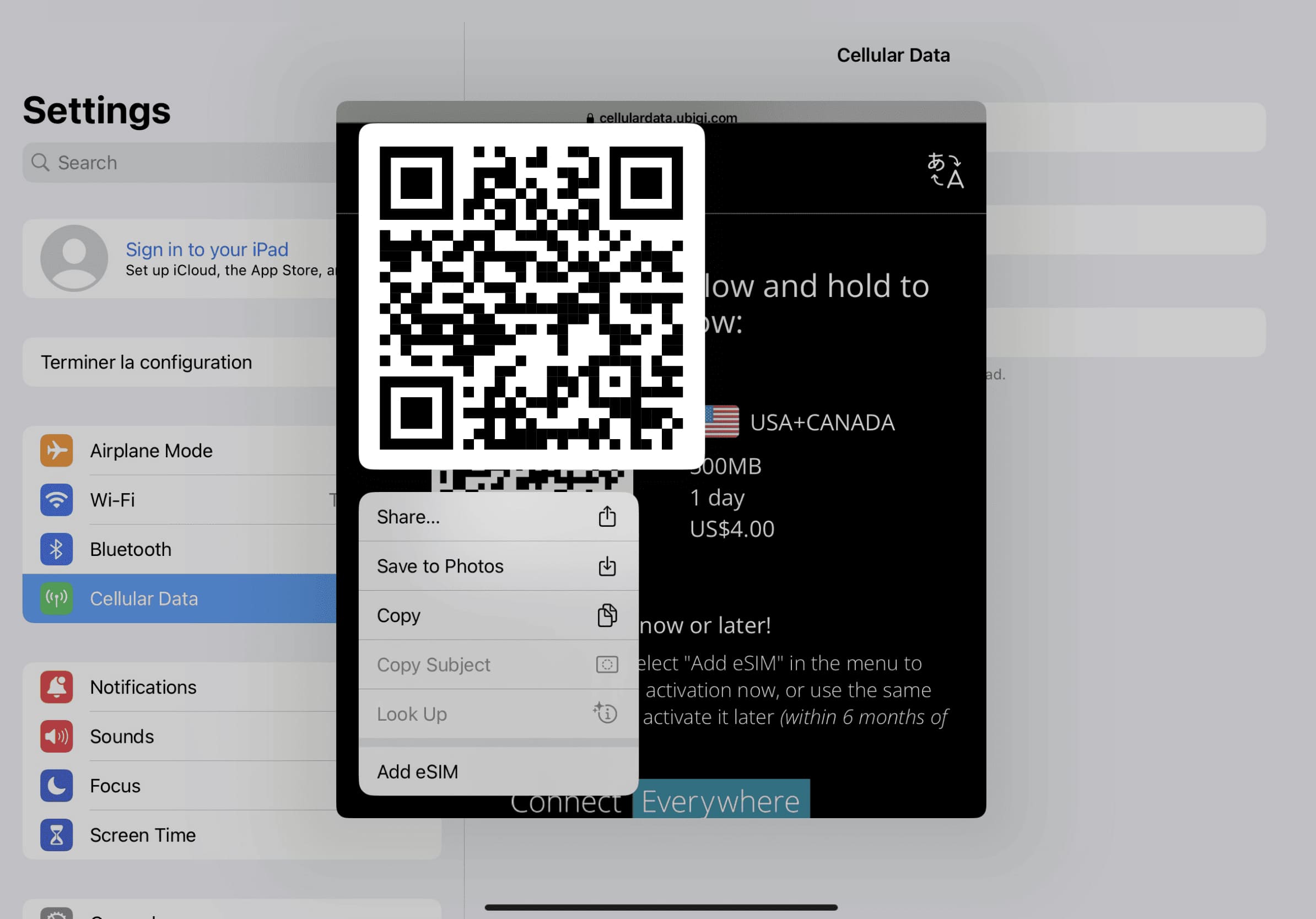
Install your eSIM

Press & hold the QR code on your screen and tap “Add eSIM”
Step 4 - eSIM tutorial

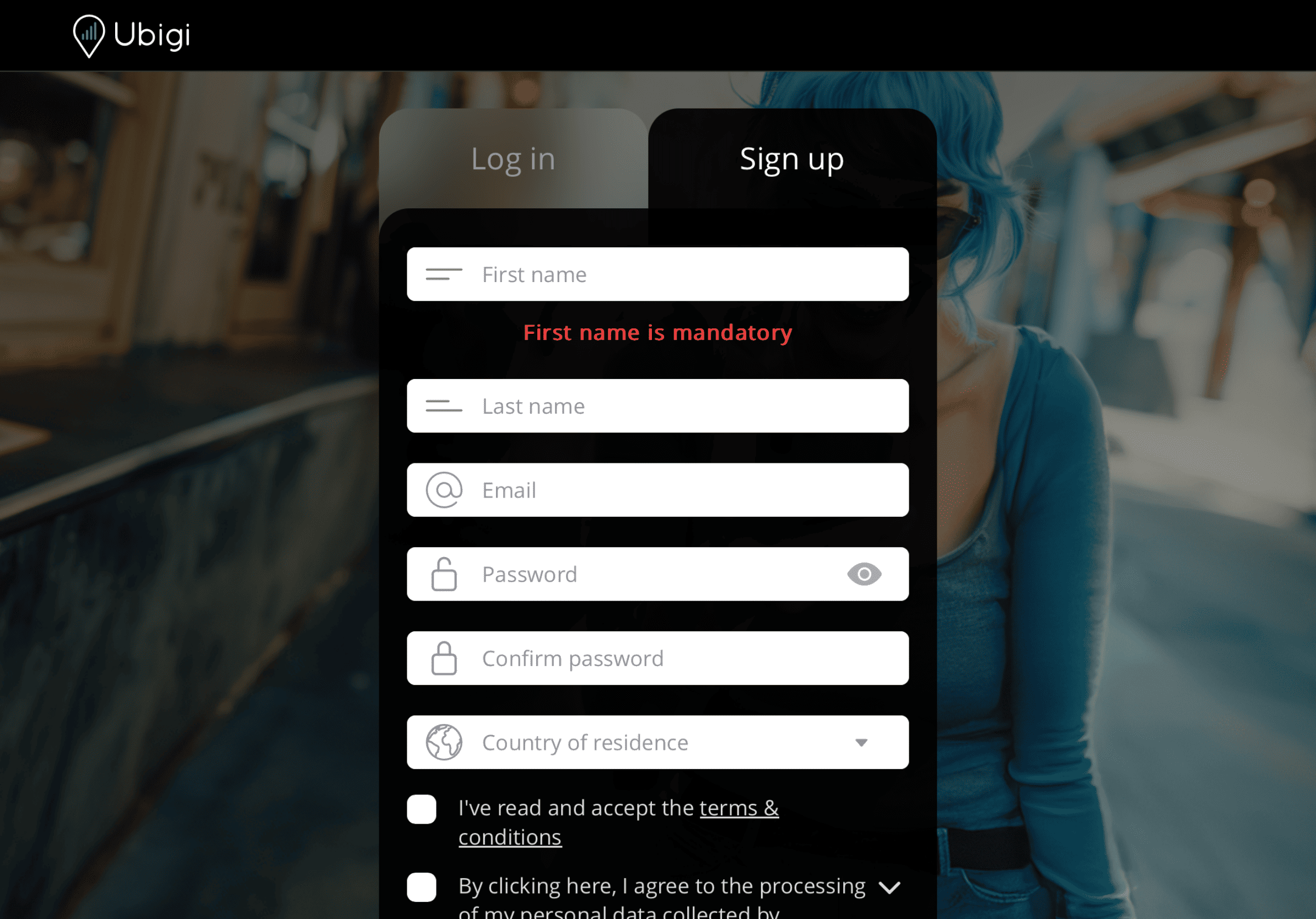
Create your account

Sign up to Ubigi by downloading the app or visiting Ubigi.me to track your data in real time, receive alert notifications and top up easily

Here are some iPad setups you need to remember to do

Setup Logo 1

Prior to departure

Make sure you have switched off Data Roaming of your home line before departure.
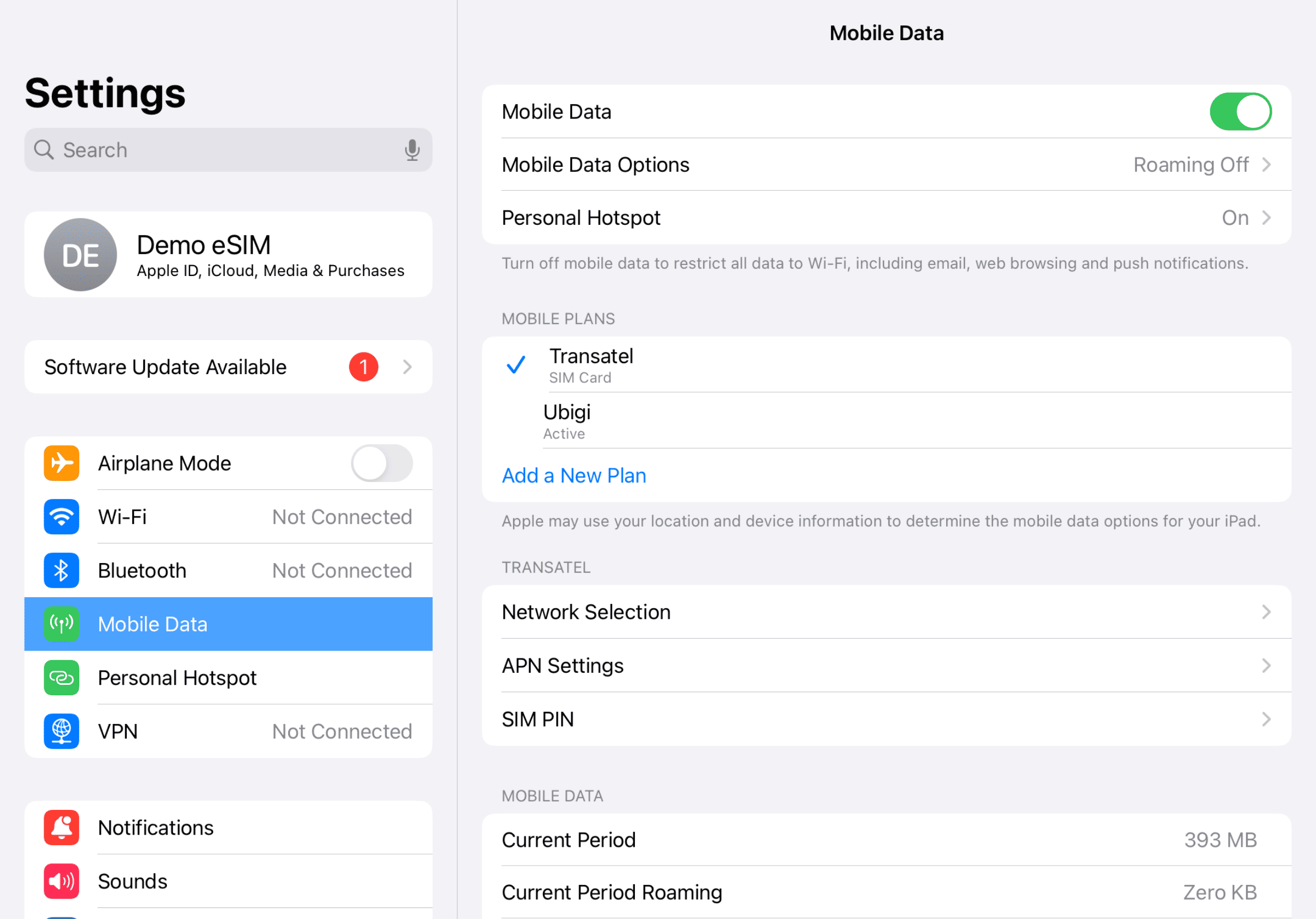
Device setup reminder - before departure
Setup Logo 2

Upon arrival

Your data consumption will start upon arrival at destination. Make sure you're using the Ubigi line for Cellular Data.
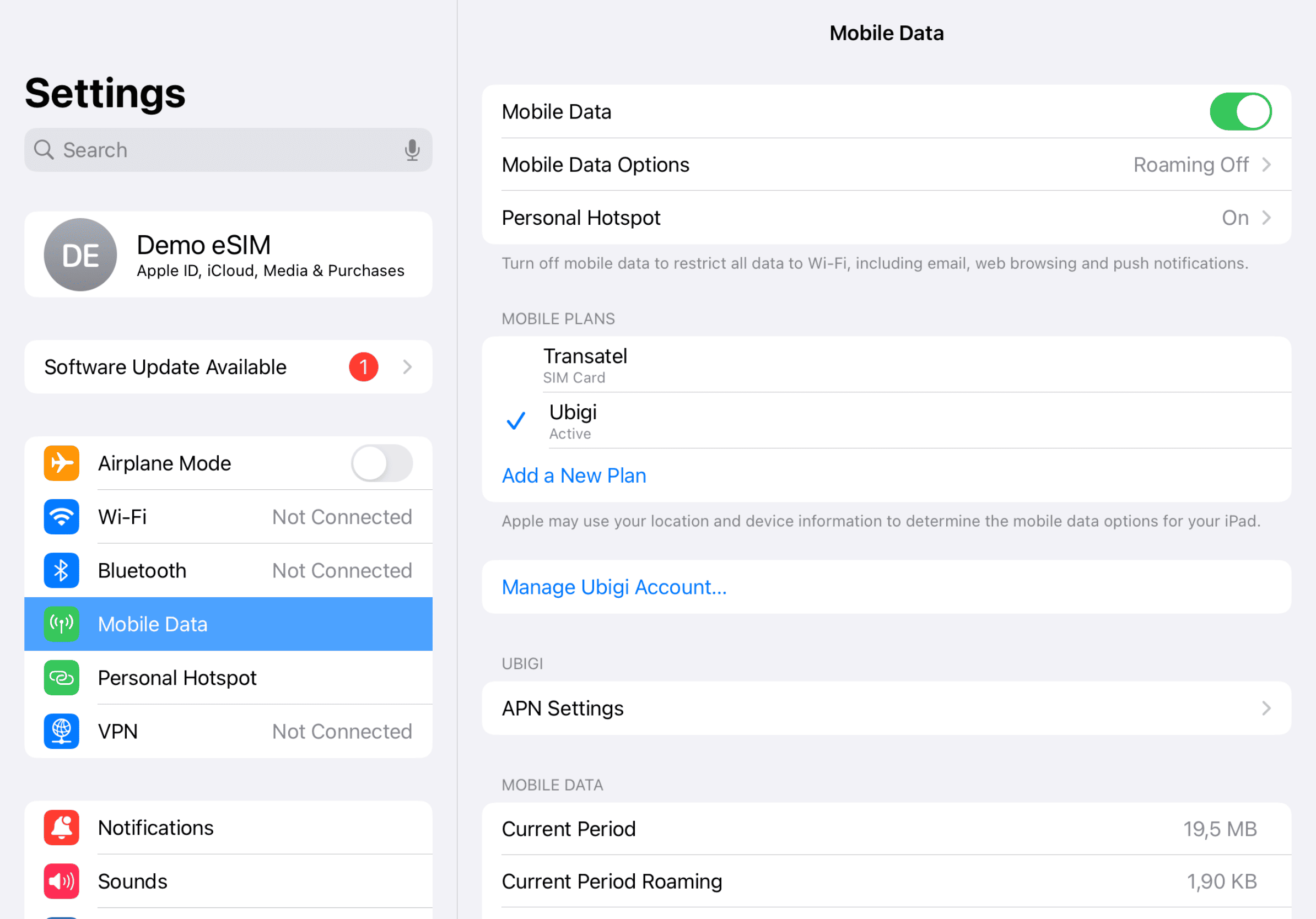
Another step reminder
Mobile device setup reminder - upon arrival
Setup Logo 3

Back home

Turn off your Ubigi line and return to your initial settings.
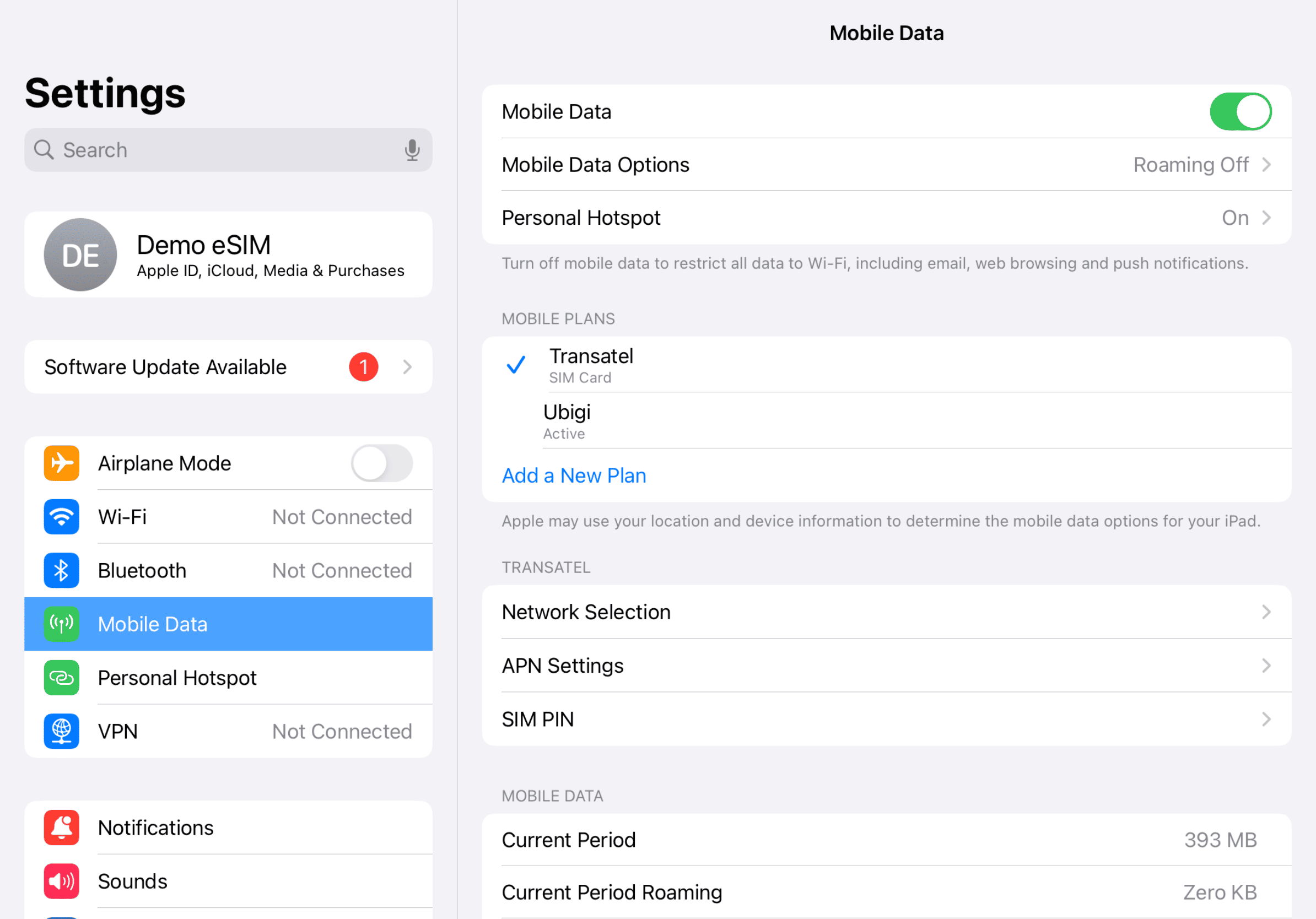
Final step reminder
Mobile device setup reminder - upon arrival

How to top up your eSIM on the Ubigi app?

Check out the tutorial:

Great Trustpilot stars Trustpilot
Trustpilot stars
Based on 41234 reviews on Trustpilot
5 stars Verified
Verified review
This user has been identified as a buyer
Easy to use
Easy to use, simple to set up, great prices
customer, 12 Jul 2026
5 stars Verified
Verified review
This user has been identified as a buyer
Used in Scotland for a week
Used in Scotland for a week. Very good. Will use again.
A Canadian, 12 Jul 2026
4 stars Verified
Verified review
This user has been identified as a buyer
Connected no problem
Connected no problem. My only issue is that the data used shown seems to be accumulative. As I'm travelling in different zones I'd rather just see what I've used in each one.
Les Stanley, 12 Jul 2026
5 stars Verified
Verified review
This user has been identified as a buyer
Reliable
Reliable, reasonable price, great quality
Noemí Navarro, 12 Jul 2026
5 stars Verified
Verified review
This user has been identified as a buyer
Great and works well.
customer, 12 Jul 2026
5 stars Verified
Verified review
This user has been identified as a buyer
Absolutely amazing
Absolutely amazing Maravilhoso !
Paula+Panga, 12 Jul 2026
5 stars Verified
Verified review
This user has been identified as a buyer
I loved it
I am glad I used this service I'm definitely going to use in the future too
customer, 12 Jul 2026
5 stars Verified
Verified review
This user has been identified as a buyer
I got Ubigi for Japan and it worked flawlessly
I got Ubigi for Japan and it worked flawlessly. I got 10GB for a 2-week stay, and it was more than enough to use Google Maps every day, browsing and more. I didn't use it for streaming videos so can't say how much it would've consumed, however I wouldn't expect video streaming to be part of such trips where you can get wifi at the hotel or other places. It worked both in big cities like Tokyo and Osaka as well as more remote places such as Shimabara, Ibara (Bisei Astronomical Observatory), Hida Furukawa and Hida Takayama. Definitely recommend.
M. Buss, 12 Jul 2026
5 stars Verified
Verified review
This user has been identified as a buyer
Very good service
Very good service
customer, 12 Jul 2026
5 stars Verified
Verified review
This user has been identified as a buyer
Good coverage
Good coverage
Tony Booth, 12 Jul 2026
5 stars Verified
Verified review
This user has been identified as a buyer
Very good
Easy yo install. Stable connection. Dashboard user friendly. Good prices
Cédric Maerkaert, 12 Jul 2026
5 stars Verified
Verified review
This user has been identified as a buyer
easy to buy and to set up
easy to buy, to install, turn on automatically. I should turn off the data of my primary sim as it took five seconds to reach the blocking point I had set up.. but for next time I know. the coverage was excellent. I recommend it (I was in Marroco)
Susanna Ordiales, 12 Jul 2026
5 stars Verified
Verified review
This user has been identified as a buyer
Never had any issues with connectivity.
Elfish, 12 Jul 2026
5 stars Verified
Verified review
This user has been identified as a buyer
This was easy to use
This was easy to use. I had good signal in London and Paris. Will use again.
customer, 12 Jul 2026
5 stars Verified
Verified review
This user has been identified as a buyer
Gute Preis
Gute Preis, voll
customer, 12 Jul 2026

Your message has been sent.
We’ll get back to you shortly.

We have taken into account your subscription to the newsletter