Suriin kung naka-install ang iyong eSIM profile ay naka-install sa iyong device.
Suriin ang eSIM aktibasyon ng profile
Suriin kung naka-aktibo ang iyong eSIM profile ay naka-aktiba sa iyong device.
I-apply ang data sa eSIM profile
Siguraduhing na-apply ang data sa iyong Ubigi eSIM profile.
Suriin ang APN ng pagsasaayos
Siguraduhin na ang APN ay tama ang pag-set para sa ang iyong koneksyon sa Ubigi.
Suriin ang network ipakita
Suriin ang katayuan ng network para sa iyong koneksyon sa Ubigi.
Panghuling pagsusuri!
Suriin ang account paglikha at Pag-access sa Internet.
Ngayon tiyakin na tama ang naka-set na APN ng (Access Point Name) sa iyong device.
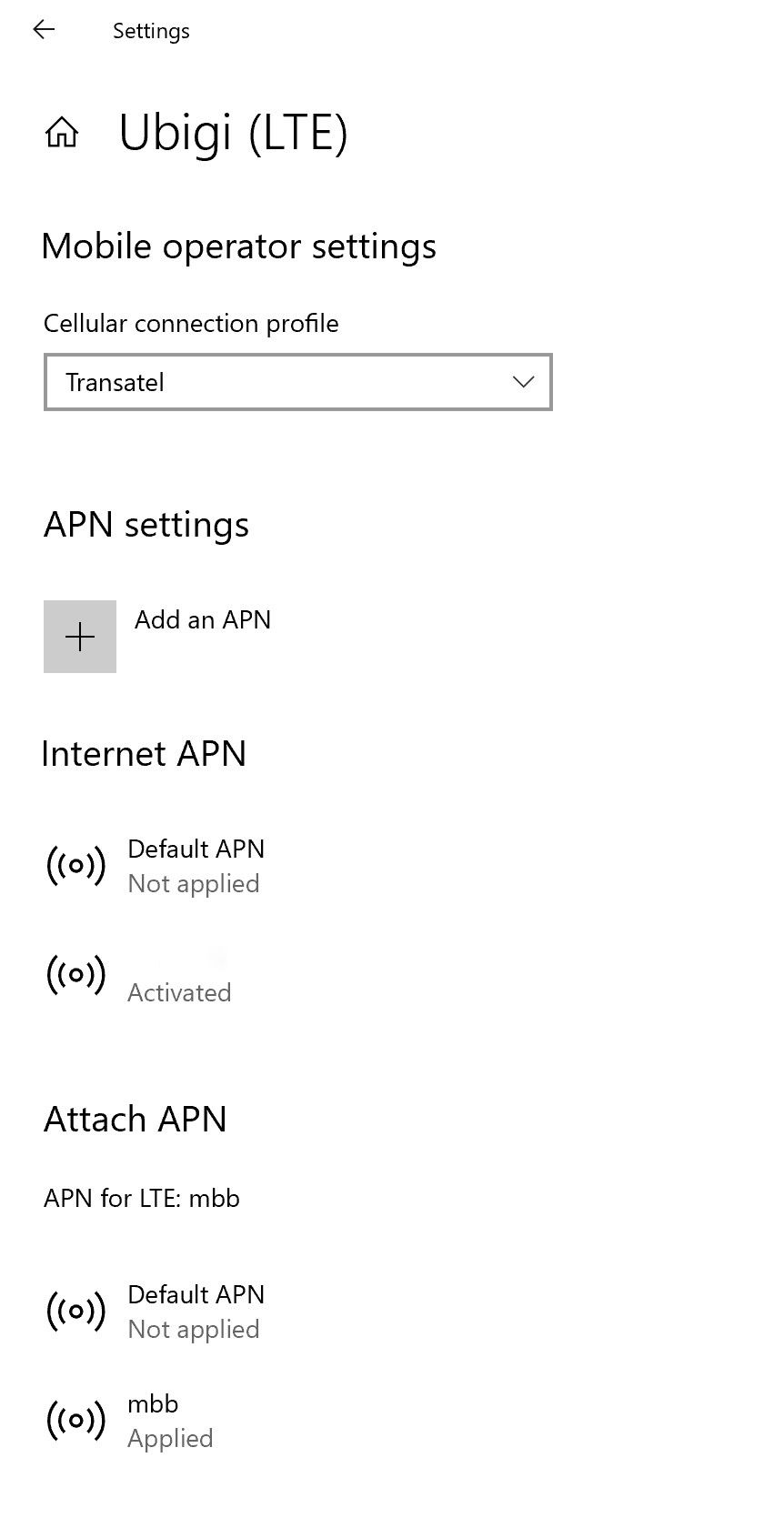
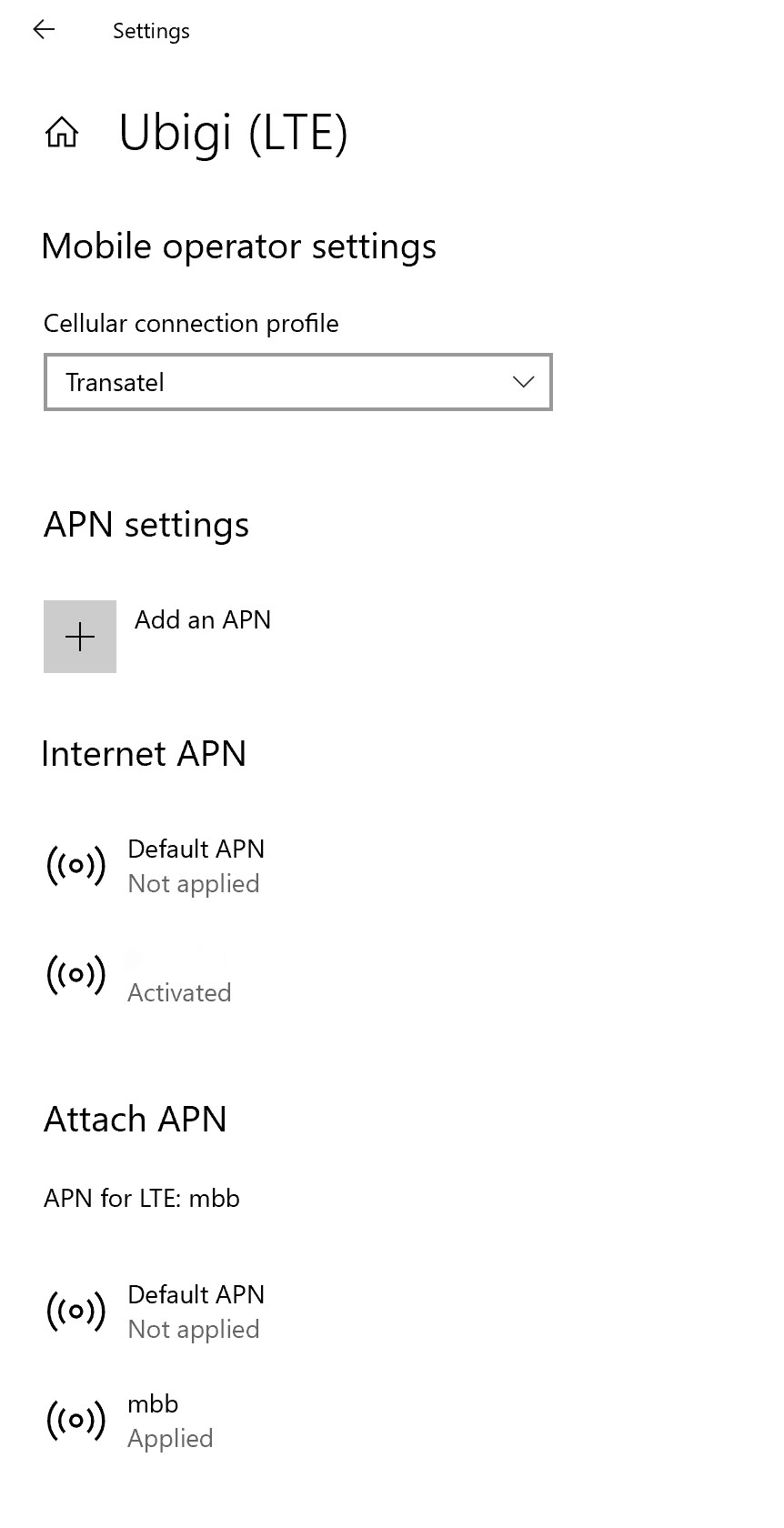
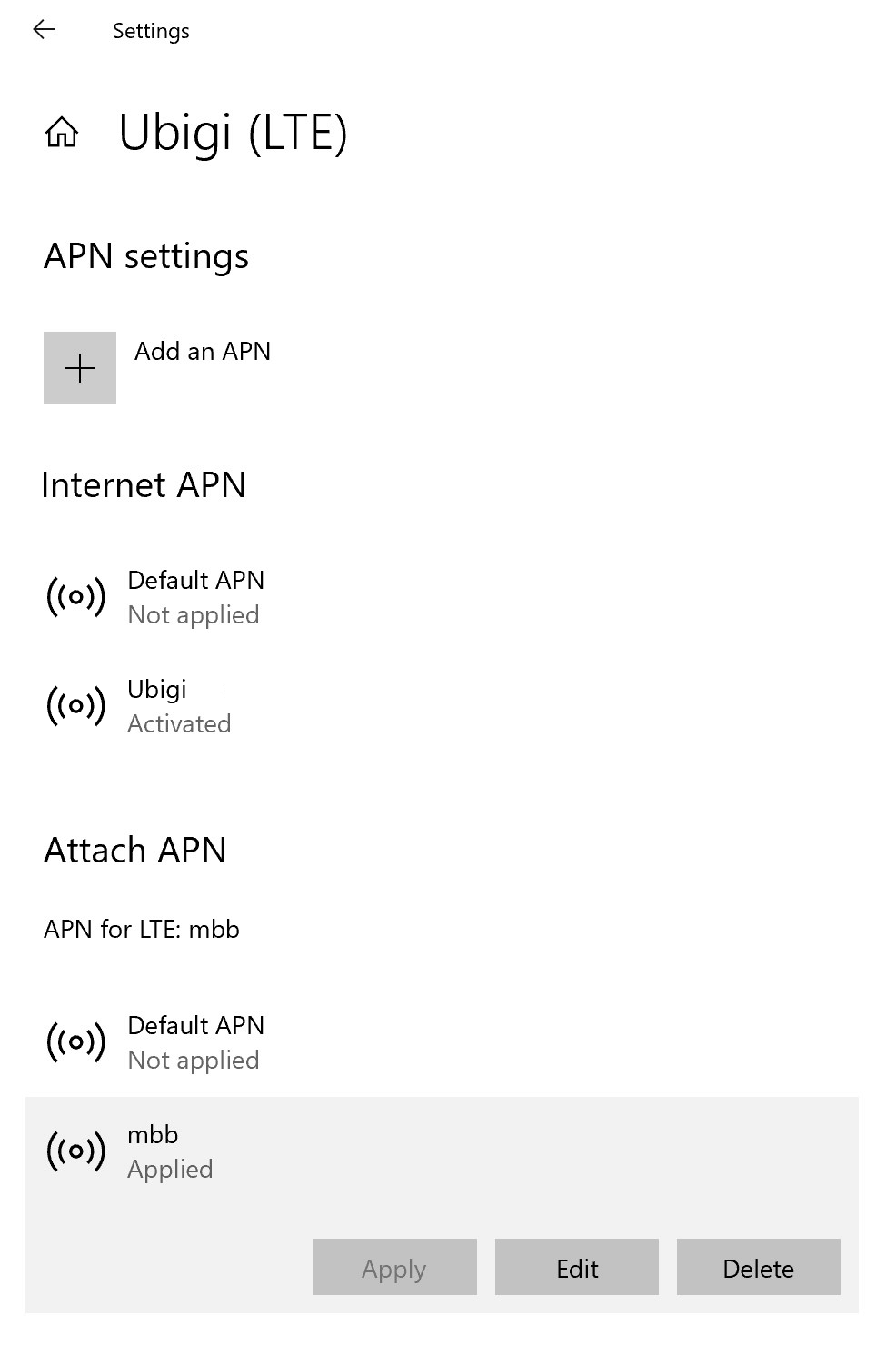
Pumunta sa: Mga Setting > Mga Network at Internet > Mobile, pagkatapos ayMga Setting ng Mobile Operator. Kung lumalabas ang APN na mbb sa listahan ng Internet APN o Attach APN, pumunta nang direkta sa hakbang 5.
Kung hindi lumalabas ang Ubigi APN, pumunta sa susunod na hakbang.
Kung hindi lumalabas ang Ubigi APN, i-click ang “Magdagdag ng APN” at punan ang mga sumusunod:
– Pangalan ng profile: Ubigi – APN: mbb
I-check ang kahon na “Ilapat ang profile na ito” at i-click ang ” I-save”.
Ngayon, tiyaking lumalabas ang Ubigi APN bilang “Applied”.
Kung hindi, i-click ito upang makita ang iba pang mga pagpipilian at i-click ang pindutang Apply.
Magaling
Batay sa 46460 na mga pagsusuri sur
Na-verify
Na-verify na review
Ang user na ito ay kinilala bilang mamimili.
Almost every thing is fine but one…
Almost every thing is fine but one thing is not good which I wasn’t able to google in china airport.I tried it so many times but it didn’t work.
平川順一, 23 Sep 2026
Na-verify
Na-verify na review
Ang user na ito ay kinilala bilang mamimili.
Was really stable during the whole…
Was really stable during the whole experience and travel time!
customer, 23 Sep 2026
Na-verify
Na-verify na review
Ang user na ito ay kinilala bilang mamimili.
Wifi in Osaka
It works great, fast enough to use map, online payment and more...
Parisa Hosseini Nejad, 23 Sep 2026
Na-verify
Na-verify na review
Ang user na ito ay kinilala bilang mamimili.
No issues connecting and no dropouts…
No issues connecting and no dropouts during our stay in Paris.
Ken Haynes, 23 Sep 2026
Na-verify
Na-verify na review
Ang user na ito ay kinilala bilang mamimili.
Easy to use
Easy to use. Good performance.
Esther Huynh, 23 Sep 2026
Na-verify
Na-verify na review
Ang user na ito ay kinilala bilang mamimili.
Internet on holiday!
Good, easy service.
Mr Smith, 23 Sep 2026
Na-verify
Na-verify na review
Ang user na ito ay kinilala bilang mamimili.
Easy
Ubigi made it easy!!
Tony , 23 Sep 2026
Na-verify
Na-verify na review
Ang user na ito ay kinilala bilang mamimili.
Excellent experience
Excellent experience
customer, 23 Sep 2026
Na-verify
Na-verify na review
Ang user na ito ay kinilala bilang mamimili.
Great data connectivity
I used the Ubigi esim in my recent 31 day visit to Japan and found it provide excellent data connectivity anywhere that I went. That included long hiking periods in the Japanese Alps and various countryside trips around Tokyo; Matsumoto, Takayama; Kanazawa and Osaka. And it was so easy to top up on my last day. Very happy with Ubigi.
David P, 23 Sep 2026
Na-verify
Na-verify na review
Ang user na ito ay kinilala bilang mamimili.
No hassles
No hassles, worked as advertized
customer, 23 Sep 2026
Na-verify
Na-verify na review
Ang user na ito ay kinilala bilang mamimili.
Never had a problem connecting in…
Never had a problem connecting in foreign countries.
Hartmut, 23 Sep 2026
Na-verify
Na-verify na review
Ang user na ito ay kinilala bilang mamimili.
It helps a lot and speed was also very…
It helps a lot and speed was also very good
Shovan Bisai, 23 Sep 2026
Na-verify
Na-verify na review
Ang user na ito ay kinilala bilang mamimili.
Get the unlimited plan! Worth it.
I loved it but I ran out of 5GB on the first two days and Im not sure how. Definitely wasn’t using that much. But once I switched to the unlimited plan, I had zero problems. Honestly, the best app of the trip.
Priscilla, 23 Sep 2026
Na-verify
Na-verify na review
Ang user na ito ay kinilala bilang mamimili.
Small issue at the beginning
Small issue at the beginning since the app told me "it's OK your iPhone 17 can have eSIM", and when I crossed the border, the app went "Your phone cannot install eSIM".
Customer service were not helpful.
After 10 minutes, the app changed and I could install the eSIM. After that, no issue at all, everything went perfectly well using data in Switzerland.
Paul, 23 Sep 2026
Na-verify
Na-verify na review
Ang user na ito ay kinilala bilang mamimili.
In Turkey was good connection all time
In Turkey was good connection all time. My traveling was from Bulgaria to Antaliya and back.
customer, 23 Sep 2026
Salamat
Naipadala na ang iyong mensahe. Makikipag-ugnayan kami sa iyo sa lalong madaling panahon.
Salamat
Isinasaalang-alang na namin ang iyong pag-subscribe sa newsletter.
Palitan ng bagong plano
Mga smartphone/mga tablet:
I-dial ang *#06#. → Kung lumitaw ang isang EID na numero, eSIM-compatible ang iyong aparato.
Windows 10 / 11:
Pindutin ang Windows+I. Pumunta sa "Network at Internet" → Kung nakikita mo ang "Cellular", eSIM-compatible ang iyong PC.
Paano suriin ang pag-unlock ng carrier
iPhone / iPad:
Pumunta sa Mga Setting > Pangkalahatan > Tungkol sa Mag-scroll sa Carrier Lock. → Kung makikita mo ang Walang mga paghihigpit sa SIM, naka-unlock ang iyong aparato.
Android:
Pumunta sa Mga Setting > Network at Internet > Mobile network. I-disable ang Awtomatikong pagpili ng network. → Kung lumalabas ang maraming network, naka-unlock ang iyong device.
Mayroon ka nang eSIM sa iyong cart.
Bawat order ay maaari lamang maglaman ng isang eSIM data plan.
Kung pipiliin mong magdagdag ng bago, matatanggal ang kasalukuyang plano. Ano ang nais mong gawin?








 Palitan ng bagong plano
  Paano suriin ang pag-unlock ng carrier