Skip to content

Discover how to install your Ubigi eSIM on your laptop in few steps!

Start by checking if your device is eSIM compatible

Desktop illustration

Open your flyout (bottom-right corner), if Cellular settings are visible, your laptop supports eSIM
Install a Ubigi eSIM manually on your laptop with a QR code

Step 1 - eSIM tutorial

Purchase a data plan

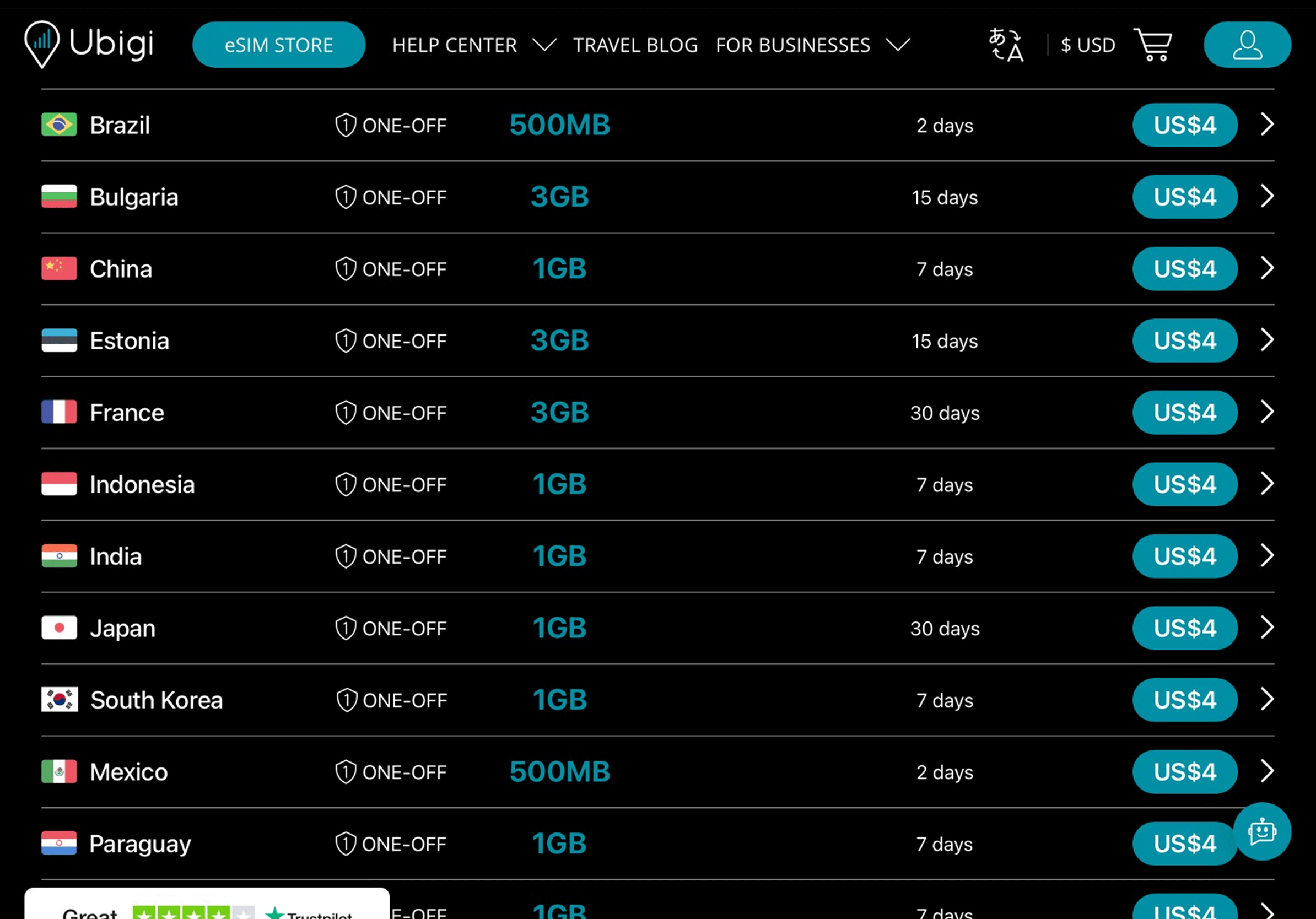
Choose your destination and buy a data plan from our catalog

Step 2 - eSIM tutorial

Install your eSIM

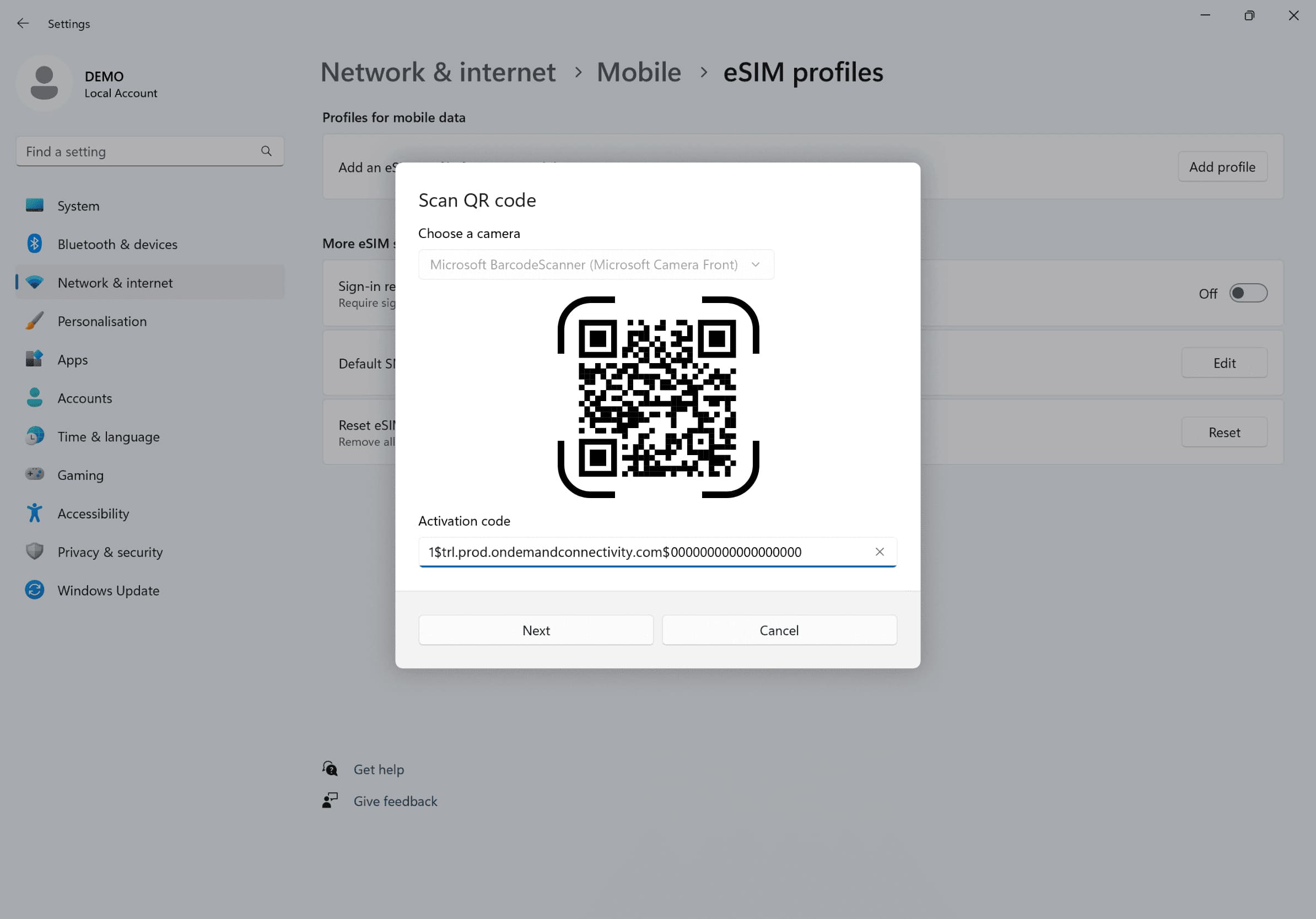
Go to your Network settings, click on Cellular, then on Add profile and enter the activation code received by email
Step 3 - eSIM tutorial

Create your account

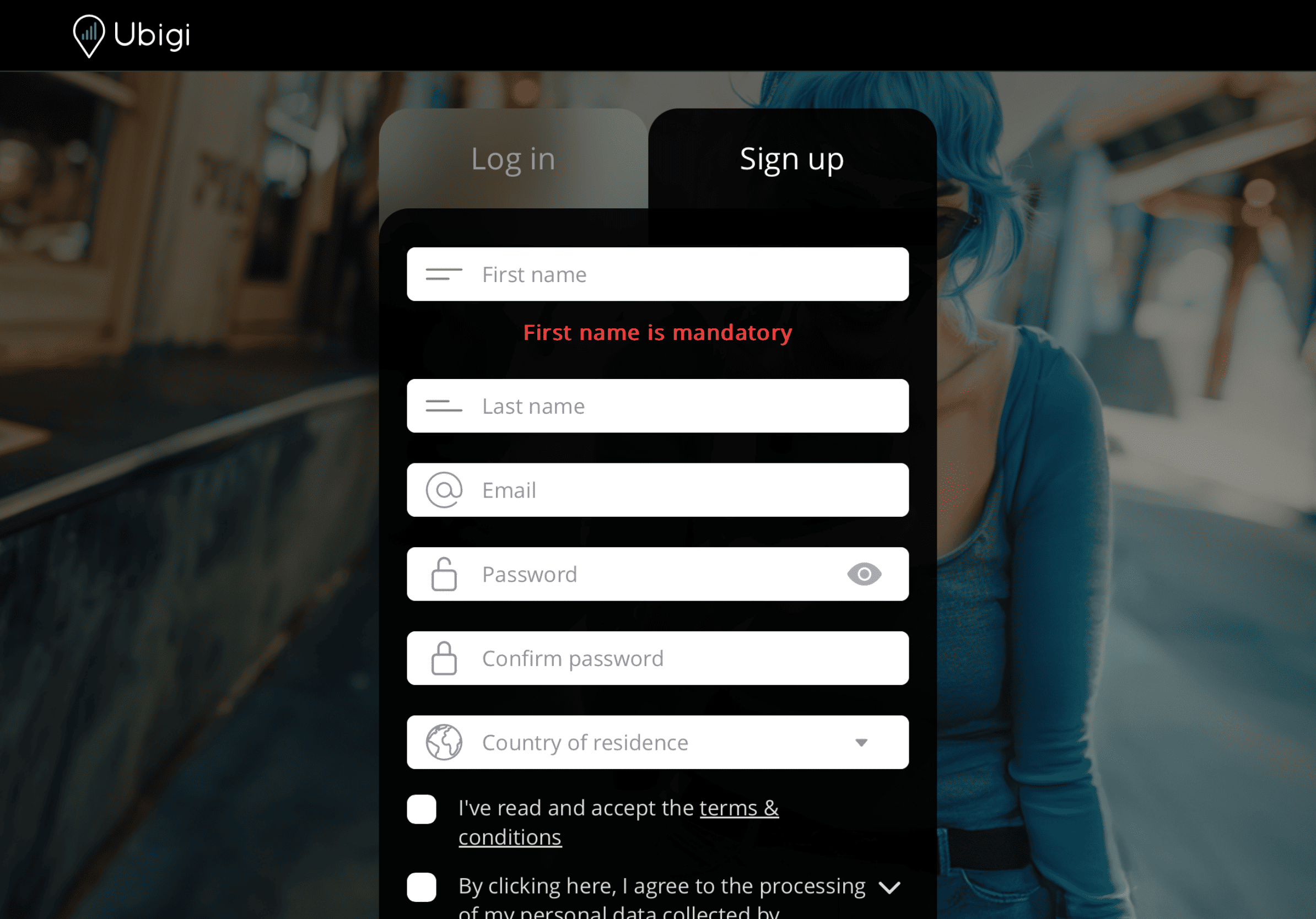
Sign up to Ubigi by visiting Ubigi.me to track your data in real time, receive alert notifications and top up easily

Step 4 - eSIM tutorial

Here are some laptop setups you need to remember to do

Setup Logo 1

Prior to departure

Install your eSIM and make sure to disconnect from Cellular Data.

Device setup reminder - before departure
Setup Logo 2

Upon arrival

Switch on your Cellular Data to enable your eSIM to connect at destination.

Mobile device setup reminder - upon arrival
Setup Logo 3

Back home

Switch off your Cellular Data and restore usual settings.

Mobile device setup reminder - upon arrival

How to top up your eSIM on the Ubigi app?

Check out the tutorial:

Great Trustpilot stars Trustpilot
Trustpilot stars
Based on 42990 reviews on Trustpilot
5 stars Verified
Verified review
This user has been identified as a buyer
Easy to get started
Easy to get started. Worked perfectly during my time in Japan.
FR, 07 Aug 2026
5 stars Verified
Verified review
This user has been identified as a buyer
Easy to use
Easy to use, reliable
customer, 07 Aug 2026
5 stars Verified
Verified review
This user has been identified as a buyer
Easy to use
Easy to connect, great coverage in Tokyo
Christopher Cockcroft, 07 Aug 2026
5 stars Verified
Verified review
This user has been identified as a buyer
Very good
Very good 10
customer, 07 Aug 2026
5 stars Verified
Verified review
This user has been identified as a buyer
Easy to use and worked well.
customer, 06 Aug 2026
5 stars Verified
Verified review
This user has been identified as a buyer
UX was way better and easier then…
UX was way better and easier then Holafly! 👍
Tobias, 06 Aug 2026
5 stars Verified
Verified review
This user has been identified as a buyer
Excelent service and connectivity
Excelent service and connectivity, at a very low cost.
Beto Lerma, 06 Aug 2026
4 stars Verified
Verified review
This user has been identified as a buyer
Product worked and delivered as…
Product worked and delivered as promised. Easy to set up and app interface was great to reorder.
Steve Smith, 06 Aug 2026
5 stars Verified
Verified review
This user has been identified as a buyer
Very practical and reliable
customer, 06 Aug 2026
5 stars Verified
Verified review
This user has been identified as a buyer
Used this in Japan had no issues
Brianna Hamilton, 06 Aug 2026
5 stars Verified
Verified review
This user has been identified as a buyer
Working perfect everywhere in…
Working perfect everywhere in Switzerland
Marios, 06 Aug 2026
5 stars Verified
Verified review
This user has been identified as a buyer
Good service and excellent reception
customer, 06 Aug 2026
5 stars Verified
Verified review
This user has been identified as a buyer
Super easy to use
Super easy to use ! I just had to follow few steps, but very clear and easy.
customer, 06 Aug 2026
5 stars Verified
Verified review
This user has been identified as a buyer
It was so easy to set up and use
customer, 06 Aug 2026
5 stars Verified
Verified review
This user has been identified as a buyer
You’re eveything doing well
You’re eveything doing well. Immediate good and fairly priced connection as soon as I land in the country concerned. Thank you 🙏
Ronald Sledsens, 06 Aug 2026

Your message has been sent.
We’ll get back to you shortly.

We have taken into account your subscription to the newsletter