중요: 이전 단계를 주의 깊게 따랐다면 모바일 데이터는 Ubigi eSIM 프로필에 적용되어야 합니다(실제 SIM 카드가 있는 경우 실제 SIM 카드가 아닌). 즉, Ubigi 셀룰러 연결을 사용하는 동안에는 Ubigi 요금만 적용되므로 추가 로밍 비용이 발생하지 않습니다. 어떤 경우든 해외에서 추가 로밍 비용을 피하려면 항상 모바일 데이터가 Ubigi eSIM 프로필에 적용되어 있는지 확인하세요.
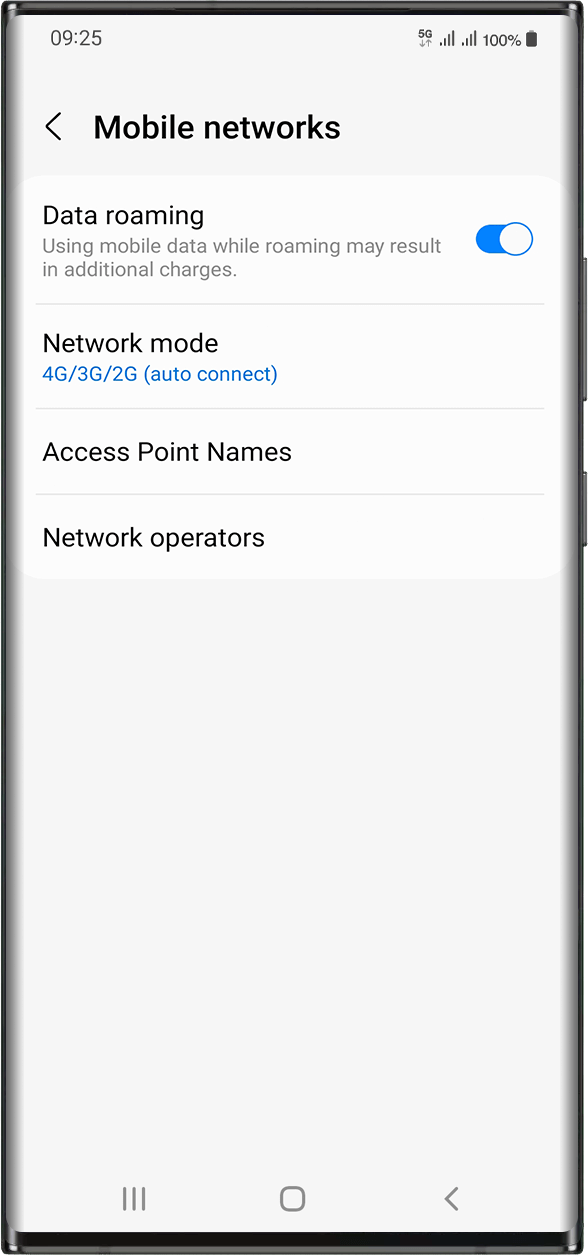
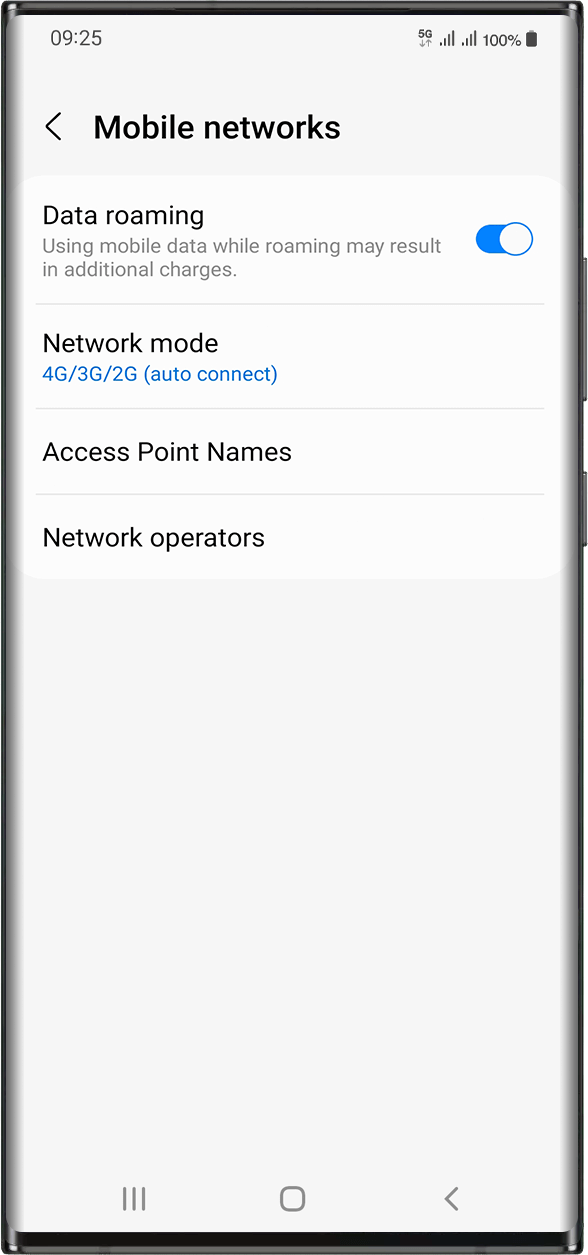
Ubigi eSIM 프로필에 모바일 데이터를 적용했는지 확인했다면 다음 단계로 이동하세요: 설정 > 연결 > 모바일 네트워크 > 데이터 로밍 활성화로 이동합니다.
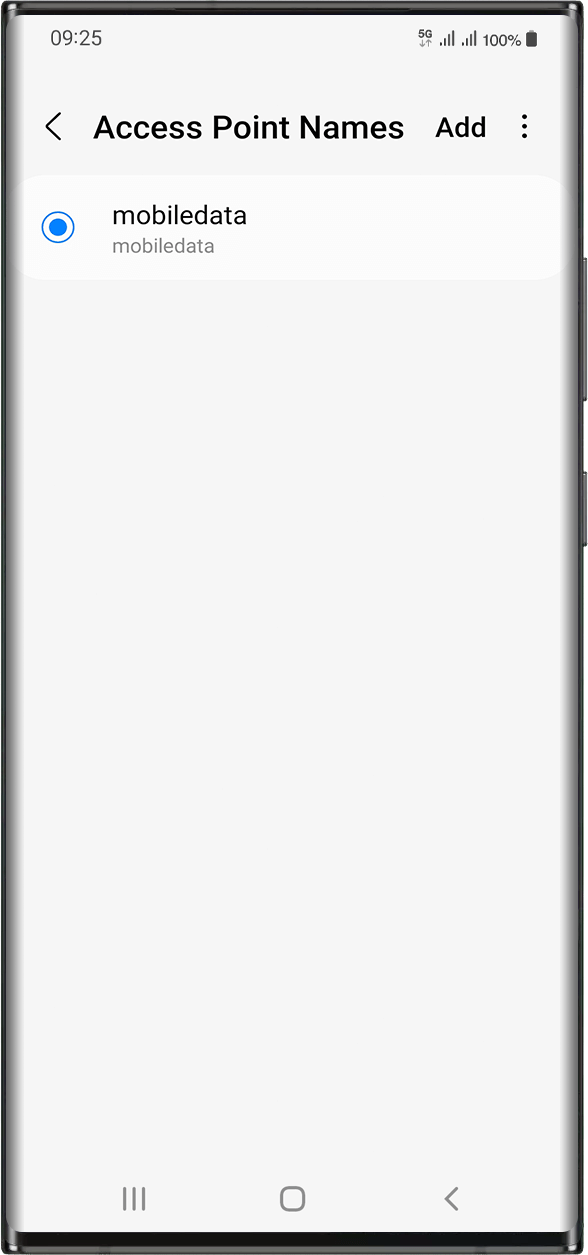
같은 화면에서 액세스 포인트 이름을 선택하여 APN (액세스 포인트 이름) 이 설정되어 있는지 확인하세요:
일반적으로 APN은 자동으로 설정됩니다: 목록에 mobiledata 또는 mbb가 표시됩니다. 이 경우 다음 단계로 넘어갈 수 있습니다.
모바일데이터 또는 mbb APN이 표시되지 않는 경우 다음 지침에 따라 APN을 올바르게 설정하세요. APN을 생성하고 선택했으면 다음 단계로 이동할 수 있습니다.
20% 할인 혜택
⚽
FOOTBALL FEVER 데이터 요금제
월드컵을 보러 가시나요? 미국+캐나다 무제한 데이터 요금제로 어디서나 인터넷을 즐기세요. 프로모션 코드 FEVER20 입력 시 20% 할인.
Absolutely great. Really easy to use. Highly recommended.
customer, 27 Jun 2026
검증됨
검증된 리뷰
이 사용자는 구매자로 확인되었습니다
Great signal throughout my trip to…
Great signal throughout my trip to Europe, and the data usage was very reasonable. It lasted longer than I expected. Would definitely use it again!
Amy, 27 Jun 2026
검증됨
검증된 리뷰
이 사용자는 구매자로 확인되었습니다
Turkish esim
The Turkish esim I purchased does everything it says it will and with great connectivity 👍
MR GARY ORAM, 27 Jun 2026
검증됨
검증된 리뷰
이 사용자는 구매자로 확인되었습니다
It just works
Easy installation and activation when needed.
Good coverage on the Iceland ring road, a few pretty remote spots. Can recommend
Walter, 27 Jun 2026
검증됨
검증된 리뷰
이 사용자는 구매자로 확인되었습니다
The Ubigi eSIM worked well for me.
The Ubigi eSIM worked very well in the Lisbon area. I used it mostly for navagation/Google maps. I've used Ubigi eSIMs successfully three times now in different countries. I will use it for my trip.
customer, 27 Jun 2026
검증됨
검증된 리뷰
이 사용자는 구매자로 확인되었습니다
Worked well most of the time
Worked well most of the time. Not sure I understand exactly how it is supposed to work.
Nash DeFord, 27 Jun 2026
검증됨
검증된 리뷰
이 사용자는 구매자로 확인되었습니다
simple
simple, fast and easy to start and use.
Nissim Joseph, 27 Jun 2026
검증됨
검증된 리뷰
이 사용자는 구매자로 확인되었습니다
It’s easy to get started
It’s easy to get started, inexpensive, and comfortable to use in most of the places I visited.
customer, 27 Jun 2026
검증됨
검증된 리뷰
이 사용자는 구매자로 확인되었습니다
Good service
Good service! The setup was a little bit clunky, but it worked very well! Didn‘t have major issues with the service. Would use it again.
Lucia, 27 Jun 2026
검증됨
검증된 리뷰
이 사용자는 구매자로 확인되었습니다
Ubigi is the best esim data provider…
Ubigi is the best esim data provider out there never lost a connection cheap prices and great speed 5g all around the japan area i loved it
Sultan Sattar, 27 Jun 2026
검증됨
검증된 리뷰
이 사용자는 구매자로 확인되었습니다
Excellent service however it started…
Excellent service however it started functioning after 24 hours of arrival in Russia which created issues initially when I needed the mobile connection the most.
customer, 27 Jun 2026
검증됨
검증된 리뷰
이 사용자는 구매자로 확인되었습니다
Easy to download and use
Easy to download and use
customer, 27 Jun 2026
검증됨
검증된 리뷰
이 사용자는 구매자로 확인되었습니다
It worked well
It worked well
customer, 27 Jun 2026
감사합니다
귀하의 메시지가 전송되었습니다. 곧 답변드리겠습니다.
감사합니다
귀하의 뉴스레터 구독을 고려했습니다.
eSIM 호환성 확인 방법
스마트폰 / 태블릿:
*#06# 입력. → EID 번호가 나오면 eSIM 지원 기기입니다.
Windows 10 / 11:
Windows+I 를 누르세요. “네트워크 및 인터넷”으로 이동하세요 → 셀룰러 네트워크가 보이면 PC가 eSIM을 지원합니다..
통신사 잠금 해제 여부 확인 방법
iPhone / iPad:
설정 > 일반 > 정보로 이동 통신사 잠금 항목까지 스크롤. → “SIM 제한 없음”이 표시되면 기기는 잠금 해제 상태입니다.
Android:
설정 > 네트워크 및 인터넷 > 모바일 네트워크 자동 네트워크 선택을 끄세요. → 여러 네트워크가 보이면 잠금 해제된 기기입니다.









 eSIM 호환성 확인 방법
 통신사 잠금 해제 여부 확인 방법