Suriin kung naka-install ang iyong eSIM profile ay naka-install sa iyong device.
Suriin ang eSIM aktibasyon ng profile
Suriin kung naka-aktibo ang iyong eSIM profile ay naka-aktiba sa iyong device.
I-apply ang data sa eSIM profile
Siguraduhing na-apply ang data sa iyong Ubigi eSIM profile.
Suriin ang APN ng pagsasaayos
Siguraduhin na ang APN ay tama ang pag-set para sa ang iyong koneksyon sa Ubigi.
Suriin ang network ipakita
Suriin ang katayuan ng network para sa iyong koneksyon sa Ubigi.
Panghuling pagsusuri!
Suriin ang account paglikha at Pag-access sa Internet.
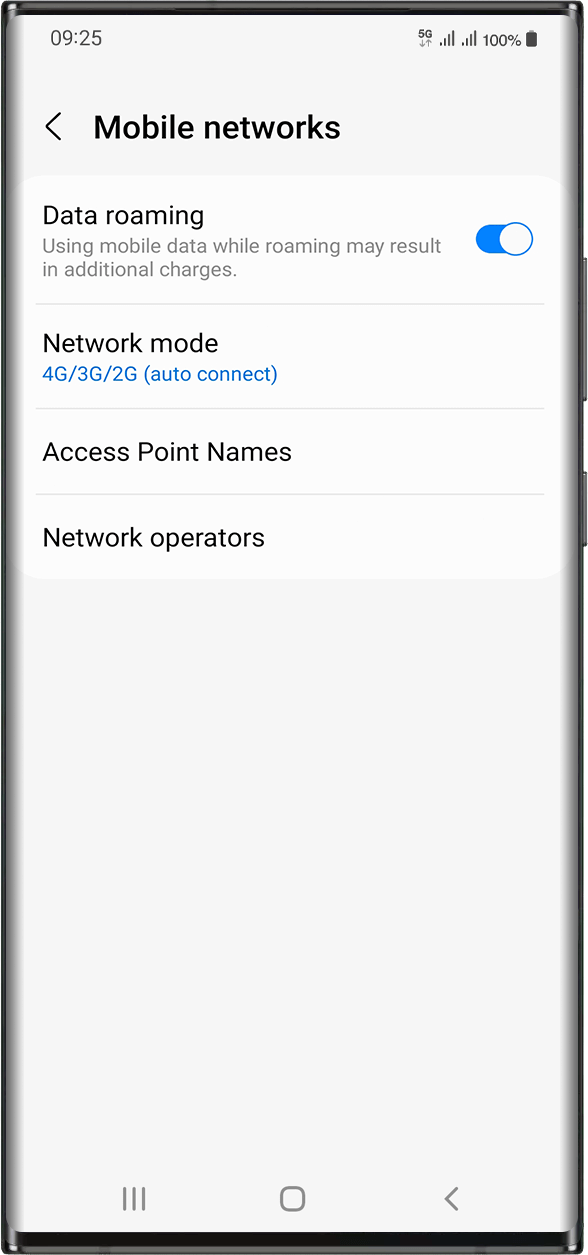
Ngayon, tiyaking naka-aktibo ang opsyon na Data roaming sa iyong aparato.
Mahalaga: kung maingat mong sinunod ang mga nakaraang hakbang, dapat naka-apply ang mobile data sa iyong Ubigi eSIM profile (at HINDI sa iyong pisikal na SIM card kung mayroon ka). Ibig sabihin nito ay hindi ka magkakaroon ng karagdagang gastos sa roaming dahil tanging ang mga rate ng Ubigi ang iaaplay habang ginagamit ang koneksyon ng cellular ng Ubigi. Sa anumang kaso, laging tiyakin na naka-apply ang mobile data sa iyong Ubigi eSIM profile upang maiwasan ang karagdagang gastos sa roaming habang nasa ibang bansa.
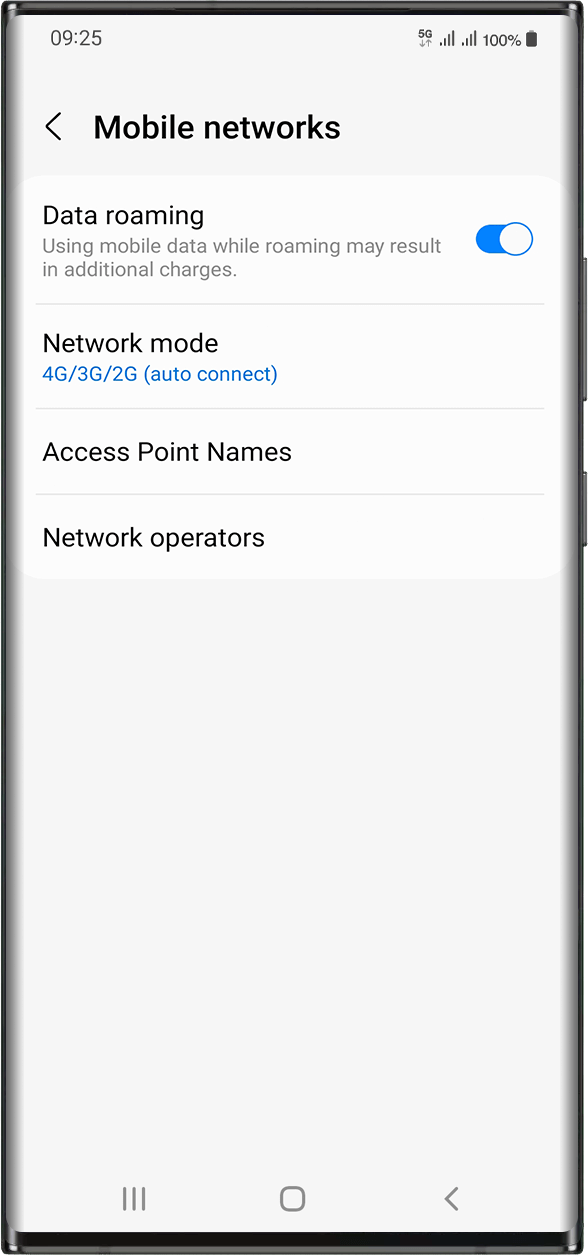
Kapag nakasiguro ka nang na-apply mo ang mobile data sa iyong Ubigi eSIM profile, pumunta sa: Settings > Connections > Mobile Networks > Activate data roaming.
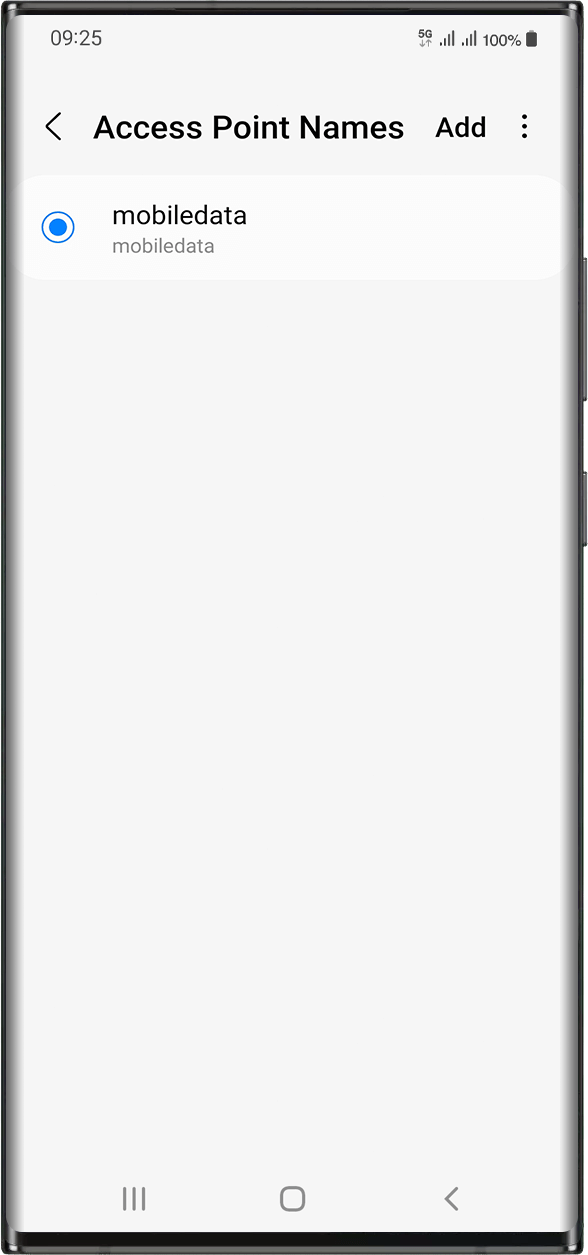
Sa parehong screen, piliin ang Access Point Names upang suriin kung nakatakda ang APN (Access Point Name):
Karaniwang naka-set nang awtomatiko ang APN: lalabas ang mobiledata o mbb sa listahan. Sa kasong ito, maaari ka nang lumipat sa susunod na hakbang.
Kung hindi mo makita ang mga APN na mobiledata o mbb, mangyaring sundin ang mga tagubiling ito upang itakda nang tama ang APN. Kapag nalikha at napili mo na ang APN, maaari ka nang lumipat sa susunod na hakbang.
Magaling
Batay sa 49936 na mga pagsusuri sur
Na-verify
Na-verify na review
Ang user na ito ay kinilala bilang mamimili.
Good speed and easy connection in seoul…
Good speed and easy connection in seoul and japan
Zohaib, 28 Oct 2026
Na-verify
Na-verify na review
Ang user na ito ay kinilala bilang mamimili.
Easy
Easy, straight forward and working! Can't ask for more.
Dorit Lederman, 28 Oct 2026
Na-verify
Na-verify na review
Ang user na ito ay kinilala bilang mamimili.
Perfect eSim to keep me connected with…
Perfect eSim to keep me connected with family back home and navigating directions while exploring new destinations.
customer, 28 Oct 2026
Na-verify
Na-verify na review
Ang user na ito ay kinilala bilang mamimili.
Seemless
Seemless, worked without any issues.
Happy customer, 28 Oct 2026
Na-verify
Na-verify na review
Ang user na ito ay kinilala bilang mamimili.
Very easy to install it was seamless
Very easy to install it was seamless. There were some areas where connection was spotty, but just had to connect to wifi again
customer, 28 Oct 2026
Na-verify
Na-verify na review
Ang user na ito ay kinilala bilang mamimili.
The sim didn’t work
The sim didn’t work
customer, 28 Oct 2026
Na-verify
Na-verify na review
Ang user na ito ay kinilala bilang mamimili.
One of the best decision I have made…
One of the best decision I have made for the foreign trip, the e-SIM experience was awesome without any interruptions in the high traffic areas as well.
Rian Mercer, 28 Oct 2026
Na-verify
Na-verify na review
Ang user na ito ay kinilala bilang mamimili.
User experience
User experience
Customer, 28 Oct 2026
Na-verify
Na-verify na review
Ang user na ito ay kinilala bilang mamimili.
Easy to enroll
Easy to enroll, easy to begin, just what I needed.
customer, 28 Oct 2026
Na-verify
Na-verify na review
Ang user na ito ay kinilala bilang mamimili.
Best ESIM I’ve had overseas
Best ESIM I’ve had overseas. Specially for Japan.
customer, 28 Oct 2026
Na-verify
Na-verify na review
Ang user na ito ay kinilala bilang mamimili.
Best of the Best
Best of the Best, second to none. When it comes to usage in Japan, Ubigi is better than Mobal, Sakura Mobile, Rakuten, trifa and other competitors. I use it with my travel router and I couldn't be happier, I hold 5G connectivity better with them, have never seen signal drops and the Smart IP is a nice feature. Great quality for the price and the ability to top up is very smooth and seamless. Unlimited data plans are also perfect, I would love to have more above the 60GB data cap before the unlimited data speeds changes to 2Mbps but Ubigi is still by far the best! I've always recommended Ubigi to friends and family and will continue to do so.
Anthony, 28 Oct 2026
Na-verify
Na-verify na review
Ang user na ito ay kinilala bilang mamimili.
Seamless
Seamless, straight forward and easy to use. I downloaded it at at the airport before my flight, off of reviews. Don't regret it. Now I get to use it for all my travels.
customer, 28 Oct 2026
Na-verify
Na-verify na review
Ang user na ito ay kinilala bilang mamimili.
It is an amazing book about Mystery of…
It is an amazing book about Mystery of Princess Diana!
The story begins with facts and then swings to dreams, speculations, alternative reality, total craziness. But then the reader realizes that s/he must start from scratch to re-create the story. And the story sometimes is annoying, but fascinating. It is not only a good reading experience but also an experience of shape shifting words inside the story. Great storytelling skills and bravery to go in places where not easy to go.
Read this!
Paul, 28 Oct 2026
Na-verify
Na-verify na review
Ang user na ito ay kinilala bilang mamimili.
It functioned really good
It functioned really good
Uwe Röhricht, 28 Oct 2026
Na-verify
Na-verify na review
Ang user na ito ay kinilala bilang mamimili.
No complaints
No complaints
customer, 28 Oct 2026
Salamat
Naipadala na ang iyong mensahe. Makikipag-ugnayan kami sa iyo sa lalong madaling panahon.
Salamat
Isinasaalang-alang na namin ang iyong pag-subscribe sa newsletter.
Palitan ng bagong plano
Mga smartphone/mga tablet:
I-dial ang *#06#. → Kung lumitaw ang isang EID na numero, eSIM-compatible ang iyong aparato.
Windows 10 / 11:
Pindutin ang Windows+I. Pumunta sa "Network at Internet" → Kung nakikita mo ang "Cellular", eSIM-compatible ang iyong PC.
Paano suriin ang pag-unlock ng carrier
iPhone / iPad:
Pumunta sa Mga Setting > Pangkalahatan > Tungkol sa Mag-scroll sa Carrier Lock. → Kung makikita mo ang Walang mga paghihigpit sa SIM, naka-unlock ang iyong aparato.
Android:
Pumunta sa Mga Setting > Network at Internet > Mobile network. I-disable ang Awtomatikong pagpili ng network. → Kung lumalabas ang maraming network, naka-unlock ang iyong device.
Mayroon ka nang eSIM sa iyong cart.
Bawat order ay maaari lamang maglaman ng isang eSIM data plan.
Kung pipiliin mong magdagdag ng bago, matatanggal ang kasalukuyang plano. Ano ang nais mong gawin?








 Palitan ng bagong plano
  Paano suriin ang pag-unlock ng carrier