Check if your eSIM profile is installed on your device.
Check eSIM profile activation
Check if your eSIM profile is activated on your device.
Apply data to eSIM profile
Ensure data is applied to your Ubigi eSIM profile.
Check APN configuration
Ensure that the APN is correctly set for your Ubigi connectivty.
Check network display
Check the network status for your Ubigi connectivity.
Final checks!
Check account creation and Internet access.
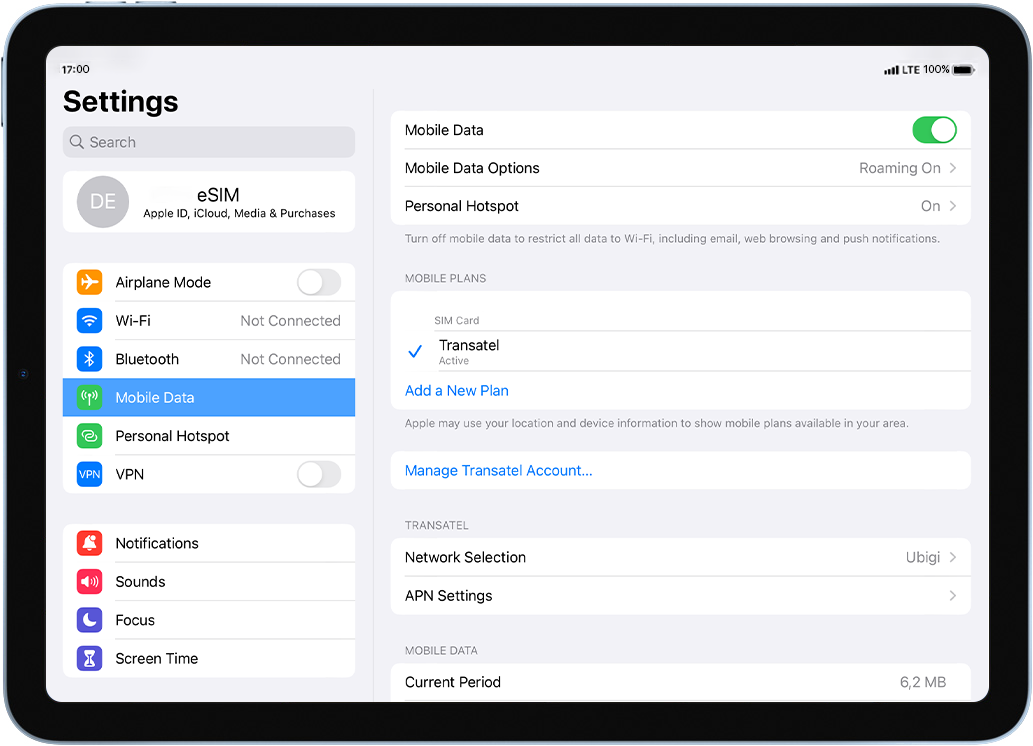
Check if your eSIM profile is activated on your iPad.
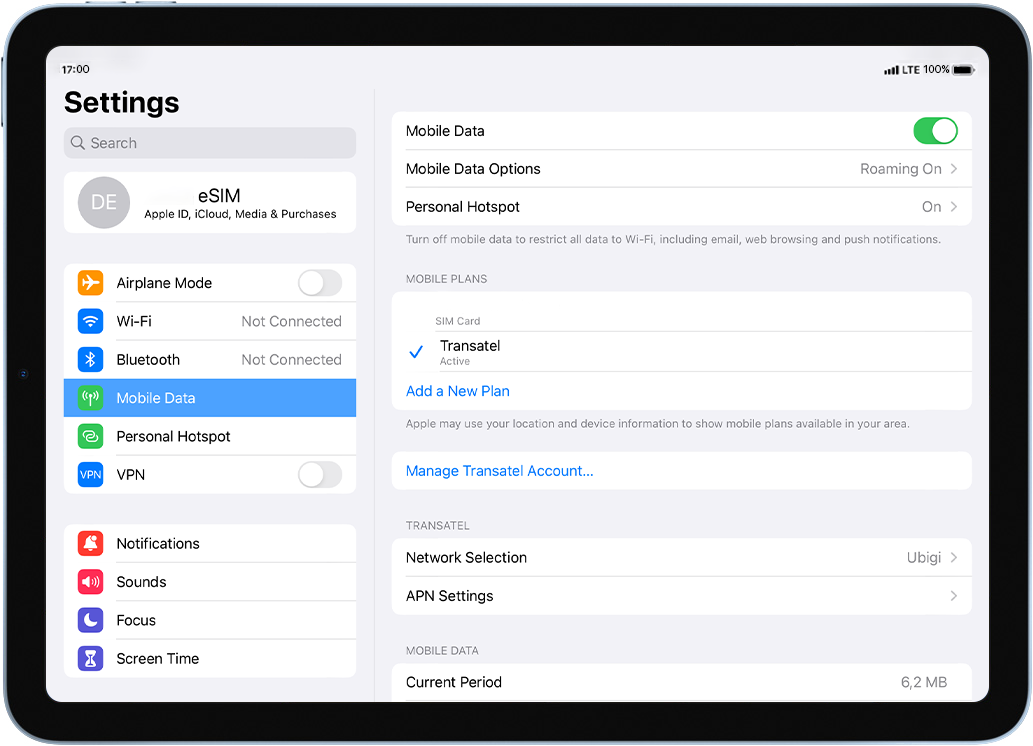
Go to: Settings > Mobile data > under Data plans, make sure that your Ubigi eSIM profile is selected with a .
As soon as your profile is activated, the network signal will appear at the top of your screen.
Great
Based on 48602 reviews on
Verified
Verified review
This user has been identified as a buyer
The connection was easy to set up and…
The connection was easy to set up and very stable! Excellent!
customer, 14 Oct 2026
Verified
Verified review
This user has been identified as a buyer
Cheap and good
Easy, cheap and good
customer, 14 Oct 2026
Verified
Verified review
This user has been identified as a buyer
Flawless coverage!
As soon as I entered another country Ubigi recognised it. I have had flawless coverage in France and Spain. Coming from Australia. Would highly recommend Ubigi.
customer, 14 Oct 2026
Verified
Verified review
This user has been identified as a buyer
Ubigi is great
Ubigi is great
Waldemar, 14 Oct 2026
Verified
Verified review
This user has been identified as a buyer
Easy to use and had problems at all
Easy to use and had no problems at all
terry hunter, 14 Oct 2026
Verified
Verified review
This user has been identified as a buyer
I have no issues what so ever
I have no issues what so ever! It has been great for me here in Japan. So easy and simple to activate. Once activated when I arrived here in Japan. Automatically had 5g signal! I would definitely use it again any where I travel outside of the US!
ANTHONY MENDOZA, 14 Oct 2026
Verified
Verified review
This user has been identified as a buyer
Great experience
Easy to install, easy to add more data to my existing plan, coverage was great along to 4 countries we visited
customer, 14 Oct 2026
Verified
Verified review
This user has been identified as a buyer
works perfectly well
customer, 14 Oct 2026
Verified
Verified review
This user has been identified as a buyer
Great connectivity till now
customer, 14 Oct 2026
Verified
Verified review
This user has been identified as a buyer
Worked pretty well in Morocco
Used Ubigi for Morocco and it mostly worked really well. Easy to use.
customer, 14 Oct 2026
Verified
Verified review
This user has been identified as a buyer
First time using an eSIM
First time using an eSIM, and i will use it from now on when I travel internationally.
It was easy to activate and performed flawlessly during my week around Italy.
customer, 14 Oct 2026
Verified
Verified review
This user has been identified as a buyer
It connected fast and very stable
It connected fast and very stable. I pay and everything work. good prices (except in Latin America).
customer, 14 Oct 2026
Verified
Verified review
This user has been identified as a buyer
Easy to connect and I didn't experience…
Easy to connect and I didn't experience any connection issues while in London! High speed and reliable.
Kristen, 14 Oct 2026
Verified
Verified review
This user has been identified as a buyer
Everything worked flawlessly exactly as…
Everything worked flawlessly exactly as described.
customer, 14 Oct 2026
Verified
Verified review
This user has been identified as a buyer
I had Internet the whole time.
Tiki, 14 Oct 2026
Thank you
Your message has been sent. We’ll get back to you shortly.
Thank you
We have taken into account your subscription to the newsletter
How to check eSIM compatibility
Smartphones / Tablets:
Dial *#06#. → If an EID number appears, your device is eSIM-compatible.
Windows 10 / 11:
Press Windows+I. Go to “Network & Internet” → If you see "Cellular", your PC is eSIM-compatible.
How to check carrier unlocking
iPhone / iPad:
Go to Settings > General > About. Scroll to Carrier Lock. → If you see “No SIM restrictions”, your device is unlocked.
Android:
Go to Settings > Network & Internet > Mobile network. Disable Automatic network selection. → If multiple networks appear, your device is unlocked.
You already have an eSIM in your cart.
Each order can only include one eSIM data plan.
If you choose to add a new one, the current plan will be removed. What would you like to do?