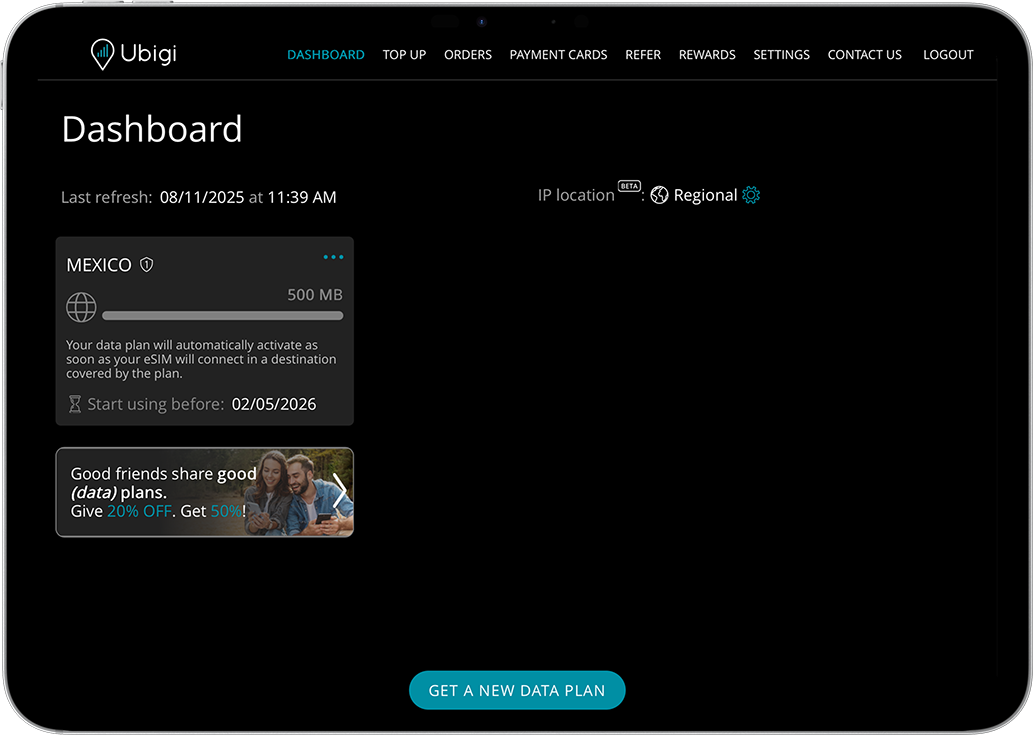
Check if your eSIM profile is installed on your device.
Check eSIM profile activation
Check if your eSIM profile is activated on your device.
Apply data to eSIM profile
Ensure data is applied to your Ubigi eSIM profile.
Check APN configuration
Ensure that the APN is correctly set for your Ubigi connectivty.
Check network display
Check the network status for your Ubigi connectivity.
Final checks!
Check account creation and Internet access.
At this step, test your Ubigi connectivity by opening the Ubigi app to check if the Ubigi cellular connection works:
If you already have a Ubigi account: you will be connected automatically to your account.
In case you do not have a Ubigi account yet, you will get the account creation page:
Fill in the fields and click on CREATE ACCOUNT Once your account is created, you will be connected to it.
You can now enjoy your Ubigi connectivity in more than 200 countries!
NB: In case you have followed all previous steps carefully and still cannot access your account or the account creation page, please contact our Customer Support for further help.

GET 20% OFF
⚽
FOOTBALL FEVER PLANS
Heading to the World Cup? Stay connected with our unlimited USA+Canada data plans. Use code FEVER20.
Verified review
This user has been identified as a buyer
Ubigi
Works well.
ralston barnard, 12 Jul 2026
Verified
Verified review
This user has been identified as a buyer
Easy to use and setup(iPhone 15)
Michael G, 12 Jul 2026
Verified
Verified review
This user has been identified as a buyer
Good product
Good product , good explanation how to use
customer, 12 Jul 2026
Verified
Verified review
This user has been identified as a buyer
I Hope a better price
I Hope a better price , or promotion
customer, 11 Jul 2026
Verified
Verified review
This user has been identified as a buyer
It was so simple and easy to use
It was so simple and easy to use. We watched a very short video on how to turn it on before we left and we’re able to do so from the tarmac at the airport in Japan and it worked everywhere. We went on our trip from Tokyo to Hakone, then Kyoto and Osaka.
customer, 11 Jul 2026
Verified
Verified review
This user has been identified as a buyer
Signal is pretty reliable
Signal is pretty reliable. But its a little expensive.
Teresa Gonzales, 11 Jul 2026
Verified
Verified review
This user has been identified as a buyer
Worked well for my 11 day trip to…
Worked well for my 11 day trip to Japan. I had no issues with coverage.
customer, 11 Jul 2026
Verified
Verified review
This user has been identified as a buyer
Always connected
Always connected. Enough GB.
customer, 11 Jul 2026
Verified
Verified review
This user has been identified as a buyer
Fantastic Experience
All parts of the purchase of the eSIM were easy and straightforward. Install and activation were seamless. Throughput and connectivity in Tokyo were excellent everywhere we basked.
customer, 11 Jul 2026
Verified
Verified review
This user has been identified as a buyer
Easy to purchase and activate
Easy to purchase and activate. Good data service at a good price. Do wish it would automatically name the eSIM units destination since I forgot to rename the first one before buying another one for another country and had 2 with the same name.
er, 11 Jul 2026
Verified
Verified review
This user has been identified as a buyer
I had a great experience with this…
I had a great experience with this network. The internet speed was excellent, the connection was stable, and the coverage was available almost everywhere I went. The pricing was reasonable and offered good value for the service, although it was not the cheapest option available. Overall, I would highly recommend this network for its reliability and performance.
customer, 11 Jul 2026
Verified
Verified review
This user has been identified as a buyer
Good service and cheap
Good service and cheap. Easy to set up
Ben Hallworth, 11 Jul 2026
Verified
Verified review
This user has been identified as a buyer
Very good quality connection & service
Very good experience
customer, 11 Jul 2026
Verified
Verified review
This user has been identified as a buyer
I bought the set at a good price
I bought the set at a good price, connected easily and had no problems.
Eliah, 11 Jul 2026
Verified
Verified review
This user has been identified as a buyer
Great Connectivity and Easy to Activate
Worked as soon as I landed; never encountered connectivity issues.
Only cons:
Bought more data than I needed.
Would like to be able to bank unused data for next trip to destination/location.
GMcG, 11 Jul 2026
Thank you
Your message has been sent. We’ll get back to you shortly.
Thank you
We have taken into account your subscription to the newsletter
How to check eSIM compatibility
Smartphones / Tablets:
Dial *#06#. → If an EID number appears, your device is eSIM-compatible.
Windows 10 / 11:
Press Windows+I. Go to “Network & Internet” → If you see "Cellular", your PC is eSIM-compatible.
How to check carrier unlocking
iPhone / iPad:
Go to Settings > General > About. Scroll to Carrier Lock. → If you see “No SIM restrictions”, your device is unlocked.
Android:
Go to Settings > Network & Internet > Mobile network. Disable Automatic network selection. → If multiple networks appear, your device is unlocked.
You already have an eSIM in your cart.
Each order can only include one eSIM data plan.
If you choose to add a new one, the current plan will be removed. What would you like to do?
