Check if your eSIM profile is installed on your device.
Check eSIM profile activation
Check if your eSIM profile is activated on your device.
Apply data to eSIM profile
Ensure data is applied to your Ubigi eSIM profile.
Check APN configuration
Ensure that the APN is correctly set for your Ubigi connectivty.
Check network display
Check the network status for your Ubigi connectivity.
Final checks!
Check account creation and Internet access.
Check if your eSIM profile is activated on your iPhone.
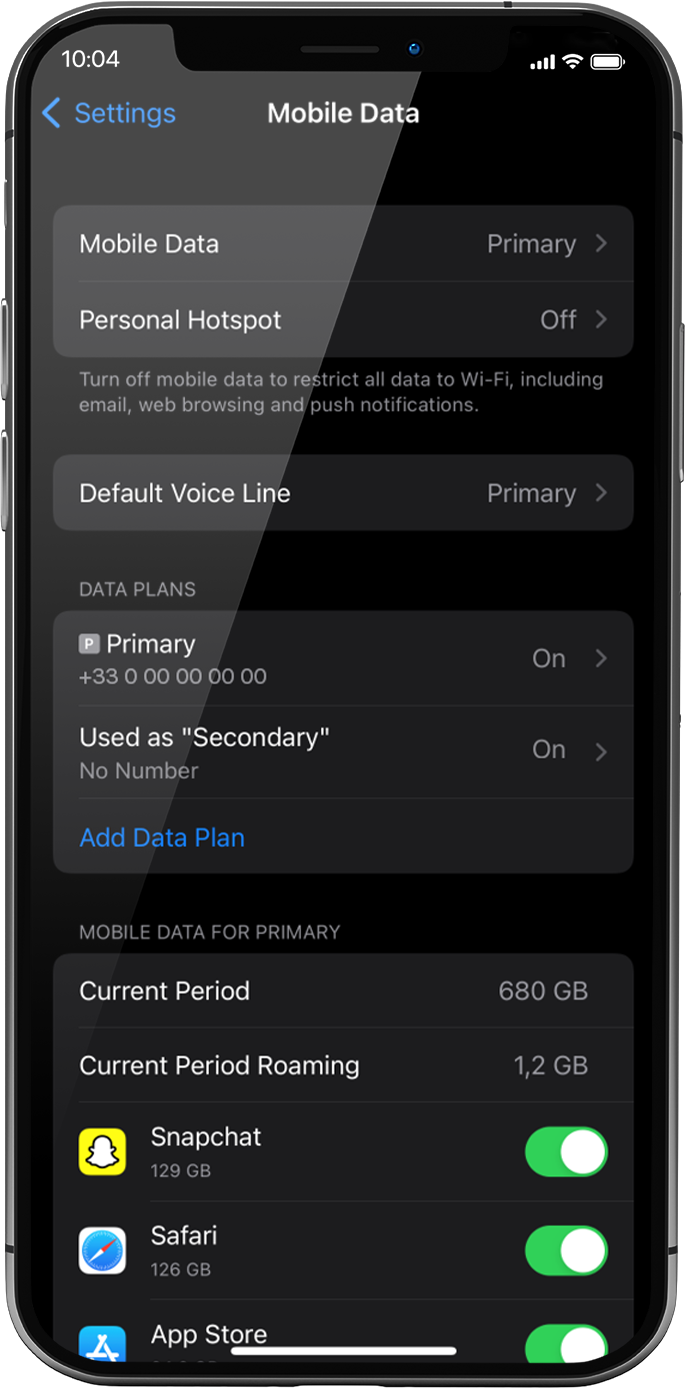
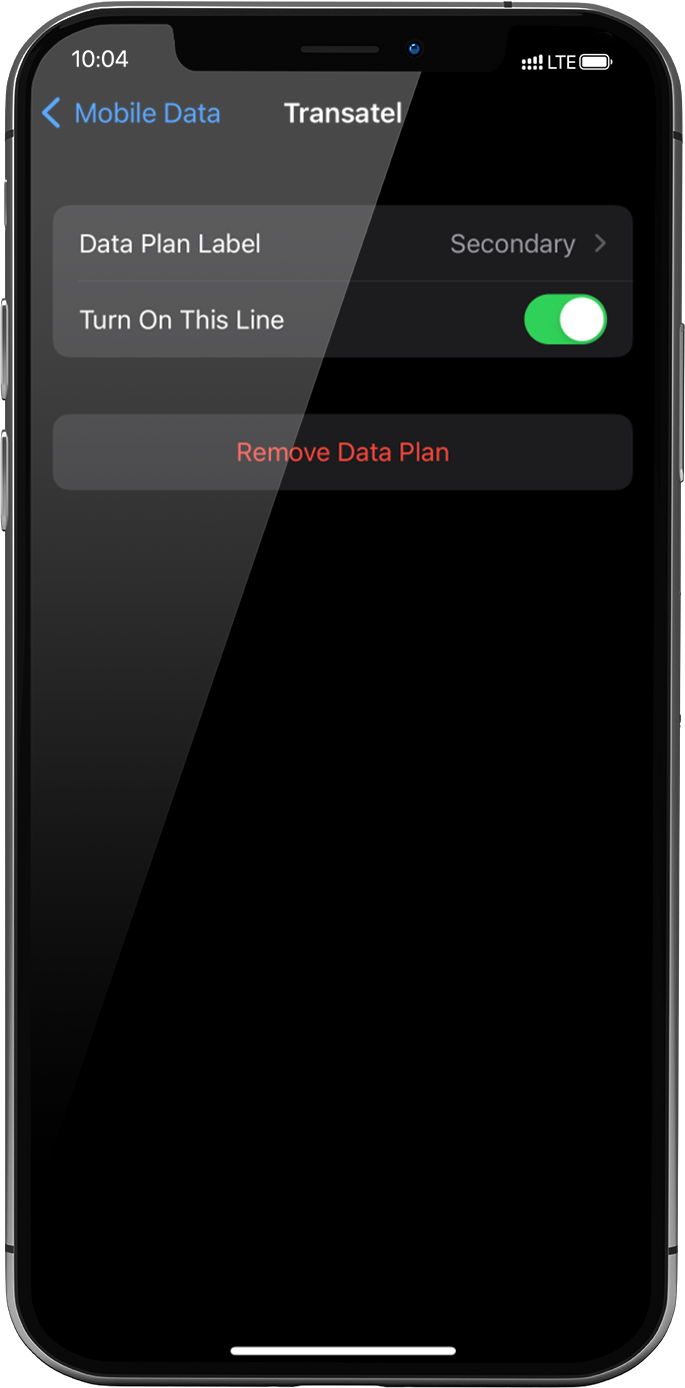
Go to: settings > mobile data > under data plans, select the installed eSIM profile (or “secondary” or the name you renamed it)
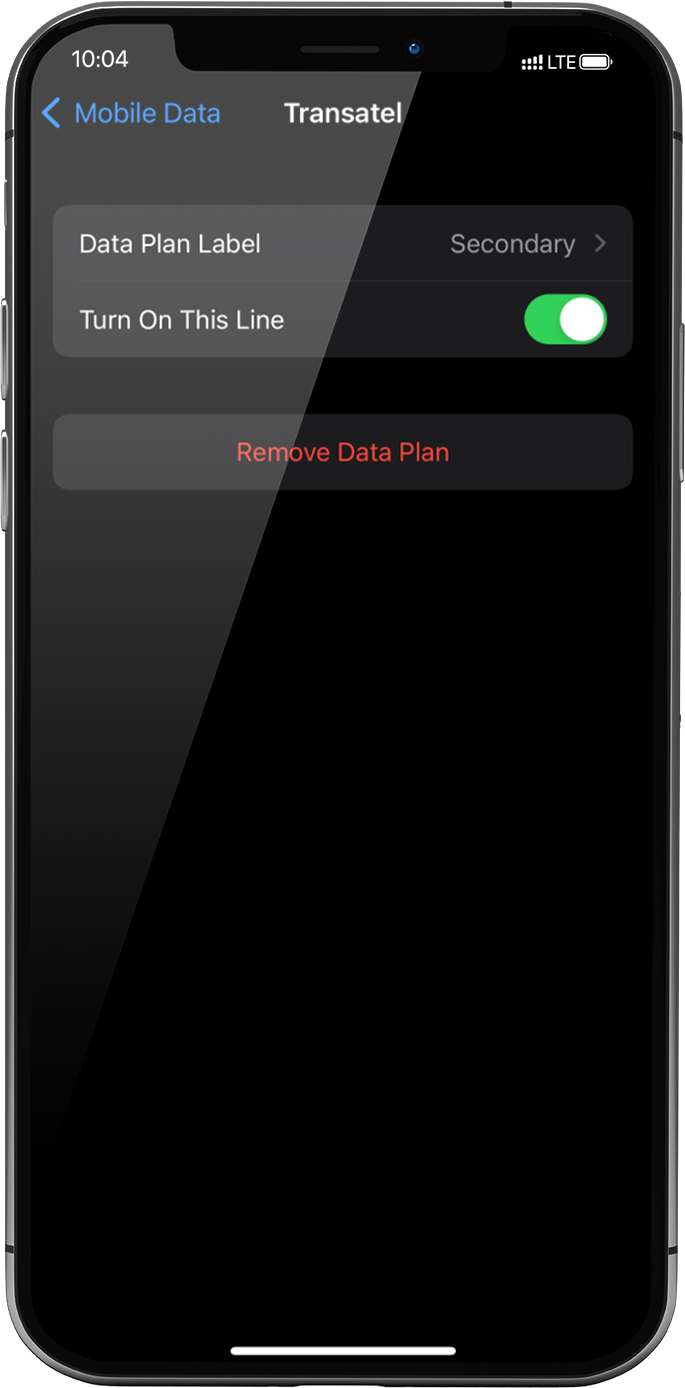
Activate the profile by pressing the button Turn On This Line on the right.
As soon as your profile is activated, a double network signal will appear at the top of your screen.
NB: the double network only appears if you have also a physical SIM card/eSIM profile for voice & SMS installed on your device. If there is no physical SIM card installed, only the stepped bars network will be displayed.
Great
Based on 31051 reviews on
Verified
Verified review
This user has been identified as a buyer
Ubigi app was easy to use and a fraction of the cost for international cell phone service!
We used the Ubigi app for our trip to Korea and Japan (we live in the U.S.) and it was a fraction of the cost to use our phones abroad (in comparison with how much we would have paid through our regular phone carrier with international calls add on service). We will be using Ubigi for all our travels abroad going forward! Highly recommend it!
Eduardo Marquez, 04 Feb 2026
Verified
Verified review
This user has been identified as a buyer
ESIM Card
This app is has good value for its price and it’s easy to install and use
Cathy Fix, 04 Feb 2026
Verified
Verified review
This user has been identified as a buyer
Overall solid, a few rough spots
Data kept cutting out in certain spots, even with clear access, outside with no clouds. Only solution was to completely reset phone to reconnect automatically
Dillon D., 04 Feb 2026
Verified
Verified review
This user has been identified as a buyer
Is working perfect in Vietnam
Is working perfect in Vietnam
Mai K , 04 Feb 2026
Verified
Verified review
This user has been identified as a buyer
Love it
Love it! Bought the region eSIM. It has not disappoint me since in Singapore, Johore - Malaysia and in Chiang Mai. Now on to Bangkok. Have recommended to other tourist along the way who needed to buy data.
Sylvia, 04 Feb 2026
Verified
Verified review
This user has been identified as a buyer
Works super fine on my trip to Puerto…
Works super fine on my trip to Puerto Rico 🇵🇷 just awesome, price, quality
Ramzi Douakha, 04 Feb 2026
Verified
Verified review
This user has been identified as a buyer
No problems easy to use.
No problems easy to use.
customer, 03 Feb 2026
Verified
Verified review
This user has been identified as a buyer
Livigno ski trip
Worked perfectly well in Livigno on my ski trip. Always had my signal. Just a small thing, didn't receive a sim until i have logged out and then logged in to my acc
customer, 03 Feb 2026
Verified
Verified review
This user has been identified as a buyer
Easy and simple to use
Easy and simple to use
customer, 03 Feb 2026
Verified
Verified review
This user has been identified as a buyer
Excellent
Excellent, perfect service, perfect signal!
CATALINA FONNEGRA, 03 Feb 2026
Verified
Verified review
This user has been identified as a buyer
Easy to use and a good app for…
Easy to use and a good app for monitoring
De Zitter, 03 Feb 2026
Verified
Verified review
This user has been identified as a buyer
It’s good transmission but it uses too…
It’s good transmission but it uses too much battery
Maggie Sourial, 03 Feb 2026
Verified
Verified review
This user has been identified as a buyer
Great when it works, app can be a bit slow when checking data.
Fantastic rates and value during a trip to Japan. Generally well connected throughout Osaka, Kyoto and Tokyo. My only issue is that the Ubigi app itself is quite slow and a bit clunky, also having to log in every time I want to see my data allowance. Sometimes I think I've run out of data in the middle of my trip, when in fact it's just really slow.
It would be nice if they sent a notification or SMS that I was on my last GB of data or something, or not require logging in every time.
iy, 03 Feb 2026
Verified
Verified review
This user has been identified as a buyer
Amazing speed at affordable price
Amazing speed at affordable price
Abhinav Kashyap, 03 Feb 2026
Verified
Verified review
This user has been identified as a buyer
Very reliable in South Korea
Went to Seoul, Paju, and Suwon for a week, never lost connection.
Janeen, 03 Feb 2026
Thank you
Your message has been sent. We’ll get back to you shortly.
Thank you
We have taken into account your subscription to the newsletter
How to check eSIM compatibility
Smartphones / Tablets:
Dial *#06#. → If an EID number appears, your device is eSIM-compatible.
Windows 10 / 11:
Press Windows+I. Go to “Network & Internet” → If you see "Cellular", your PC is eSIM-compatible.
How to check carrier unlocking
iPhone / iPad:
Go to Settings > General > About. Scroll to Carrier Lock. → If you see “No SIM restrictions”, your device is unlocked.
Android:
Go to Settings > Network & Internet > Mobile network. Disable Automatic network selection. → If multiple networks appear, your device is unlocked.
You already have an eSIM in your cart.
Each order can only include one eSIM data plan.
If you choose to add a new one, the current plan will be removed. What would you like to do?









 How to check eSIM compatibility
 How to check carrier unlocking