Check if your eSIM profile is installed on your device.
Check eSIM profile activation
Check if your eSIM profile is activated on your device.
Apply data to eSIM profile
Ensure data is applied to your Ubigi eSIM profile.
Check APN configuration
Ensure that the APN is correctly set for your Ubigi connectivty.
Check network display
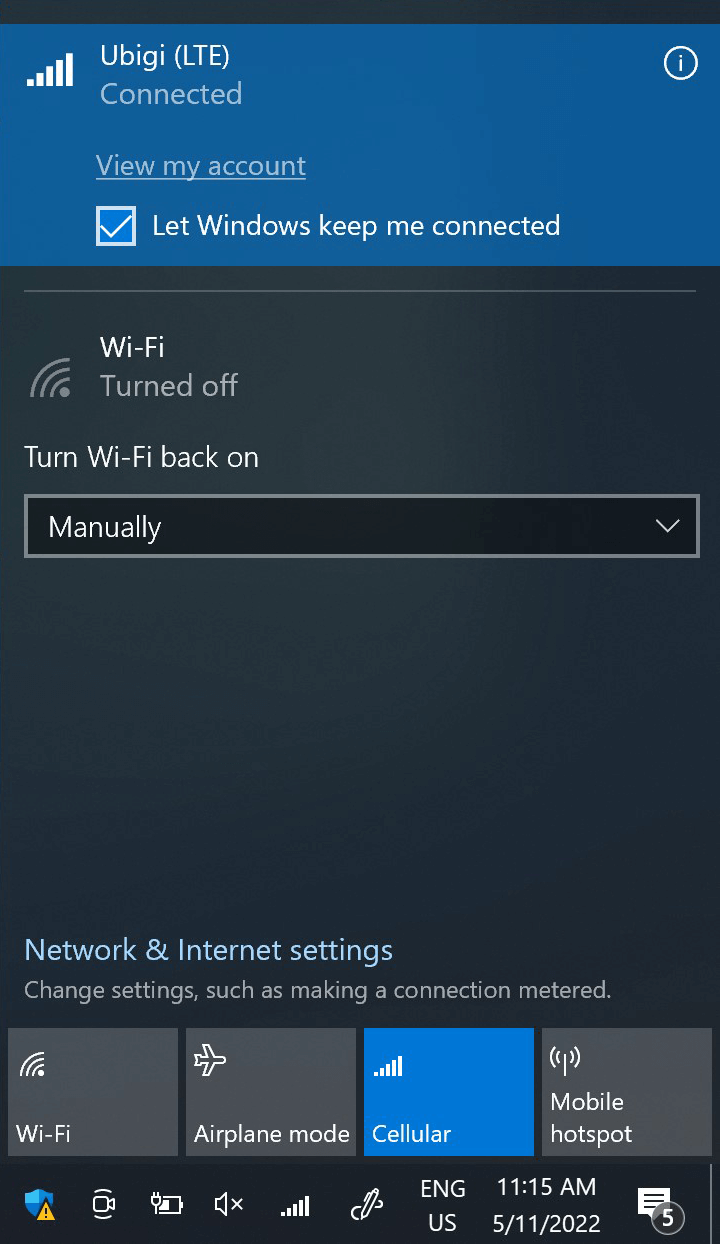
Check the network status for your Ubigi connectivity.
Final checks!
Check account creation and Internet access.
At this step, test your Ubigi connectivity by opening the network flyout and click on “View my account”. Or open a browser and go to ubigi.me
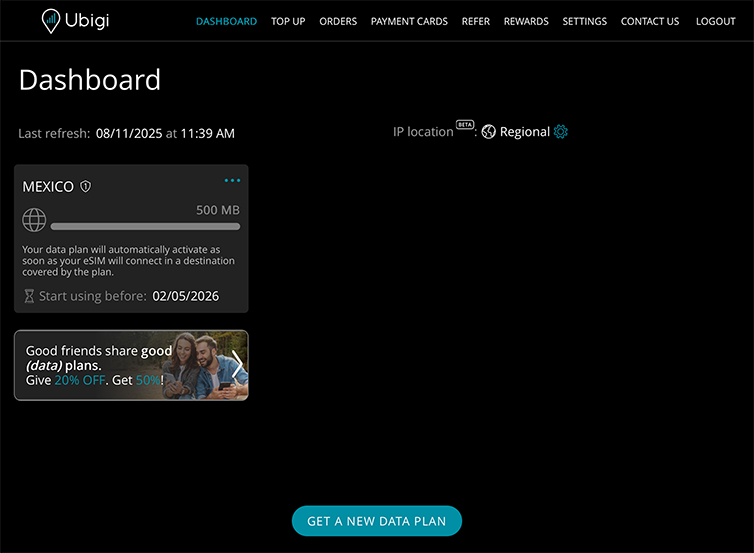
If you already have a Ubigi account, you will be automatically connected to it.
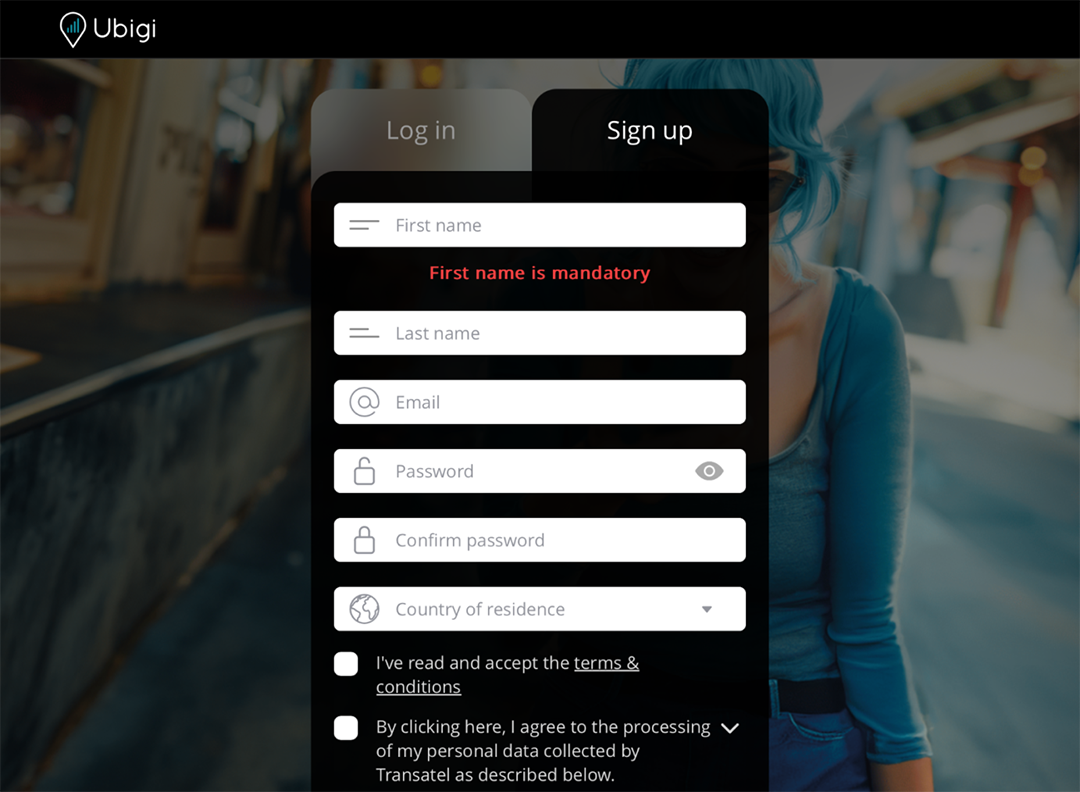
In case you do not have a Ubigi account yet, you will get the account creation page:
Fill in the fields and click on create account. Once your account is created, you will be connected to it.
You can now enjoy your Ubigi connectivity in more than 200 countries!
NB: In case you have followed all previous steps carefully and still cannot access your account or the account creation page, please contact our Customer Support for further help.

Great
Based on 43860 reviews on
Verified
Verified review
This user has been identified as a buyer
It was easier than I thought
To all the older technophobic people: this is a trustworthy good value source of data. I had good service all over the UK!
Jansie, 19 Aug 2026
Verified
Verified review
This user has been identified as a buyer
Very good service.
Very good service.
customer, 19 Aug 2026
Verified
Verified review
This user has been identified as a buyer
Great experience
Easy to download, setup have had great coverage even on islands of Phuket. Good rates too. Been very happy
Andrew, 19 Aug 2026
Verified
Verified review
This user has been identified as a buyer
First class service
Realised when I got to Egypt that the normal O2 roaming SIM did not work.
Did some research, and decided on Ubigi, and the whole process was very simple, priced competatively, and seamless.
Had no issues during the weeks stay, and the speed was constant and consistant.
Very happy with the whole thing.
Rick, 19 Aug 2026
Verified
Verified review
This user has been identified as a buyer
Easy to activate and good data
customer, 19 Aug 2026
Verified
Verified review
This user has been identified as a buyer
A technically ignorant senior citizen
As a very ignorant senior citizen, it, fortunately, hasn't presented me with any technical obstacles that I have been unable to solve on my own.
customer Jane, 19 Aug 2026
Verified
Verified review
This user has been identified as a buyer
Easy to download it and i never lost…
Easy to download it and i never lost the connection even though I was in a Countryside
Andria Hadjicosta, 19 Aug 2026
Verified
Verified review
This user has been identified as a buyer
Perfect
Simple, easy, quality, friendly, good price.
Luigi, 19 Aug 2026
Verified
Verified review
This user has been identified as a buyer
I can’t connect with you easily.
customer, 19 Aug 2026
Verified
Verified review
This user has been identified as a buyer
very good!!!
very good!!!
customer, 19 Aug 2026
Verified
Verified review
This user has been identified as a buyer
Easy to install
Easy to install. Good coverage
customer, 19 Aug 2026
Verified
Verified review
This user has been identified as a buyer
Great I would highly recommend
Tammy T, 19 Aug 2026
Verified
Verified review
This user has been identified as a buyer
I was traveling and the service was…
I was traveling and the service was reliable and I never had any hiccups.
Rashmi S, 19 Aug 2026
Verified
Verified review
This user has been identified as a buyer
Good availability but avg speed
Good availability and price. Sometimes speed is not very good.
Chris Wilpert, 19 Aug 2026
Verified
Verified review
This user has been identified as a buyer
Awesome
Awesome, best decision that I ever made.
customer, 19 Aug 2026
Thank you
Your message has been sent. We’ll get back to you shortly.
Thank you
We have taken into account your subscription to the newsletter
How to check eSIM compatibility
Smartphones / Tablets:
Dial *#06#. → If an EID number appears, your device is eSIM-compatible.
Windows 10 / 11:
Press Windows+I. Go to “Network & Internet” → If you see "Cellular", your PC is eSIM-compatible.
How to check carrier unlocking
iPhone / iPad:
Go to Settings > General > About. Scroll to Carrier Lock. → If you see “No SIM restrictions”, your device is unlocked.
Android:
Go to Settings > Network & Internet > Mobile network. Disable Automatic network selection. → If multiple networks appear, your device is unlocked.
You already have an eSIM in your cart.
Each order can only include one eSIM data plan.
If you choose to add a new one, the current plan will be removed. What would you like to do?

