Check if your eSIM profile is installed on your device.
Check eSIM profile activation
Check if your eSIM profile is activated on your device.
Apply data to eSIM profile
Ensure data is applied to your Ubigi eSIM profile.
Check APN configuration
Ensure that the APN is correctly set for your Ubigi connectivty.
Check network display
Check the network status for your Ubigi connectivity.
Final checks!
Check account creation and Internet access.
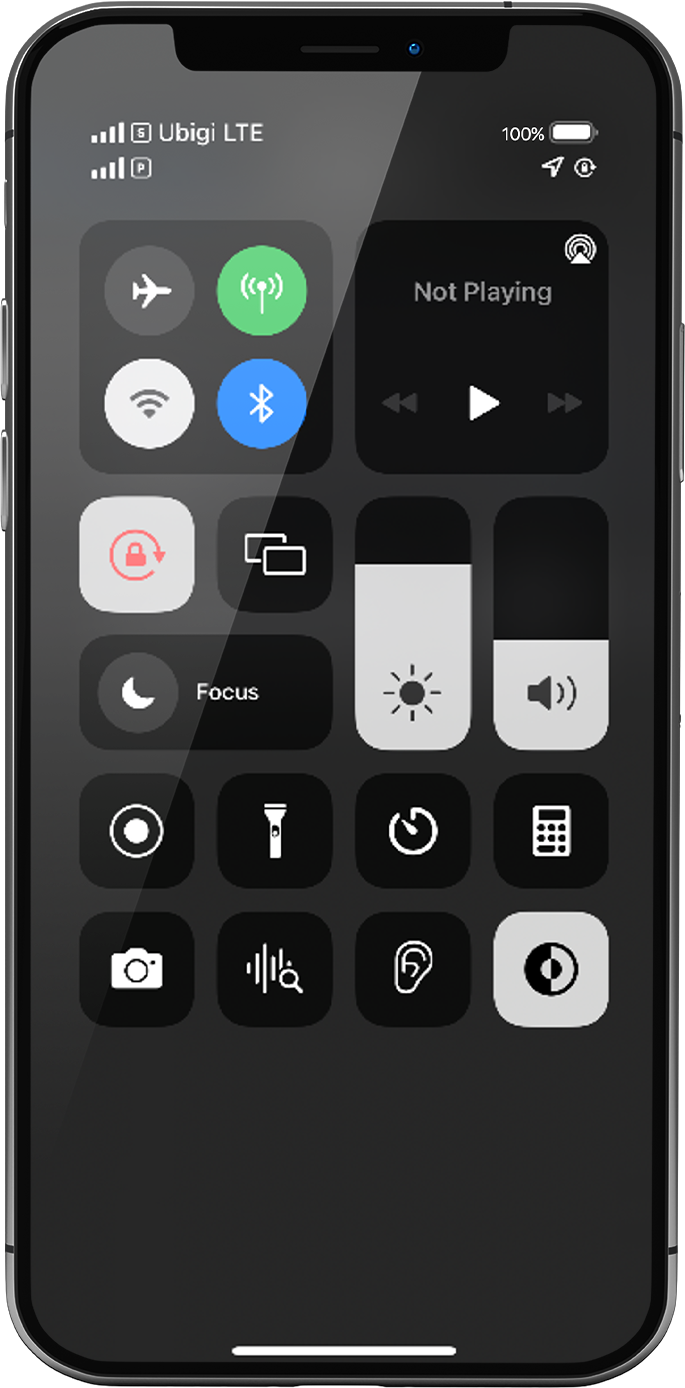
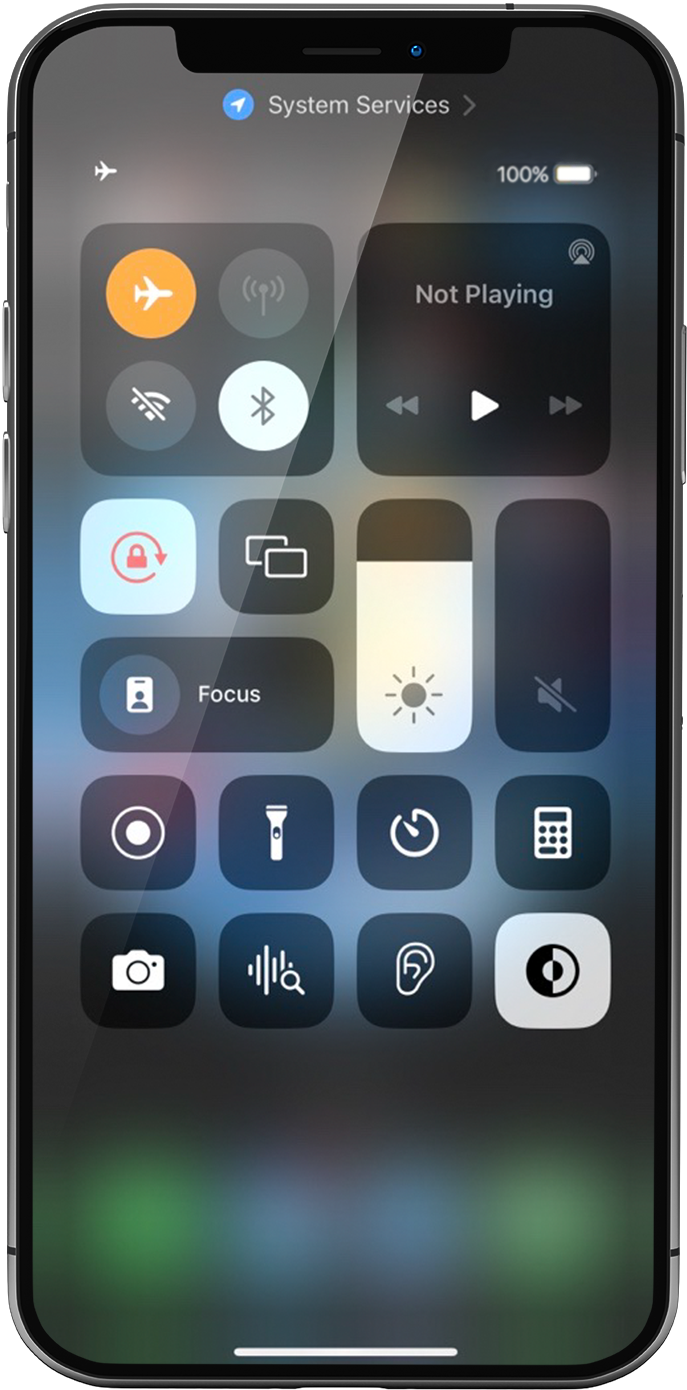
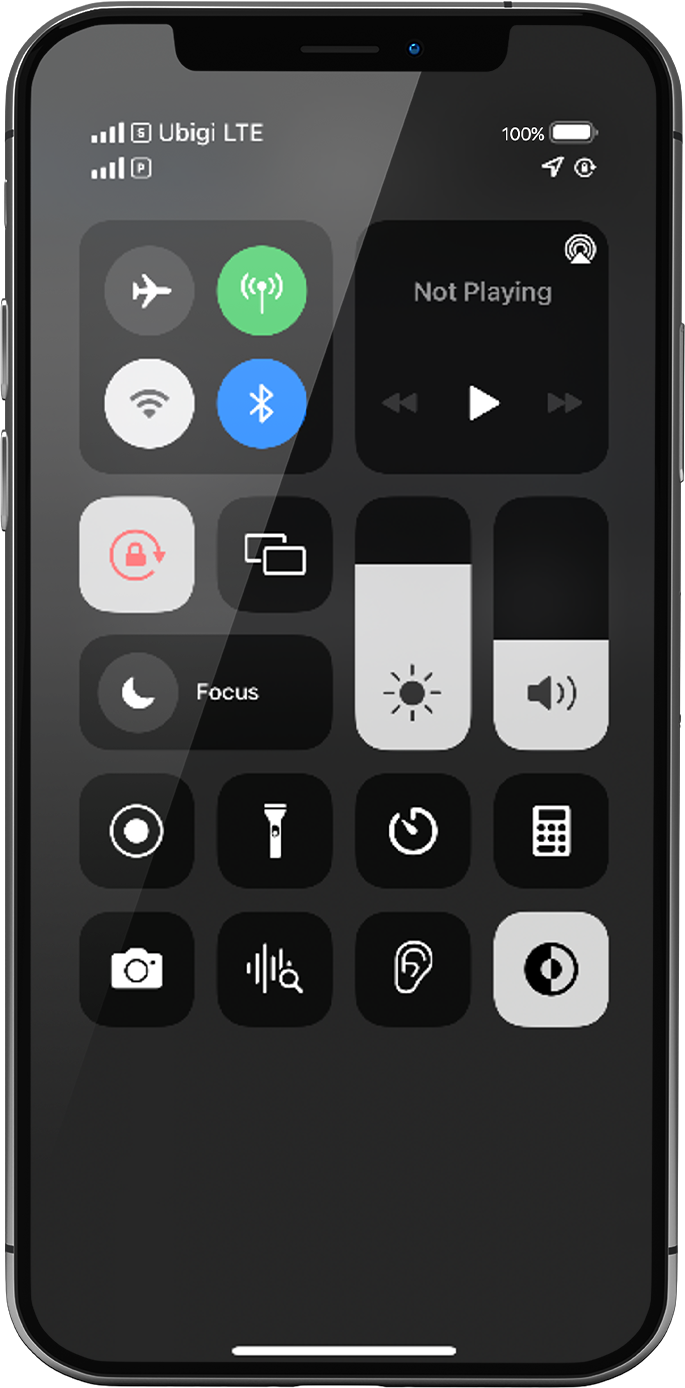
Display the networks/shortcuts page by sliding from the top right hand corner of your screen to the center.
Turn ON “flight mode” for 5 seconds and turn it OFF. This action will refresh the network connection from your device.
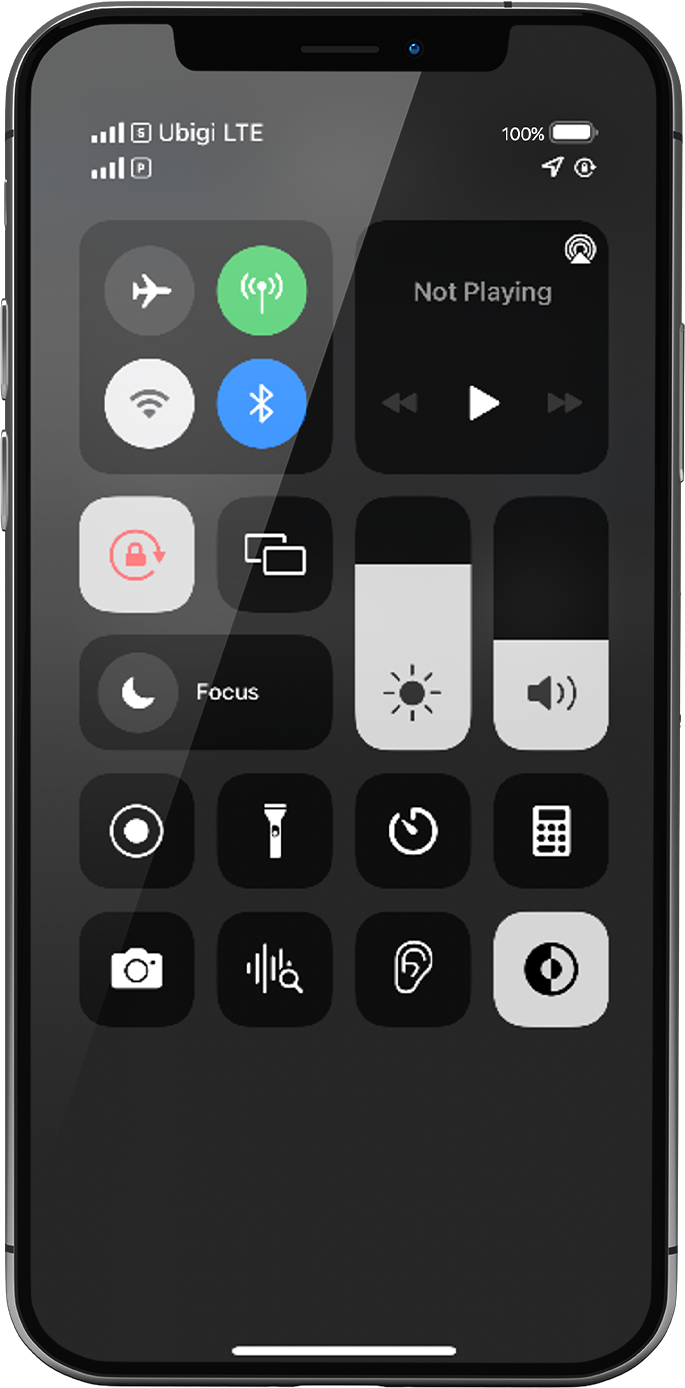
Once Flight mode off, you will see 1 or 2 networks appear:
The network at the top is always the eSIM/SIM card you applied data to: following previous steps, this must be your Ubigi eSIM network
NB: The other network right under it represents the other possible line in your phone (for instance: your primary line with the physical SIM card if you have inserted one in your device)
Let’s focus on the network signal at the top: If you have 1 to full signal bars displayed, go to the next step.
If all bars are greyed out, please follow these steps to select a network manually. Once signal bars are displayed, go to the next step.
NB: If no network bar is displayed yet, please contact Customer Support for further help and provide the ICCID of your eSIM profile (Settings > General > Information > ICCID, it begins with 8988…).
Great
Based on 44691 reviews on
Verified
Verified review
This user has been identified as a buyer
Working as soon as I arrived the signal…
Working as soon as I arrived the signal was excellent the whole time I was here.
Aftab Hussain, 30 Aug 2026
Verified
Verified review
This user has been identified as a buyer
It served very well
It served very well, though sometimes there were lapsed of service but not for a long time. It recovered quickly. The service was reliable and very useful for me.
Ivana, 30 Aug 2026
Verified
Verified review
This user has been identified as a buyer
Highly recommend Ubigi
Top! Ubigi worked like a charm. I used it to navigate using Apple Maps on my phone using Ubigi cell data (in Europe). Also used it for internet access. Super. Will use it again the next time I travel. Highly recommend!
Spaghetti Bolognese, 30 Aug 2026
Verified
Verified review
This user has been identified as a buyer
always easy and works!
always easy and works!
customer, 30 Aug 2026
Verified
Verified review
This user has been identified as a buyer
SIM worked really well in Egypt
SIM worked really well in Egypt. I contacted customer services about an issue with my order and they responded really quickly and were very helpful. Recommended!
SV, 30 Aug 2026
Verified
Verified review
This user has been identified as a buyer
Great cellular service
Great cellular service! Works the best. Strongly recommend.
Sima , 30 Aug 2026
Verified
Verified review
This user has been identified as a buyer
Very simple to arrange and good price.
Very simple to arrange and good price.
John Critchley, 30 Aug 2026
Verified
Verified review
This user has been identified as a buyer
Perfectly worked
Perfectly worked
cliente, 30 Aug 2026
Verified
Verified review
This user has been identified as a buyer
The have nice affordable restaurant…
The have nice affordable restaurant with very good food.
customer, 30 Aug 2026
Verified
Verified review
This user has been identified as a buyer
Easy
Easy, flexible
customer, 30 Aug 2026
Verified
Verified review
This user has been identified as a buyer
Everything worked
Everything worked. No issues experienced. Highly recommended and would buy again for our next international trip.
Mike, 30 Aug 2026
Verified
Verified review
This user has been identified as a buyer
So much better than other providers on…
So much better than other providers on the market. Got caught out on a recent trip to the UK. The company I use let me down so badly. Started to restrict my data usage. I then read the fine print and they are covered by it. They limit it. Read the fine print to find out.
jason, 30 Aug 2026
Verified
Verified review
This user has been identified as a buyer
Data connection is good although speed…
Data connection is good although speed is an issue. Wish voice calls (VoLTE)were included as an option
Co Jay, 30 Aug 2026
Verified
Verified review
This user has been identified as a buyer
Quick, good prices, good coverage
Quick, easy to install and purchase plan. We also used Ubigi in Spain. Sometimes a bit tricky to get started when switching to eSIM when crossing the border. But otherwise, very good and good coverage.
Customer-Canadian in Spain, 30 Aug 2026
Verified
Verified review
This user has been identified as a buyer
Very Квикли in Easy connection
Very Квикли in Easy connection
Oleg, 30 Aug 2026
Thank you
Your message has been sent. We’ll get back to you shortly.
Thank you
We have taken into account your subscription to the newsletter
How to check eSIM compatibility
Smartphones / Tablets:
Dial *#06#. → If an EID number appears, your device is eSIM-compatible.
Windows 10 / 11:
Press Windows+I. Go to “Network & Internet” → If you see "Cellular", your PC is eSIM-compatible.
How to check carrier unlocking
iPhone / iPad:
Go to Settings > General > About. Scroll to Carrier Lock. → If you see “No SIM restrictions”, your device is unlocked.
Android:
Go to Settings > Network & Internet > Mobile network. Disable Automatic network selection. → If multiple networks appear, your device is unlocked.
You already have an eSIM in your cart.
Each order can only include one eSIM data plan.
If you choose to add a new one, the current plan will be removed. What would you like to do?










 How to check eSIM compatibility
 How to check carrier unlocking