Check if your eSIM profile is installed on your device.
Check eSIM profile activation
Check if your eSIM profile is activated on your device.
Apply data to eSIM profile
Ensure data is applied to your Ubigi eSIM profile.
Check APN configuration
Ensure that the APN is correctly set for your Ubigi connectivty.
Check network display
Check the network status for your Ubigi connectivity.
Final checks!
Check account creation and Internet access.
Now ensure that the APN(Access Point Name) is correctly set on your device.
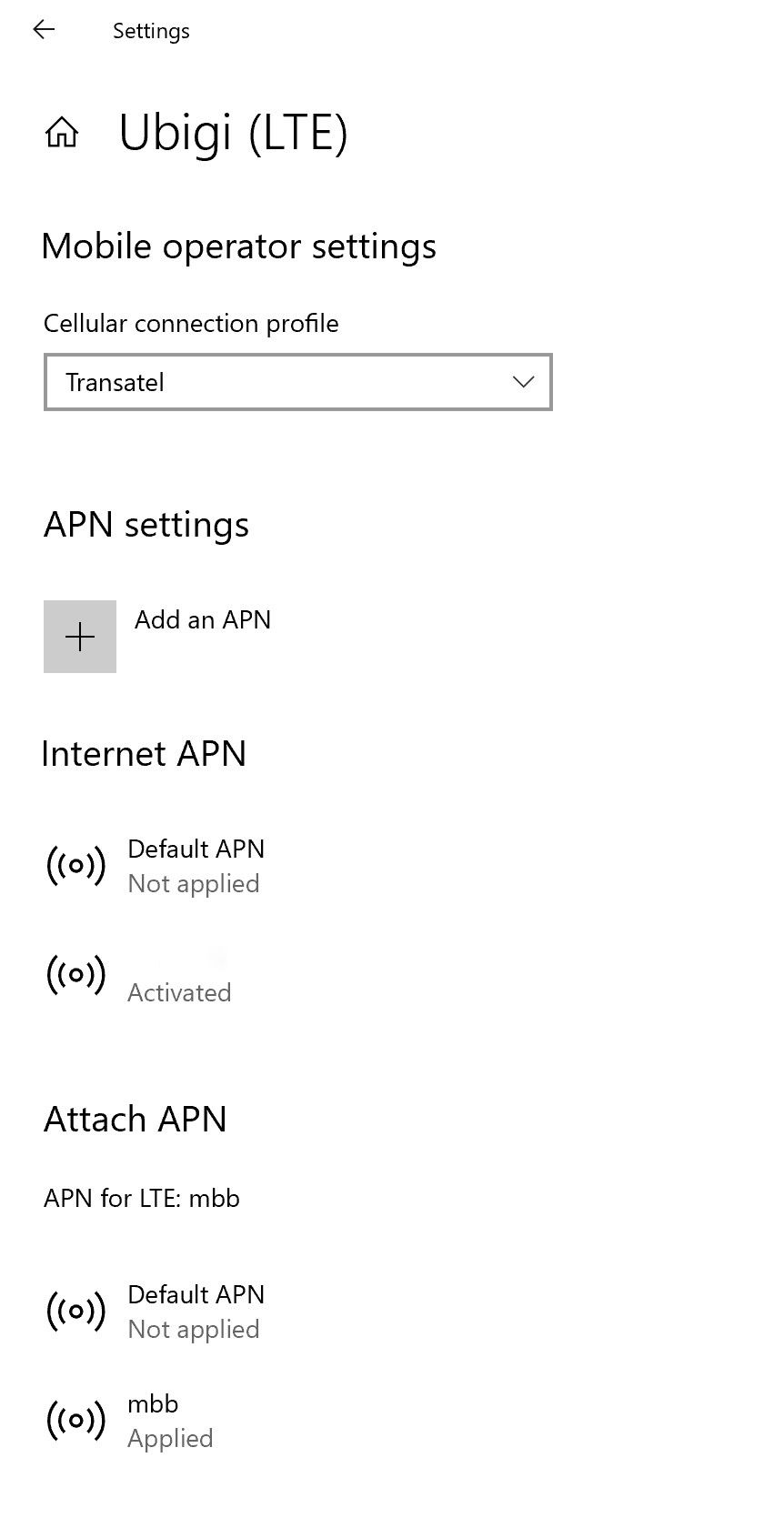
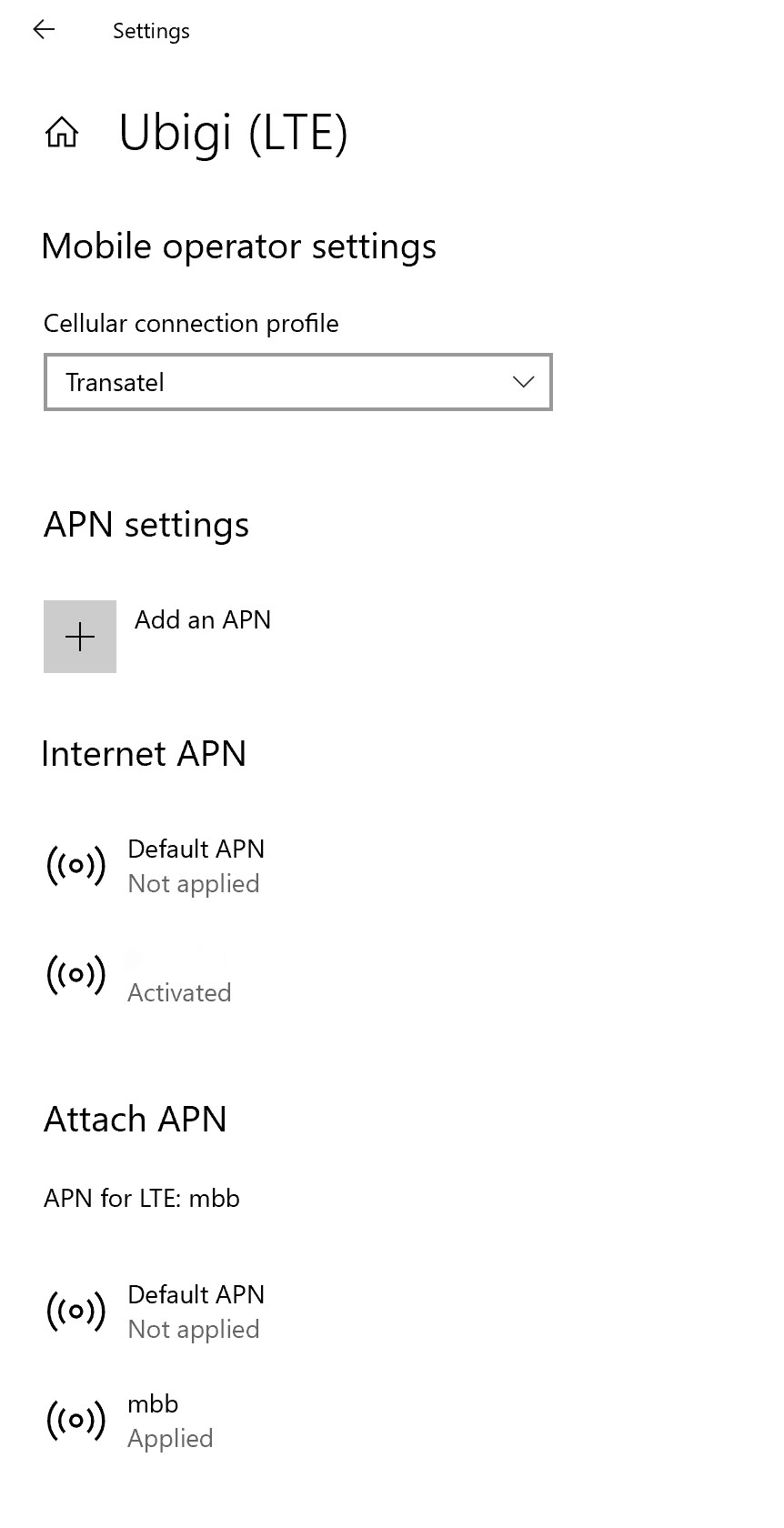
Go to: Settings > Networks & Internet > Mobile, then Mobile operator settings. If APN mbb appears on Internet APN or Attach APN lists, go directly to the step 5.
If the Ubigi APN does not appear, go to the next step.
If the Ubigi APN does not appear, click on “Add an APN” and fill in:
– Profile name: Ubigi – APN: mbb
Check the box “Apply this profile” and click on save.
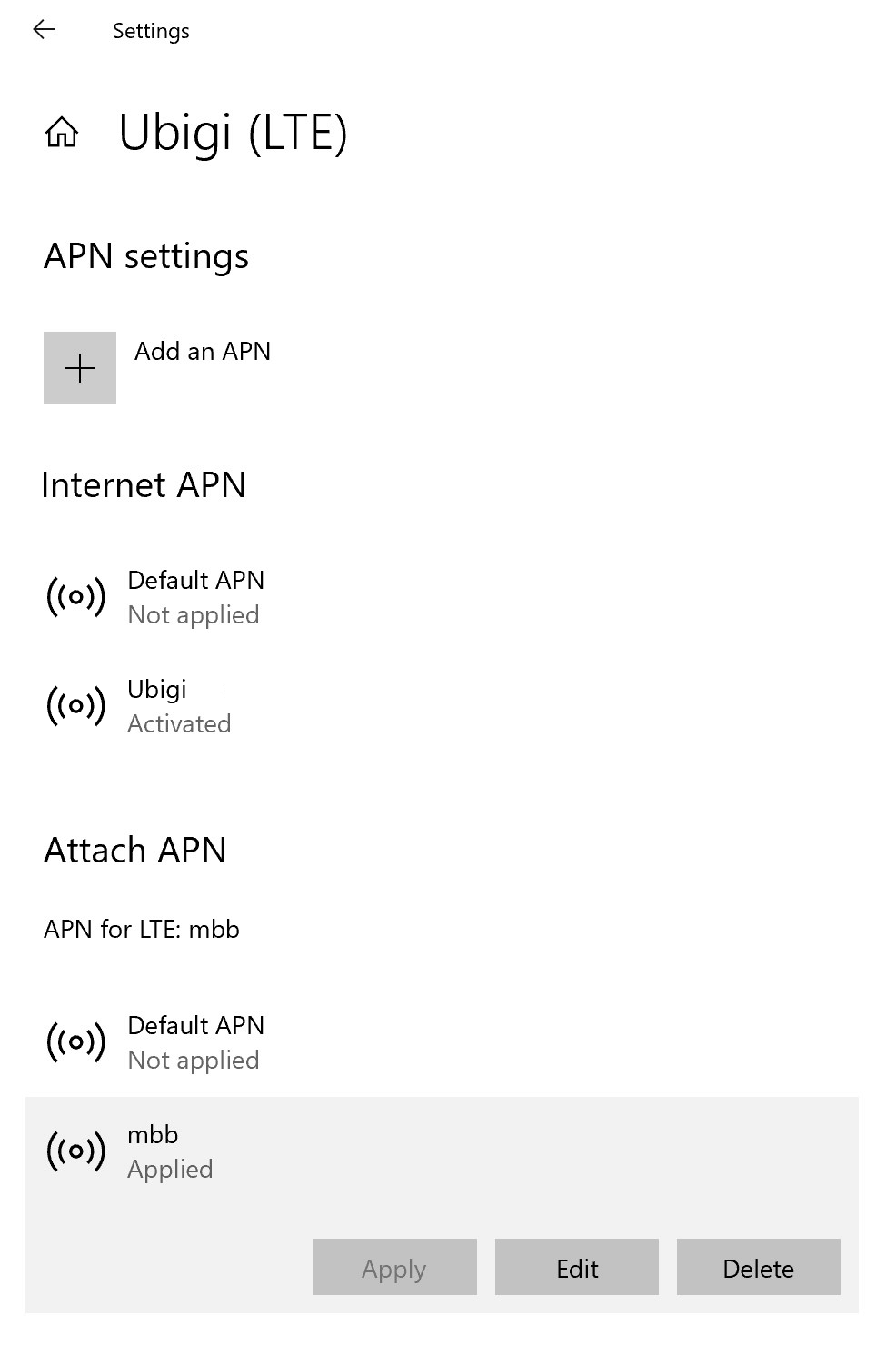
Now make sure that the Ubigi APN appears as “Applied”.
If not, click on it to display more options and click on Apply button.
Great
Based on 49267 reviews on
Verified
Verified review
This user has been identified as a buyer
Ease of accessing everything
Ease of accessing everything
CM, 22 Oct 2026
Verified
Verified review
This user has been identified as a buyer
Easy to use
Easy to use, good coverage and fast download speed
Sean Lynch, 22 Oct 2026
Verified
Verified review
This user has been identified as a buyer
Great connection
Great connection. Even in subway and train stations
S. COLE, 22 Oct 2026
Verified
Verified review
This user has been identified as a buyer
Easy to connect. Go Ubigi
Easy to connect
So far no.problem
Aruna, 22 Oct 2026
Verified
Verified review
This user has been identified as a buyer
ALWAYS CONNECTED
ALWAYS CONNECTED
JACOBA, 22 Oct 2026
Verified
Verified review
This user has been identified as a buyer
Quick and easy
Quick and easy
David Tadd, 22 Oct 2026
Verified
Verified review
This user has been identified as a buyer
Ubigi E-sim - easy to use
My wife and me traveled to Europe to atleast 5 different countries. We moved to Ubigi from the earlier e-sim provider we used.
Ubigi coverage is excellent and the cost is reasonable. You can track your usage through the Ubigi App and top up is just a click.
Highly recommend
Col Dr Narayan, 22 Oct 2026
Verified
Verified review
This user has been identified as a buyer
Seamless and great coverage
Seamless and great coverage, whether in the big cities or hills areas. Highly recommend this eSIM
Glen, 22 Oct 2026
Verified
Verified review
This user has been identified as a buyer
The process was fairly simple
The process was fairly simple. Easy installation and very dependable!
customer Dan, 22 Oct 2026
Verified
Verified review
This user has been identified as a buyer
No hidden costs
No hidden costs, easy set up and top-up, great local and international connectivity
Federica Bando, 22 Oct 2026
Verified
Verified review
This user has been identified as a buyer
Good coverage in remote areas
Ubigi's clear directions helped me activate my eSIM when I arrived in Japan. The eSIM generally worked well throughout our trip across the Japanese Alps. It was a lifesaver in Nagano when our rental car's GPS could not direct us to the rental car office to return our car. With the eSIM, I could also continue to use my normal telephone number.
MKM, 22 Oct 2026
Verified
Verified review
This user has been identified as a buyer
Ubigi eSIM device working great…
I added Ubigi eSIM device after already being in China. I realized continual cell and internet service was essential here. No problem adding so late! And it works wonderfully!
A lot less expensive than Verizon’s Travelpass !
Bill, 22 Oct 2026
Verified
Verified review
This user has been identified as a buyer
Very satified
Very satified
Trinh Nguyen, 22 Oct 2026
Verified
Verified review
This user has been identified as a buyer
Stable and Smooth Network!
Stable Network!
Timmy, 22 Oct 2026
Verified
Verified review
This user has been identified as a buyer
Reliable service anywhere
Ubigi is reliable and resolves issues promptly. Their prices aren't the cheapest but are competitive and have sales/promos frequently. I took 1 star off for the glitchy app. I couldn't activate my esim from the app, but Ubigi was quick to email me a QR code instead.
Wendy T, 22 Oct 2026
Thank you
Your message has been sent. We’ll get back to you shortly.
Thank you
We have taken into account your subscription to the newsletter
How to check eSIM compatibility
Smartphones / Tablets:
Dial *#06#. → If an EID number appears, your device is eSIM-compatible.
Windows 10 / 11:
Press Windows+I. Go to “Network & Internet” → If you see "Cellular", your PC is eSIM-compatible.
How to check carrier unlocking
iPhone / iPad:
Go to Settings > General > About. Scroll to Carrier Lock. → If you see “No SIM restrictions”, your device is unlocked.
Android:
Go to Settings > Network & Internet > Mobile network. Disable Automatic network selection. → If multiple networks appear, your device is unlocked.
You already have an eSIM in your cart.
Each order can only include one eSIM data plan.
If you choose to add a new one, the current plan will be removed. What would you like to do?








 How to check eSIM compatibility
 How to check carrier unlocking