Check if your eSIM profile is installed on your device.
Check eSIM profile activation
Check if your eSIM profile is activated on your device.
Apply data to eSIM profile
Ensure data is applied to your Ubigi eSIM profile.
Check APN configuration
Ensure that the APN is correctly set for your Ubigi connectivty.
Check network display
Check the network status for your Ubigi connectivity.
Final checks!
Check account creation and Internet access.
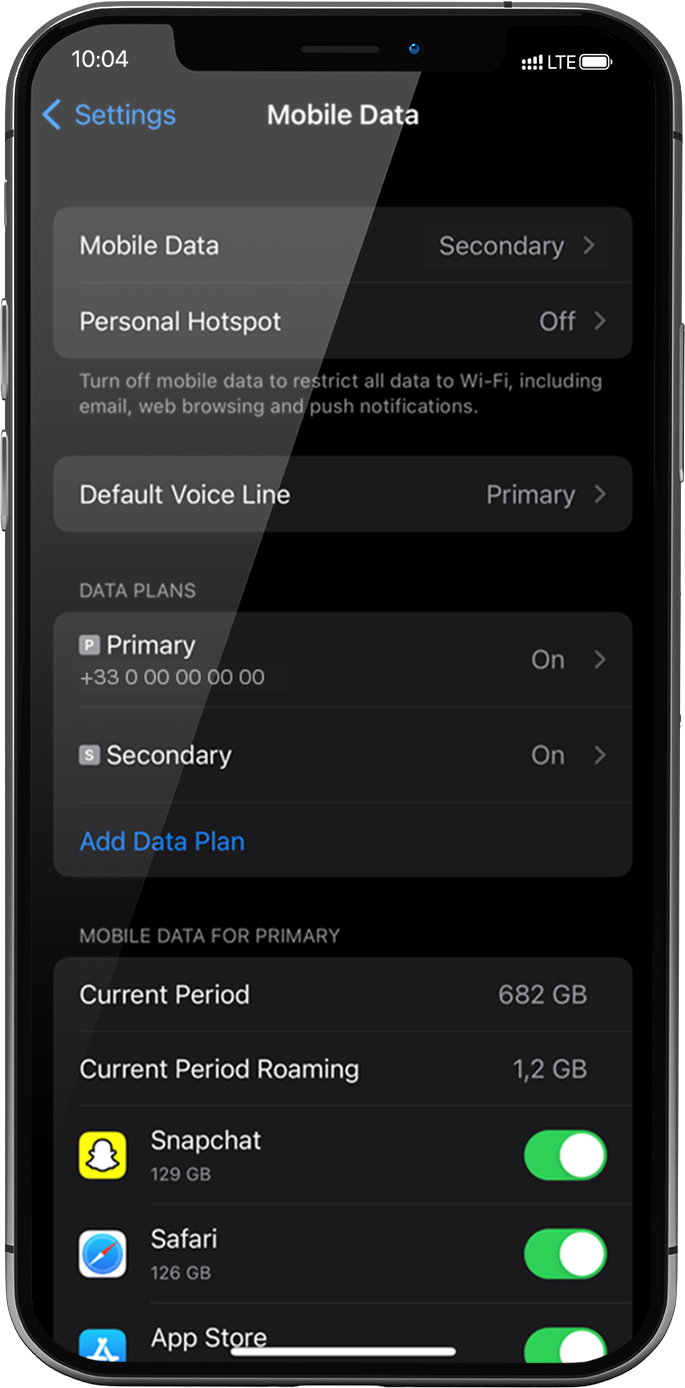
Cellular Data must be applied to the Ubigi eSIM profile to access the Internet.
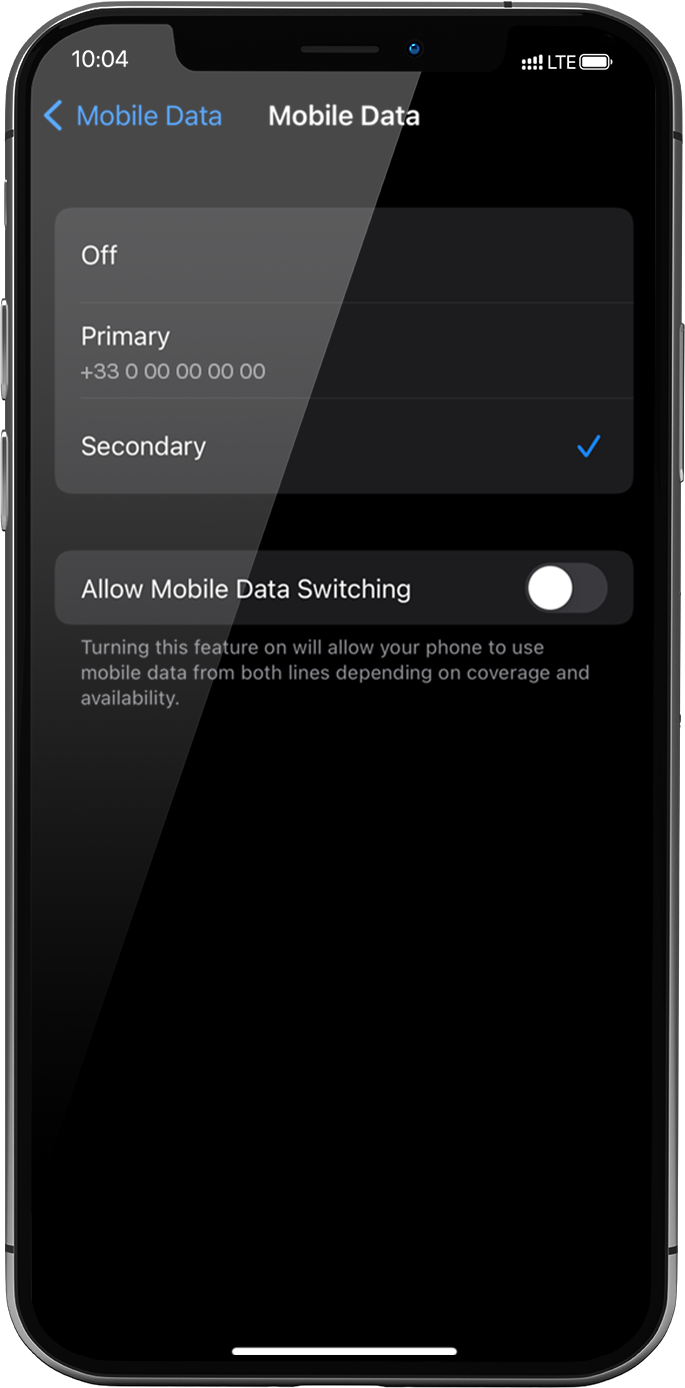
To do that, go to: settings > Mobile Data > Mobile Data again, select Secondary: the tick will appear in front of it when it is selected .
Important: When you have multiple SIM cards/eSIM profiles on your iPhone, it is not possible to activate cellular data on two data plans at the same time. You can only apply it to one at a time.
GET 20% OFF
⚽
FOOTBALL FEVER PLANS
Heading to the World Cup? Stay connected with our unlimited USA+Canada data plans. Use code FEVER20.




 .
.



 How to check eSIM compatibility
 How to check carrier unlocking