

← Back to questions
My eSIM Ubigi profile is installed and active on my iPhone/iPad, the network is displayed but I don’t have access to the Internet, what should I do?
Important: When you have multiple SIM cards/eSIMs (“plans”) on your iPhone/iPad, it is not possible to activate cellular data on two plans at the same time. You can only apply it to one of them.
You need to verify that Cellular Data is applied to the Ubigi eSIM profile for you to access the Internet. To do that, go to:
– Settings: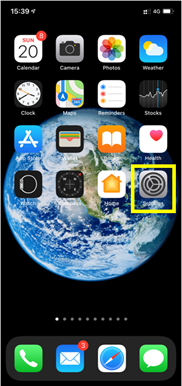
– Then, select Mobile Data: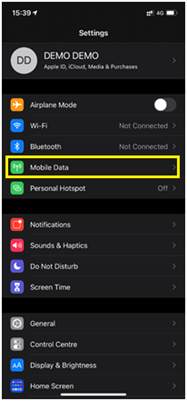
– Then, select Mobile data again: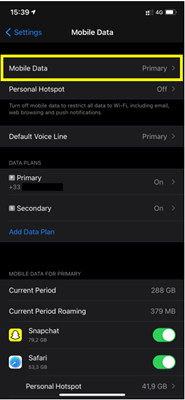
– Finally enter Cellular Data and select “secondary”: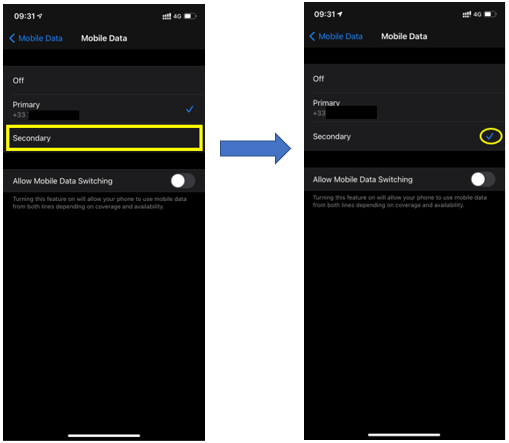
Your iPhone/iPad will now use the cellular data connection from your Ubigi eSIM profile and you will be able to access the Internet with it.



 How to check eSIM compatibility
 How to check carrier unlocking